> ## Documentation Index
> Fetch the complete documentation index at: https://razorpay-881012b3.mintlify.site/llms.txt
> Use this file to discover all available pages before exploring further.
# Existing Razorpay Merchant
> Become a Razorpay Partner from the Partners webpage or the Razorpay Dashboard.
Available in
🇮🇳 India
You can become a Razorpay Partner, offer your customers a complete suite of payment solutions and get rewarded for it in the form of [commissions](/docs/partners/commissions). As an existing Razorpay merchant, you can join the Razorpay Partnership program by completing a few simple steps.
## Become a Razorpay Partner
**Handy Tips**
* Review the [eligibility requirements](/docs/partners#who-can-become-a-partner) for the Razorpay Partnership Program.
* All Partners are onboarded as Service Partners by default. If you have a use case, you can request a Partner type switch to [Technology Partners](/docs/partners/technology-partners/become-technology-partner).
You can join the program either from the Razorpay Partners Webpage or the Dashboard.
To become a Partner:
1. Navigate to the [Razorpay Partners webpage](https://razorpay.com/partners) and click **Become a Partner**.
 2. On the sign up page, enter your mobile number and click **Get Started**.
 3. If you were previously logged into the Dashboard, you will be redirected to it. If not, you will be redirected to the **Welcome Back!** page. Click the **Login Now** button to navigate to the Dashboard.
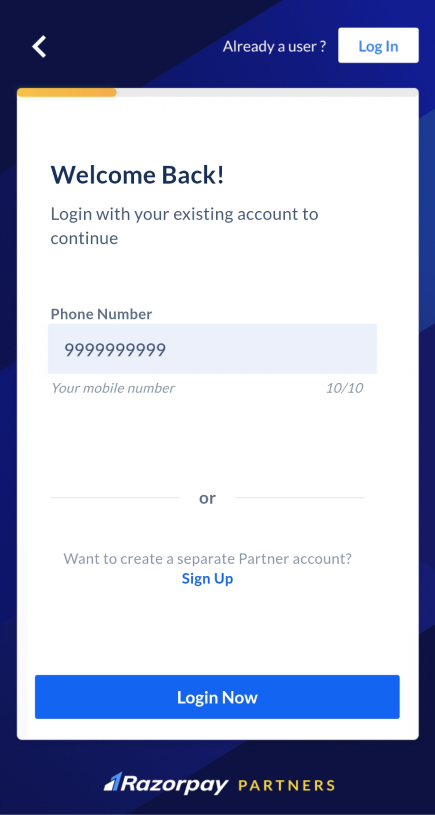 4. Once logged in, navigate to the top-right menu. Click the drop-down list next to the merchant name.
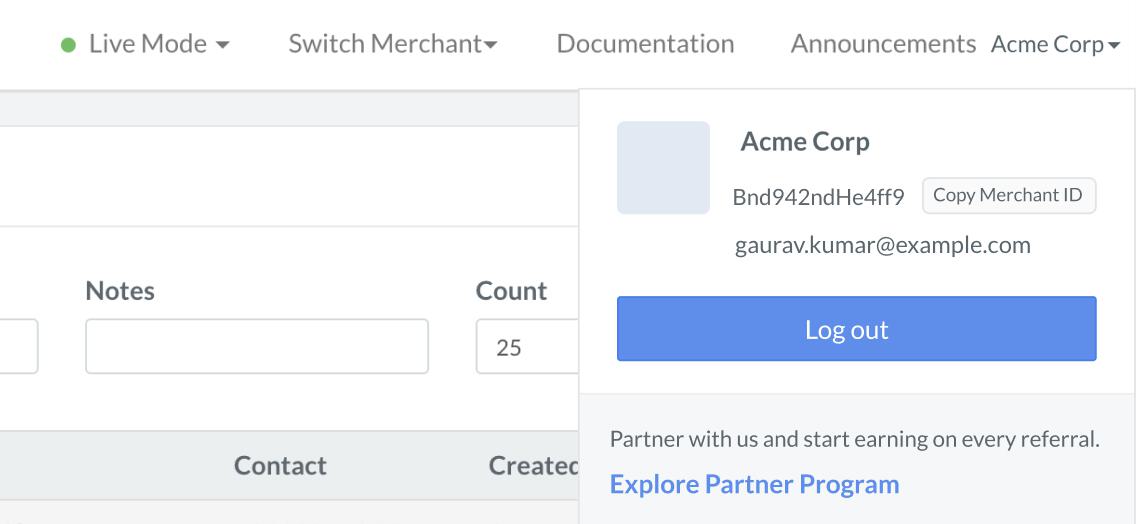 5. Click **Explore Partner Program**.
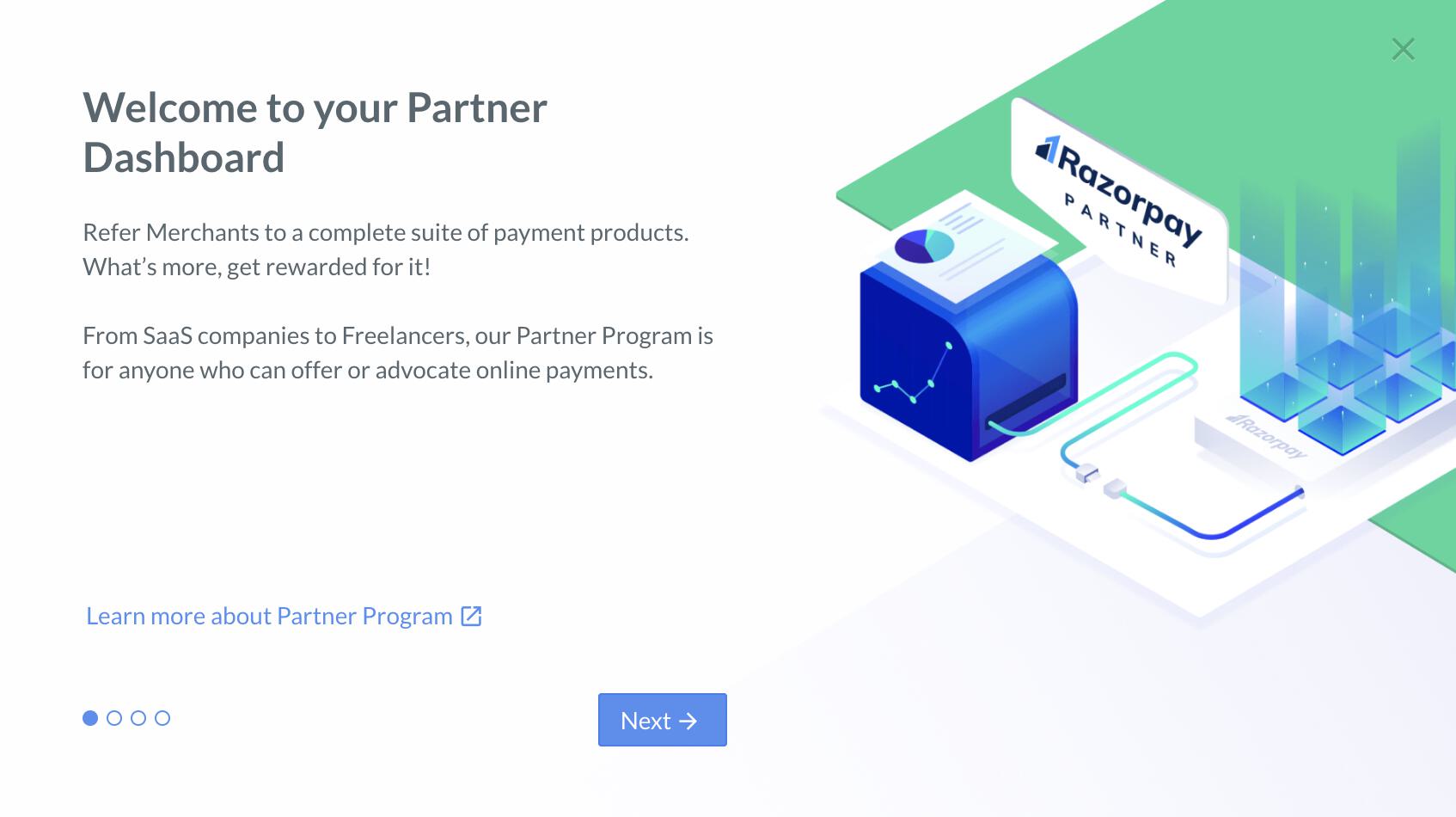
6. On the **Welcome to your Partner Dashboard** dialog box, click **Next**.
5. Click **Explore Partner Program**.
6. On the **Welcome to your Partner Dashboard** dialog box, click **Next**.
 7. On the next page, the details regarding the commissions are displayed. Click **Next**.
8. In the **Terms and Conditions** modal, click **Accept and Get Started**.
To become a Partner:
1. Log in to the Dashboard with your existing credentials.
2. Once logged in, navigate to the top-right menu. Click the drop-down menu next to the merchant name.
3. Click **Explore Partner Program**.
4. On the **Welcome to your Partner Dashboard** dialog box, click **Next**.
5. On the next page, the details regarding the commissions are displayed. Click **Next**.
6. In the **Terms and Conditions** modal, click **Accept and Get Started**.
## Enable Partner Commissions
To enable commissions on your account, send an email to the [Razorpay Partnerships team](mailto:partnerships@razorpay.com).
## Add Sub-Merchants
Know how to [add new sub-merchants](/docs/partners/service-partners/add-submerchants) on your Dashboard.
### Related Information
* [Partners](/docs/partners)
* [Become a Partner - New to Razorpay](/docs/partners/new-to-razorpay)
7. On the next page, the details regarding the commissions are displayed. Click **Next**.
8. In the **Terms and Conditions** modal, click **Accept and Get Started**.
To become a Partner:
1. Log in to the Dashboard with your existing credentials.
2. Once logged in, navigate to the top-right menu. Click the drop-down menu next to the merchant name.
3. Click **Explore Partner Program**.
4. On the **Welcome to your Partner Dashboard** dialog box, click **Next**.
5. On the next page, the details regarding the commissions are displayed. Click **Next**.
6. In the **Terms and Conditions** modal, click **Accept and Get Started**.
## Enable Partner Commissions
To enable commissions on your account, send an email to the [Razorpay Partnerships team](mailto:partnerships@razorpay.com).
## Add Sub-Merchants
Know how to [add new sub-merchants](/docs/partners/service-partners/add-submerchants) on your Dashboard.
### Related Information
* [Partners](/docs/partners)
* [Become a Partner - New to Razorpay](/docs/partners/new-to-razorpay)