> ## Documentation Index
> Fetch the complete documentation index at: https://razorpay-881012b3.mintlify.site/llms.txt
> Use this file to discover all available pages before exploring further.
# OAuth for Sub-Merchants
> Steps to safely authorise access to your Razorpay account.
Available in
🇮🇳 India
When the sub-merchant tries to connect their Razorpay account with yours:
1. A front-end interface for your app with a button redirects the sub-merchant to the Razorpay OAuth page.
2. A redirect URL points to your application. Razorpay redirects the sub-merchants to this URL.
**Watch Out!**
Only the person with [Owner](/docs/payments/dashboard/account-settings/manage-team#owner) credentials of the sub-merchant account can authorise the access.
## Workflow
Given below is the overall flow:
1. The sub-merchant logs in to the application.
2. The sub-merchant clicks **Connect with Razorpay** and is shown the authorisation page. The sub-merchant clicks **Authorize** to proceed.
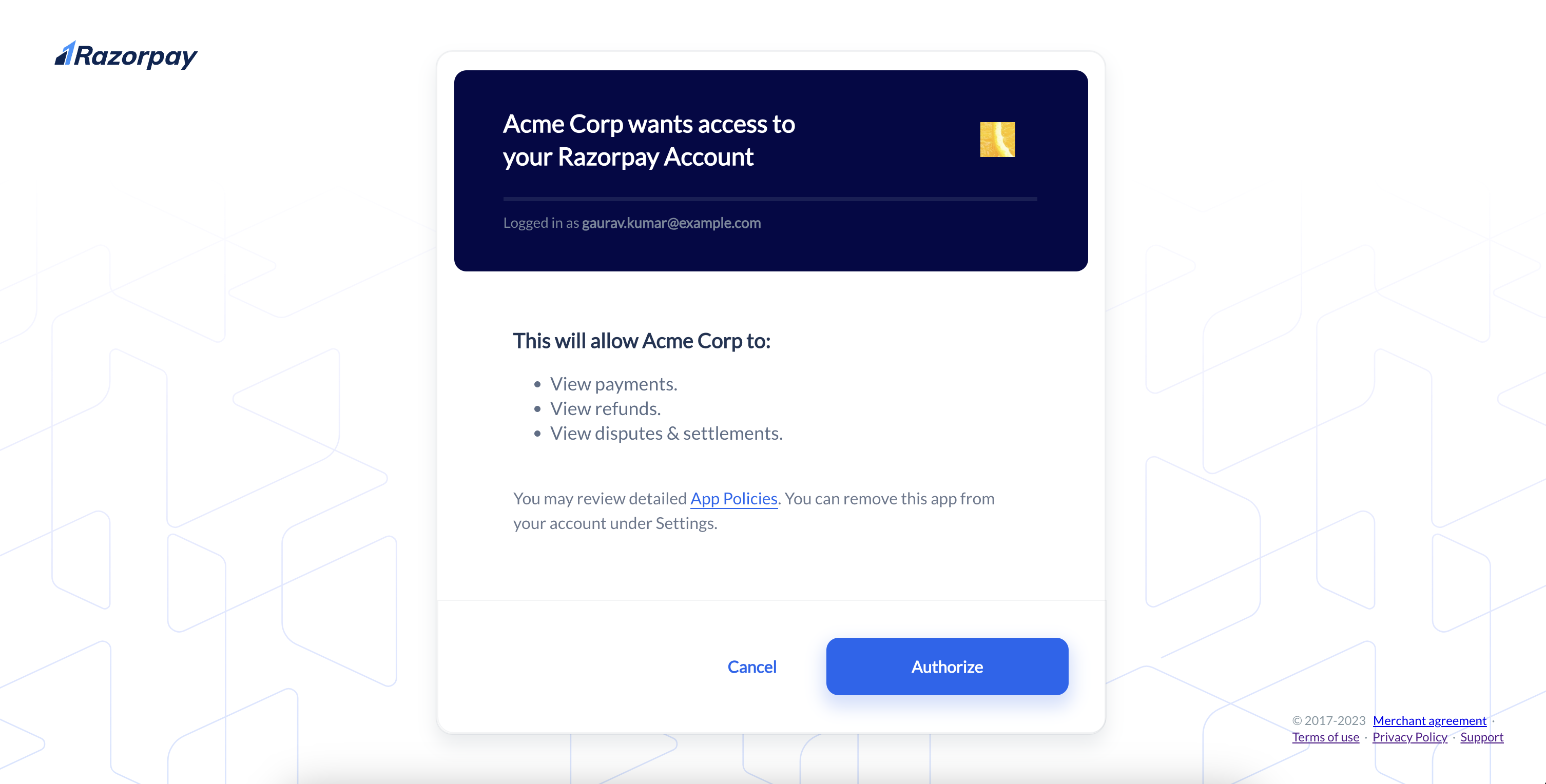 3. The application redirects to the Razorpay authorisation URL. This URL requests the sub-merchant's approval for granting access to the requested resource on Razorpay.
4. The user is shown the approval page where they can accept or reject the grant of this access.
5. After the user approves or rejects the request, Razorpay redirects to the `redirect_url` specified.
* If approved, an `authorization_code` is included as a query parameter.
* If denied, the error reason is sent in the query parameter.
**Handy Tips**
* Razorpay OAuth supports the standard [authorisation code grant](https://tools.ietf.org/html/rfc6749#section-4.1).
* Implement the flow described below to obtain an authorisation code and then exchange it for an access token. The [implicit grant](https://tools.ietf.org/html/rfc6749#section-4.2) is currently not supported.
3. The application redirects to the Razorpay authorisation URL. This URL requests the sub-merchant's approval for granting access to the requested resource on Razorpay.
4. The user is shown the approval page where they can accept or reject the grant of this access.
5. After the user approves or rejects the request, Razorpay redirects to the `redirect_url` specified.
* If approved, an `authorization_code` is included as a query parameter.
* If denied, the error reason is sent in the query parameter.
**Handy Tips**
* Razorpay OAuth supports the standard [authorisation code grant](https://tools.ietf.org/html/rfc6749#section-4.1).
* Implement the flow described below to obtain an authorisation code and then exchange it for an access token. The [implicit grant](https://tools.ietf.org/html/rfc6749#section-4.2) is currently not supported.