> ## Documentation Index
> Fetch the complete documentation index at: https://razorpay-881012b3.mintlify.site/llms.txt
> Use this file to discover all available pages before exploring further.
# Razorpay Payments Suite
> Explore Razorpay Payment Gateway and the entire suite of products available as part of Razorpay Payments Suite.
export const VideoCard = props => {
const {title, href, videoUrl, children} = props;
const css = `
.rzp-vcard {
display: flex;
flex-direction: column;
overflow: hidden;
border: 1px solid rgba(0, 0, 0, 0.08);
border-radius: 0.75rem;
background: #fff;
height: 100%;
}
.rzp-vcard-video {
position: relative;
width: 100%;
aspect-ratio: 16 / 9;
background: #000;
}
.rzp-vcard-video iframe {
position: absolute;
inset: 0;
width: 100%;
height: 100%;
border: 0;
display: block;
}
.rzp-vcard-body { padding: 1rem 1.15rem 1.15rem; }
.rzp-vcard-title {
margin: 0 0 0.4rem;
font-size: 1rem;
font-weight: 600;
line-height: 1.4;
color: #0f172a;
}
.rzp-vcard-title a { color: inherit; text-decoration: none; }
.rzp-vcard-title a:hover { color: #3395ff; }
.rzp-vcard-desc { font-size: 0.875rem; line-height: 1.6; color: #475569; }
.rzp-vcard-desc > :first-child { margin-top: 0; }
.rzp-vcard-desc > :last-child { margin-bottom: 0; }
:where(.dark) .rzp-vcard {
border-color: rgba(255, 255, 255, 0.12);
background: rgba(255, 255, 255, 0.03);
}
:where(.dark) .rzp-vcard-title { color: #f1f5f9; }
:where(.dark) .rzp-vcard-desc { color: #94a3b8; }
`;
return
{videoUrl ?
: null}
{title ?
{href ? {title} : title}
: null}
{children}
Available in
🇮🇳 India
🇸🇬 Singapore
🇺🇸 United States
Razorpay enables businesses to accept, process, and disburse payments seamlessly across multiple channels. Whether you are running an online store, managing subscriptions or facilitating marketplace transactions, Razorpay provides the tools and infrastructure to handle payments at scale.
Set up payment gateways, process transactions and manage customer payments across multiple channels.
Send bulk payouts, vendor payments and instant transfers with automated reconciliation.
Advanced solutions, including payment optimisation, EMI options, business trust badges and buyer protection features.
Find tailored payment solutions for ecommerce, SaaS, marketplaces and enterprise businesses.
Integrate with e-commerce plugins, SDKs for mobile and web and comprehensive APIs for custom builds.
## Try Ray: Our Product Recommender
Use [Ray](https://razorpay.com), the Razorpay chatbot, to select the right product that meets your unique business needs.
Watch this video to know how Ray can help you choose Razorpay products.
### Accept Payments
Accept payments through websites, apps or without any technical setup.
Seamless checkout experience with 100+ payment modes for your website or app.
One-click checkout experience with pre-filled customer details and automated address detection.
Generate and share unique Payment Links instantly via WhatsApp, SMS or email - no website or coding required.
Collect payments for events, courses or donations with branded hosted pages.
Add a ready-to-use Payment Button to your website with a simple HTML copy-and-paste.
Display QR codes at checkout for quick, touch-free mobile payments.
Generate customer identifiers and VPAs on demand and accept payments using NEFT, RTGS, IMPS and UPI.
Create and send GST-compliant invoices that customers can pay online instantly.
#### Razorpay POS
 Accept in-person payments at physical locations with [Razorpay POS](/docs/pos).
#### Subscriptions
Accept in-person payments at physical locations with [Razorpay POS](/docs/pos).
#### Subscriptions
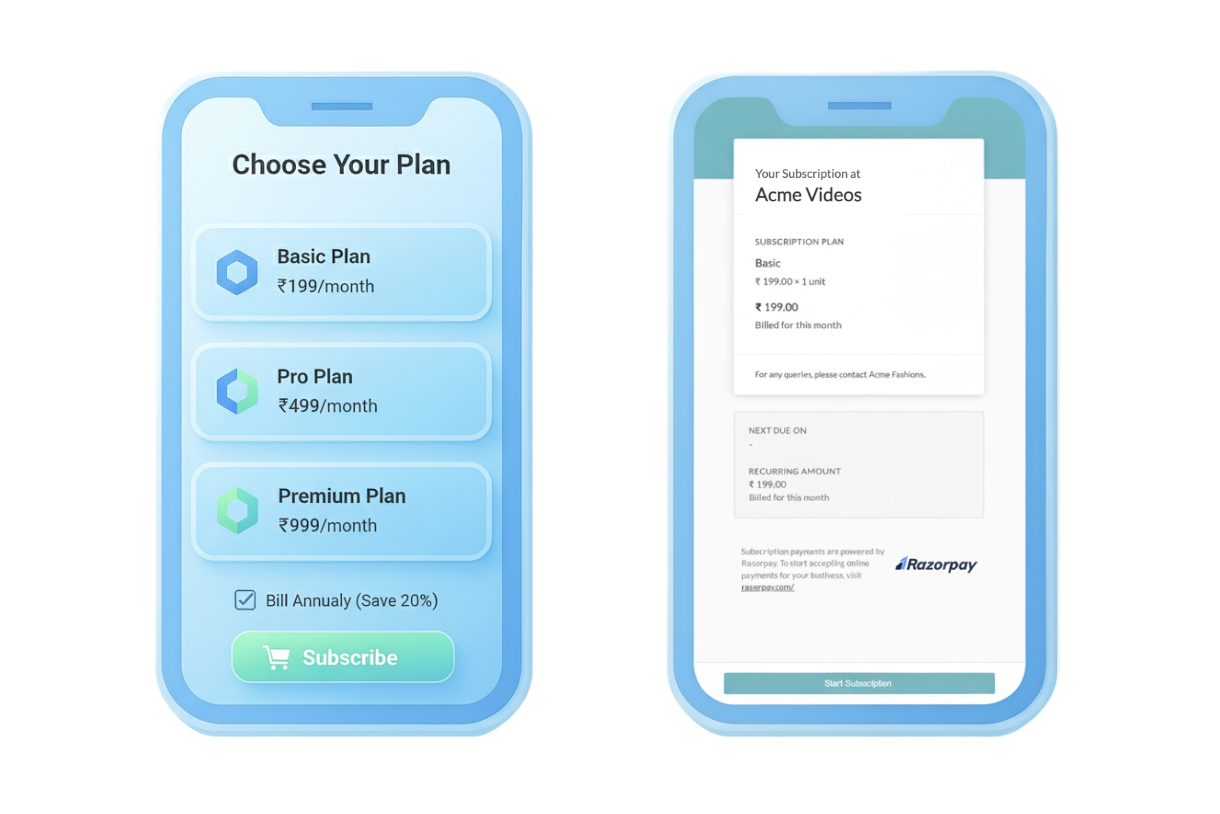 Automate recurring billing with [Razorpay Subscriptions](/docs/payments/subscriptions).
### Disburse Payments
Use Razorpay products to split and transfer payments collected from customers and make payouts to customers.
Automatically split incoming payments among multiple parties. Perfect for marketplaces, platforms and franchises.
Complete business banking platform with Payouts, Current Account, Escrow Account and Tax Payments.
### Advanced Products
Route transactions across multiple payment gateways with a single integration - optimise costs and boost success rates effortlessly.
Increase order values and conversions with flexible EMI payment options from leading banks and NBFCs.
Build customer trust with a verified business badge and transparent checkout experience.
Enhanced customer confidence with purchase protection and dispute resolution support.
## Solutions by Industry
Payment Gateway for online stores, Route for marketplaces, Payment Links for quick checkouts and Subscriptions for recurring billing.
Third-Party Validation (TPV) for SEBI compliance, Route for fund splits across multiple accounts, Subscriptions for SIPs and loan repayments.
Payment Gateway with high success rates, Payment Links for bookings, international payments and multi-currency settlement support.
## Solutions by Platform
Razorpay offers a wide range of integrations as given below:
* [Razorpay Standard Checkout](/docs/payments/payment-gateway/web-integration/standard)
* [Razorpay Custom Checkout](/docs/payments/payment-gateway/web-integration/custom)
* [PHP](/docs/payments/server-integration/php)
* [Ruby](/docs/payments/server-integration/ruby)
* [Python](/docs/payments/server-integration/python)
* [NodeJS](/docs/payments/server-integration/nodejs)
* [.NET](/docs/payments/server-integration/dot-net)
* [Java](/docs/payments/server-integration/java)
* [Go](/docs/payments/server-integration/go)
* [Arastta](/docs/payments/payment-gateway/ecommerce-plugins/arastta)
* [BigCommerce](/docs/payments/payment-gateway/ecommerce-plugins/bigcommerce)
* [Drupal](/docs/payments/payment-gateway/ecommerce-plugins/drupal-commerce)
* [CS-Cart](/docs/payments/payment-gateway/ecommerce-plugins/cs-cart)
* [Gravity Forms](/docs/payments/payment-gateway/ecommerce-plugins/gravity-forms)
* [Easy Digital Download](/docs/payments/payment-gateway/ecommerce-plugins/easy-digital-downloads)
* [Magento](/docs/payments/payment-gateway/ecommerce-plugins/magento)
* [OpenCart](/docs/payments/payment-gateway/ecommerce-plugins/open-cart)
* [PrestaShop](/docs/payments/payment-gateway/ecommerce-plugins/prestashop)
* [Shopify](/docs/payments/payment-gateway/ecommerce-plugins/shopify)
* [WHMCS](/docs/payments/payment-gateway/ecommerce-plugins/whmcs)
* [Wix](/docs/payments/payment-gateway/ecommerce-plugins/prestashop)
* [WooCommerce](/docs/payments/payment-gateway/ecommerce-plugins/woocommerce)
* [WordPress](/docs/payments/payment-gateway/ecommerce-plugins/wordpress)
* [Razorpay Direct - Credit Card](/docs/payments/ecommerce-plugins/razorpay-direct-credit-card)
* [Android SDK](/docs/payments/payment-gateway/android-integration/standard)
* [iOS SDK](/docs/payments/payment-gateway/ios-integration/standard)
* [Cordova SDK](/docs/payments/payment-gateway/cordova-integration)
* [React Native SDK](/docs/payments/payment-gateway/react-native-integration/standard)
* [Flutter SDK](/docs/payments/payment-gateway/flutter-integration/standard)
* [Capacitor SDK](/docs/payments/payment-gateway/capacitor-integration)
### Related Information
* [Quickstart Guide](/docs/payments/quickstart)
* [Payment Gateway](/docs/payments/payment-gateway)
* [How Payment Gateway Works](/docs/payments/payment-gateway/how-it-works)
Automate recurring billing with [Razorpay Subscriptions](/docs/payments/subscriptions).
### Disburse Payments
Use Razorpay products to split and transfer payments collected from customers and make payouts to customers.
Automatically split incoming payments among multiple parties. Perfect for marketplaces, platforms and franchises.
Complete business banking platform with Payouts, Current Account, Escrow Account and Tax Payments.
### Advanced Products
Route transactions across multiple payment gateways with a single integration - optimise costs and boost success rates effortlessly.
Increase order values and conversions with flexible EMI payment options from leading banks and NBFCs.
Build customer trust with a verified business badge and transparent checkout experience.
Enhanced customer confidence with purchase protection and dispute resolution support.
## Solutions by Industry
Payment Gateway for online stores, Route for marketplaces, Payment Links for quick checkouts and Subscriptions for recurring billing.
Third-Party Validation (TPV) for SEBI compliance, Route for fund splits across multiple accounts, Subscriptions for SIPs and loan repayments.
Payment Gateway with high success rates, Payment Links for bookings, international payments and multi-currency settlement support.
## Solutions by Platform
Razorpay offers a wide range of integrations as given below:
* [Razorpay Standard Checkout](/docs/payments/payment-gateway/web-integration/standard)
* [Razorpay Custom Checkout](/docs/payments/payment-gateway/web-integration/custom)
* [PHP](/docs/payments/server-integration/php)
* [Ruby](/docs/payments/server-integration/ruby)
* [Python](/docs/payments/server-integration/python)
* [NodeJS](/docs/payments/server-integration/nodejs)
* [.NET](/docs/payments/server-integration/dot-net)
* [Java](/docs/payments/server-integration/java)
* [Go](/docs/payments/server-integration/go)
* [Arastta](/docs/payments/payment-gateway/ecommerce-plugins/arastta)
* [BigCommerce](/docs/payments/payment-gateway/ecommerce-plugins/bigcommerce)
* [Drupal](/docs/payments/payment-gateway/ecommerce-plugins/drupal-commerce)
* [CS-Cart](/docs/payments/payment-gateway/ecommerce-plugins/cs-cart)
* [Gravity Forms](/docs/payments/payment-gateway/ecommerce-plugins/gravity-forms)
* [Easy Digital Download](/docs/payments/payment-gateway/ecommerce-plugins/easy-digital-downloads)
* [Magento](/docs/payments/payment-gateway/ecommerce-plugins/magento)
* [OpenCart](/docs/payments/payment-gateway/ecommerce-plugins/open-cart)
* [PrestaShop](/docs/payments/payment-gateway/ecommerce-plugins/prestashop)
* [Shopify](/docs/payments/payment-gateway/ecommerce-plugins/shopify)
* [WHMCS](/docs/payments/payment-gateway/ecommerce-plugins/whmcs)
* [Wix](/docs/payments/payment-gateway/ecommerce-plugins/prestashop)
* [WooCommerce](/docs/payments/payment-gateway/ecommerce-plugins/woocommerce)
* [WordPress](/docs/payments/payment-gateway/ecommerce-plugins/wordpress)
* [Razorpay Direct - Credit Card](/docs/payments/ecommerce-plugins/razorpay-direct-credit-card)
* [Android SDK](/docs/payments/payment-gateway/android-integration/standard)
* [iOS SDK](/docs/payments/payment-gateway/ios-integration/standard)
* [Cordova SDK](/docs/payments/payment-gateway/cordova-integration)
* [React Native SDK](/docs/payments/payment-gateway/react-native-integration/standard)
* [Flutter SDK](/docs/payments/payment-gateway/flutter-integration/standard)
* [Capacitor SDK](/docs/payments/payment-gateway/capacitor-integration)
### Related Information
* [Quickstart Guide](/docs/payments/quickstart)
* [Payment Gateway](/docs/payments/payment-gateway)
* [How Payment Gateway Works](/docs/payments/payment-gateway/how-it-works)