> ## Documentation Index
> Fetch the complete documentation index at: https://razorpay-881012b3.mintlify.site/llms.txt
> Use this file to discover all available pages before exploring further.
# Add Buyer's Address
> Add buyer's address for international transactions on the Razorpay Dashboard.
Available in
🇮🇳 India
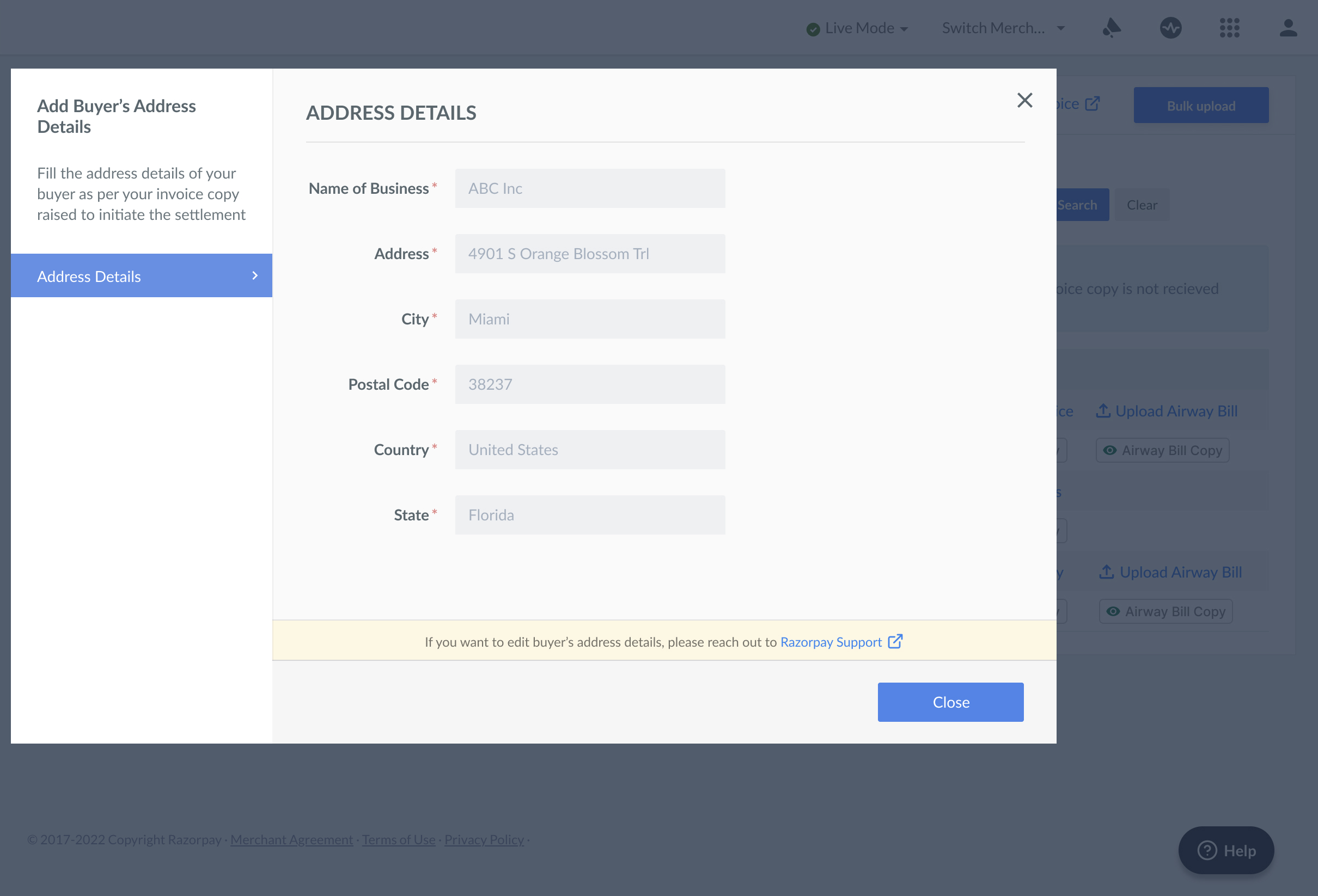
You should provide the buyer's address details according to the invoice copy raised to initiate the settlement. The following information is needed:
* Name of Business
* Address
* City
* Postal Code
* Country
* State
**Watch Out!**
Without a valid invoice/airway bill and buyer's address details:
* The settlement is put on hold.
* The payment is not captured and is not included in the settlement.
The payment is settled after you share a valid invoice/airway bill and buyer's address details.
## Add a Buyer's Address on the Dashboard
Follow these steps to add and share the buyer's address of all the payments collected via Dashboard:
1. Log in to the Dashboard.
2. Navigate to the **Transactions** tab.
3. Click the **Invoices** tab.
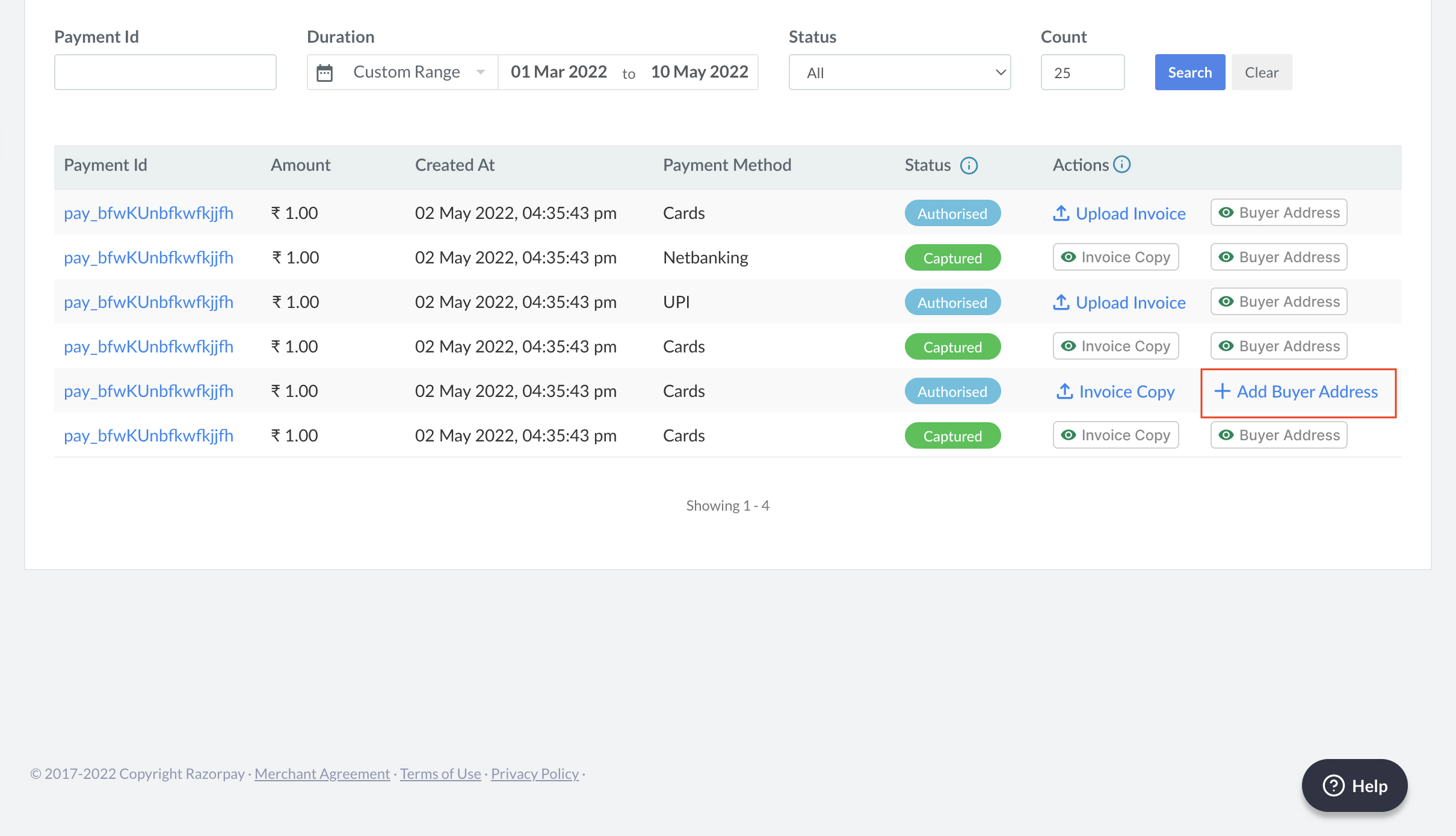
4. Under the **Actions** tab, click **+Add Buyer Address**. Add the buyer's address for all the payments to capture the transactions.
 5. Fill in the following details per your invoice copy. Click **Close**.
 ### Related Information
* [FAQs](/docs/payments/international-payments/international-bank-transfer#frequently-asked-questions-faqs)
* [International Bank Transfer](/docs/payments/international-payments/international-bank-transfer)
### Related Information
* [FAQs](/docs/payments/international-payments/international-bank-transfer#frequently-asked-questions-faqs)
* [International Bank Transfer](/docs/payments/international-payments/international-bank-transfer)