> ## Documentation Index
> Fetch the complete documentation index at: https://razorpay-881012b3.mintlify.site/llms.txt
> Use this file to discover all available pages before exploring further.
# Cards
> Explore card transaction details and analytics in Insights, including performance metrics and trends for optimising card payments.
Available in
🇮🇳 India
The Cards tab in Insights offers a detailed overview of card transactions, including success rates, trends, and average order values. This data helps you understand customer behaviour, identify issues, and optimise card payment strategies to boost conversion rates and revenue.
You can view analytics for cards based on the following parameters.
1. **Card Type**: The type of card used for the transaction. For example, Credit, Debit and Prepaid.
2. **Card Network**: The type of card network used for the transaction. For example, Visa, MasterCard, RuPay, AMEX and Diners.
3. **Card Issuer**: The bank or entity that has issued the card. For example, HDFC Bank, SBI, ICICI Bank and so on.
## Data Points
You can view the following data points for card transactions.
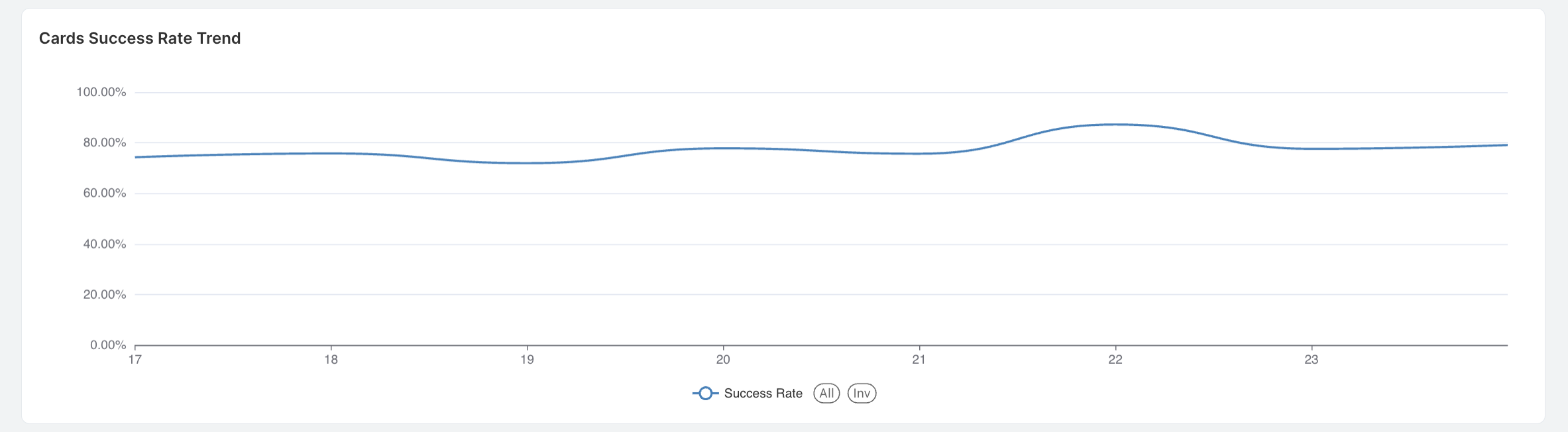
Indicates the success rate trend from the beginning to the end of the selected timeframe.
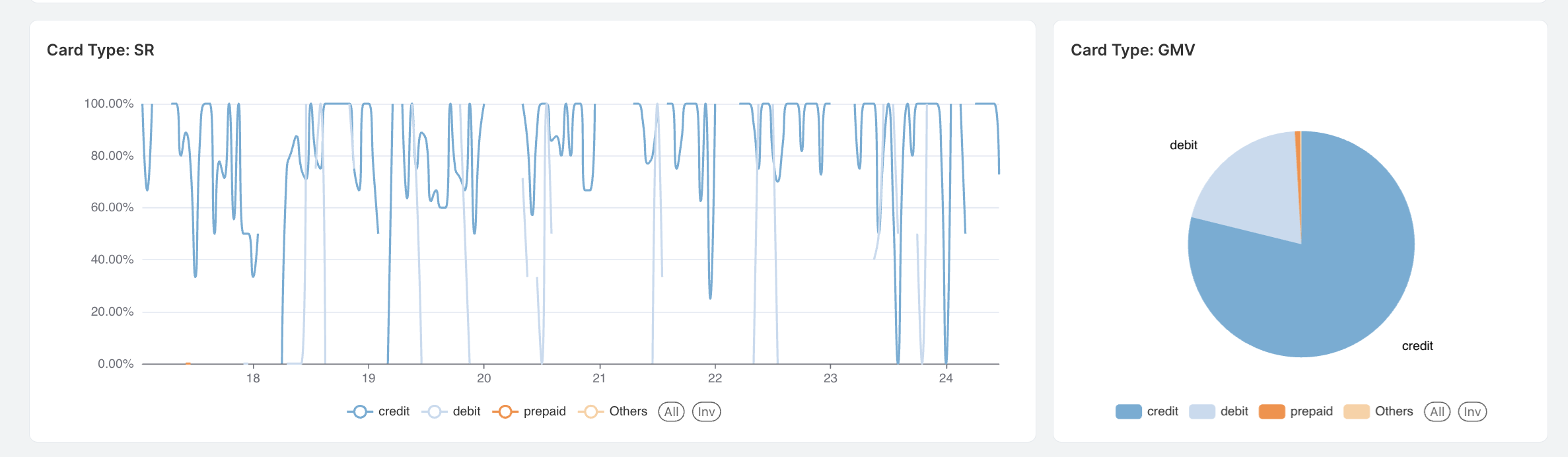
 1. **Card Type SR (Success Rate)**: Displays the success rate of transactions categorised by different card types, such as credit, debit and prepaid over time.
2. **Card Type GMV (Gross Merchandise Value)**: This shows the distribution of total transaction value across different card types, such as credit, debit and prepaid.
1. **Card Type SR (Success Rate)**: Displays the success rate of transactions categorised by different card types, such as credit, debit and prepaid over time.
2. **Card Type GMV (Gross Merchandise Value)**: This shows the distribution of total transaction value across different card types, such as credit, debit and prepaid.
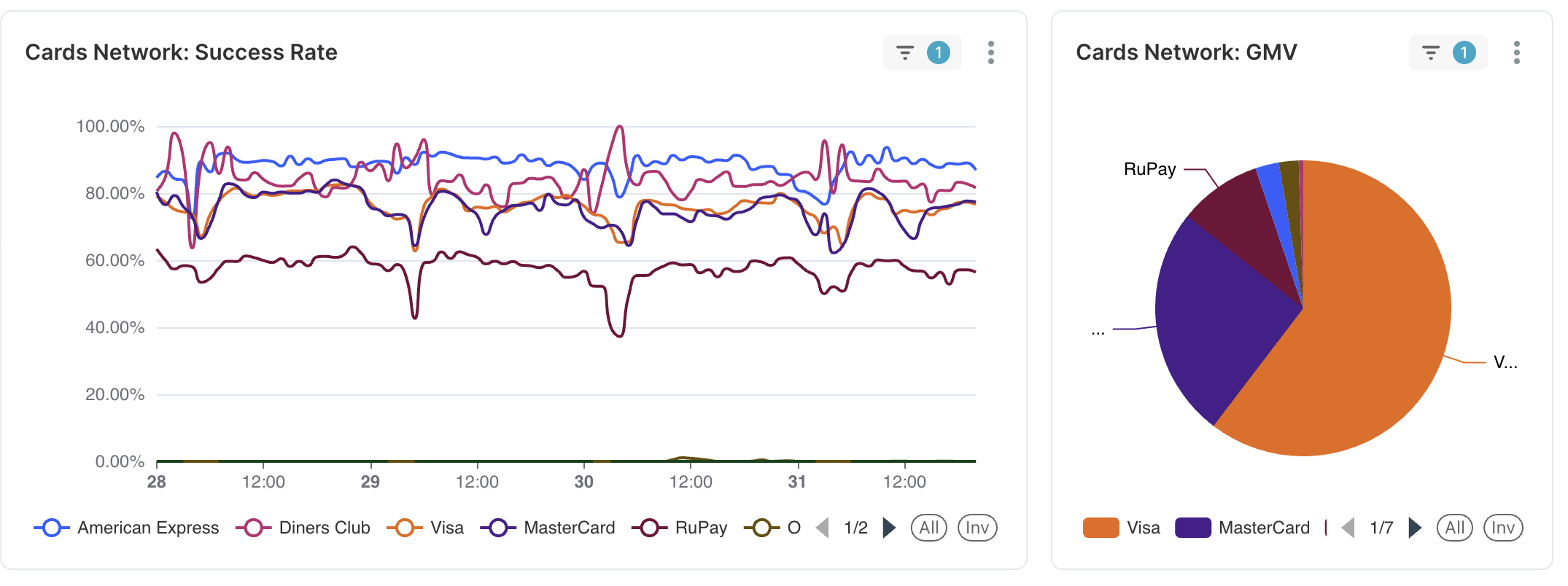
 1. **Cards Network - Success Rate**: Displays the success rate of transactions across different card networks, such as Visa, MasterCard, and American Express over time.
2. **Cards Network - GMV (Gross Merchandise Value)**: Shows the distribution of total transaction value across various card networks, including Visa, MasterCard and RuPay.
1. **Cards Network - Success Rate**: Displays the success rate of transactions across different card networks, such as Visa, MasterCard, and American Express over time.
2. **Cards Network - GMV (Gross Merchandise Value)**: Shows the distribution of total transaction value across various card networks, including Visa, MasterCard and RuPay.
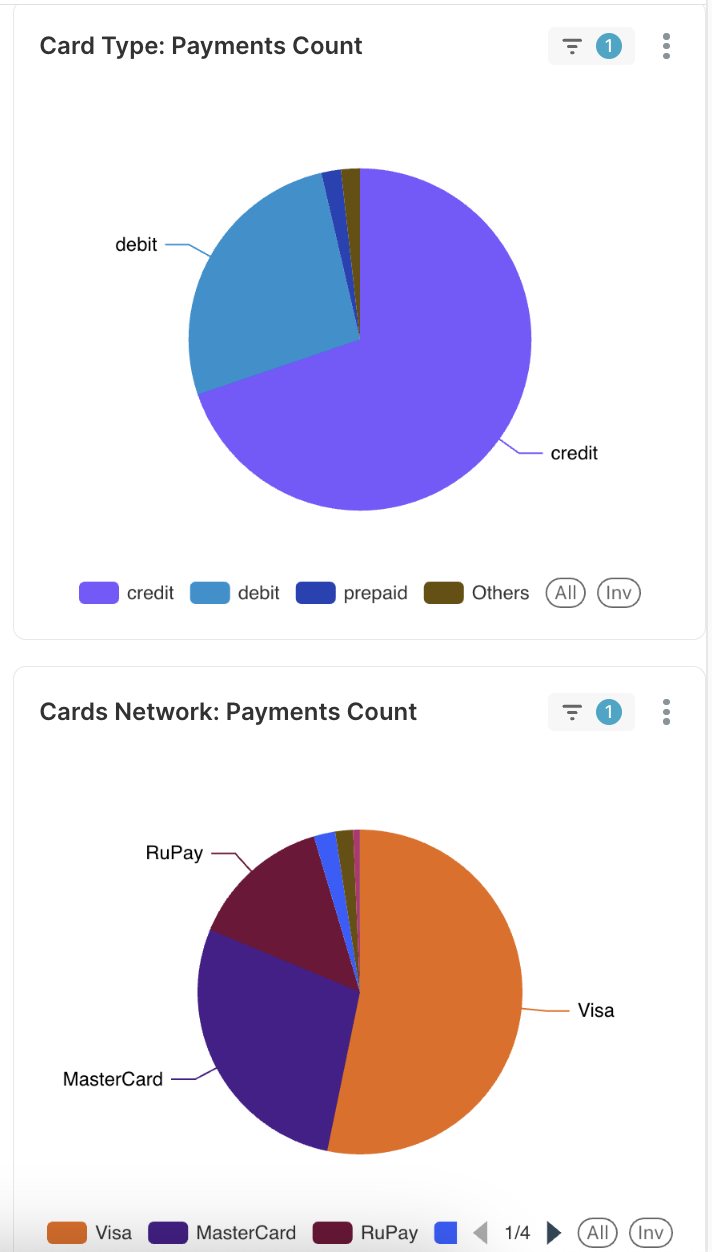
 1. **Card Type - Payments Count**: Displays the total number of transactions processed through different card types, such as credit, debit, and prepaid.
2. **Cards Network - Payments Count**: Shows the distribution of transactions across different card networks, including Visa, MasterCard, and RuPay.
1. **Card Type - Payments Count**: Displays the total number of transactions processed through different card types, such as credit, debit, and prepaid.
2. **Cards Network - Payments Count**: Shows the distribution of transactions across different card networks, including Visa, MasterCard, and RuPay.
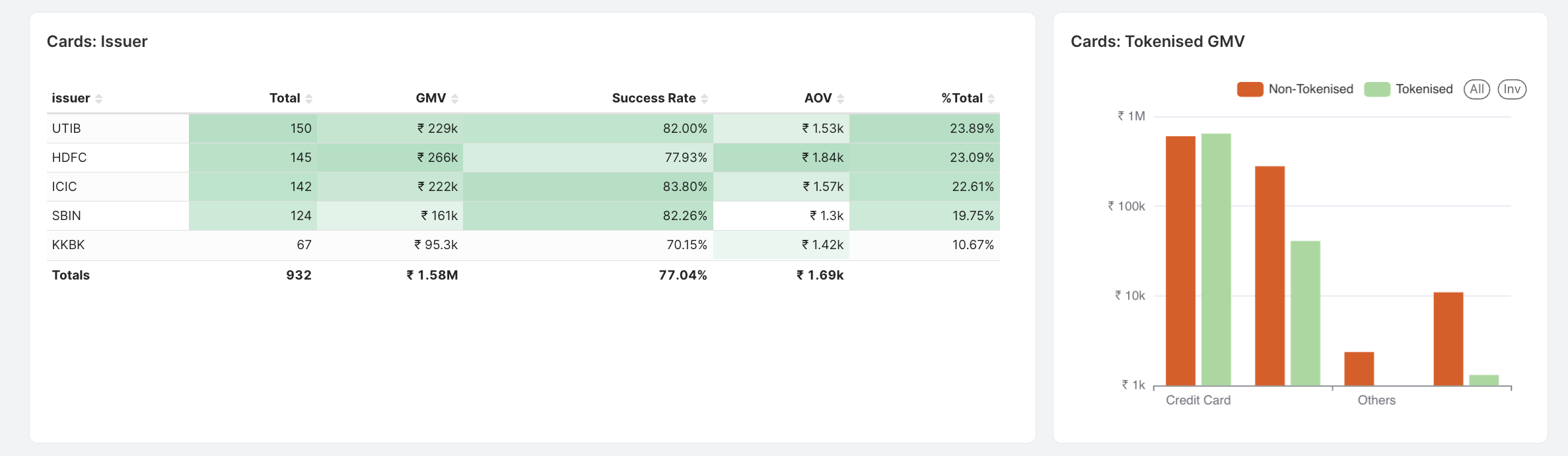
 1. **Cards Issuer**: Lists the banks or institutions that issued the cards, along with their total transactions, GMV, success rate, AOV and percentage of total transactions.
2. **Cards Tokenised GMV**: Displays the total transaction value (GMV) split between tokenised and non-tokenised card transactions, showing the adoption and impact of tokenisation on different card types.
1. **Cards Issuer**: Lists the banks or institutions that issued the cards, along with their total transactions, GMV, success rate, AOV and percentage of total transactions.
2. **Cards Tokenised GMV**: Displays the total transaction value (GMV) split between tokenised and non-tokenised card transactions, showing the adoption and impact of tokenisation on different card types.
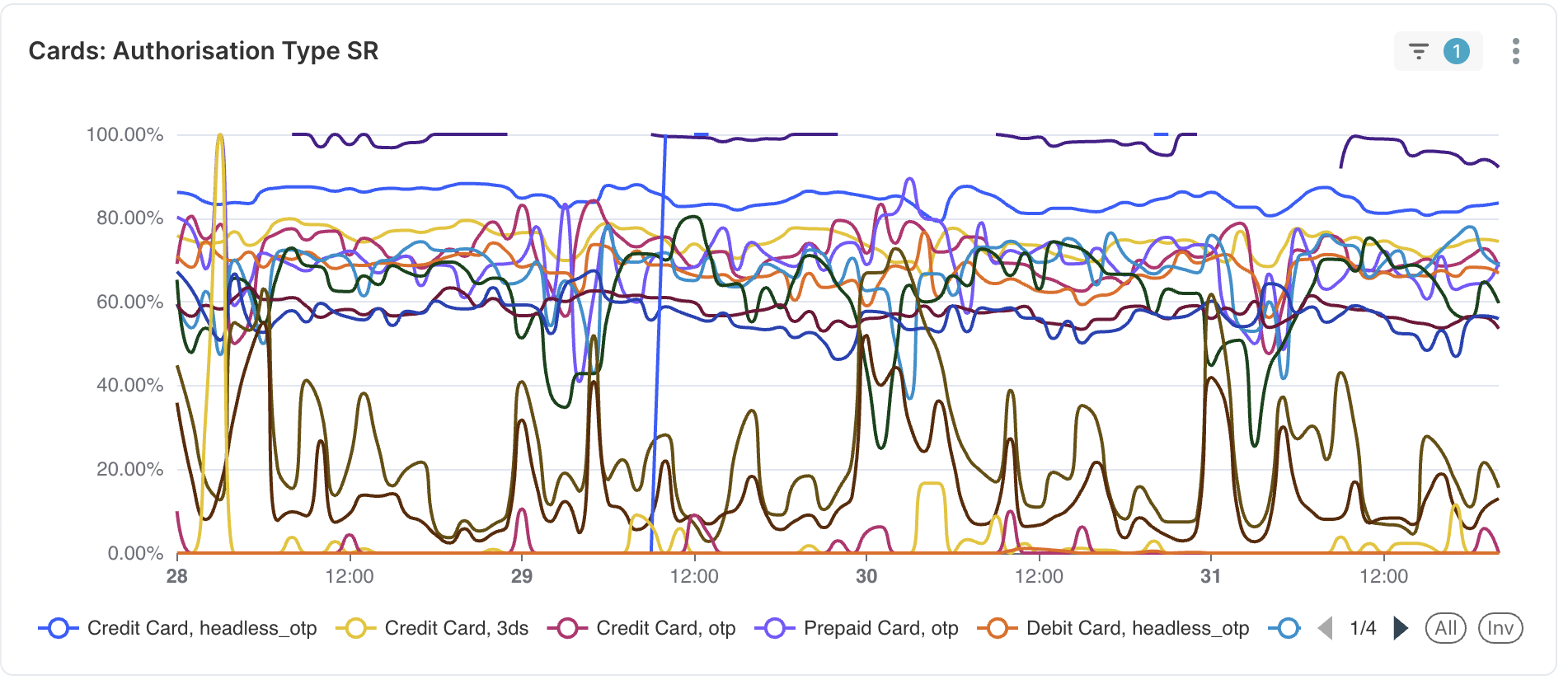
 Displays the success rate of card transactions across different authorisation methods, such as headless OTP, 3DS and OTP over time.
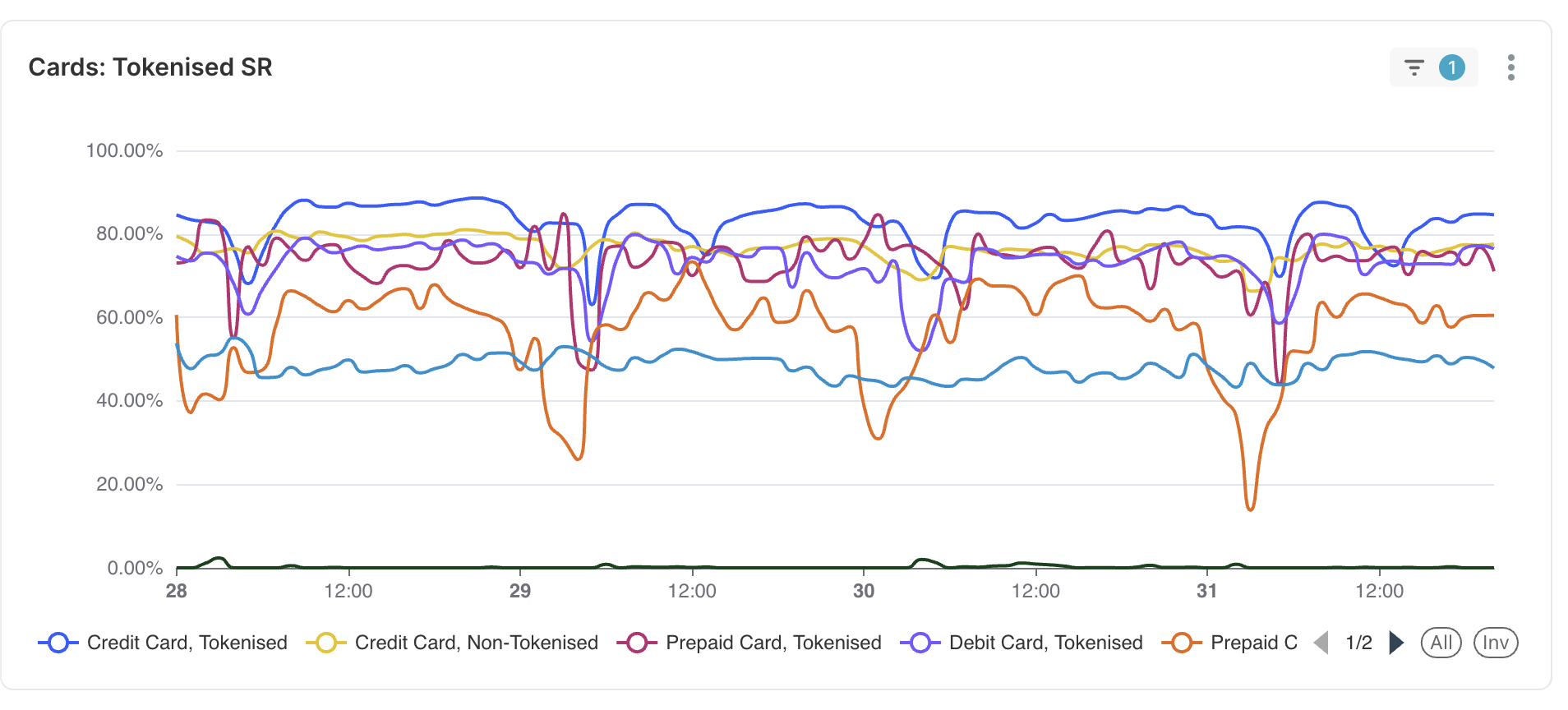
 Displays the success rate of tokenised versus non-tokenised card transactions across different card types, such as credit, debit, and prepaid, over time.
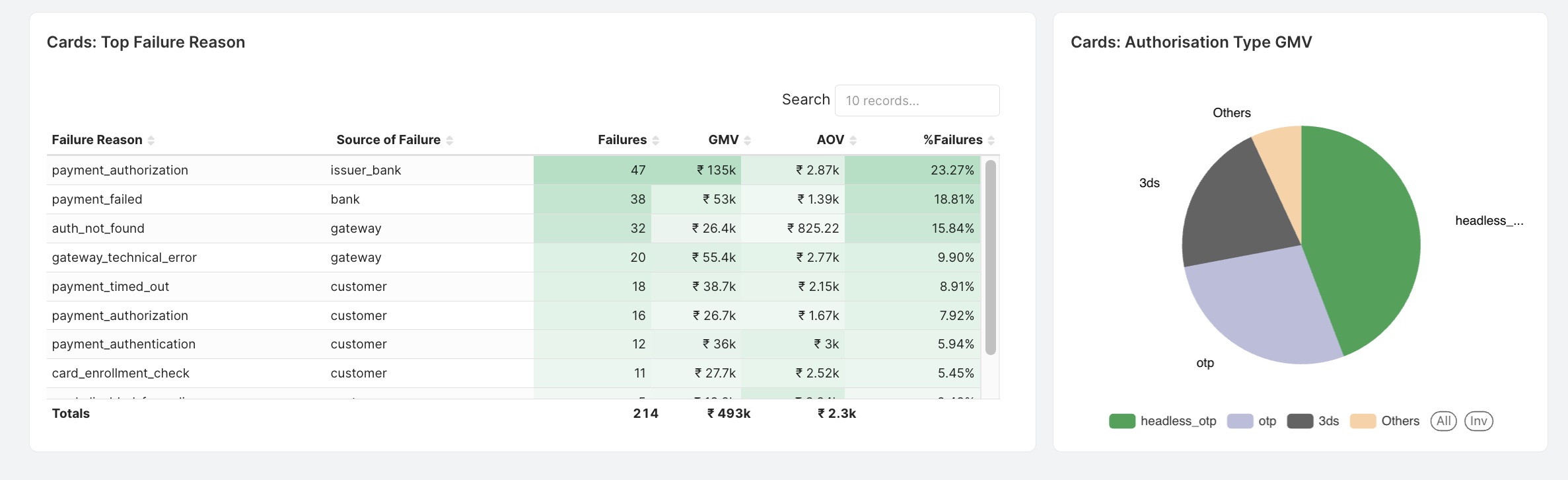
 1. **Cards Top Failure Reason**: Lists the primary reasons for card transaction failures, including their sources, number of failures, GMV impacted, AOV, and percentage of total failures.
2. **Cards Authorisation Type GMV**: Displays the distribution of GMV across different card authorisation methods, such as headless OTP, 3DS, and so on.
1. **Cards Top Failure Reason**: Lists the primary reasons for card transaction failures, including their sources, number of failures, GMV impacted, AOV, and percentage of total failures.
2. **Cards Authorisation Type GMV**: Displays the distribution of GMV across different card authorisation methods, such as headless OTP, 3DS, and so on.
 ### Related Information
* [About Insights](/docs/payments/insights)
* [UPI](/docs/payments/insights/upi)
* [Wallet](/docs/payments/insights/wallet)
* [Netbanking](/docs/payments/insights/netbanking)
* [Emandate](/docs/payments/insights/emandate)
### Related Information
* [About Insights](/docs/payments/insights)
* [UPI](/docs/payments/insights/upi)
* [Wallet](/docs/payments/insights/wallet)
* [Netbanking](/docs/payments/insights/netbanking)
* [Emandate](/docs/payments/insights/emandate)