> ## Documentation Index
> Fetch the complete documentation index at: https://razorpay-881012b3.mintlify.site/llms.txt
> Use this file to discover all available pages before exploring further.
# Duplicate an Invoice
> Create copies of existing Invoices to save time and reduce errors.
Available in🇮🇳 India
You can duplicate an existing invoice to save time and reduce errors.
## Duplicate an Invoice From Dashboard
Watch this video to see how to create a duplicate of an invoice.
To duplicate an invoice:
1. Log in to the Dashboard.
2. Click on **Invoices**.
3. Search for the invoice for which you want to create a duplicate copy using the [search criteria](/docs/payments/invoices/search).
4. Click on the **Invoice ID**.
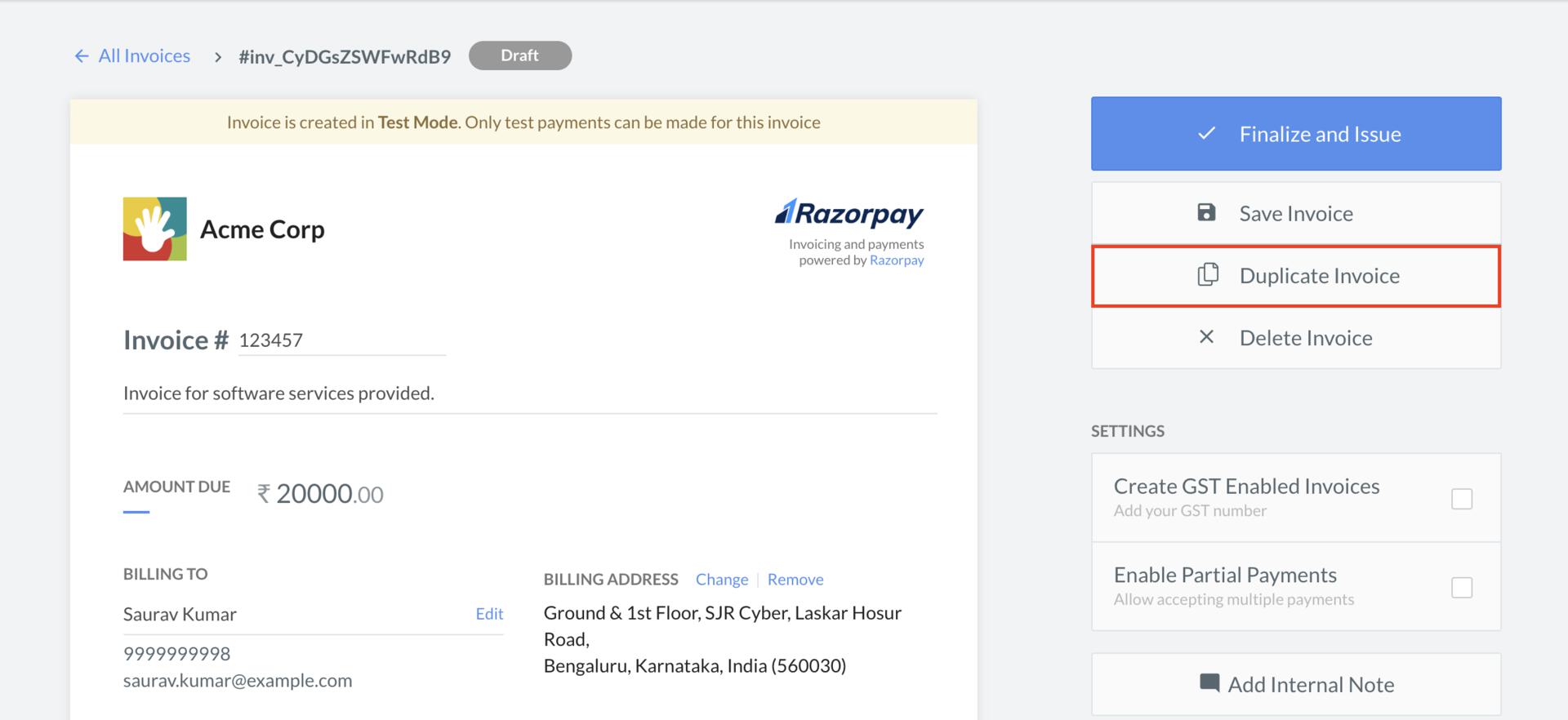
5. On the right-hand side panel, click the **Duplicate Invoice** button.
This duplicates the invoice.
## Edit a Newly Created Invoice
To edit a newly created invoice:
1. In the **New Invoice** draft view, make the necessary changes. For example, you can choose a different **Item** or change the **billing address**.
2. Click **Save** to save the invoice as a `draft` or click **Finalize and Issue** to save and issue the invoice to the customer.
### Related Information
* [Invoices](/docs/payments/invoices)
* [How Invoices Work](/docs/payments/invoices/how-it-works)
* [Invoice States](/docs/payments/invoices/states)
* [Create an Invoice](/docs/payments/invoices/create)
* [Issue an Invoice](/docs/payments/invoices/issue)
* [Search an Invoice](/docs/payments/invoices/search)
* [Cancel an Invoice](/docs/payments/invoices/cancel)
* [Delete an Invoice](/docs/payments/invoices/delete)
* [Download and Print an Invoice](/docs/payments/invoices/download-print)
 This duplicates the invoice.
## Edit a Newly Created Invoice
To edit a newly created invoice:
1. In the **New Invoice** draft view, make the necessary changes. For example, you can choose a different **Item** or change the **billing address**.
2. Click **Save** to save the invoice as a `draft` or click **Finalize and Issue** to save and issue the invoice to the customer.
### Related Information
* [Invoices](/docs/payments/invoices)
* [How Invoices Work](/docs/payments/invoices/how-it-works)
* [Invoice States](/docs/payments/invoices/states)
* [Create an Invoice](/docs/payments/invoices/create)
* [Issue an Invoice](/docs/payments/invoices/issue)
* [Search an Invoice](/docs/payments/invoices/search)
* [Cancel an Invoice](/docs/payments/invoices/cancel)
* [Delete an Invoice](/docs/payments/invoices/delete)
* [Download and Print an Invoice](/docs/payments/invoices/download-print)
This duplicates the invoice.
## Edit a Newly Created Invoice
To edit a newly created invoice:
1. In the **New Invoice** draft view, make the necessary changes. For example, you can choose a different **Item** or change the **billing address**.
2. Click **Save** to save the invoice as a `draft` or click **Finalize and Issue** to save and issue the invoice to the customer.
### Related Information
* [Invoices](/docs/payments/invoices)
* [How Invoices Work](/docs/payments/invoices/how-it-works)
* [Invoice States](/docs/payments/invoices/states)
* [Create an Invoice](/docs/payments/invoices/create)
* [Issue an Invoice](/docs/payments/invoices/issue)
* [Search an Invoice](/docs/payments/invoices/search)
* [Cancel an Invoice](/docs/payments/invoices/cancel)
* [Delete an Invoice](/docs/payments/invoices/delete)
* [Download and Print an Invoice](/docs/payments/invoices/download-print)