> ## Documentation Index
> Fetch the complete documentation index at: https://razorpay-881012b3.mintlify.site/llms.txt
> Use this file to discover all available pages before exploring further.
# Issue an Invoice
> Issue Invoices to customers and receive payments.
Available in🇮🇳 India
A `draft` invoice can be issued to any one of the listed customers. Know more about [invoice states](/docs/payments/invoices/states).
## Issue an Invoice From Dashboard
Watch this video to see how to issue an invoice.
To issue an invoice:
1. Log in to the Dashboard.
2. Click **Invoices**.
3. Search for the **Draft** invoice that you want to issue using the [search criteria](/docs/payments/invoices/search).
4. Select the **Invoice Id**.
5. On the right-hand side panel, click **Finalize and Issue**.
6. You can choose to send the invoice either by SMS or email or both by selecting the mobile number and email address.
7. Click **Issue Invoice**.
This sends the invoice to the customer along with a short URL called **Payment Link** using which the customer can make the payment.
## Issue an Invoice Using API
You can issue a `draft` invoice using [this](/docs/api/payments/invoices#issue-an-invoice/) API.
### Related Information
* [Invoices](/docs/payments/invoices)
* [How Invoices Work](/docs/payments/invoices/how-it-works)
* [Invoices States](/docs/payments/invoices/states)
* [Create an Invoice](/docs/payments/invoices/create)
* [Search an Invoice](/docs/payments/invoices/search)
* [Update an Invoice](/docs/payments/invoices/update)
* [Duplicate an Invoice](/docs/payments/invoices/duplicate)
* [Delete an Invoice](/docs/payments/invoices/delete)
* [Cancel an Invoice](/docs/payments/invoices/cancel)
* [Download and Print an Invoice](/docs/payments/invoices/download-print)
* [Invoice APIs](/docs/payments/invoices/apis)
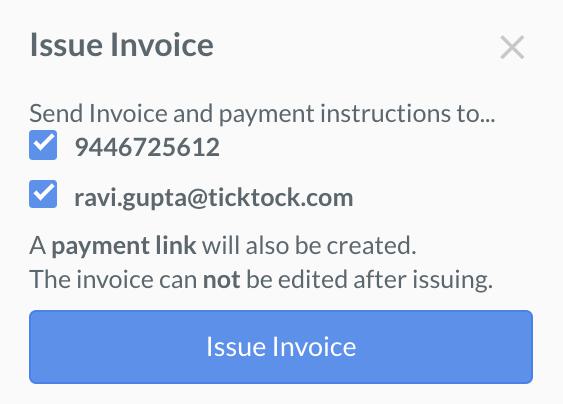 7. Click **Issue Invoice**.