> ## Documentation Index
> Fetch the complete documentation index at: https://razorpay-881012b3.mintlify.site/llms.txt
> Use this file to discover all available pages before exploring further.
# Integrate Magic Checkout with Unicommerce
> Integrate Unicommerce with Razorpay Magic Checkout to easily fetch delivery status details.
Available in
🇮🇳 India
Unicommerce eSolutions is India's largest e-commerce-focused SaaS technology supply chain platform. It is designed to meet the business needs of e-commerce across various industries.
**Watch Out!**
Ensure you have a Unicommerce account with an **Admin** role and Shopify access. If you do not have access, follow [these steps](https://documentation.unicommerce.com/docs/faq-uniware.html#5-how-to-give-facility-access-to-a-user) to set it up.
## Integration Steps
Follow these steps on the Razorpay Dashboard:
1. Log in to the Dashboard and navigate to **Magic Checkout**.
2. Select the platform of your e-commerce website, enter the relevant details and click **Next**.
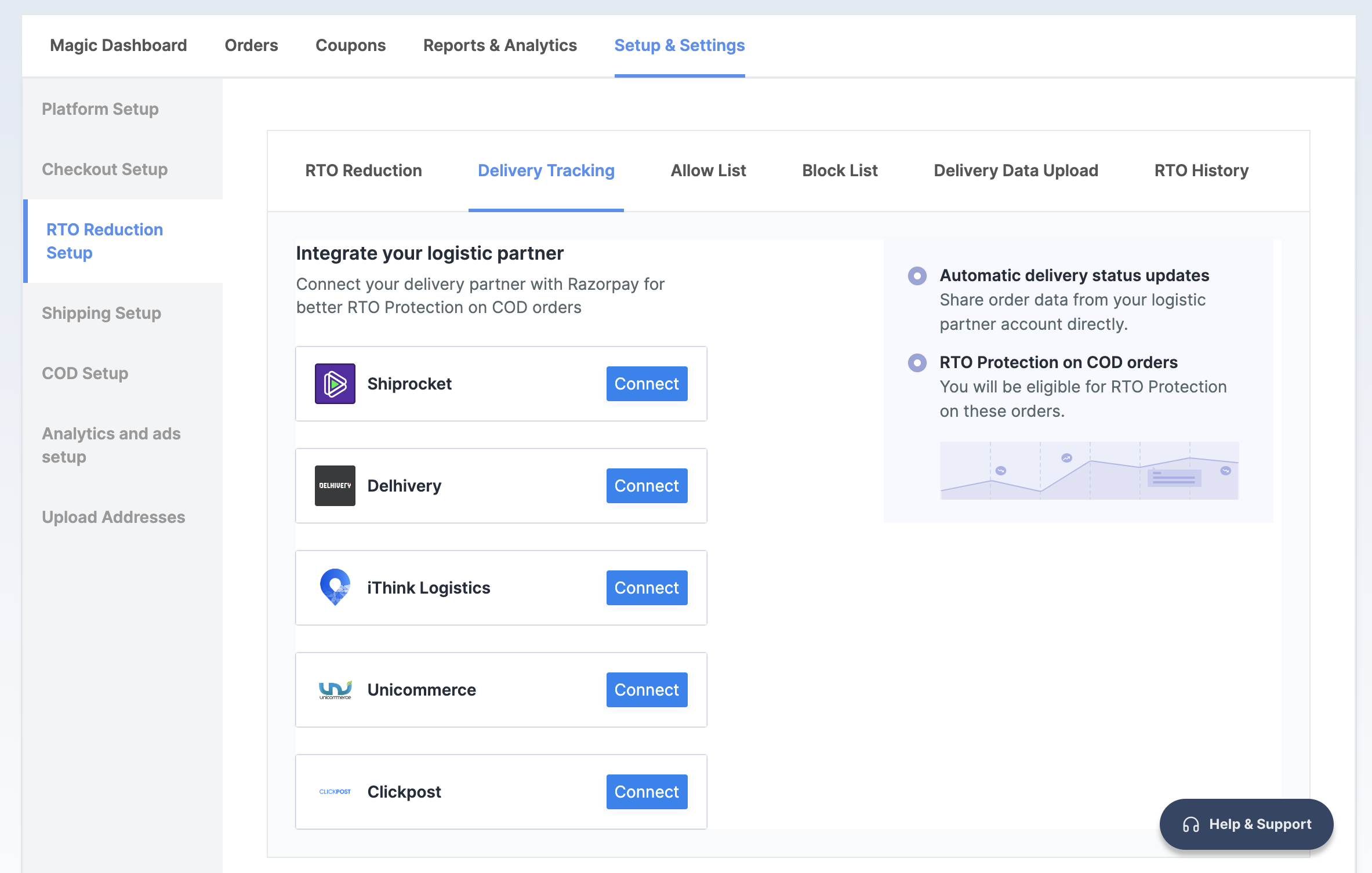
3. In the **RTO Reduction Setup** section, navigate to the → **Delivery Tracking** tab.
4. Click **Connect** next to **Unicommerce**.
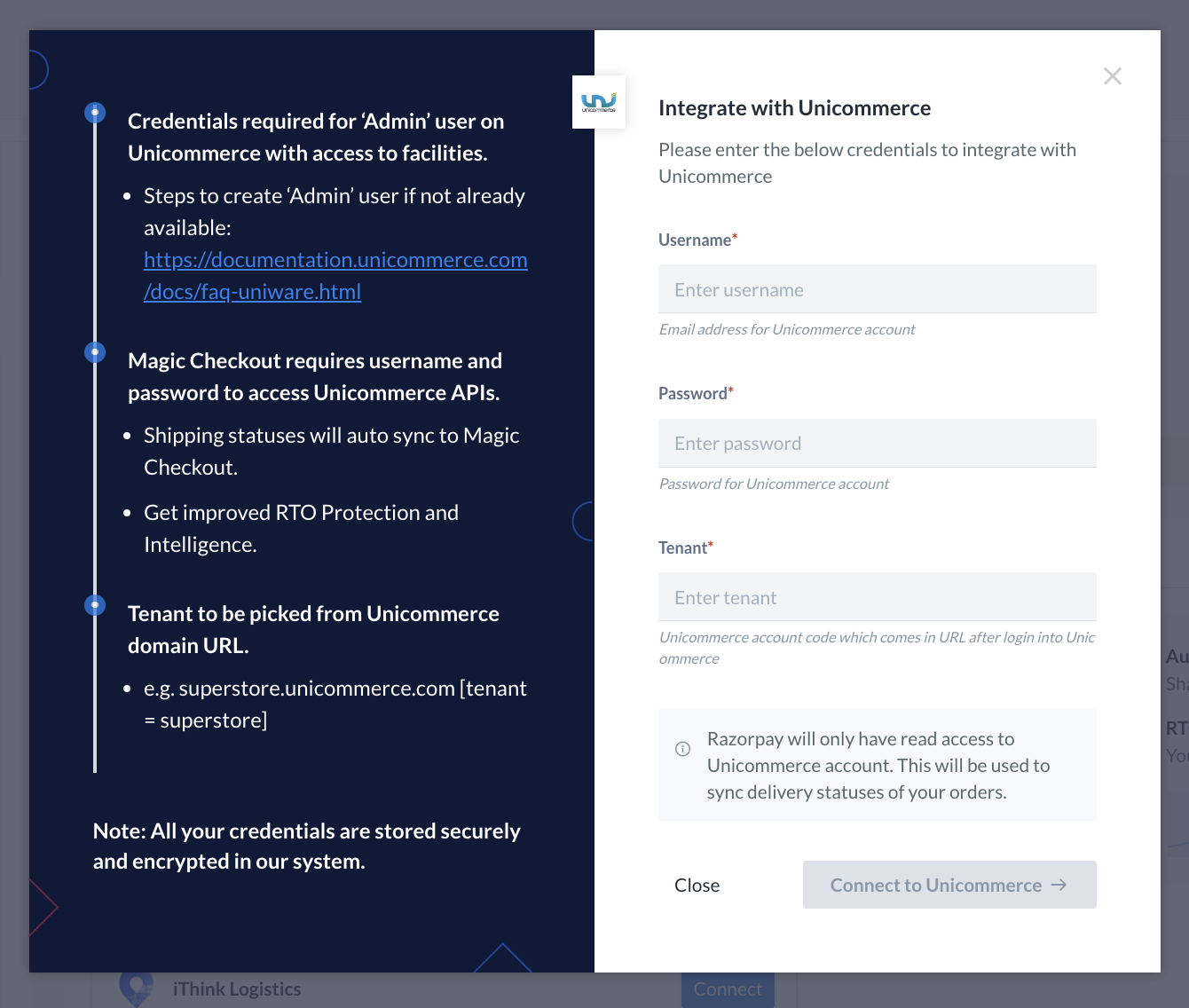
 5. Enter the same **Username** and **Password** as your Unicommerce admin account login credentials.
6. Enter **Tenant** from the Unicommerce domain URL. For example, if the Unicommerce Dashboard URL after you log in is `acmecorp.unicommerce.com`, **acmecorp** is the tenant.
5. Enter the same **Username** and **Password** as your Unicommerce admin account login credentials.
6. Enter **Tenant** from the Unicommerce domain URL. For example, if the Unicommerce Dashboard URL after you log in is `acmecorp.unicommerce.com`, **acmecorp** is the tenant.
 You have successfully integrated Magic Checkout with Unicommerce. In case you want to disconnect Unicommerce, click **Disconnect**.