What's New
* [Payment Pages Mobile App](/docs/payments/mobile-app/accept-payments/payment-pages): Create Razorpay Payment Pages with ready-to-use templates and collect payments using Razorpay Payments Mobile App. (Oct 2022)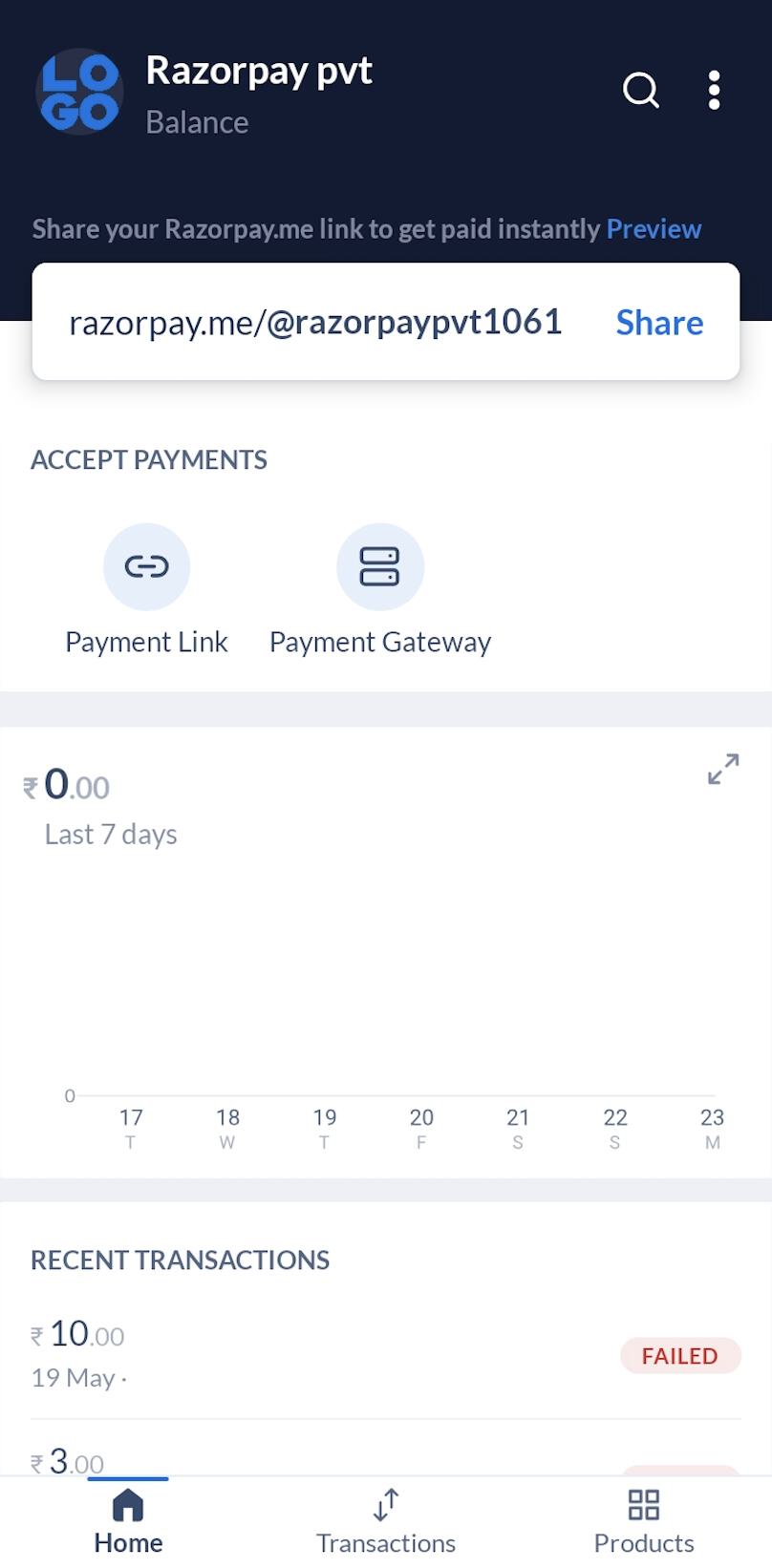 ## Advantages
* Payment and settlement data now at your fingertips.
* Razorpay.me URL created instantly after activation.
* Failed payment? No problem! Create and share a Payment Link.
* Issue refunds in a few taps.
## How it Works
Follow these steps:
1. Install the Razorpay Payments Mobile App on your Android smartphone.
2. Log in to the Dashboard with your credentials. If you do not have an account, [create a new Razorpay account](/docs/payments/mobile-app/get-started#create-a-new-account).
3. You can now perform any of the following operations:
* Accept payments from your customers using:
* [Razorpay.me URL](/docs/payments/mobile-app/accept-payments/razorpay-me)
* [Payment Links](/docs/payments/mobile-app/accept-payments/payment-links)
* [View status of payments](/docs/payments/mobile-app/track-manage) made by customers.
* [Issue partial or full refund](/docs/payments/mobile-app/track-manage/issue-refunds) to customers. You can issue instant or regular refunds.
* [View and track settlements](/docs/payments/mobile-app/track-manage/view-settlements).
* [Generate API keys](/docs/payments/mobile-app/accept-payments/payment-gateway#steps-to-generate-api-keys).
## Advantages
* Payment and settlement data now at your fingertips.
* Razorpay.me URL created instantly after activation.
* Failed payment? No problem! Create and share a Payment Link.
* Issue refunds in a few taps.
## How it Works
Follow these steps:
1. Install the Razorpay Payments Mobile App on your Android smartphone.
2. Log in to the Dashboard with your credentials. If you do not have an account, [create a new Razorpay account](/docs/payments/mobile-app/get-started#create-a-new-account).
3. You can now perform any of the following operations:
* Accept payments from your customers using:
* [Razorpay.me URL](/docs/payments/mobile-app/accept-payments/razorpay-me)
* [Payment Links](/docs/payments/mobile-app/accept-payments/payment-links)
* [View status of payments](/docs/payments/mobile-app/track-manage) made by customers.
* [Issue partial or full refund](/docs/payments/mobile-app/track-manage/issue-refunds) to customers. You can issue instant or regular refunds.
* [View and track settlements](/docs/payments/mobile-app/track-manage/view-settlements).
* [Generate API keys](/docs/payments/mobile-app/accept-payments/payment-gateway#steps-to-generate-api-keys).