> ## Documentation Index
> Fetch the complete documentation index at: https://razorpay-881012b3.mintlify.site/llms.txt
> Use this file to discover all available pages before exploring further.
# About Accepting Payments Using Razorpay.me
> Accept payments from your customers using Razorpay.me.
Available in🇮🇳 India
After your Razorpay account is activated on the mobile app, Razorpay instantly creates a Razorpay.me URL for you. A Razorpay.me URL is a short URL with your business name added as a suffix. It is a single URL that you can share with all your customers through SMS, email or WhatsApp. Customers can open the link on their desktop or mobile device, enter an amount of their choice or make the payment for a specified amount.
**Handy Tips**
Razorpay.me URL is available only on the mobile app. To create this URL, you should sign up for an account from the Razorpay mobile app and complete the KYC process.
Watch this short video to know more:
## Advantages of Using Razorpay.me URL
* **Get your Razorpay.me URL in minutes**
Download the app, complete activation and get your link.
* **Branded, customised URL**
Your personalised Razorpay.me URL with your business name in the URL.
* **One link to collect all payments**
No hassle of creating multiple links for different customers.
* **Share anywhere**
Share the URL through SMS, emails, WhatsApp and other social channels.
## Who can use Razorpay.me URL
Razorpay.me URL can be used by:
* Freelancers/Content creators
* Social media sellers
* Early-stage businesses
* Trusts and NGOs
## How Razorpay.me URL Works
1. We create the Razorpay.me URL for you instantly after account activation. For example, if your business name is Acme Co, your URL will be `razorpay.me/acmeco`. Know how to [edit your Razorpay.me URL.](/docs/payments/mobile-app/accept-payments/razorpay-me/manage)
2. You either add a specific amount for the customers to pay or directly send the link and they can enter an amount of their choice.
3. Share this URL with your customers through SMS, email, WhatsApp or other social media sites.
4. Your customers open this URL on their desktop or mobile device, enter the amount if **not** specified, select the payment method and complete the payment.
5. You can check the payment status on the Razorpay Payments Mobile App.
### Related Information
* [Manage Razorpay.me URL](/docs/payments/mobile-app/accept-payments/razorpay-me/manage)
* [FAQs](/docs/payments/mobile-app/faqs#razorpay-me)
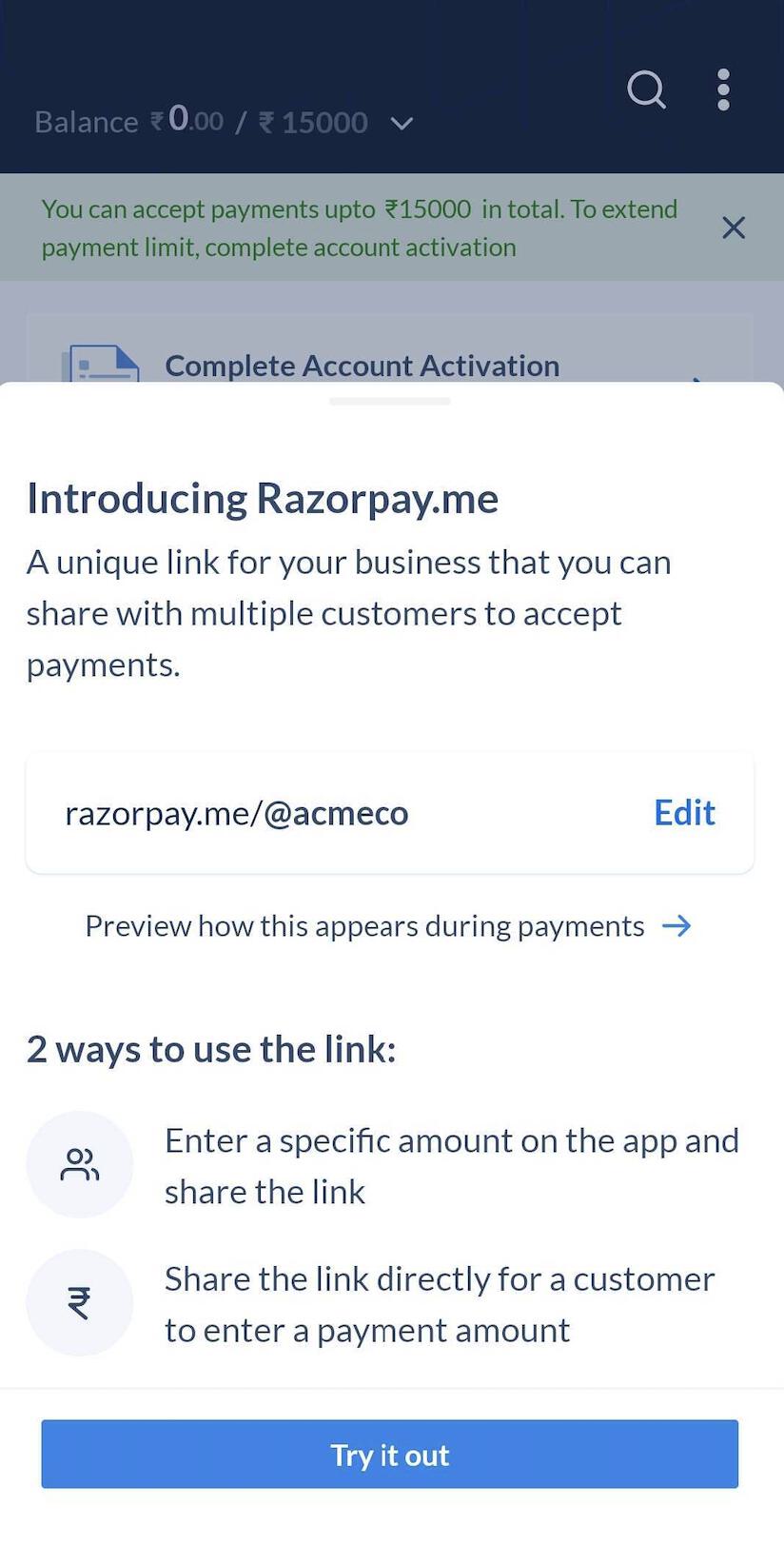 2. You either add a specific amount for the customers to pay or directly send the link and they can enter an amount of their choice.
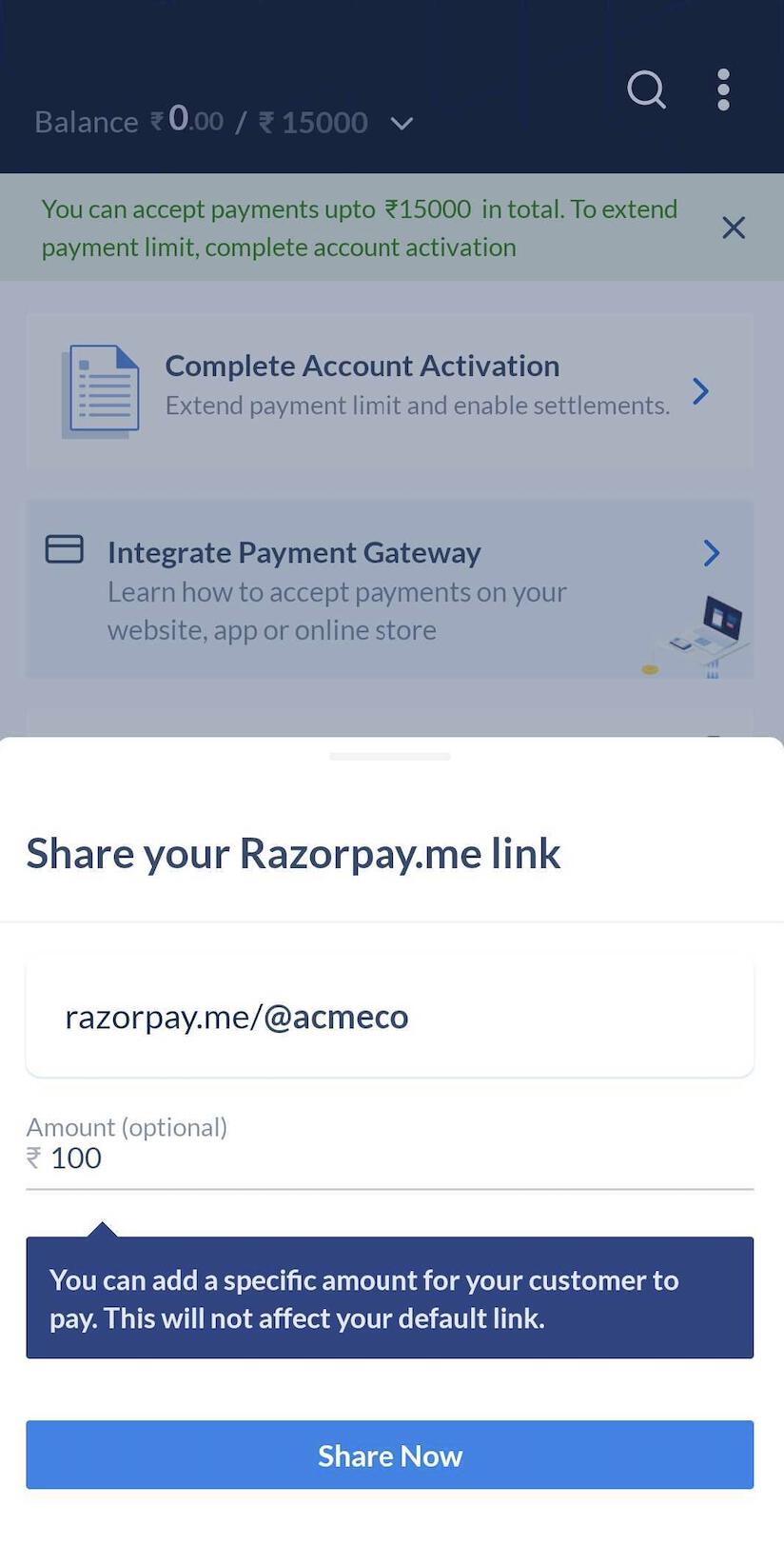 3. Share this URL with your customers through SMS, email, WhatsApp or other social media sites.
 4. Your customers open this URL on their desktop or mobile device, enter the amount if **not** specified, select the payment method and complete the payment.
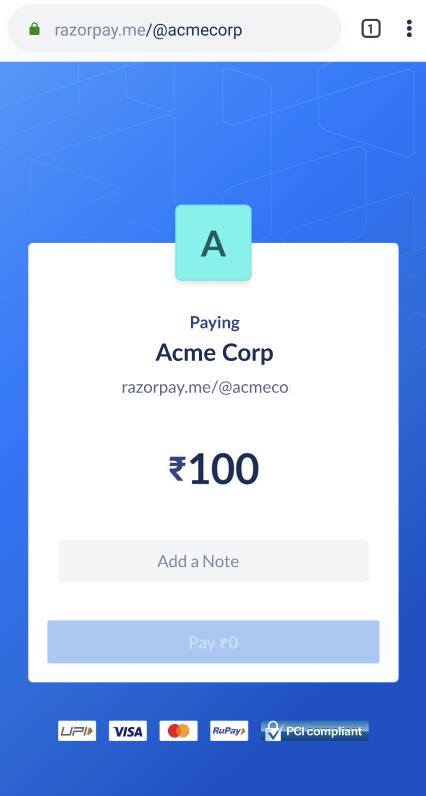 5. You can check the payment status on the Razorpay Payments Mobile App.
### Related Information
* [Manage Razorpay.me URL](/docs/payments/mobile-app/accept-payments/razorpay-me/manage)
* [FAQs](/docs/payments/mobile-app/faqs#razorpay-me)
5. You can check the payment status on the Razorpay Payments Mobile App.
### Related Information
* [Manage Razorpay.me URL](/docs/payments/mobile-app/accept-payments/razorpay-me/manage)
* [FAQs](/docs/payments/mobile-app/faqs#razorpay-me)