> ## Documentation Index
> Fetch the complete documentation index at: https://razorpay-881012b3.mintlify.site/llms.txt
> Use this file to discover all available pages before exploring further.

# Third Party Validation on Optimizer

> Perform Third-Party Validation (TPV) of your customers' bank accounts in real-time on Razorpay Optimizer.

<div style={{display:"flex",flexWrap:"wrap",alignItems:"center",gap:"0.35rem 0.9rem",border:"1px solid rgba(128,128,128,0.28)",borderRadius:"0.5rem",padding:"0.45rem 0.75rem",margin:"0 0 1.25rem",fontSize:"0.875rem"}}>
  <span style={{fontWeight:600}}>Available in</span>
  <span>🇮🇳 India</span>
</div>

Third-Party Validation (TPV) of bank accounts is a mandatory requirement for businesses in the BFSI (Banking, Financial Services and Insurance) sector dealing with Securities, Broking and Mutual Funds. As per Securities and Exchange Board of India (SEBI) guidelines, customers must only make transactions from those bank accounts provided when registering with your business.

You can use Optimizer and comply with the SEBI guidelines for online payment collections by offering TPV integrations with major bank gateways and payment aggregators at the Checkout. Customers can make payments using netbanking or UPI.

<Info>
  **Feature Request**

  This is an on-demand feature. Please raise a request with our [Support team](https://razorpay.com/support/#request) to get this feature activated on your Razorpay account.
</Info>

## Prerequisites

1. You need to have an [active Razorpay account](/docs/payments/set-up) with [Optimizer](/docs/payments/optimizer) enabled.
2. [Generate API keys](/docs/api/authentication#generate-api-keys) required to authenticate API requests sent to Razorpay servers.
3. Follow [the integration steps](/docs/payments/third-party-validation#integration-flow) to let Razorpay map the customers' bank accounts to ensure the payment is processed only from their registered bank accounts.
4. Check the [best practices](/docs/payments/third-party-validation/best-practices).
5. Write to your Razorpay and external gateway Relationship Manager to enable **TPV feature flag** for the required payment methods.
6. Ensure you complete the prerequisites of the particular bank or payment gateway before adding it as a provider.

## Add a Bank or Payment Gateway as a Payment Provider

Given below is an example of how to add BillDesk with TPV support as a payment provider:

1. Log in to your Dashboard.
2. Go to the **PAYMENT PRODUCTS** section and click **Optimizer**.
3. In the top-right section, click **+ Add provider**.
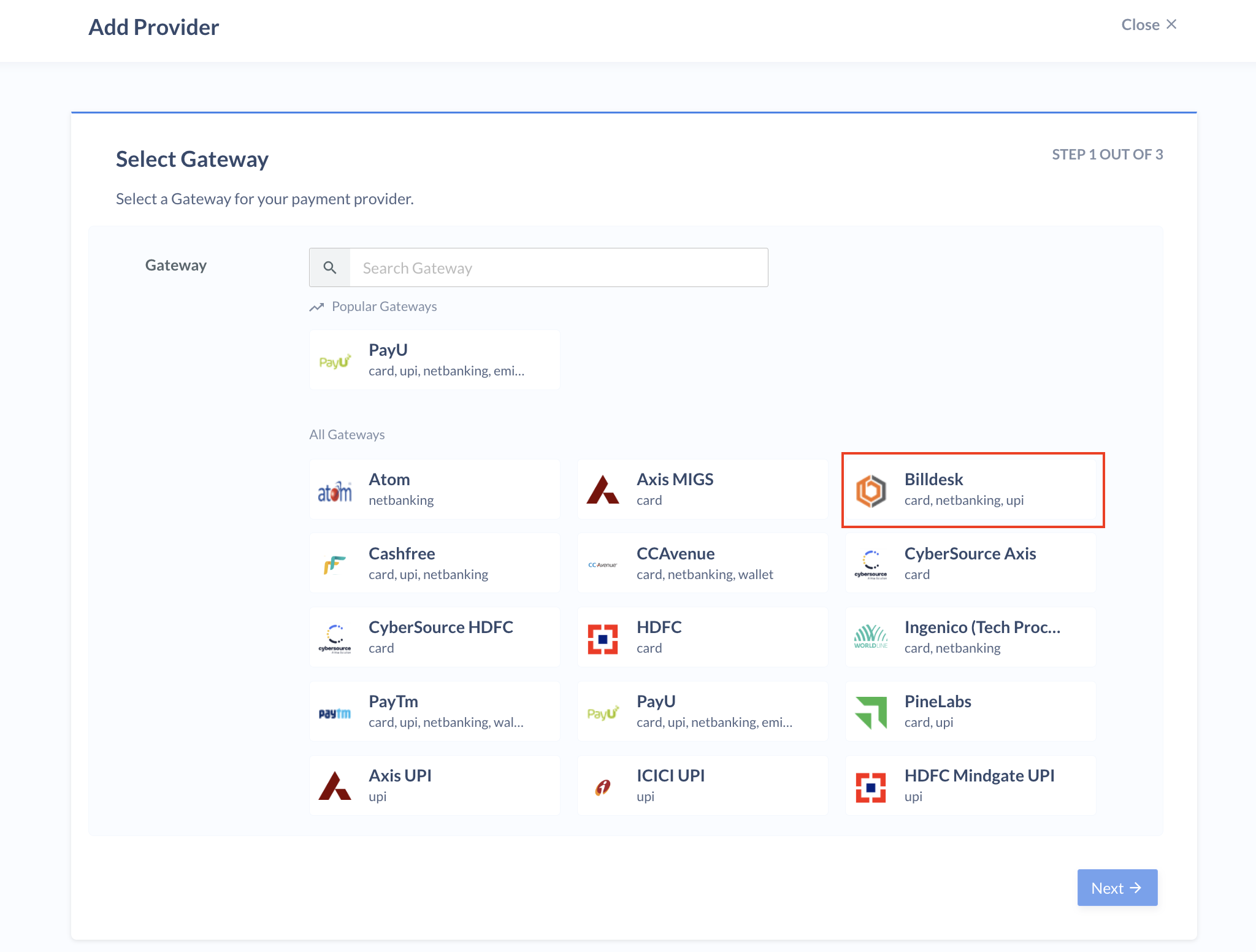
4. Select **Billdesk** in the list of gateways available and click **Next**.
   <img src="https://razorpay.com/docs/build/browser/assets/images/add-billdesk2.jpg" class="click-zoom" alt="Add Billdesk" width="700" />
5. Enter the provider name and description and click **Next**.
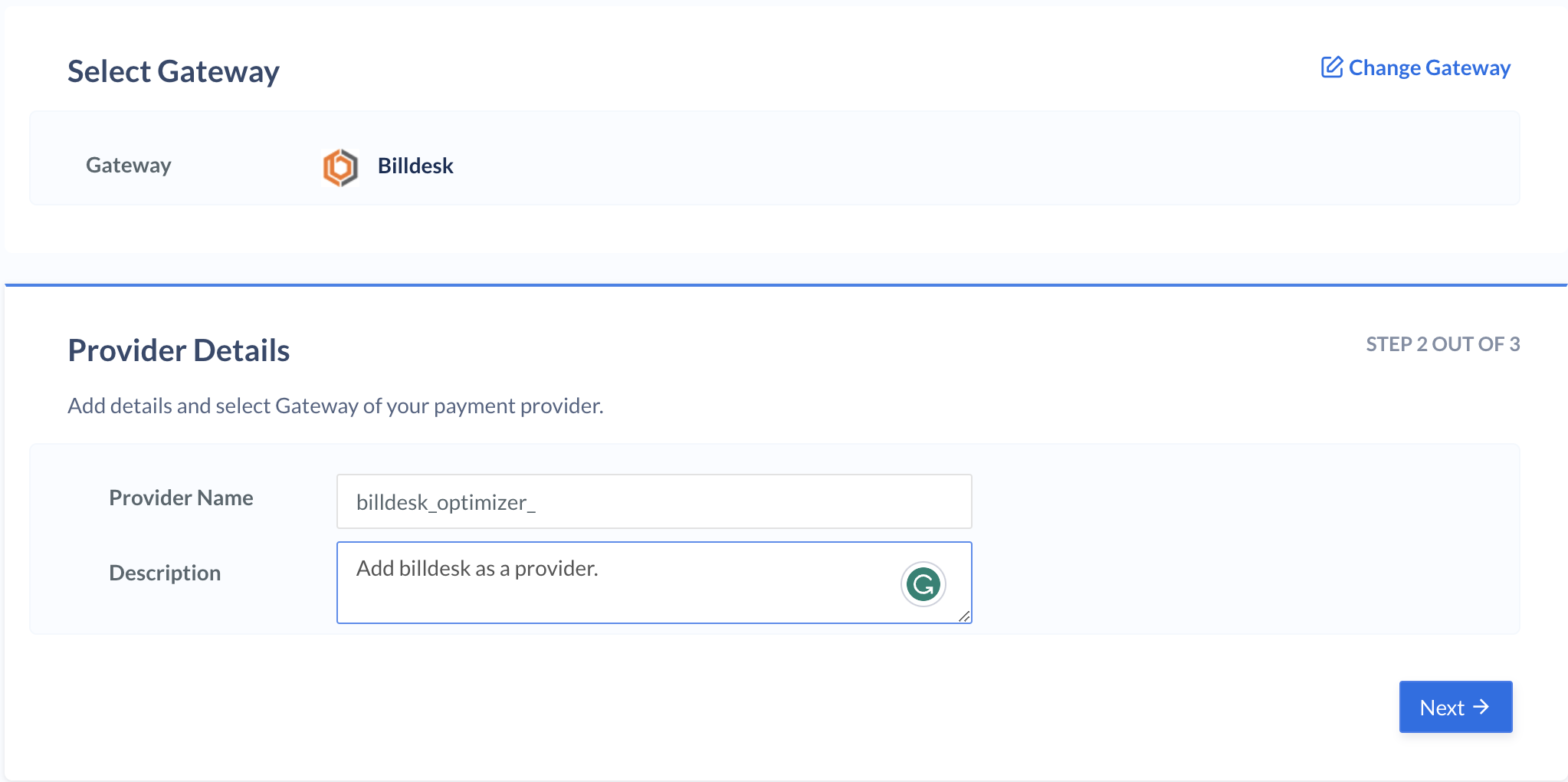
   <img src="https://razorpay.com/docs/build/browser/assets/images/billdesk-provider-name-description.jpg" class="click-zoom" alt="Add Billdesk Provider Name" width="700" />
6. Enter your Client ID and Merchant ID.
7. Select the payment methods and TPV option you want to enable for Billdesk and click **Submit**.
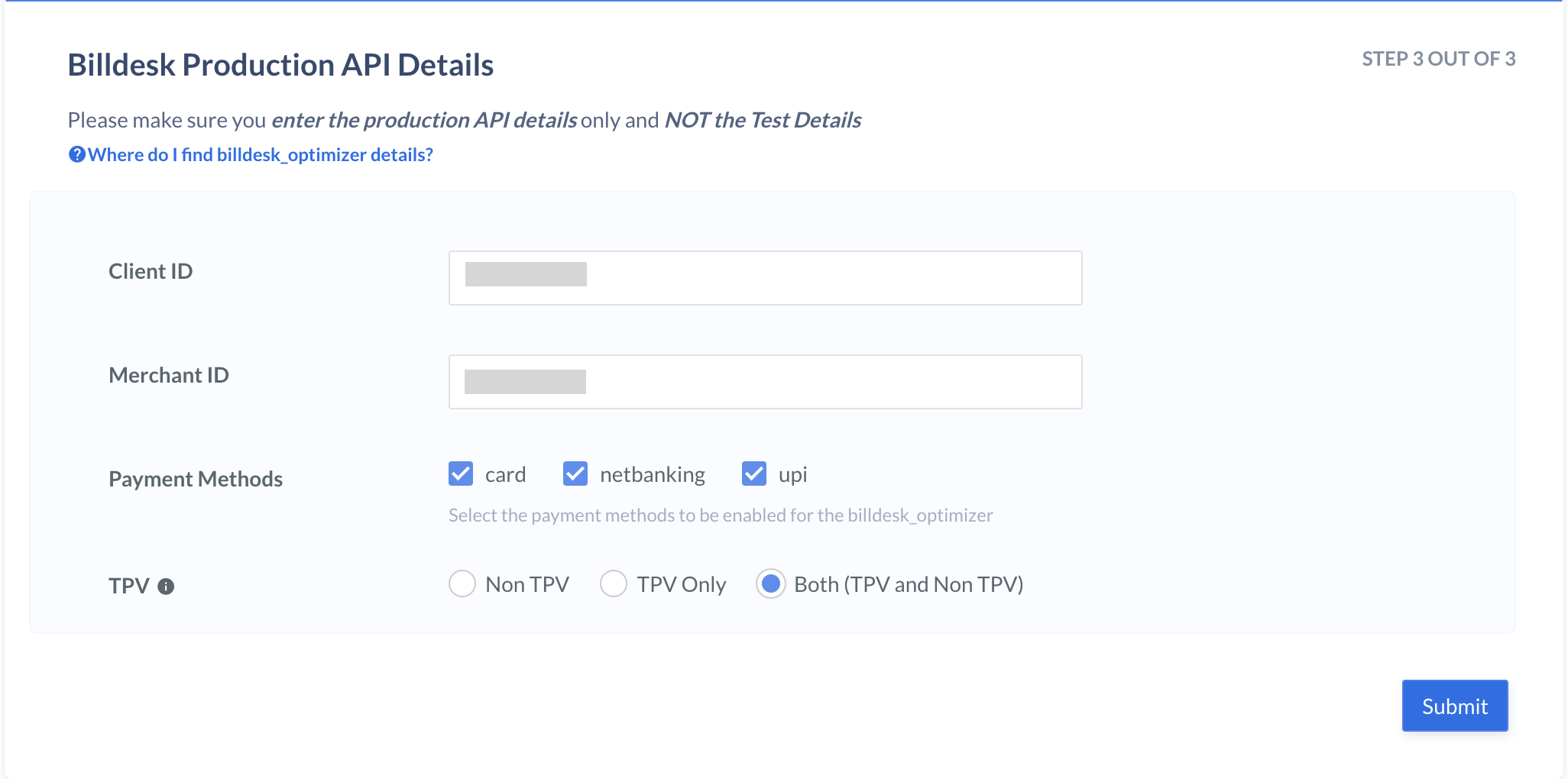
   <img src="https://razorpay.com/docs/build/browser/assets/images/add-security-id2.jpg" class="click-zoom" alt="Add Security ID Billdesk" width="700" />

You have successfully added **Billdesk** as a payment provider and enabled TPV on Optimizer.

## Supported Bank Gateways, Payment Gateways and Payment Methods

List of banks and payment gateways supported on Optimizer TPV is given below:

<Tabs>
  <Tab title="Bank Gateways and Payment Methods">
    | S No. | Bank Gateways | Payment Methods Supported |
    | ----- | ------------- | ------------------------- |
    | 1     | Axis          | UPI and Netbanking        |
    | 2     | HDFC Mindgate | UPI                       |
    | 3     | ICICI         | UPI                       |
  </Tab>

  <Tab title="Payment Gateways and Payment Methods">
    | S No. | Gateways | Payment Methods Supported |
    | ----- | -------- | ------------------------- |
    | 1     | Billdesk | UPI and Netbanking        |
    | 2     | Razorpay | UPI and Netbanking        |
    | 3     | Cashfree | UPI and Netbanking        |
    | 4     | PayU     | UPI and Netbanking        |
    | 5     | Pay10    | UPI                       |
    | 6     | ZaakPay  | UPI and Netbanking        |
    | 7     | Easebuzz | UPI and Netbanking        |
    | 8     | Ingenico | UPI and Netbanking        |
    | 9     | Atom     | UPI and Netbanking        |
  </Tab>
</Tabs>

### Related Information

* [Third Party Validation on Razorpay Standard Integration](/docs/payments/third-party-validation)
* [Best Practices](/docs/payments/third-party-validation/best-practices)
