> ## Documentation Index
> Fetch the complete documentation index at: https://razorpay-881012b3.mintlify.site/llms.txt
> Use this file to discover all available pages before exploring further.
# How Payment Button Works
> Create Razorpay Payment Button and accept payments from customers on your website.
Available in
🇮🇳 India
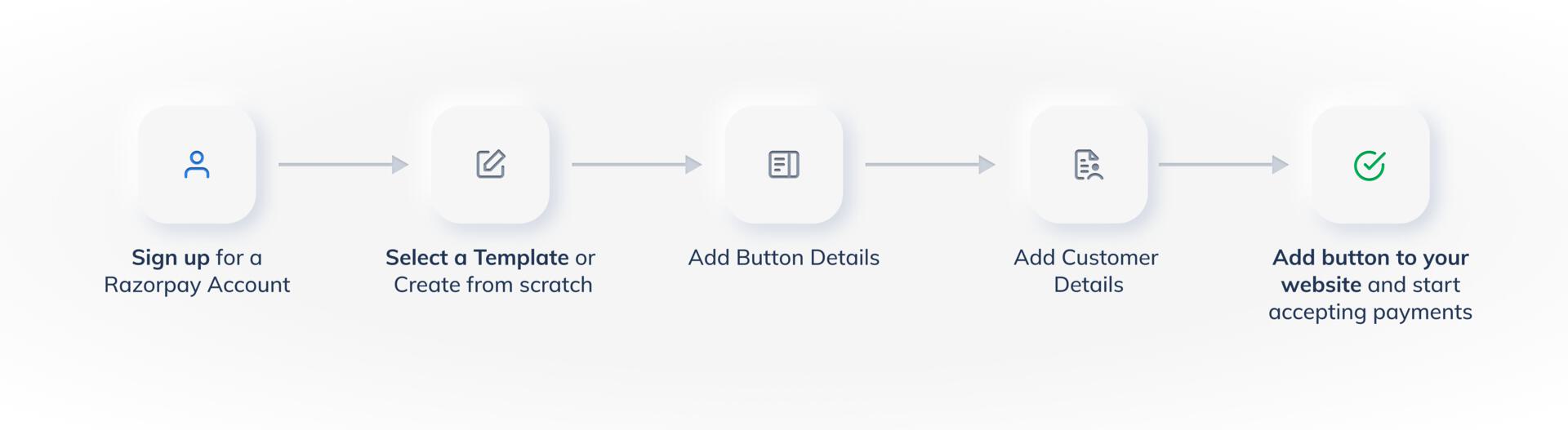
Given below is a complete end-to-end flow about how you can use Razorpay Payment Button to accept payments.
 ## Payment Button Workflow
To use Payment Button to accept payments:
### 1. Sign Up for a Razorpay Account
To create a Payment Button, you first need to set up your [Razorpay account](/docs/payments/set-up). If you already have an account, log in to the Dashboard and click **Payment Button**.
### 2. Select a Template or Create from Scratch
Click **Create Payment Button** and select a template. Know more about [templates](/docs/payments/payment-button/quick-pay#step-1-select-a-template).
### 3. Add Button Details
Add the button details. For example, you can add title, button type and so on. Know more about [adding button details](/docs/payments/payment-button/quick-pay#21-button-details).
### 4. Add Customer Details
Configure the input fields. For example, you can add email details, add a name field and so on. Know more about [adding customer details](/docs/payments/payment-button/quick-pay#22-customer-details).
### 5. Embed Payment Button on your Website and Start Accepting Payments
Add the hyperlink to your website. When customers click on the **Pay** button, they will be redirected to the Razorpay Payment Gateway to complete the payment. Know more about [embedding the Payment button to a website](/docs/payments/payment-button/quick-pay#embed-payment-button-code-in-website).
### Related Information
* [Payment Button](/docs/payments/payment-button)
* [Payment Button States](/docs/payments/payment-button/states)
* [Quick Pay Button](/docs/payments/payment-button/quick-pay)
* [Buy Now Button](/docs/payments/payment-button/buy-now)
* [Donations Button](/docs/payments/payment-button/donations)
* [Custom Button](/docs/payments/payment-button/custom)
* [Manage Payment Button](/docs/payments/payment-button/manage)
* [Search for a Payment Button](/docs/payments/payment-button/search)
## Payment Button Workflow
To use Payment Button to accept payments:
### 1. Sign Up for a Razorpay Account
To create a Payment Button, you first need to set up your [Razorpay account](/docs/payments/set-up). If you already have an account, log in to the Dashboard and click **Payment Button**.
### 2. Select a Template or Create from Scratch
Click **Create Payment Button** and select a template. Know more about [templates](/docs/payments/payment-button/quick-pay#step-1-select-a-template).
### 3. Add Button Details
Add the button details. For example, you can add title, button type and so on. Know more about [adding button details](/docs/payments/payment-button/quick-pay#21-button-details).
### 4. Add Customer Details
Configure the input fields. For example, you can add email details, add a name field and so on. Know more about [adding customer details](/docs/payments/payment-button/quick-pay#22-customer-details).
### 5. Embed Payment Button on your Website and Start Accepting Payments
Add the hyperlink to your website. When customers click on the **Pay** button, they will be redirected to the Razorpay Payment Gateway to complete the payment. Know more about [embedding the Payment button to a website](/docs/payments/payment-button/quick-pay#embed-payment-button-code-in-website).
### Related Information
* [Payment Button](/docs/payments/payment-button)
* [Payment Button States](/docs/payments/payment-button/states)
* [Quick Pay Button](/docs/payments/payment-button/quick-pay)
* [Buy Now Button](/docs/payments/payment-button/buy-now)
* [Donations Button](/docs/payments/payment-button/donations)
* [Custom Button](/docs/payments/payment-button/custom)
* [Manage Payment Button](/docs/payments/payment-button/manage)
* [Search for a Payment Button](/docs/payments/payment-button/search)