> ## Documentation Index
> Fetch the complete documentation index at: https://razorpay-881012b3.mintlify.site/llms.txt
> Use this file to discover all available pages before exploring further.

# Initiate Refunds

> Know how to initiate refunds from the Shopify Dashboard.

<div style={{display:"flex",flexWrap:"wrap",alignItems:"center",gap:"0.35rem 0.9rem",border:"1px solid rgba(128,128,128,0.28)",borderRadius:"0.5rem",padding:"0.45rem 0.75rem",margin:"0 0 1.25rem",fontSize:"0.875rem"}}>
  <span style={{fontWeight:600}}>Available in</span>
  <span>🇮🇳 India</span>
</div>

You can initiate refunds to customers from the Shopify Dashboard.

Follow these steps:

1. Log in to the Shopify Dashboard.
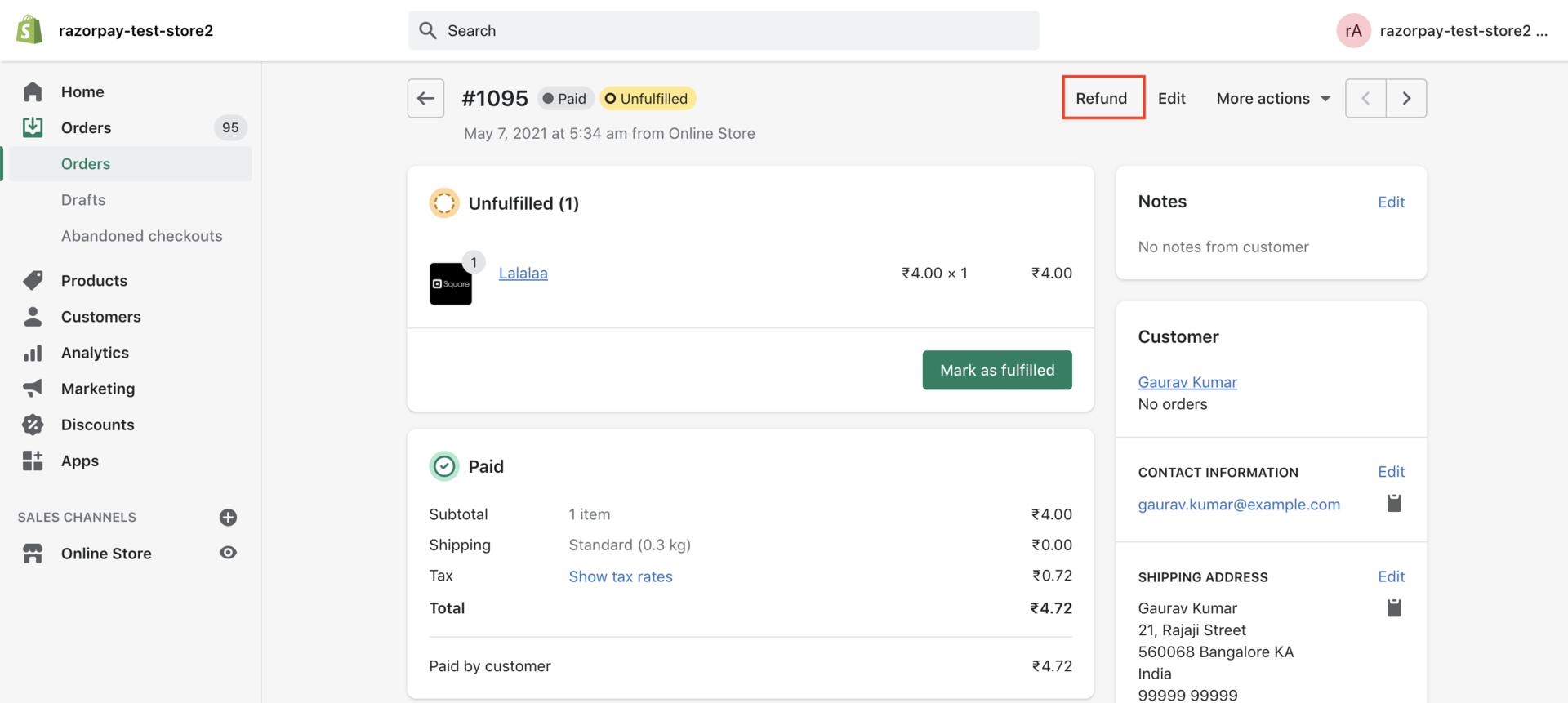
2. Navigate to Orders and select the order for which you want to refund.
3. Click **Refund**.
   <img src="https://razorpay.com/docs/build/browser/assets/images/ecommerce-plugins-shopify-refund-order.jpg" class="click-zoom" width="800" />
4. Enter the amount to be refunded. You can initiate:
   * **Full Refund**: Enter the full order amount.
   * **Partial Refund**: Enter an amount less than the full amount.
5. Enter a reason for the refund.
6. Click **Refund**.
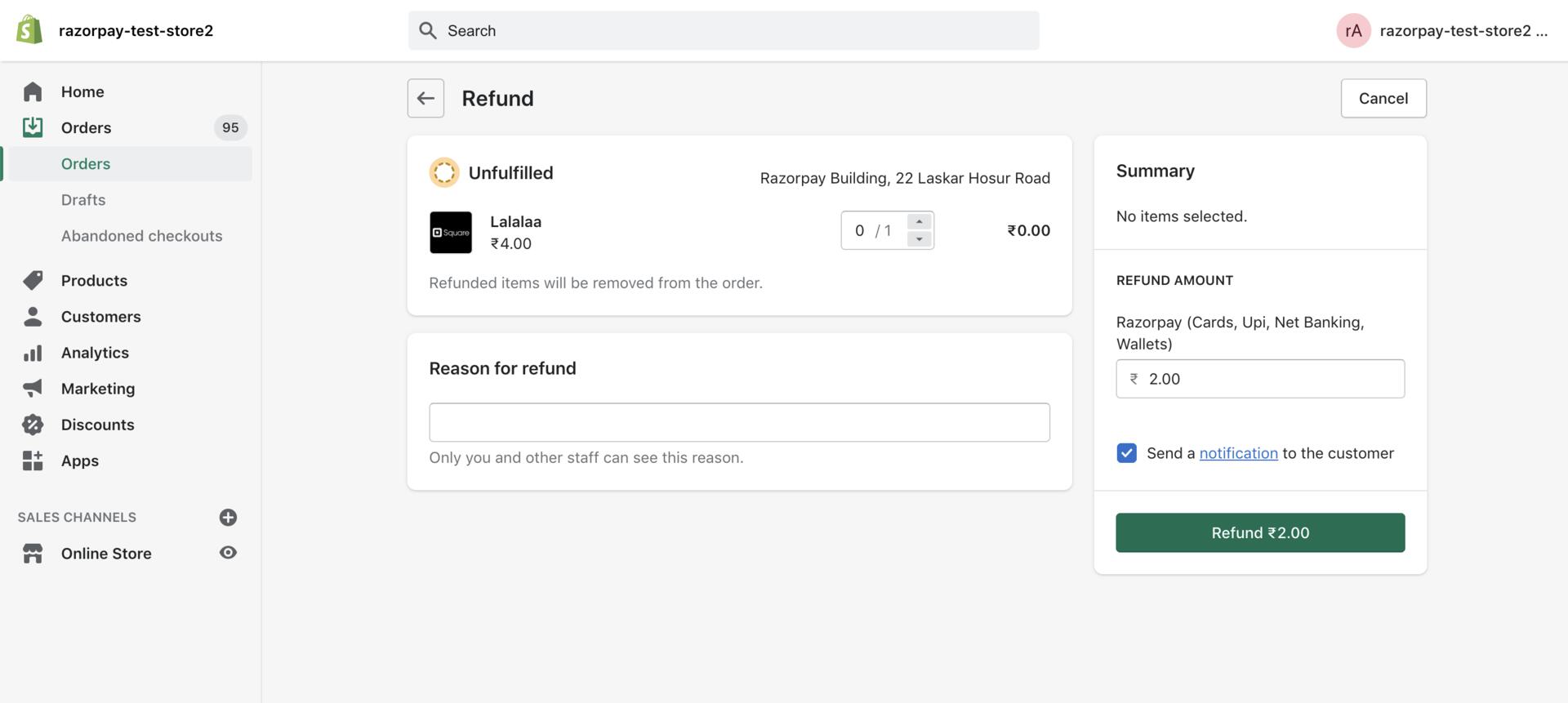
   <img src="https://razorpay.com/docs/build/browser/assets/images/ecommerce-plugins-shopify-initiate-refund.jpg" class="click-zoom" width="800" />

## Refund a Discounted Payment

If the customer has selected an offer during checkout, ensure you refund only the discounted cost (Actual Cost minus Discount Amount) of the product/service.
<Warning>
  **Watch Out!**

  Do not refund the actual cost of the product/service received from the customer.
</Warning>

| Particulars                                         | Amount |
| --------------------------------------------------- | ------ |
| Actual Cost                                         | ₹4.72  |
| Discount Amount                                     | ₹0.28  |
| Discounted Cost (Actual Cost minus Discount Amount) | ₹4.44  |
| Amount Refundable to Customer                       | ₹4.44  |

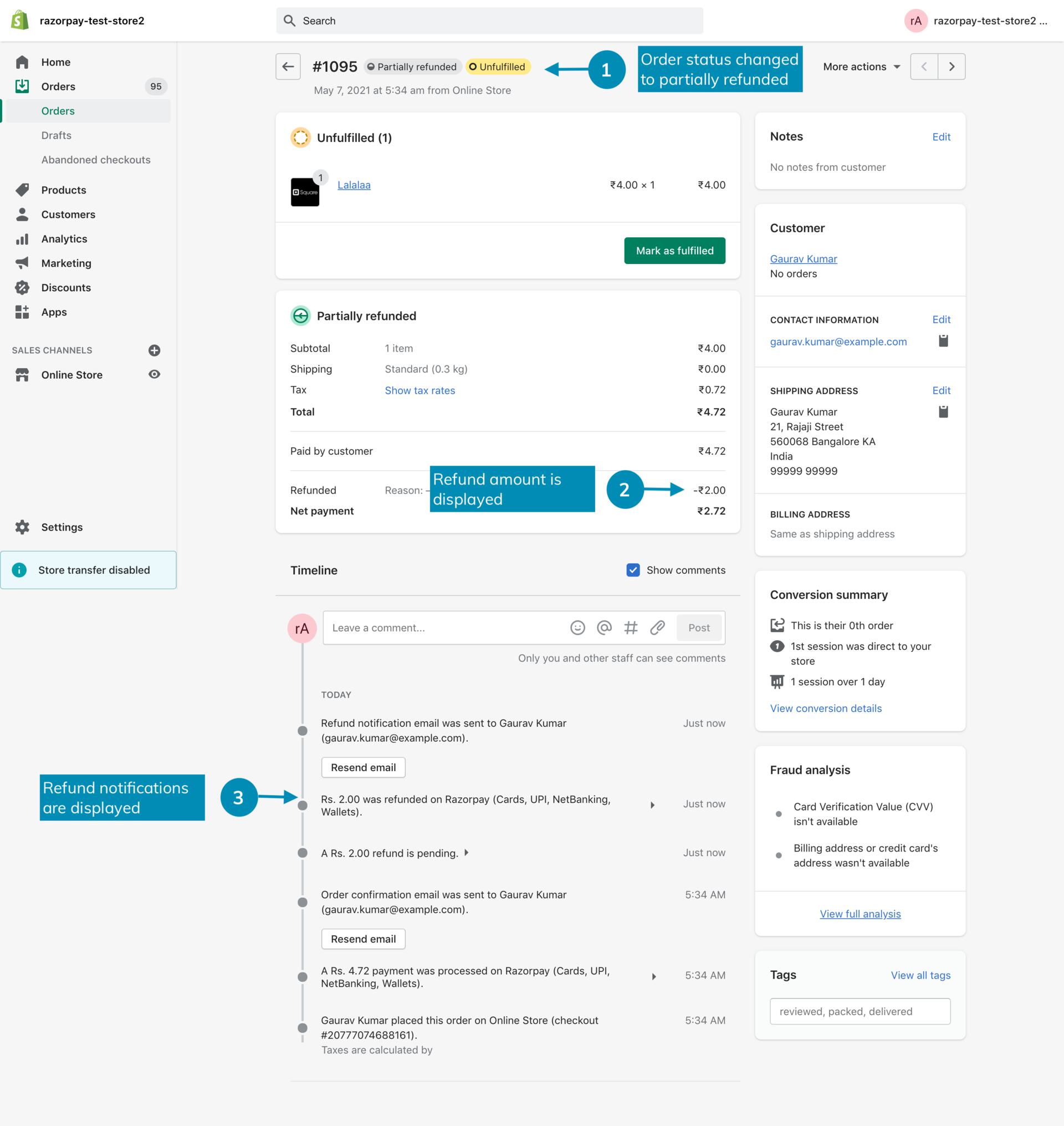
The Order displays the refund details:

<img src="https://razorpay.com/docs/build/browser/assets/images/ecommerce-plugins-shopify-refund-complete.jpg" width="800" />
