> ## Documentation Index
> Fetch the complete documentation index at: https://razorpay-881012b3.mintlify.site/llms.txt
> Use this file to discover all available pages before exploring further.
# Troubleshooting & FAQs
> Find answers to frequently asked questions about Wix plugin.
Available in
🇮🇳 India
**Cause**: Before connecting your account with the Wix platform, you need to set up Webhooks on the Dashboard. If you do not set up Webhooks, there may be connection errors.
**Resolution**: Set up webhooks.
To set up Webhooks:
1. Log in to the Razorpay Dashboard and navigate to **Account & Settings**.
2. In the **Website and app settings** section, click **Webhooks**.
 3. Click **+ Add New Webhook**.
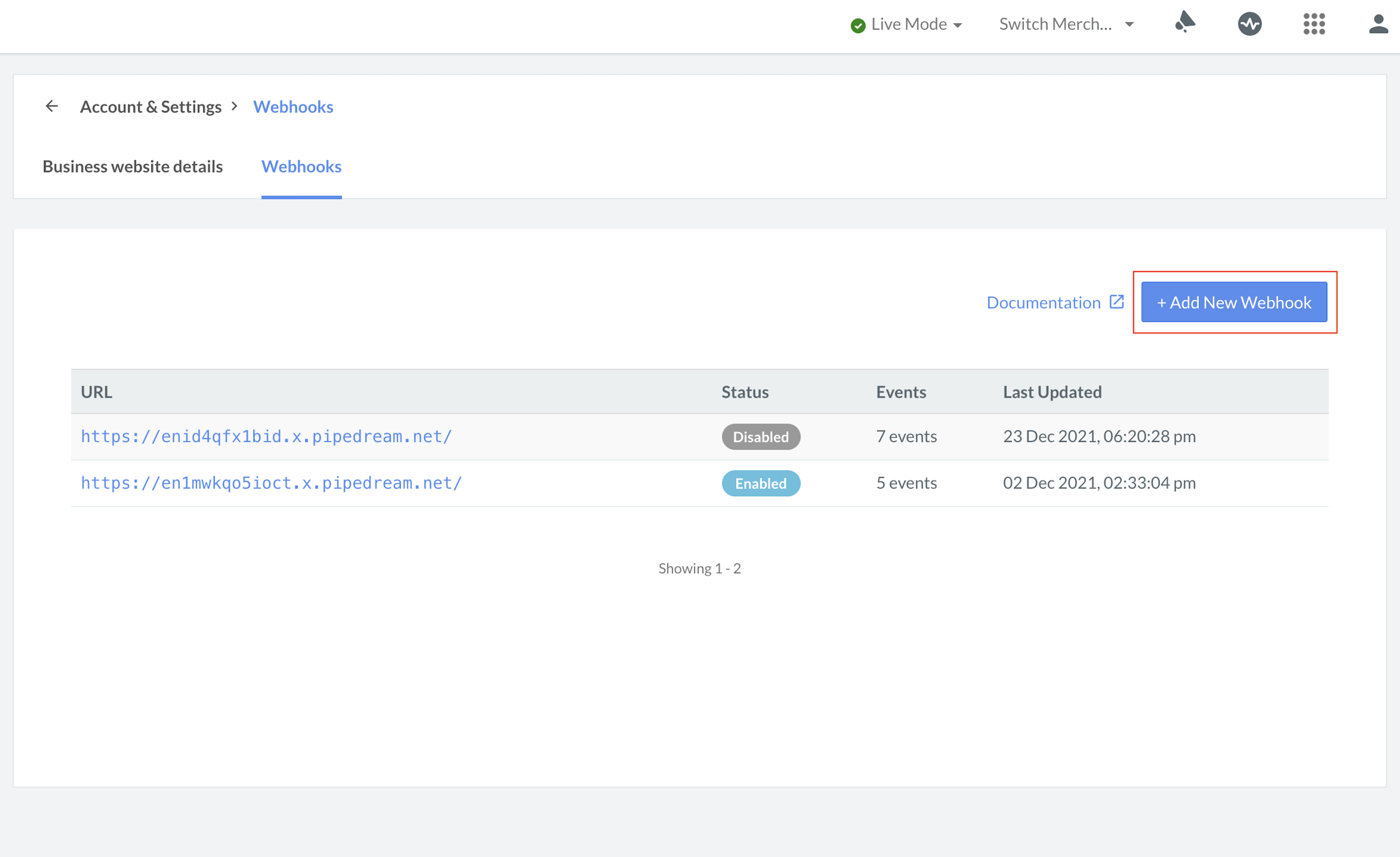 4. In the **Webhook Setup** pop-up page:
1. Enter the **Website URL** as `https://express.razorpay.com/wix/v1/webhook-handler`.
2. Enter a **Secret** for the Webhook endpoint. The secret is used for validation purposes.
**Handy Tips**
The secret that you enter here can validate that the Webhooks are from Razorpay. Do not expose the secret publicly.
3. Select the following events from the list of **Active Events**:
* `order.paid`
* `refund.processed`
* `payment.failed`
**Handy Tips**
If you use this Razorpay account to accept payments on your Wix site, **you can set up only one Webhook** on the Dashboard.
5. Click **Save** to enable Webhooks.
**Cause**: This error message is displayed if the Webhook is not configured correctly on the Dashboard.
**Resolution**: To fix this error, check the reasons and their solutions as mentioned below:
| Issue | Solution |
| ------------------------------------------------------------------------------------------------------- | -------------------------------------------------------------------------------------------- |
| You have provided your own Webhook URL. | You must provide `"https://express.razorpay.com/wix/v1/webhook-handler"` as the Webhook URL. |
| You have provided the correct URL but have subscribed to all the Webhook events. | You must subscribe to only the `order.paid`, `refund.processed` and `payment.failed` events. |
| You have provided the correct URL and subscribed to the correct events but have not entered the secret. | You must enter the secret for the Webhook. |
No. Wix does not support Subscriptions. The plugins that support subscriptions are Woocommerce, Magento and OpenCart.
Follow the troubleshooting steps given below:
1. Reinstall the Razorpay Wix plugin and ensure that your system meets all the requirements mentioned [here](/docs/payments/payment-gateway/ecommerce-plugins/wix/integration-steps).
2. If the issue persists after following these steps, contact our [Support team](https://razorpay.com/support/). Provide the following information while creating a ticket:
* Wix version
* Razorpay for Wix plugin version
* PHP version
* Steps to reproduce the issue (Screen recording/Screenshots)
* Error logs, if any
* Staging website credentials (login URL, login id, and password)
The Wix plugin currently supports only currencies that use 2 decimal units. For example: USD, EUR, INR. It does not support currencies with 0 decimal (for example, JPY) or 3 decimal units (for example, BHD).
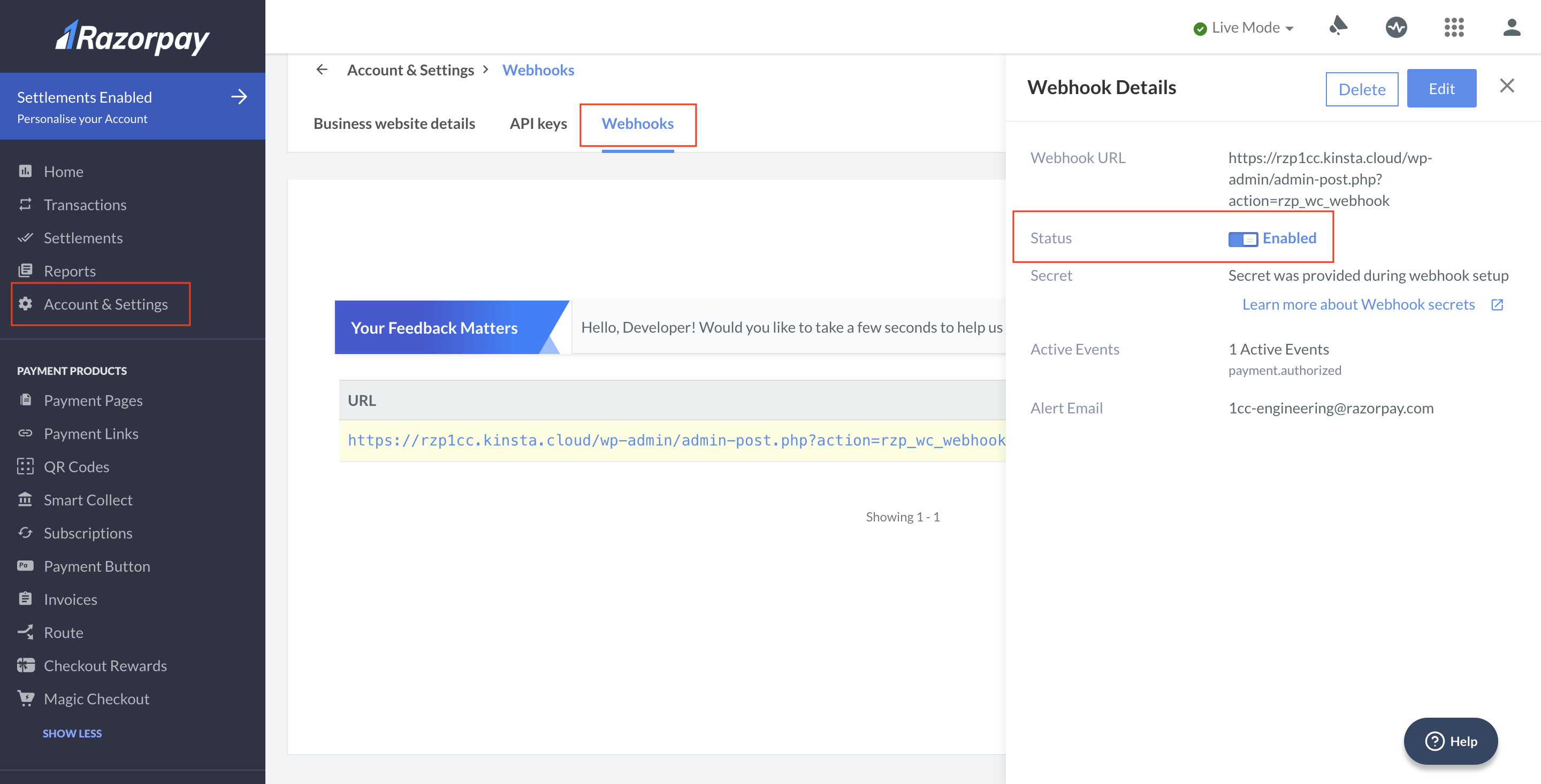
To verify if webhooks are enabled:
1. Log in to the Razorpay Dashboard and navigate to **Accounts and Settings**.
2. Go to **Webhooks** (Under Website and app settings).
3. Select the relevant webhook **URL**.
4. On the right panel, check if the status for `order.paid`, `refund.processed` and `payment.failed` is enabled.
4. In the **Webhook Setup** pop-up page:
1. Enter the **Website URL** as `https://express.razorpay.com/wix/v1/webhook-handler`.
2. Enter a **Secret** for the Webhook endpoint. The secret is used for validation purposes.
**Handy Tips**
The secret that you enter here can validate that the Webhooks are from Razorpay. Do not expose the secret publicly.
3. Select the following events from the list of **Active Events**:
* `order.paid`
* `refund.processed`
* `payment.failed`
**Handy Tips**
If you use this Razorpay account to accept payments on your Wix site, **you can set up only one Webhook** on the Dashboard.
5. Click **Save** to enable Webhooks.
**Cause**: This error message is displayed if the Webhook is not configured correctly on the Dashboard.
**Resolution**: To fix this error, check the reasons and their solutions as mentioned below:
| Issue | Solution |
| ------------------------------------------------------------------------------------------------------- | -------------------------------------------------------------------------------------------- |
| You have provided your own Webhook URL. | You must provide `"https://express.razorpay.com/wix/v1/webhook-handler"` as the Webhook URL. |
| You have provided the correct URL but have subscribed to all the Webhook events. | You must subscribe to only the `order.paid`, `refund.processed` and `payment.failed` events. |
| You have provided the correct URL and subscribed to the correct events but have not entered the secret. | You must enter the secret for the Webhook. |
No. Wix does not support Subscriptions. The plugins that support subscriptions are Woocommerce, Magento and OpenCart.
Follow the troubleshooting steps given below:
1. Reinstall the Razorpay Wix plugin and ensure that your system meets all the requirements mentioned [here](/docs/payments/payment-gateway/ecommerce-plugins/wix/integration-steps).
2. If the issue persists after following these steps, contact our [Support team](https://razorpay.com/support/). Provide the following information while creating a ticket:
* Wix version
* Razorpay for Wix plugin version
* PHP version
* Steps to reproduce the issue (Screen recording/Screenshots)
* Error logs, if any
* Staging website credentials (login URL, login id, and password)
The Wix plugin currently supports only currencies that use 2 decimal units. For example: USD, EUR, INR. It does not support currencies with 0 decimal (for example, JPY) or 3 decimal units (for example, BHD).
To verify if webhooks are enabled:
1. Log in to the Razorpay Dashboard and navigate to **Accounts and Settings**.
2. Go to **Webhooks** (Under Website and app settings).
3. Select the relevant webhook **URL**.
4. On the right panel, check if the status for `order.paid`, `refund.processed` and `payment.failed` is enabled.