> ## Documentation Index
> Fetch the complete documentation index at: https://razorpay-881012b3.mintlify.site/llms.txt
> Use this file to discover all available pages before exploring further.
# Offers on Payment Links
> Provide offers to customers making payments using Payment Links.
Available in🇮🇳 India
Use Razorpay Offers to provide discounts or cashback on Payment Links issued to customers. You can restrict the payment methods on which the Offers are applied and limit their usage to a defined period.
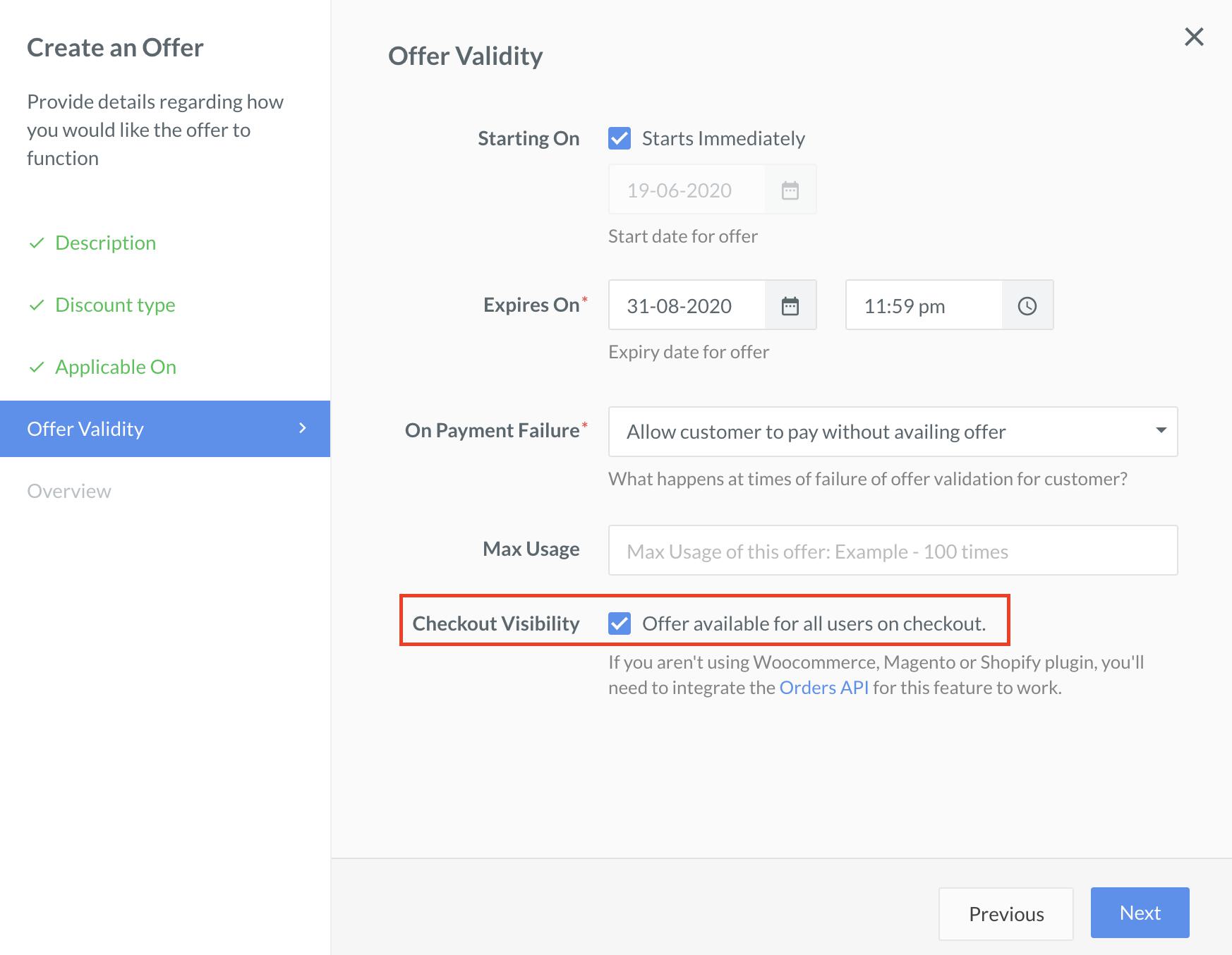
## Enable Offers for Payment Links
Select the **Checkout Visibility** option to display discount and cashback offers on Payment Links.
## How Offers Appear for Payment Links
Watch this video to see how offers appear for Payment Links when customers want to make payments using Payment Links.
**Watch Out!**
This feature is not available for UPI Payment Links.
#### Related Information
* [About Offers](/docs/payments/offers)
* [Create Offers](/docs/payments/offers/create)
 ## How Offers Appear for Payment Links
Watch this video to see how offers appear for Payment Links when customers want to make payments using Payment Links.
## How Offers Appear for Payment Links
Watch this video to see how offers appear for Payment Links when customers want to make payments using Payment Links.