> ## Documentation Index
> Fetch the complete documentation index at: https://razorpay-881012b3.mintlify.site/llms.txt
> Use this file to discover all available pages before exploring further.

# About Cardless EMI

> Offer automatic EMI payments without using credit or debit cards to your customers. Check the payment flow and supported Cardless EMI providers.

<div style={{display:"flex",flexWrap:"wrap",alignItems:"center",gap:"0.35rem 0.9rem",border:"1px solid rgba(128,128,128,0.28)",borderRadius:"0.5rem",padding:"0.45rem 0.75rem",margin:"0 0 1.25rem",fontSize:"0.875rem"}}>
  <span style={{fontWeight:600}}>Available in</span>
  <span>🇮🇳 India</span>
</div>

<CardGroup cols={1}>
  <Card title="Cardless EMI Changelog" href="/docs/payments/changelog#products">
    Discover new features, updates and deprecations related to Cardless EMI (since Jan 2024).
  </Card>
</CardGroup>

Offer Cardless EMI as a payment method to convert their payment amount to EMIs without a debit or credit card. Customers enjoy the benefits of the EMI as the payments are made using credits approved by the supported Cardless EMI Payment Partners.

<Warning>
  **Watch Out!**

  Instant Refunds are not supported on EMI, Cardless EMI and Pay Later.
</Warning>

<Info>
  **Feature Enablement**

  Cardless EMI as a payment method is not enabled by default. Raise a request with our [Support Team](https://razorpay.com/support/#request) to enable this feature.
</Info>

## Supported Payment Partners

Following is the list of supported Payment Partners for Cardless EMI and the minimum order amount stipulated by them:

<Tabs>
  <Tab title="Banks">
    | Banks                                                        | Provider Code | Minimum Order Amount |
    | ------------------------------------------------------------ | ------------- | -------------------- |
    | ICICI Bank                                                   | `icic`        | ₹7000                |
    | IDFC Bank                                                    | `idfb`        | ₹5000                |
    | HDFC Bank                                                    | `hdfc`        | ₹5000                |
    | Kotak Bank                                                   | `kkbk`        | ₹3000                |
    | [axio](/docs/payments/payment-methods/emi/cardless-emi/axio) | `walnut369`   | ₹900                 |
    | Fibe                                                         | `earlysalary` | ₹3000                |
    | ZestMoney                                                    | `zestmoney`   | ₹3000                |

    <Info>
      **Handy Tips**

      Check the standard [interest rates charged by Banks/Partners](/docs/payments/payment-gateway/emi²/faqs#1-what-are-the-standard-interest-rates-charged).
    </Info>
  </Tab>

  <Tab title="Non-Banking Payment Partners">
    | Payment Partners | Provider Code | Minimum Order Amount |
    | ---------------- | ------------- | -------------------- |
    | axio             | `walnut369`   | ₹900                 |
    | Fibe             | `earlysalary` | ₹3000                |
    | ZestMoney        | `zestmoney`   | ₹3000                |

    <Info>
      **Handy Tips**

      Check the standard [interest rates charged by Pay Later Providers](/docs/payments/payment-gateway/emi²/faqs#2-what-are-the-standard-interest-rates-charged).
    </Info>
  </Tab>

  <Tab title="Optimizer Providers">
    | Payment Partners                                                     | Provider Code | Minimum Order Amount |
    | -------------------------------------------------------------------- | ------------- | -------------------- |
    | [ShopSe](/docs/payments/payment-methods/emi/cardless-emi/shopse)     | `shopse`      | ₹3000                |
    | [Snapmint](/docs/payments/payment-methods/emi/cardless-emi/snapmint) | `snapmint`    | None                 |

    <Info>
      **Handy Tips**

      Check the standard [interest rates charged by Pay Later Providers](/docs/payments/payment-gateway/emi²/faqs#2-what-are-the-standard-interest-rates-charged).
    </Info>
  </Tab>
</Tabs>

## Payment Flow

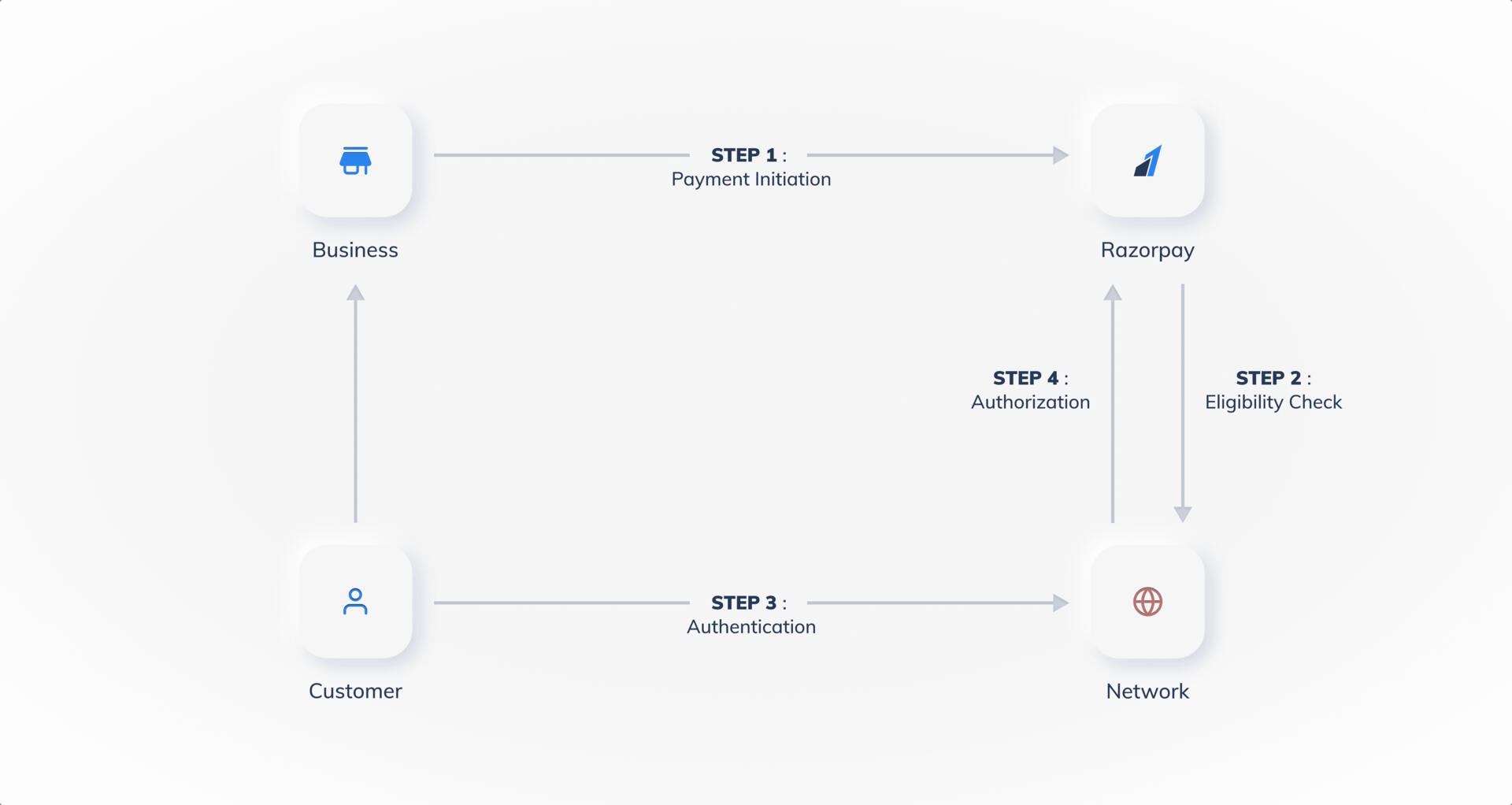
Given below is a diagram that explains the payment flow for Cardless EMI:

<img src="https://razorpay.com/docs/build/browser/assets/images/payment-flow-cardless_emi.jpg" alt="payment flow for Cardless EMI" width="800" />

## Payment Flow on Standard Checkout

Customers select the products on your website or app and proceed to Checkout. On the Checkout page, the customers:

1. Enter their **Phone Number** and click **Continue**.
2. Select **EMI** as the payment method.
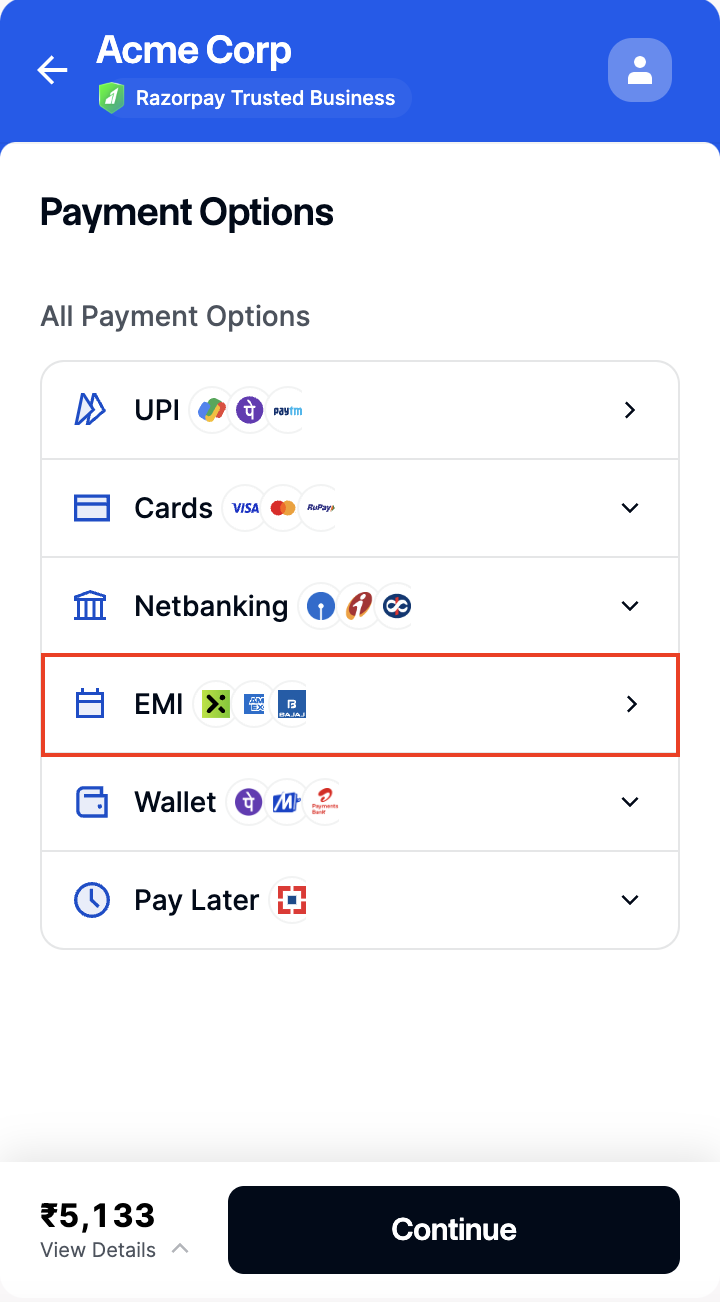
   <img src="https://razorpay.com/docs/build/browser/assets/images/emi-options-card.jpg" alt="Select emi payment option on checkout" width="300" />
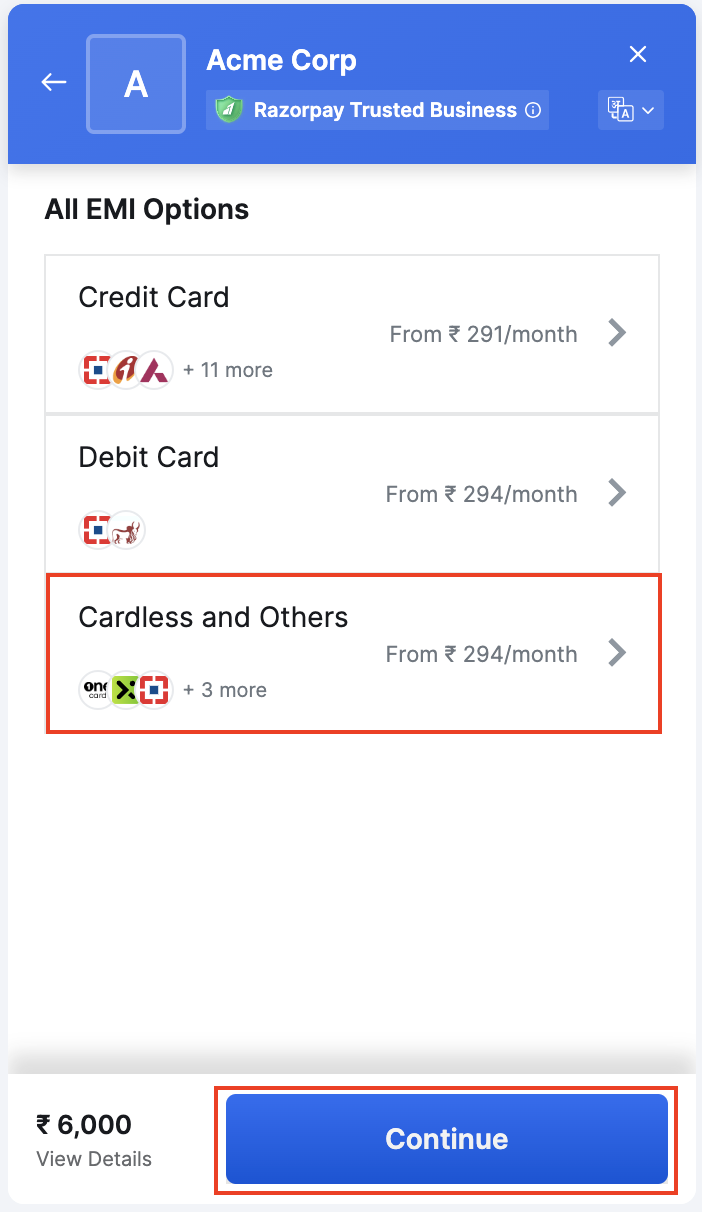
3. Select **Cardless and Others**.
   <img src="https://razorpay.com/docs/build/browser/assets/images/emi-select-cardless.jpg" alt="Select Cardless and Others" width="300" />
4. Choose a payment instrument from the list and select the EMI tenure. Click **Continue**.
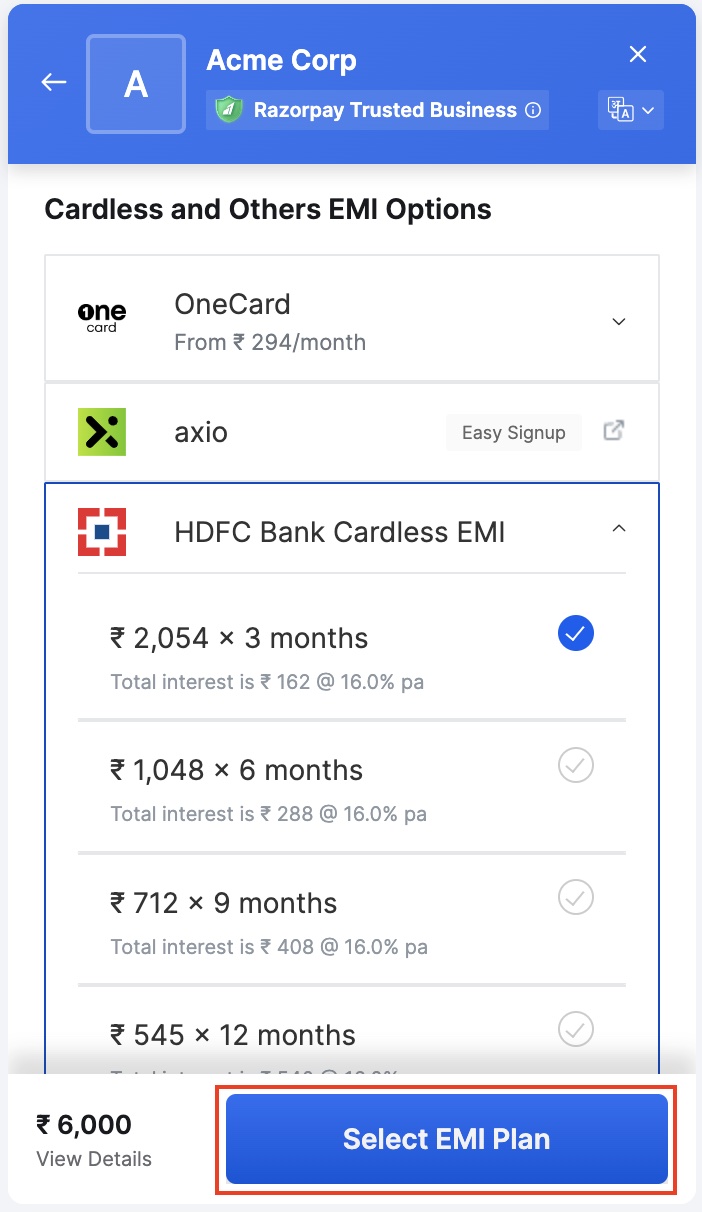
   <img src="https://razorpay.com/docs/build/browser/assets/images/emi-cardless-tenure.jpg" alt="EMI tenure and click Select Plan" width="300" />

After the successful payment, Razorpay redirects customers to your application or website. Customers' monthly statements will reflect the EMI amount with interest charged by the bank.

You will receive the entire payment amount from the Cardless EMI service provider. Based on the terms and conditions, the customer pays the total payment amount with additional interest (if any) as EMIs to the provider.

## Standard Checkout Integration

No additional integration is required to show Cardless EMI on your Standard Checkout page.

## FAQs

See: [Cardless EMI FAQs](/docs/payments/payment-methods/emi/faqs#cardless-emi).