> ## Documentation Index
> Fetch the complete documentation index at: https://razorpay-881012b3.mintlify.site/llms.txt
> Use this file to discover all available pages before exploring further.
# Low Cost EMI
> Let your customers avail Low Cost EMIs offered by all major banks.
Available in
🇮🇳 India
Offer Low Cost EMI to strike the perfect balance between providing affordable financing to customers while maintaining a sustainable financial model. You can decide the cost to support each EMI tenure, and the customer bears the remaining cost. Low Cost EMIs let customers enjoy the benefits of EMI at an affordable rate while minimising your overall cost.
## Create Low Cost EMI Offers
You can create [Low Cost EMI Offers](/docs/payments/offers/low-cost-emi) for a selected issuer from your Dashboard.
## How it Works
Customers select the products on your website or app and proceed to Checkout. On the Checkout page, the customers:
1. Enter the **Phone Number** and click **Continue**.
2. Select **EMI** as the payment method.
3. Select the EMI option where Low Cost EMI is available. If the amount entered in the Checkout is eligible for the discount, all the applicable EMI options are shown.
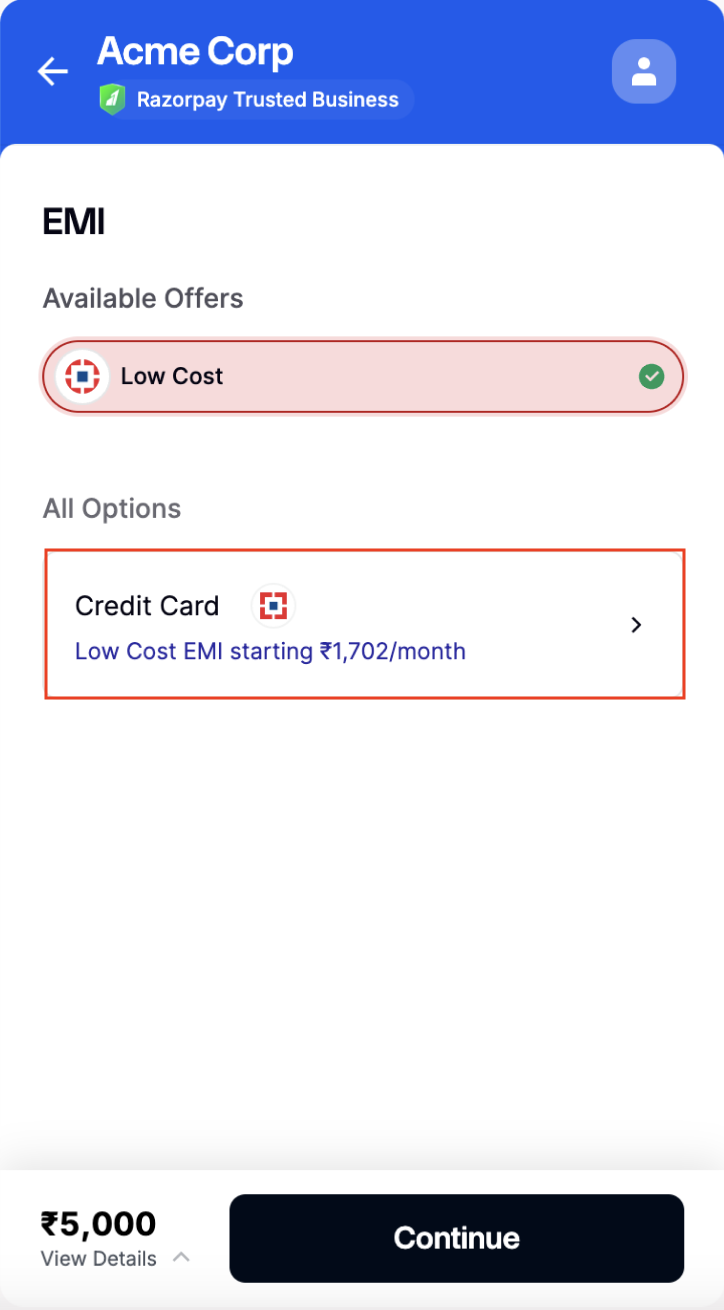 4. After customers select this option, all the applicable plans the card issuer provides are displayed for the entered amount.
5. Choose the EMI tenure and click **Continue**.
4. After customers select this option, all the applicable plans the card issuer provides are displayed for the entered amount.
5. Choose the EMI tenure and click **Continue**.
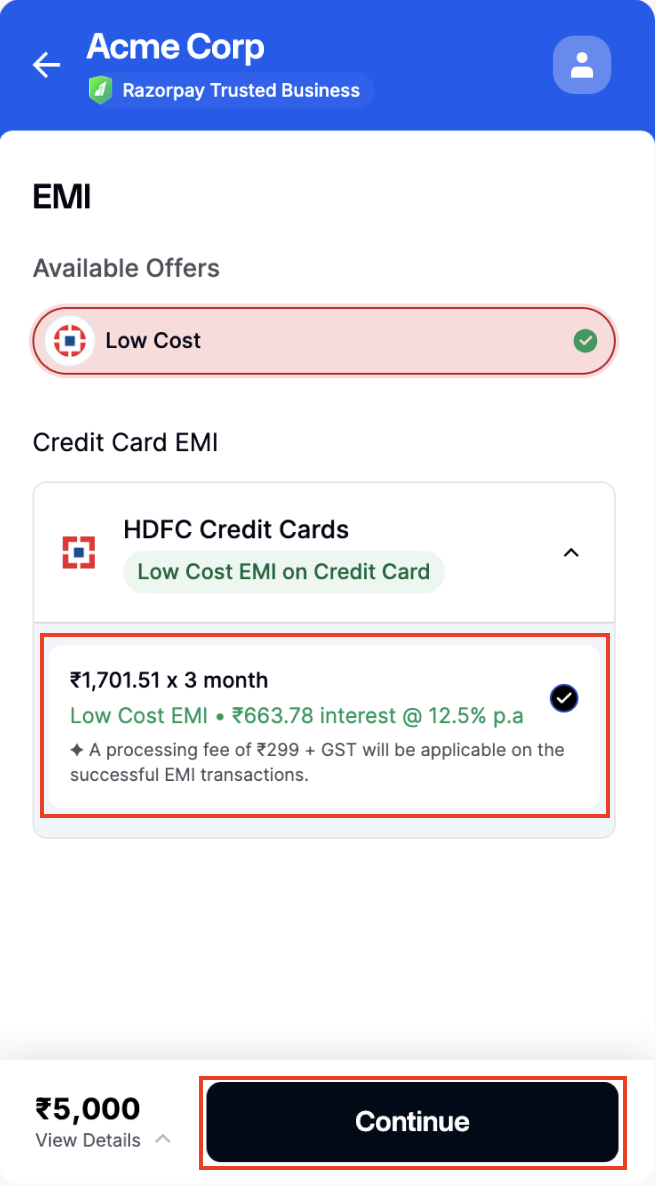 6. They enter the relevant details and choose if they want to **Save this card as per RBI guidelines** or pay without saving the card.
After the successful payment, Razorpay redirects customers to your application or website.
You can create Low Cost EMI Offers on Credit and Debit card EMIs only.
Customers' monthly statements will reflect the total interest charged by the bank. However, the Low Cost EMI discount amount is applied upfront to the purchase to cover it.
## FAQs
See: [Low Cost EMI FAQs](/docs/payments/payment-methods/emi/faqs#low-cost-emi).
6. They enter the relevant details and choose if they want to **Save this card as per RBI guidelines** or pay without saving the card.
After the successful payment, Razorpay redirects customers to your application or website.
You can create Low Cost EMI Offers on Credit and Debit card EMIs only.
Customers' monthly statements will reflect the total interest charged by the bank. However, the Low Cost EMI discount amount is applied upfront to the purchase to cover it.
## FAQs
See: [Low Cost EMI FAQs](/docs/payments/payment-methods/emi/faqs#low-cost-emi).