> ## Documentation Index
> Fetch the complete documentation index at: https://razorpay-881012b3.mintlify.site/llms.txt
> Use this file to discover all available pages before exploring further.
# About No Cost EMI
> Let your customers avail No Cost EMIs offered by all major banks.
Available in
🇮🇳 India
A No Cost EMI is an offer where customers pay for a product in installments with zero interest. Offer No Cost EMIs on credit and debit cards issued by all the major banks. EMI discount is applied to the customer's purchase to cover the interest that the bank charges.
## Create No Cost EMI Offers
1. You can create No Cost EMIs for a selected issuer from your Dashboard.
2. Follow the steps in Offers to [create No Cost EMIs](/docs/payments/offers/create) on the Dashboard.
## How it Works
1. Enter the **Phone Number** and click **Continue**.
2. Select **EMI** as the payment method.
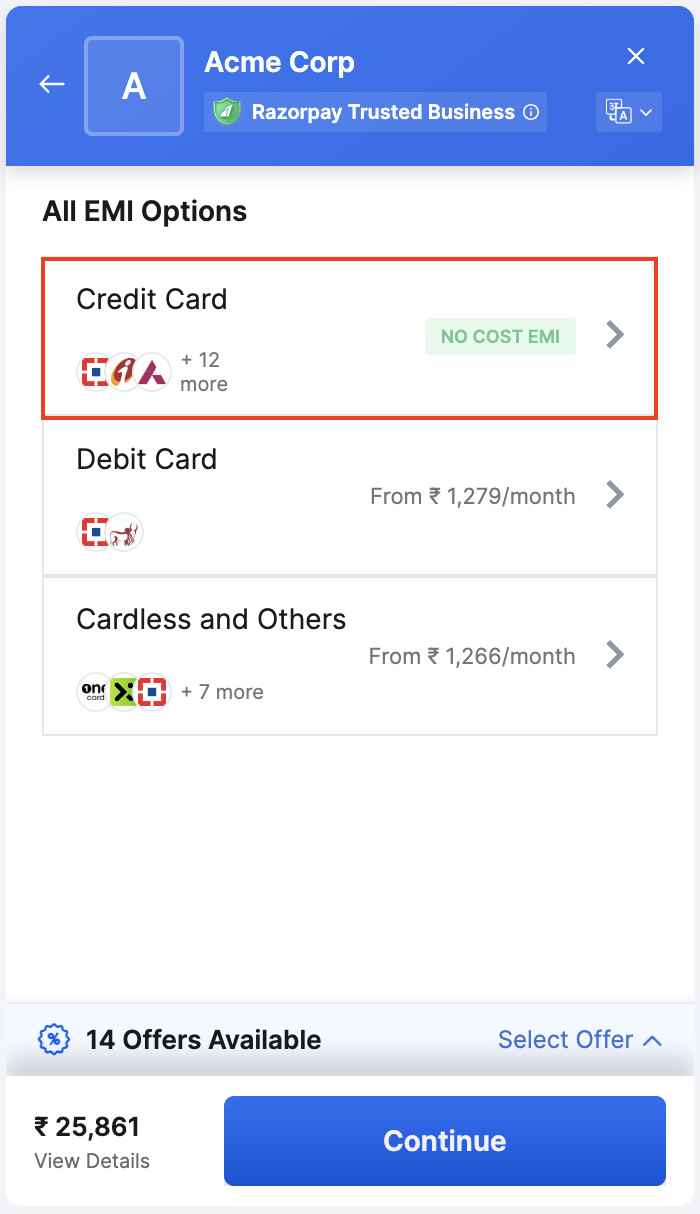
3. Select the EMI option where No Cost EMI is available. If the amount entered in the Checkout is eligible for the discount, all the applicable EMI options are shown.
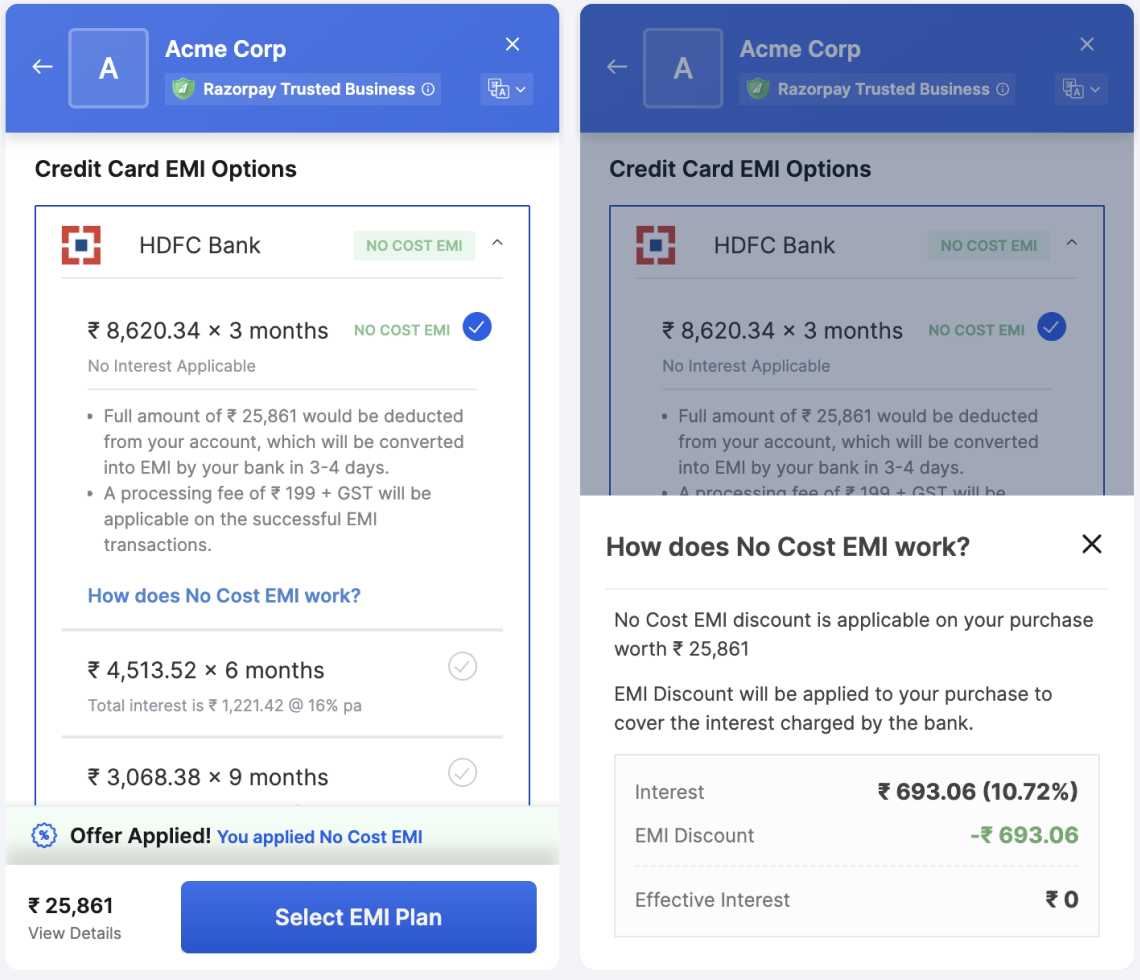
 4. Select the EMI tenure and click **Continue**. They enter the relevant details.
 5. If the customers are:
* **Eligible** to avail of the EMI, they click **Continue**.
* **Not eligible** for availing the EMI, they have to pay the full amount. They click **Pay full amount** and are prompted to confirm the action.
6. Choose if they want to **Save this card as per RBI guidelines** or pay without saving the card.
After the successful payment, Razorpay redirects customers to your application or website. By the end of the EMI cycle, the card issuer deducts the EMI amount from the customer’s bank.
## FAQs
See: [No Cost EMI FAQs](/docs/payments/payment-methods/emi/faqs#no-cost-emi).
### Related Information
[Bajaj Finserv No Cost EMI](/docs/payments/payment-methods/emi/no-cost-emi/bajaj-finserv)
5. If the customers are:
* **Eligible** to avail of the EMI, they click **Continue**.
* **Not eligible** for availing the EMI, they have to pay the full amount. They click **Pay full amount** and are prompted to confirm the action.
6. Choose if they want to **Save this card as per RBI guidelines** or pay without saving the card.
After the successful payment, Razorpay redirects customers to your application or website. By the end of the EMI cycle, the card issuer deducts the EMI amount from the customer’s bank.
## FAQs
See: [No Cost EMI FAQs](/docs/payments/payment-methods/emi/faqs#no-cost-emi).
### Related Information
[Bajaj Finserv No Cost EMI](/docs/payments/payment-methods/emi/no-cost-emi/bajaj-finserv)