> ## Documentation Index
> Fetch the complete documentation index at: https://razorpay-881012b3.mintlify.site/llms.txt
> Use this file to discover all available pages before exploring further.

# Close a QR Code

> Know how to close a QR Code. A customer cannot make payments for closed QR Codes.

<div style={{display:"flex",flexWrap:"wrap",alignItems:"center",gap:"0.35rem 0.9rem",border:"1px solid rgba(128,128,128,0.28)",borderRadius:"0.5rem",padding:"0.45rem 0.75rem",margin:"0 0 1.25rem",fontSize:"0.875rem"}}>
  <span style={{fontWeight:600}}>Available in</span>
  <span>🇮🇳 India</span>
</div>

You can close a QR Code. A customer cannot make payments for the closed QR Codes. Know more about [QR Code States](/docs/payments/qr-codes/states).

<Info>
  **Handy Tips**

  QR Codes that support multiple payments cannot be closed.
</Info>

## Close a QR Code from the Dashboard

Here is short video on how to close a QR code from the Dashboard.

<iframe width="560" height="315" src="https://www.youtube.com/embed/gL9rYd4gv0w?si=NZIuLT42iCeY4_Dk" title="YouTube video player" frameBorder="0" allow="accelerometer; autoplay; clipboard-write; encrypted-media; gyroscope; picture-in-picture; web-share" allowFullScreen />

To close a QR Code:

1. Log in to the Dashboard.
2. Click on **QR Code**.
3. [Search for the QR Code](/docs/payments/qr-codes/search) that you want to close using the search criteria.
4. Select the **QR Code ID**.
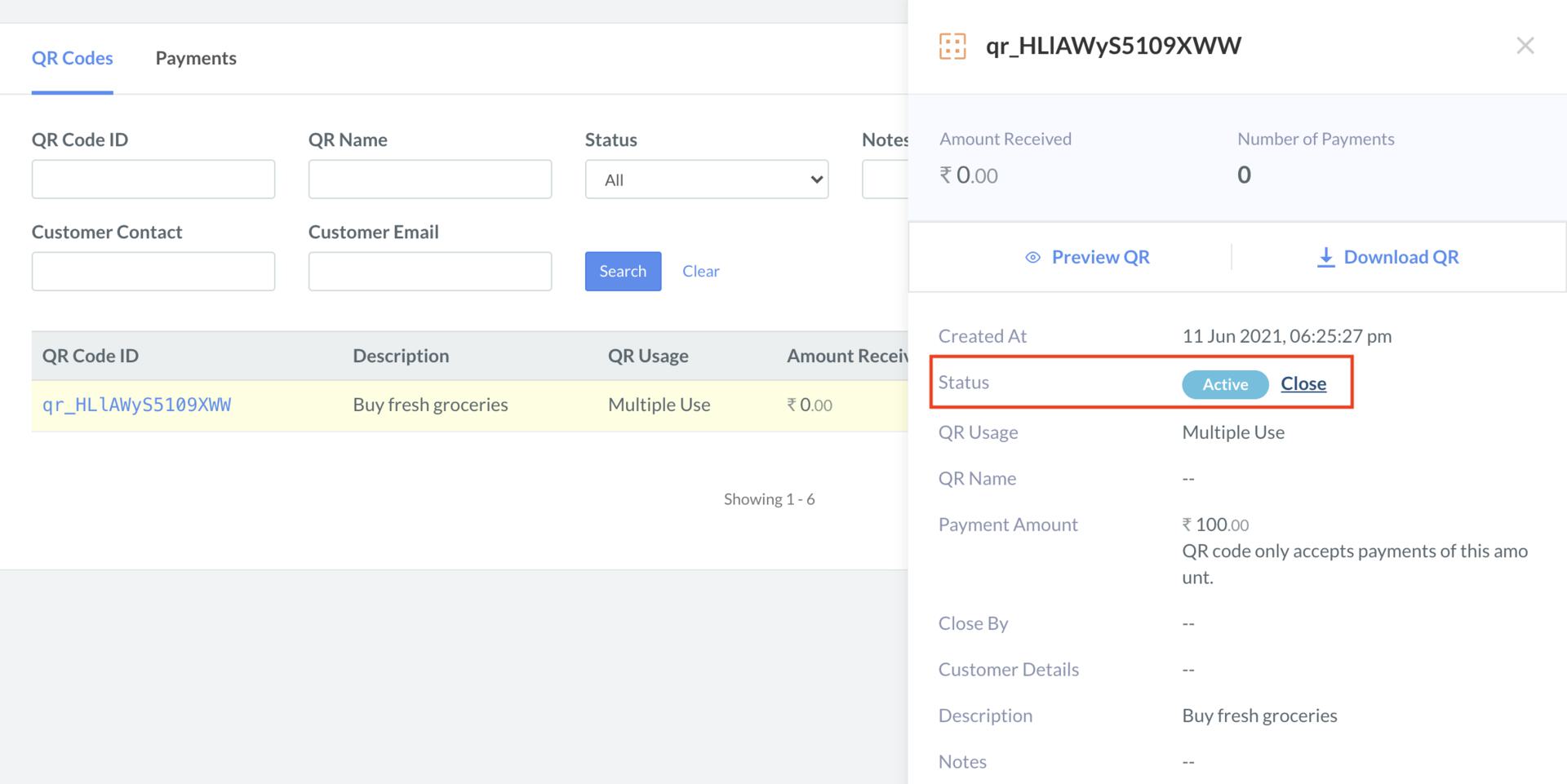
5. On the right-hand side panel, click the **Close** button.
   <img src="https://razorpay.com/docs/build/browser/assets/images/qr-codes-close-close.jpg" class="click-zoom" alt="Close a QR code from the Razorpay Dashboard" width="800" />
6. On the **Close QR Code?** dialog box, click **Yes** to confirm the closure.
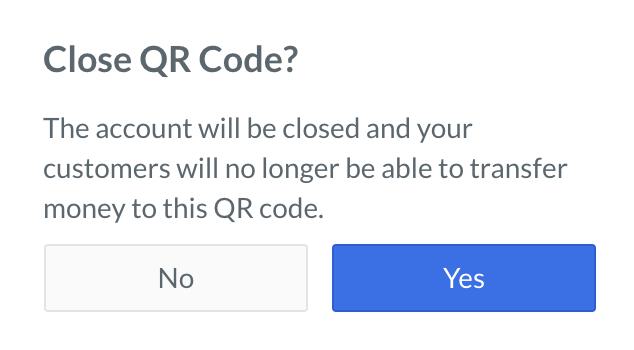
   <img src="https://razorpay.com/docs/build/browser/assets/images/qr-codes-close-confirm-close.jpg" class="click-zoom" alt="Confirm the closure of a QR code from the Razorpay Dashboard" width="300" />

The closed QR Codes display a **Closed** status label.
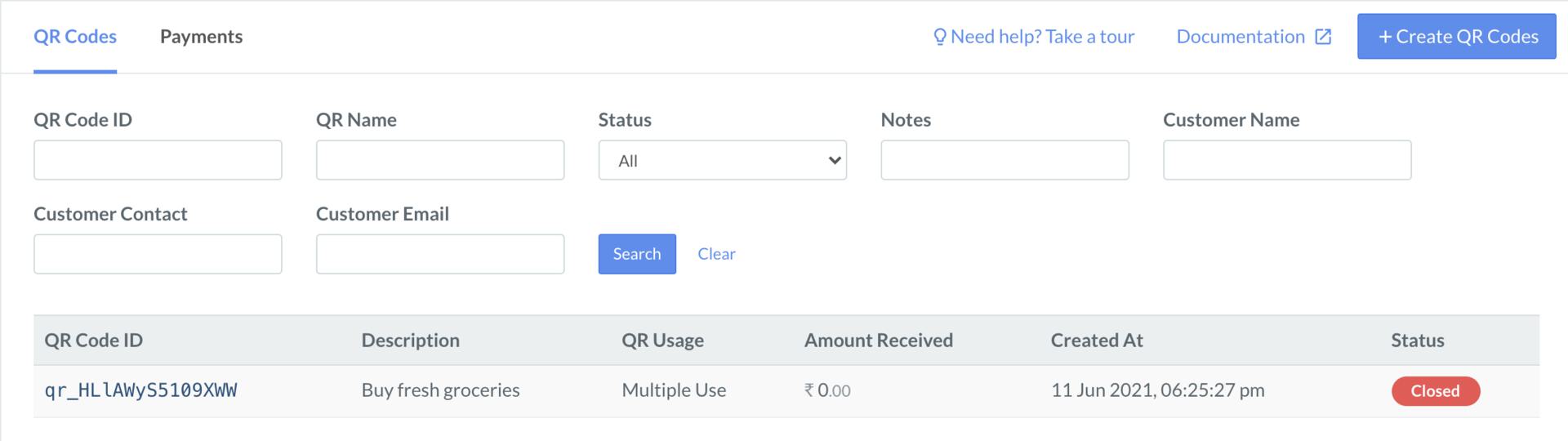
<img src="https://razorpay.com/docs/build/browser/assets/images/qr-codes-close-closed.jpg" class="click-zoom" alt="QR code closed from the Razorpay Dashboard" width="800" />

### Related Information

* [QR Code](/docs/payments/qr-codes)
* [How QR Code Works](/docs/payments/qr-codes/how-it-works)
* [QR Code States](/docs/payments/qr-codes/states)
* [Create a QR Code](/docs/payments/qr-codes/create)
* [Search a QR Code](/docs/payments/qr-codes/search)
