> ## Documentation Index
> Fetch the complete documentation index at: https://razorpay-881012b3.mintlify.site/llms.txt
> Use this file to discover all available pages before exploring further.
# Search for a Customer Identifier
> Search for a Customer Identifier using the Razorpay Dashboard.
Available in
🇮🇳 India
You can search for a Customer Identifier on the Dashboard by specifying various filters.
To search for a Customer Identifier:
1. Log in to the Dashboard.
2. Select **Smart Collect** from the left menu and search for a Customer Identifier under **Customer Identifiers** by specifying filters.
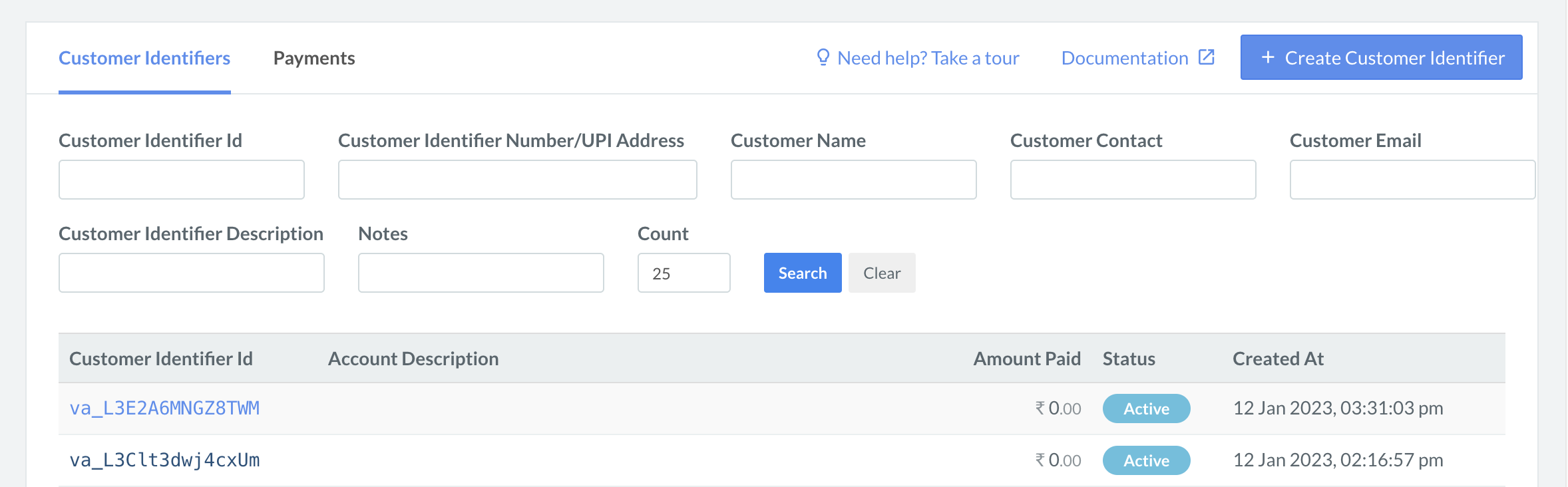 | Filter | Description |
| ---------------------- | ------------------------------------------------------------------------------ |
| Customer Identifier Id | The unique ID of the Customer Identifier. |
| Notes | The Internal Note added by you during the creation of the Customer Identifier. |
### Related Information
* [Create Customer Identifiers](/docs/payments/smart-collect/create)
* [Close Customer Identifiers](/docs/payments/smart-collect/close)
* [Refund Payments](/docs/payments/smart-collect/refund)
* [Make Test Payments](/docs/payments/smart-collect/test-payments)
| Filter | Description |
| ---------------------- | ------------------------------------------------------------------------------ |
| Customer Identifier Id | The unique ID of the Customer Identifier. |
| Notes | The Internal Note added by you during the creation of the Customer Identifier. |
### Related Information
* [Create Customer Identifiers](/docs/payments/smart-collect/create)
* [Close Customer Identifiers](/docs/payments/smart-collect/close)
* [Refund Payments](/docs/payments/smart-collect/refund)
* [Make Test Payments](/docs/payments/smart-collect/test-payments)