> ## Documentation Index
> Fetch the complete documentation index at: https://razorpay-881012b3.mintlify.site/llms.txt
> Use this file to discover all available pages before exploring further.
# Resignation
> Use the RazorpayX Payroll Dashboard as an employee for resignation.
Available in
🇮🇳 India
You can submit your resignation to your organisation on the Payroll Dashboard. After you submit a resignation request, your manager/administrator may approve it, post which we settle your full and final settlement (FNF).
**Available Now!**
Watch the video on to how to [submit resignation](/docs/payroll/video-tutorials#submit-resignation).
**Watch Out!**
You can submit resignation requests only if your organisation has enabled the resignation module.
## Submit Resignation
1. Log in to the [Payroll Dashboard](https://payroll.razorpay.com/dashboard)
2. Navigate to the user icon on the top right corner and click **My profile**.
3. On **User Profile** page, click **SUBMIT RESIGNATION** at the bottom of your profile. This opens the **Employee Resignation** page.
1. Review the basic information such as the **Name**, **Email** and **Manager**.
2. Provide the resignation details such as the **Date of Resignation**, **Reason for Resignation** and other **Comments**.
No, they are not the same.
* **Date of Resignation**: Marks the date when your notice period begins.
* **Last Working Day**: Marks the end of your notice period, after which you you are relieved from your duties in the organisation.
Consider the following example:
| Term | Date/Duration |
| -------------------- | ----------------- |
| Date of Resignation | August 30 |
| Notice Period Policy | One month/30 days |
In this case, your Last Working Day (LWD) will be September 30, post which we process your FNF.
1. Click **SUBMIT RESIGNATION**.
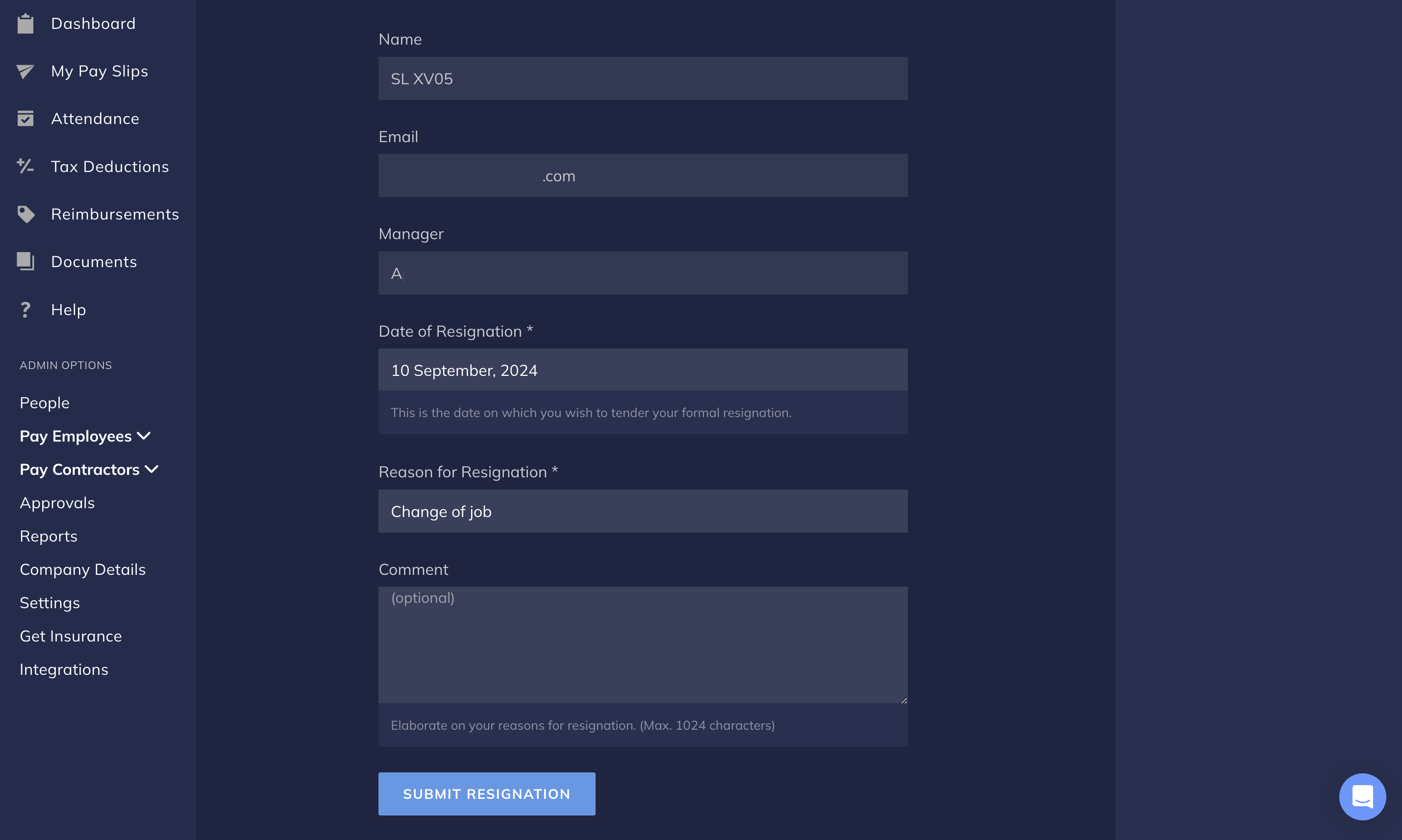 You have successfully submitted a resignation request to your manager. We notify you about your resignation status via email. You can also check your status in the **My Profile** → **Resignation Status** section.
### Related Information
* [Employee Dashboard](/docs/payroll/employees)
* [IT Declarations](/docs/payroll/employees/declarations)
* [WhatsApp Integration](/docs/payroll/integrations/whatsapp)
You have successfully submitted a resignation request to your manager. We notify you about your resignation status via email. You can also check your status in the **My Profile** → **Resignation Status** section.
### Related Information
* [Employee Dashboard](/docs/payroll/employees)
* [IT Declarations](/docs/payroll/employees/declarations)
* [WhatsApp Integration](/docs/payroll/integrations/whatsapp)