> ## Documentation Index
> Fetch the complete documentation index at: https://razorpay-881012b3.mintlify.site/llms.txt
> Use this file to discover all available pages before exploring further.
# RazorpayX
> Create a RazorpayX account to explore seamless financial management with payouts, payments, disbursals & refunds, automation and more.
Available in
🇮🇳 India
RazorpayX supercharges your business banking experience. We help business owners and finance teams automate manual, repetitive financial tasks and provide insights into money flow.
## Features
Using RazorpayX, you can process:
* Refunds for customers.
* Salary payouts with automated statutory payments such as PF and TDS.
* Vendor payouts with automated TDS payments.
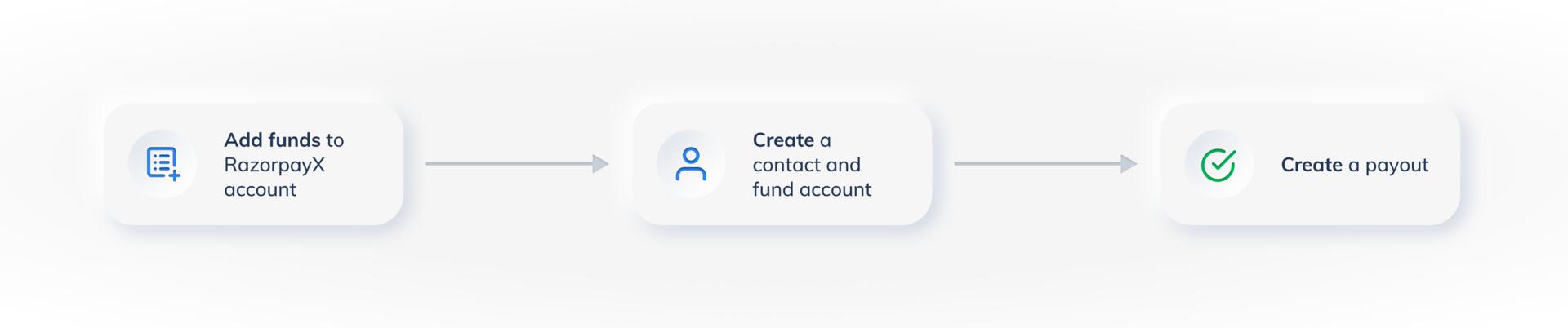
You can make timely payouts on RazorpayX either via our user-friendly Dashboard or developer-friendly APIs in 3 easy steps.
 Watch this video to know more about RazorpayX:
**Handy Tips**
* If you are an existing Razorpay user, you can use your Razorpay Payment Gateway credentials to sign into RazorpayX.
* Use your existing API keys to fire Payout APIs.
Sign up and use the demo !
## Next Steps
* [Set up your RazorpayX account](/docs/x/set-up)
* [Generate API Keys](/docs/x/dashboard/api-keys)
### Related Information
* [RazorpayX Account Types](/docs/x/account-types)
* [Test Mode](/docs/x/dashboard/test-mode)
Watch this video to know more about RazorpayX:
**Handy Tips**
* If you are an existing Razorpay user, you can use your Razorpay Payment Gateway credentials to sign into RazorpayX.
* Use your existing API keys to fire Payout APIs.
Sign up and use the demo !
## Next Steps
* [Set up your RazorpayX account](/docs/x/set-up)
* [Generate API Keys](/docs/x/dashboard/api-keys)
### Related Information
* [RazorpayX Account Types](/docs/x/account-types)
* [Test Mode](/docs/x/dashboard/test-mode)