> ## Documentation Index
> Fetch the complete documentation index at: https://razorpay-881012b3.mintlify.site/llms.txt
> Use this file to discover all available pages before exploring further.
# Bulk Upload Status
> Check the status of your Payouts Bulk Upload file after you upload it on the RazorpayX Dashboard.
Available in
🇮🇳 India
Check the status of your Bulk Upload file after you [upload it to your RazorpayX Dashboard](/docs/x/bulk-payouts#upload-and-process-file).
## How it Works
The sample template can create fund accounts or process payouts in bulk. To do so:
1. Download the required template from the [Dashboard](https://x.razorpay.com/), or find the [sample template here](/docs/x/bulk-payouts#sample-template).
2. Add the required data to the template.
3. Upload the template via the [RazorpayX Dashboard](https://x.razorpay.com/).
## Bulk Upload Status
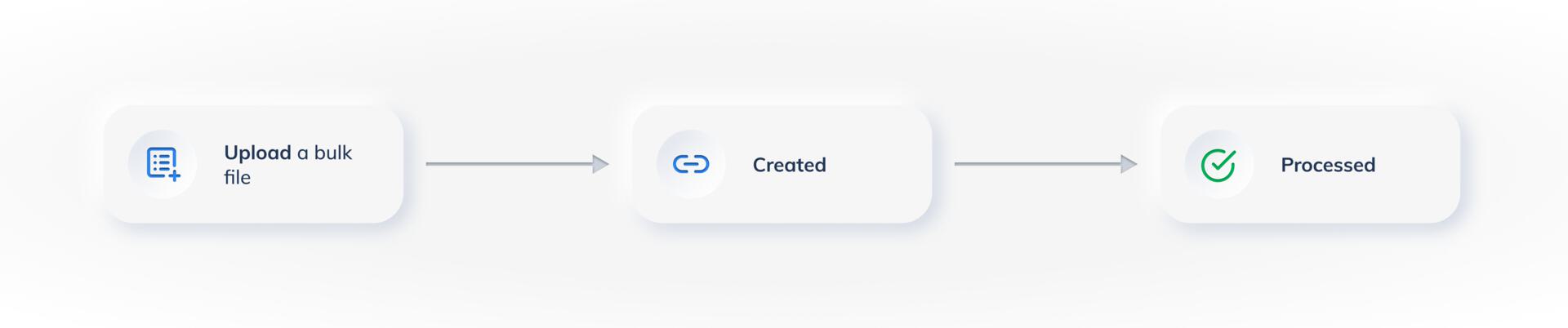
After you upload your Bulk Upload file to the Dashboard, it moves through the following statuses:
* `created`:
This is the initial status of the Bulk Upload. It indicates that the Bulk Upload is created in the RazorpayX database and is ready to be processed.
No processing is done at this point, that is, the payouts are not created.
* `processed`:
A Bulk Upload file reaches this final status when the uploaded details are processed.
 After the Bulk Upload is processed, you receive an email with a summary of how many rows of data were successfully processed. You can [download the Bulk Upload report](/docs/x/bulk-payouts/report) to understand the summary in more detail.
**Watch Out!**
* Bulk Upload having the `processed` status does not mean the Contacts, Fund accounts or the Payouts were created and processed. It just means that the bulk file was fully processed.
* The Contacts, Fund account or Payouts may or may not have been created or processed. Download the [Bulk Upload report](/docs/x/bulk-payouts/report) to check these details.
### Related Information
* [About Bulk Payouts](/docs/x/bulk-payouts)
* [Bulk Payouts Life Cycle](/docs/x/bulk-payouts/life-cycle)
After the Bulk Upload is processed, you receive an email with a summary of how many rows of data were successfully processed. You can [download the Bulk Upload report](/docs/x/bulk-payouts/report) to understand the summary in more detail.
**Watch Out!**
* Bulk Upload having the `processed` status does not mean the Contacts, Fund accounts or the Payouts were created and processed. It just means that the bulk file was fully processed.
* The Contacts, Fund account or Payouts may or may not have been created or processed. Download the [Bulk Upload report](/docs/x/bulk-payouts/report) to check these details.
### Related Information
* [About Bulk Payouts](/docs/x/bulk-payouts)
* [Bulk Payouts Life Cycle](/docs/x/bulk-payouts/life-cycle)