> ## Documentation Index
> Fetch the complete documentation index at: https://razorpay-881012b3.mintlify.site/llms.txt
> Use this file to discover all available pages before exploring further.
# Allowlist IPs
> Allowlist (also known as Whitelist) the IPs that you use to make payout requests or fund account validation requests.
Available in🇮🇳 India
To protect your API payouts from malicious attacks, it is mandatory to allowlist the IPs that you use for all payout related API requests (such as create contact, fund account, payout, fund account validation, payout links and so on). If an API request is received from an IP outside the allowlist, the request will fail.
**Watch Out!**
* IP Allowlisting is applicable only in Live Mode.
* Only the Owner or Admin of the account can allowlist IPs.
Watch the video to see how to allowlist your IPs or read along.
To allowlist your IPs in Live mode:
1. Log in to the [RazorpayX Dashboard](https://x.razorpay.com/auth).
2. Click on the profile icon and select **My Account & Settings**.
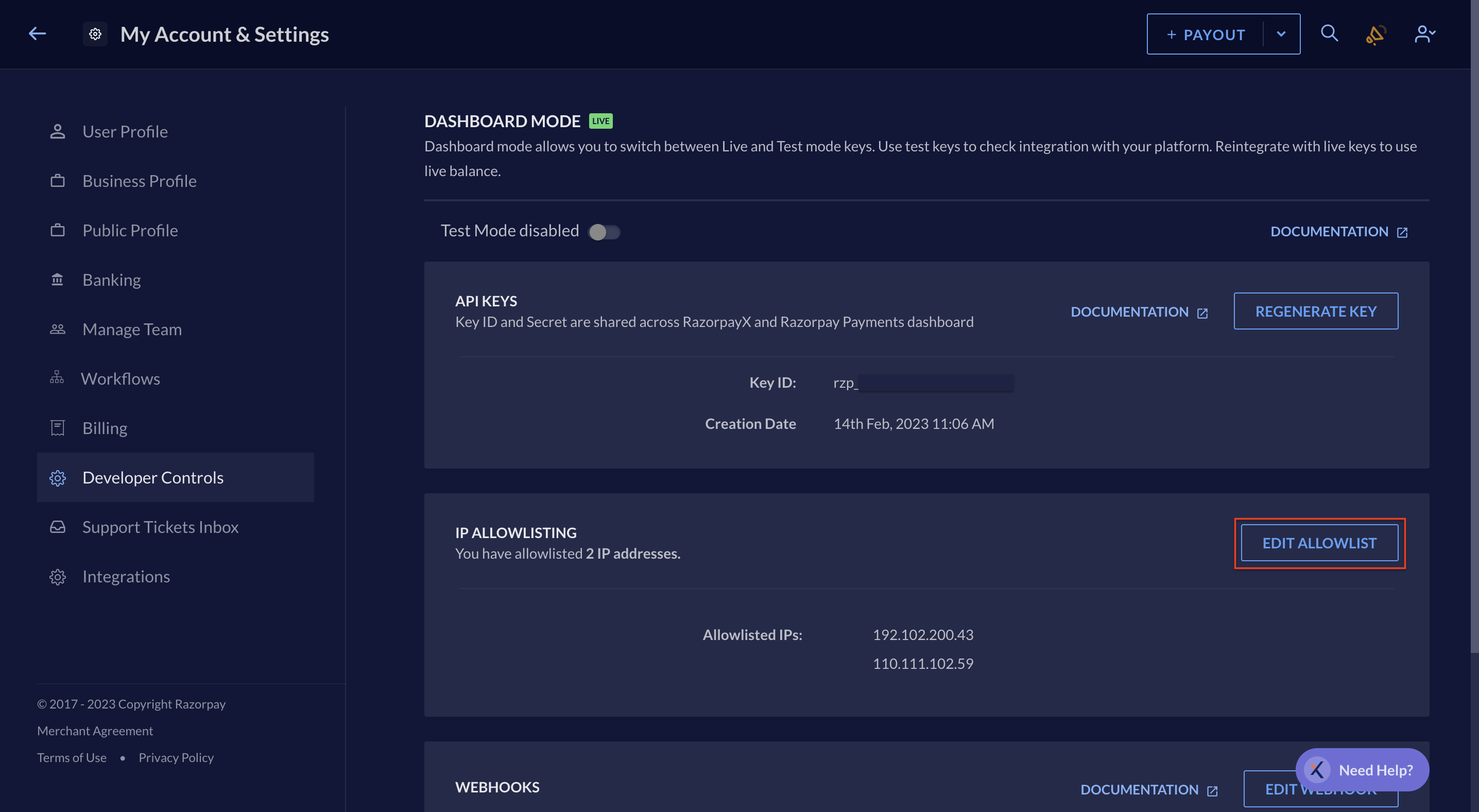
3. Navigate to **Developer Controls** and click **Share IP Addresses**.
4. Enter up to 20 IPs that you use for API requests. Press the Enter key after typing each IP.
5. Click **Save**.
6. Enter the OTP received on your registered phone number and email ID.
7. Click **Submit**.
Your IPs are allowlisted. You can use these IPs for API requests. The list of your allowlisted IPs is visible in this section. You can also edit the IPs from the same section.
**Watch Out!**
* Currently, IP Allowlisting is only applicable for Payouts APIs (including Contacts and Fund Accounts), Payout Link APIs and Fund Account Validation requests. It is not applicable for Vendor payments, Payroll and Dashboard payouts.
* If you wish to allowlist your IPs for making API Payouts but the option is not visible on your dashboard, [contact support](/docs/x/support#razorpayx-users).
* If you are using dynamic IPs for API payouts and Fund Account Validations, [contact support](/docs/x/support#razorpayx-users).
* If you are using PG APIs and want to allowlist your PG calls, [contact support](/docs/payments/dashboard/support#registered-razorpay-users).
### Related Information
* [Payout APIs](/docs/api/x/payouts)
* [Payout Links API](/docs/x/payout-links/api)
* [Payouts Best Practices](/docs/x/payouts/best-practices)