> ## Documentation Index
> Fetch the complete documentation index at: https://razorpay-881012b3.mintlify.site/llms.txt
> Use this file to discover all available pages before exploring further.

# Reconcile Payouts

> Check how payouts are reconciled in TallyPrime after approval in RazorpayX.

<div style={{display:"flex",flexWrap:"wrap",alignItems:"center",gap:"0.35rem 0.9rem",border:"1px solid rgba(128,128,128,0.28)",borderRadius:"0.5rem",padding:"0.45rem 0.75rem",margin:"0 0 1.25rem",fontSize:"0.875rem"}}>
  <span style={{fontWeight:600}}>Available in</span>
  <span>🇮🇳 India</span>
</div>

After you [approve the payouts](/docs/x/tally-epayments/export-approve-payouts#approve-payouts) on the RazorpayX Dashboard, reconcile them on TallyPrime using the **Instrument Number** and **Bank Date**.

To reconcile the payouts:

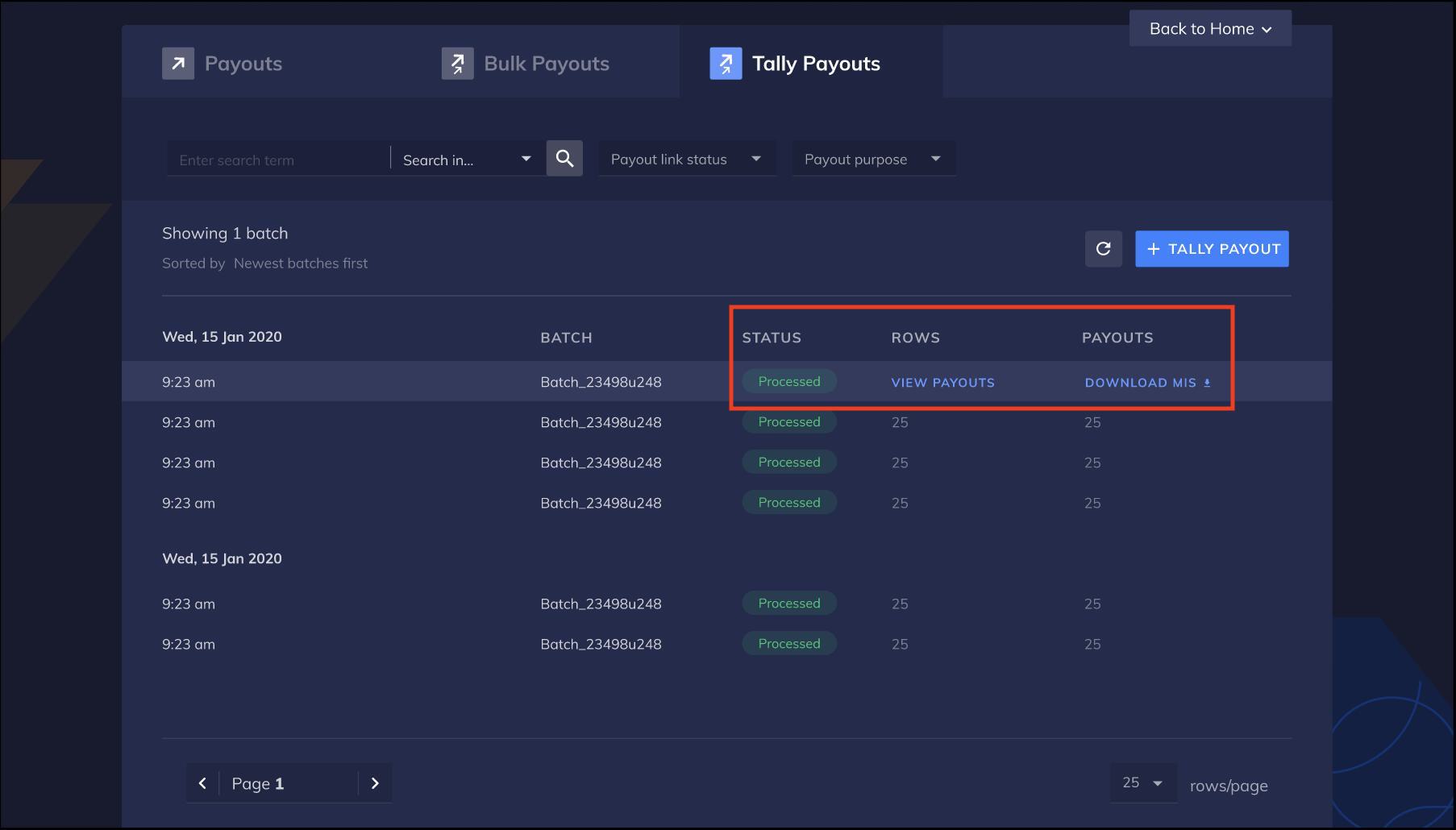
1. After the payouts are approved, hover on the batch of payouts on the Tally Payouts page and click the **DOWNLOAD MIS** option.
   <img class="click-zoom" src="https://razorpay.com/docs/build/browser/assets/images/RZPX-tally-epayments-download-tally-mis.jpg" alt="Download MIS" width="800" />

2. Now shift to TallyPrime. Go to **TallyPrime** → **Import** → **Intermediate File**.
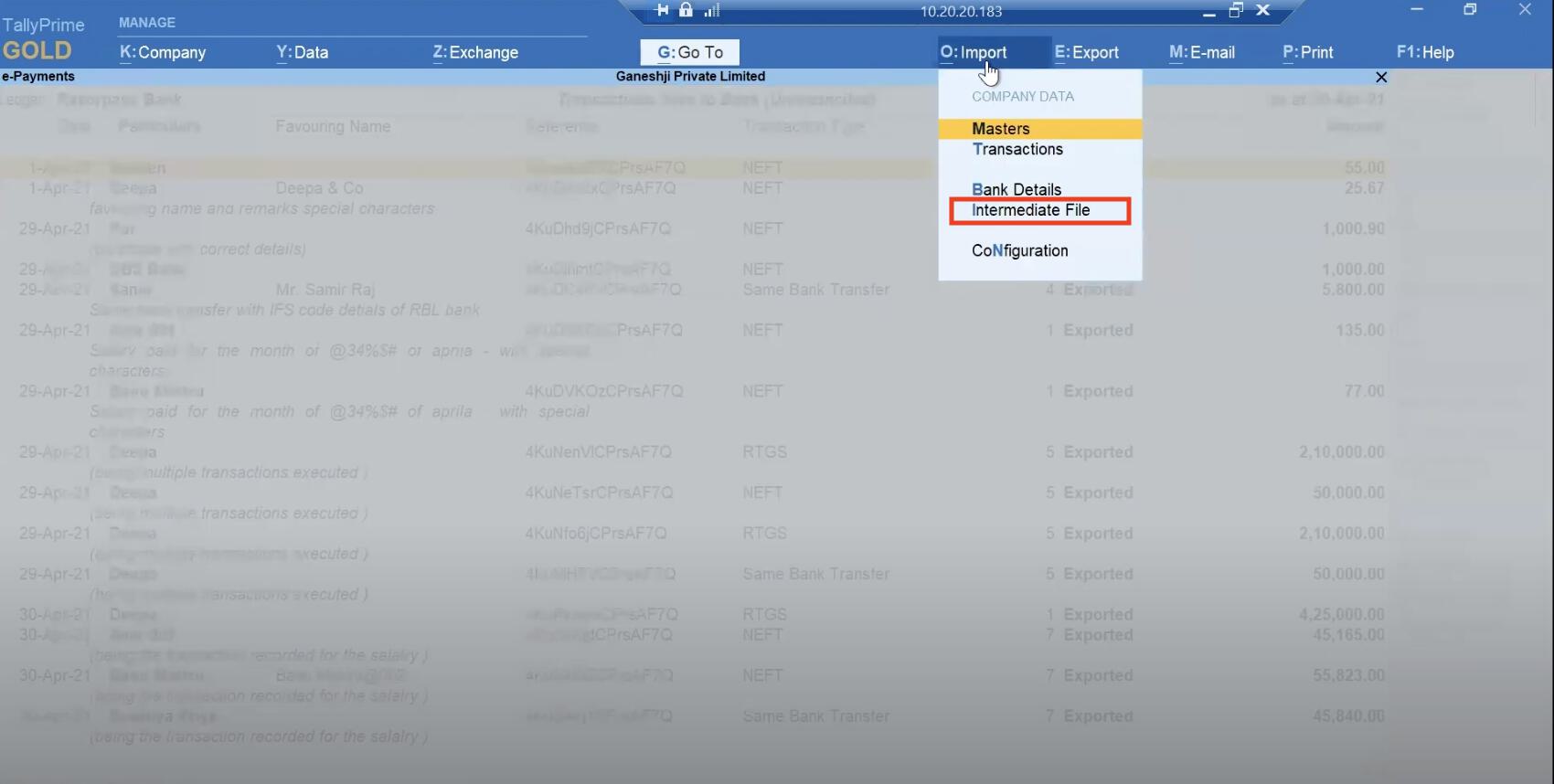
   <img class="click-zoom" src="https://razorpay.com/docs/build/browser/assets/images/RZPX-tally-epayments-rzpx-reconciliation-step1.jpg" alt="Import Intermediate file" width="800" />

3. Upload the MIS file downloaded from RazorpayX in the **File to import (CSV)** field.
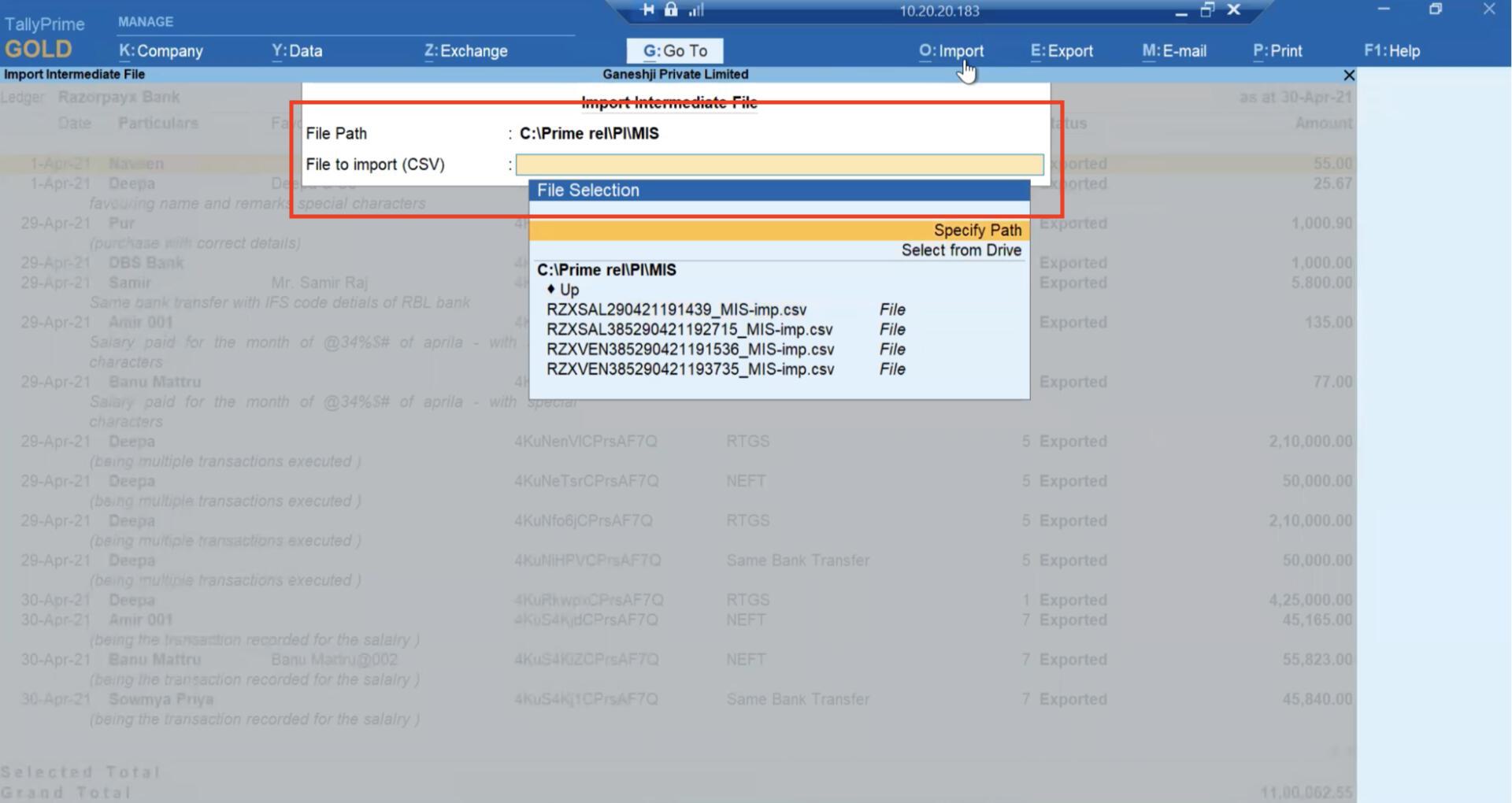
   <img class="click-zoom" src="https://razorpay.com/docs/build/browser/assets/images/RZPX-tally-epayments-rzpx-reconciliation-step2.jpg" alt="Uploading the File to CSV" width="800" />

4. TallyPrime automatically reconciles all transactions and updates the bank date.
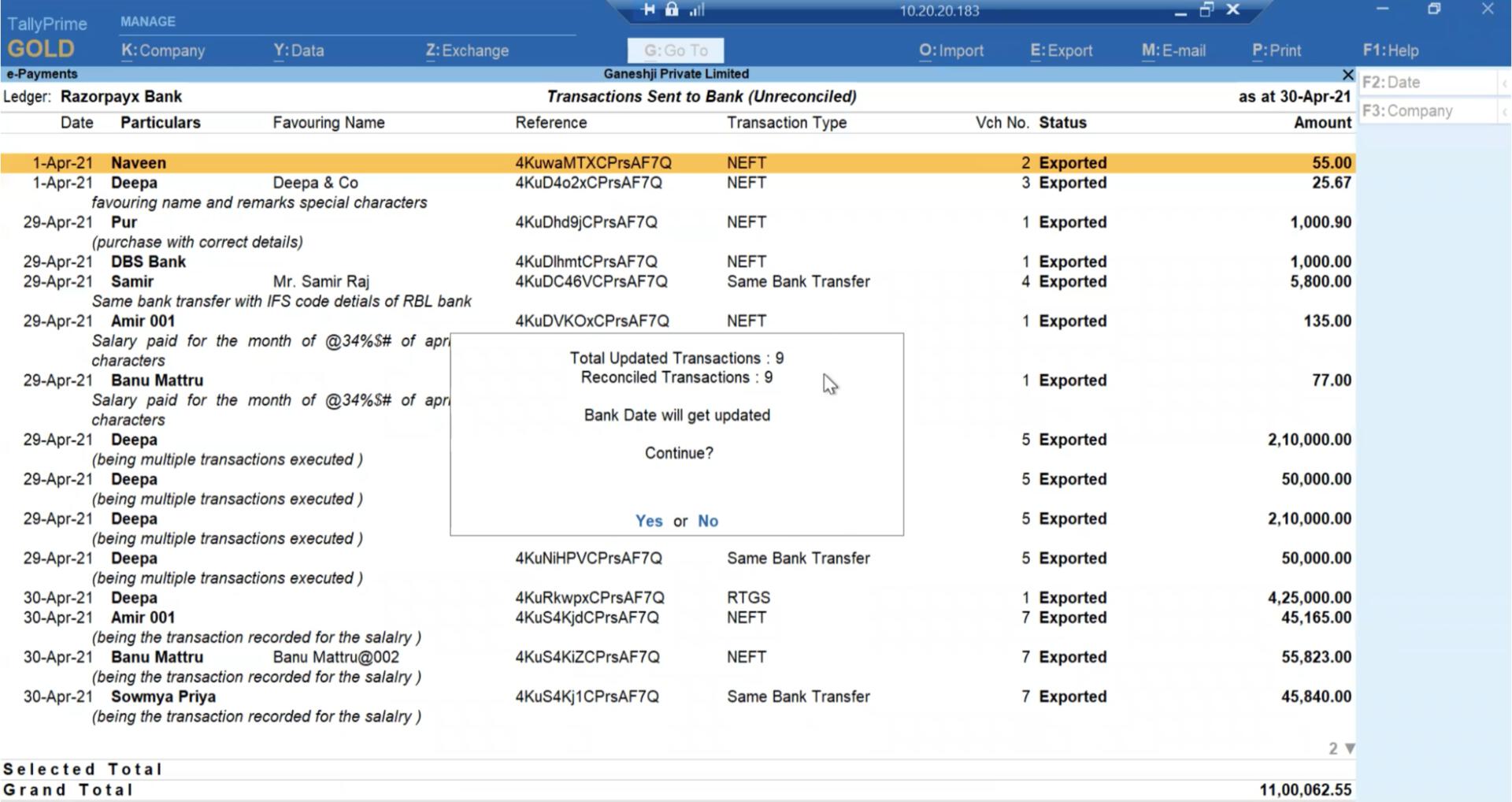
   <img class="click-zoom" src="https://razorpay.com/docs/build/browser/assets/images/RZPX-tally-epayments-rzpx-reconciliation-step3.jpg" alt="Reconciliation" width="800" />

### Related Information

* [About Tally e-Payments](/docs/x/tally-epayments)
* [Create RazorpayX Ledger in TallyPrime](/docs/x/tally-epayments/set-up)
* [Export and Approve Payouts](/docs/x/tally-epayments/export-approve-payouts)
