> ## Documentation Index
> Fetch the complete documentation index at: https://razorpay-881012b3.mintlify.site/llms.txt
> Use this file to discover all available pages before exploring further.
# Goods and Services Tax (GST)
> Check how to fetch GST challans from the GSTIN Portal and make payments using the RazorpayX Tax Payments application.
Available in
🇮🇳 India
**Important Notice**
The automated GST payment feature is no longer available. If you're an existing user, you can access historical challans in the GST payments section on the Dashboard.
## View GST Challan
1. Log in to your [RazorpayX Dashboard](https://x.razorpay.com/).
2. Navigate to **Menu** → **Tax Payments**.
3. Go to **GST Payments** tab.
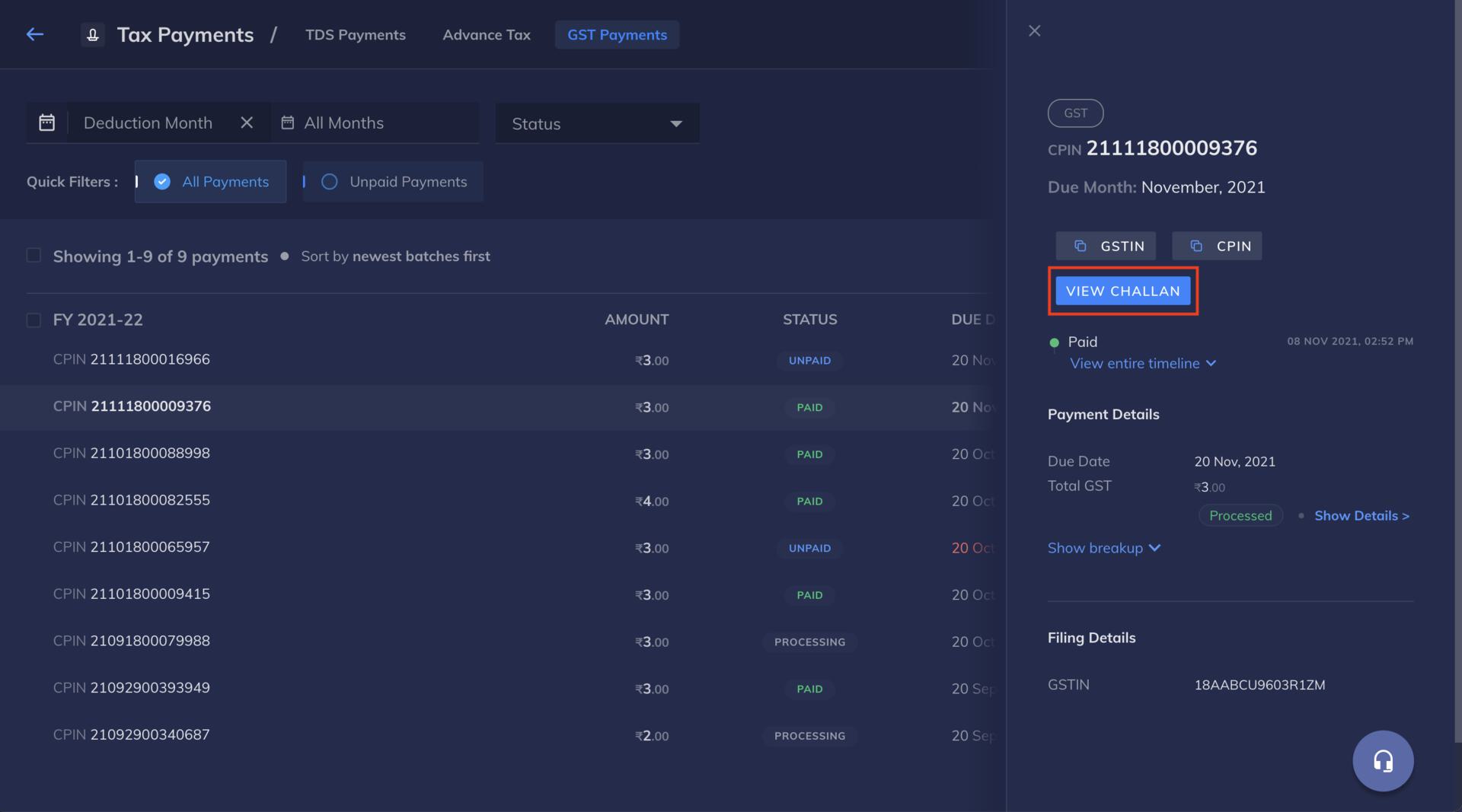
4. You can use the **VIEW CHALLAN** button to download the challan. Clicking on **VIEW CHALLAN** redirects you to the GST portal.
You can copy and paste the CPIN and GSTIN from the [RazorpayX Dashboard](https://x.razorpay.com/vendor-payments) and use it to download the challan as shown here:
 ### Related Information
* [Tax Payments](/docs/x/tax-payments)
* [Automatic TDS payments](/docs/x/tax-payments/automatic-tds)
* [Tax Payment Life Cycle](/docs/x/tax-payments/life-cycle)
### Related Information
* [Tax Payments](/docs/x/tax-payments)
* [Automatic TDS payments](/docs/x/tax-payments/automatic-tds)
* [Tax Payment Life Cycle](/docs/x/tax-payments/life-cycle)