> ## Documentation Index
> Fetch the complete documentation index at: https://razorpay-881012b3.mintlify.site/llms.txt
> Use this file to discover all available pages before exploring further.
# Approve Invoices
> Approve or reject invoices via email with RazorpayX.
Available in
🇮🇳 India
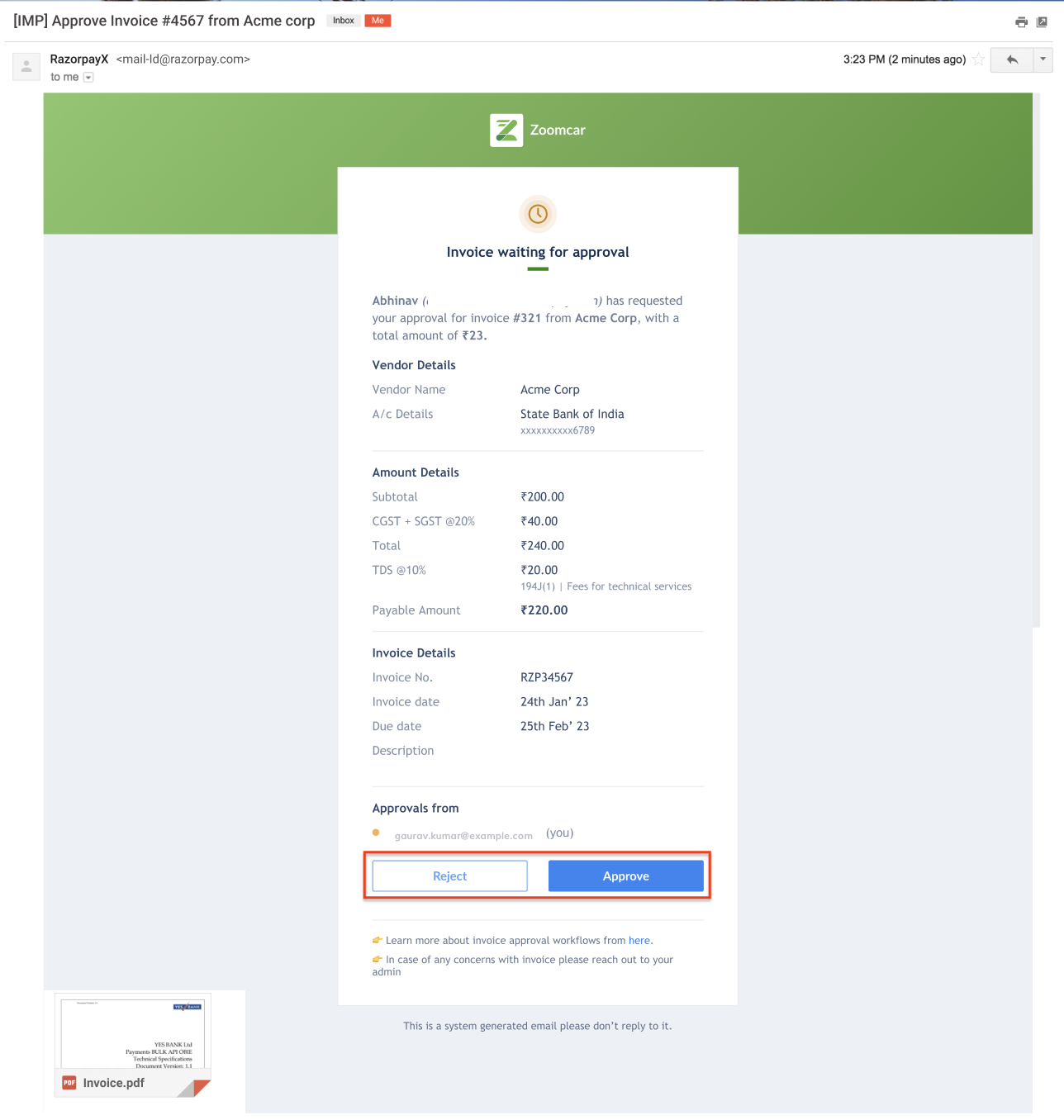
You can approve or reject invoices directly through email, without logging into the RazorpayX Dashboard.
## Invoice Approval Email
You can approve or reject the invoice attached in the email. Click **Approve** or **Reject** as required.
 ### Related Information
* [Approval on Invoices](/docs/x/vendor-payments/approvals-on-invoices)
### Related Information
* [Approval on Invoices](/docs/x/vendor-payments/approvals-on-invoices)