

Available in🇮🇳 India
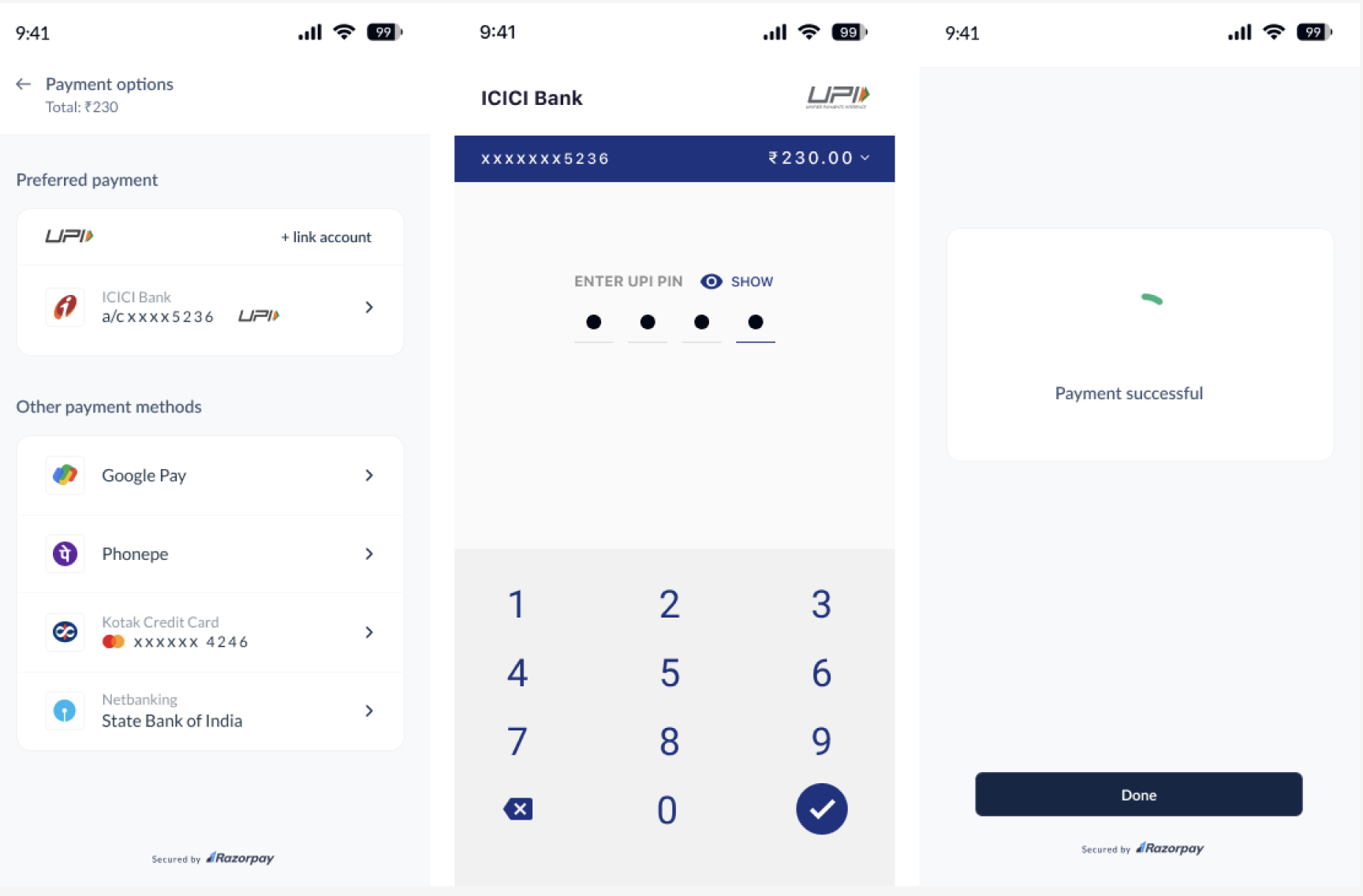
Use Razorpay Turbo UPI to make UPI payments faster. Following are the sample screens while making payments using Turbo UPI.
Advantages
- For Customers
- For Businesses
- Simplified payment process with just two steps.
- Higher success rate.
- One stop for refunds and disputes.
Prerequisites
- Contact our integrations team to get access to the sample app repository.
- Get your mobile number and app whitelisted.
Customer Onboarding Flow
Your customers can link their VPAs to your app with these steps:- The customer navigates to your app’s checkout screen and taps Add bank account.
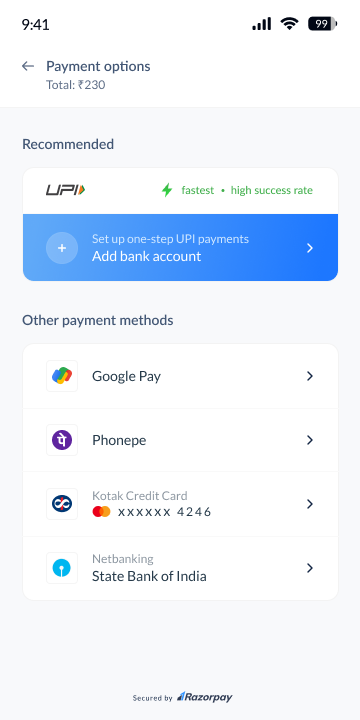
Handy TipsThe customer needs to give permission so that we can validate the phone number with the bank.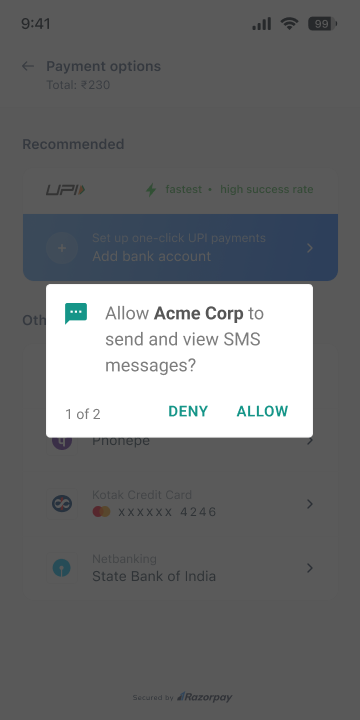
-
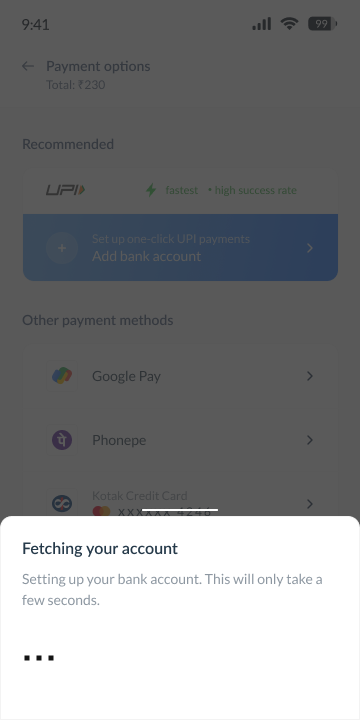
The customer’s bank details are fetched and linked to the VPA.
- The customer selects a bank from the list.
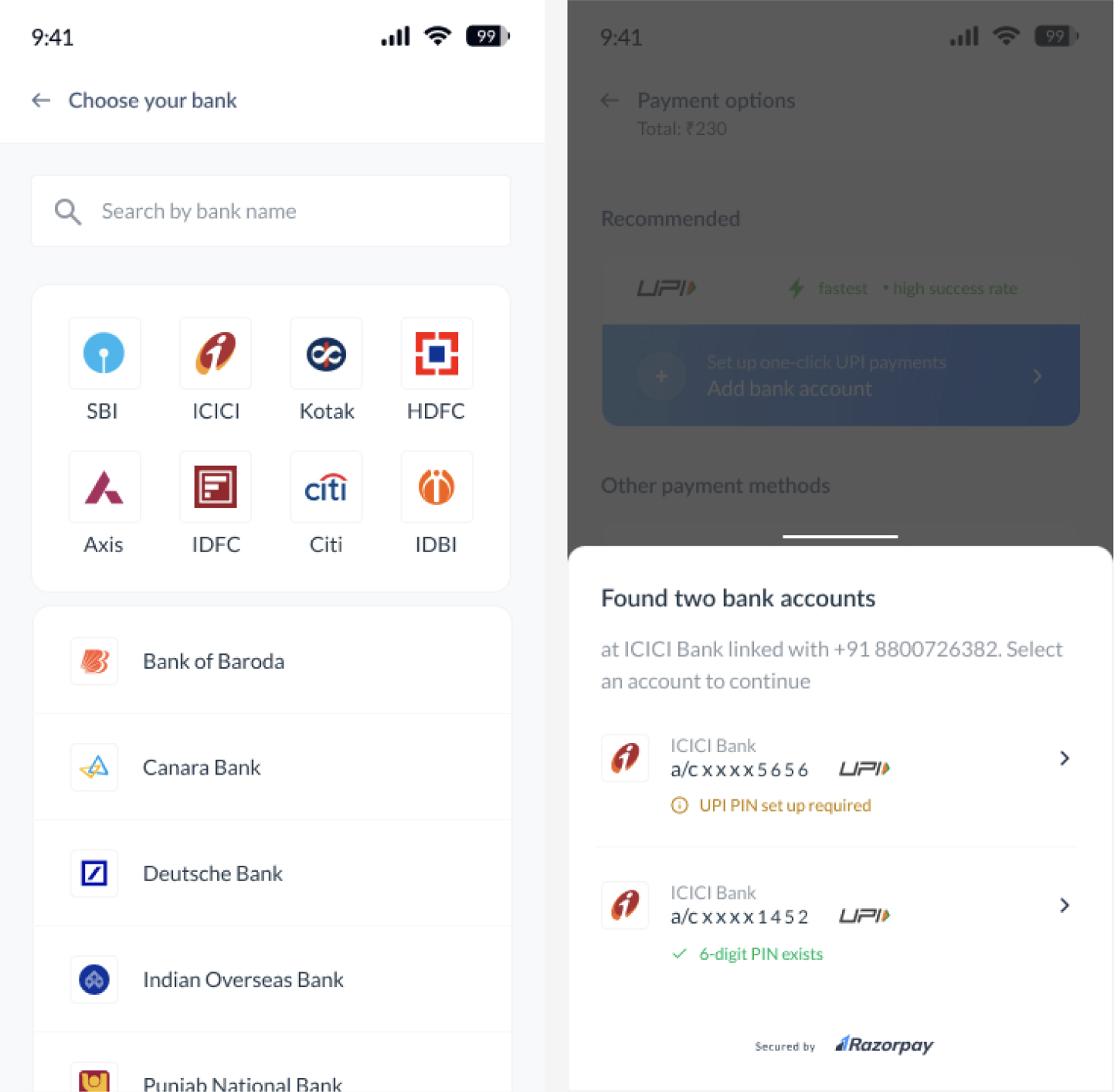
- The customer selects a bank from the list.
- The customer can complete the payment using the new VPA.
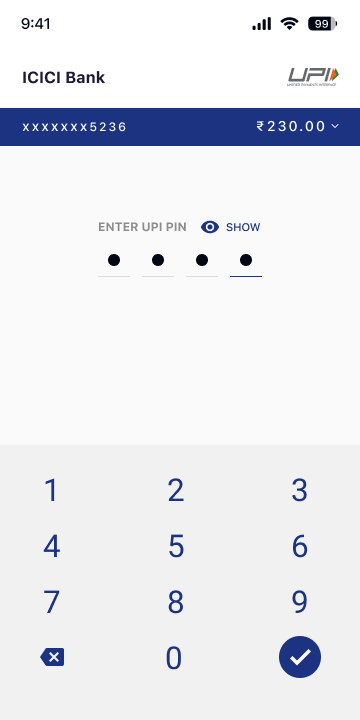
Handy TipsIf no UPI PIN is set, the customers are prompted to provide their card details, enter an OTP and complete the set-up.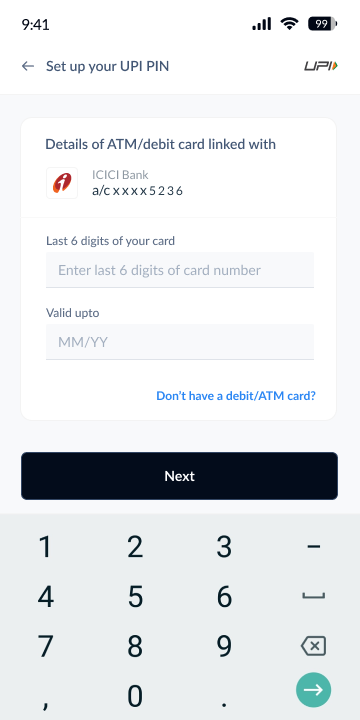
Transaction Flow
After the customer is onboarded, on the checkout page of your app:- The customer selects the linked UPI Account.
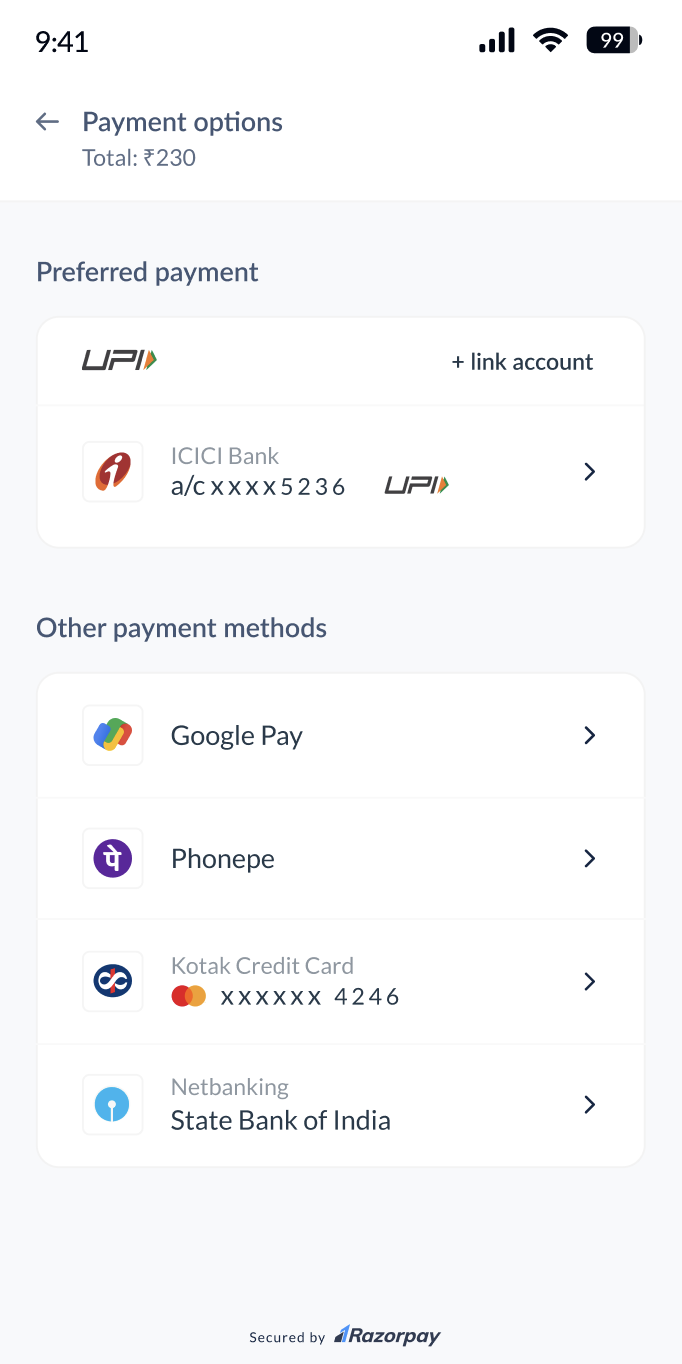
- Enters the UPI PIN to complete the payment.