

Available in🇮🇳 India
Appmaker allows you to create a custom mobile app for your Shopify store, providing a seamless shopping experience for your customers. Integrate with the Razorpay Shopify - Appmaker extension to offer a smooth payment experience to your customers on the app.
Follow the steps given below to integrate the Razorpay Payment Gateway with Shopify - Appmaker on your Shopify store.
Standard Checkout
Integrate Razorpay Appmaker Extension With Shopify for Standard Checkout.
Magic Checkout
Integrate Razorpay Appmaker Extension With Shopify for Magic Checkout.
Prerequisites
Before you proceed, make sure you have the following:- Sign up for a Razorpay account.
- Sign up for a Shopify account.
- Integrate Appmaker with Shopify.
- Integrate Razorpay with Shopify.
Integration Steps
Follow the steps given below:Integrate Razorpay Appmaker Extension With Shopify for Standard Checkout
Integrate Razorpay Appmaker Extension With Shopify for Standard Checkout
Follow these steps to proceed with the integration:
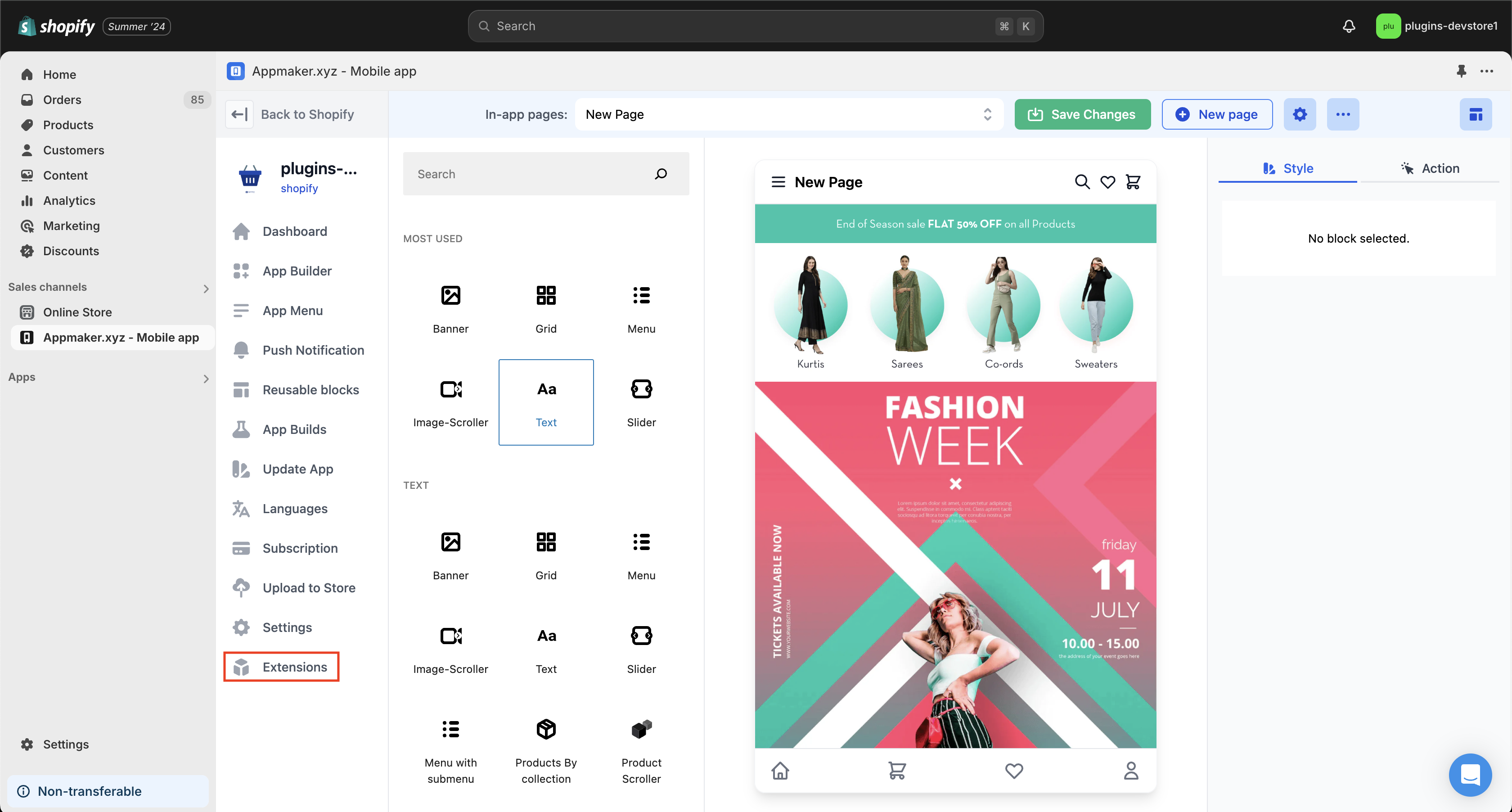
- After adding AppMaker to your Shopify store, navigate to the AppMaker window. Click Extensions.
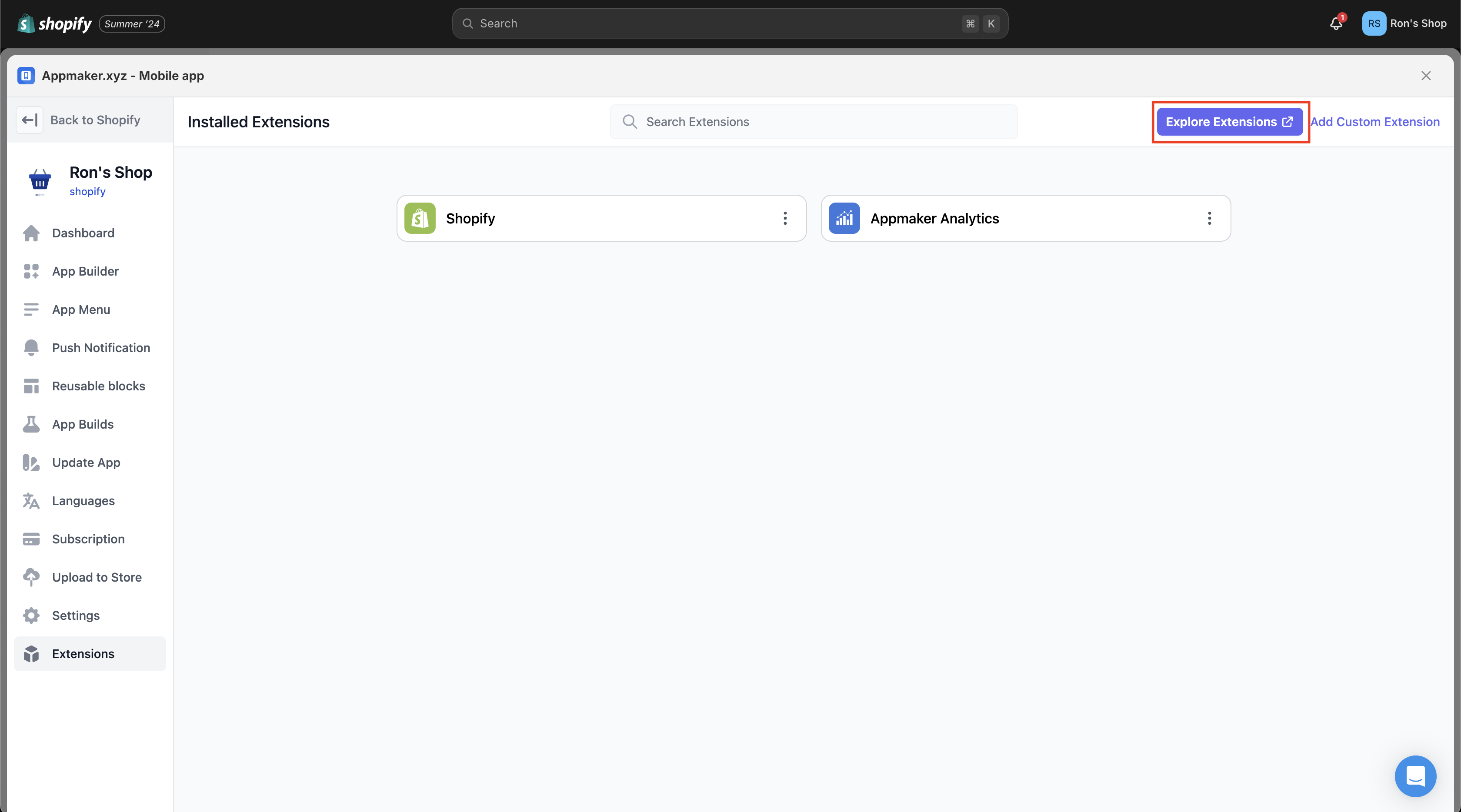
- On the Installed Extensions page, click Explore Extensions.
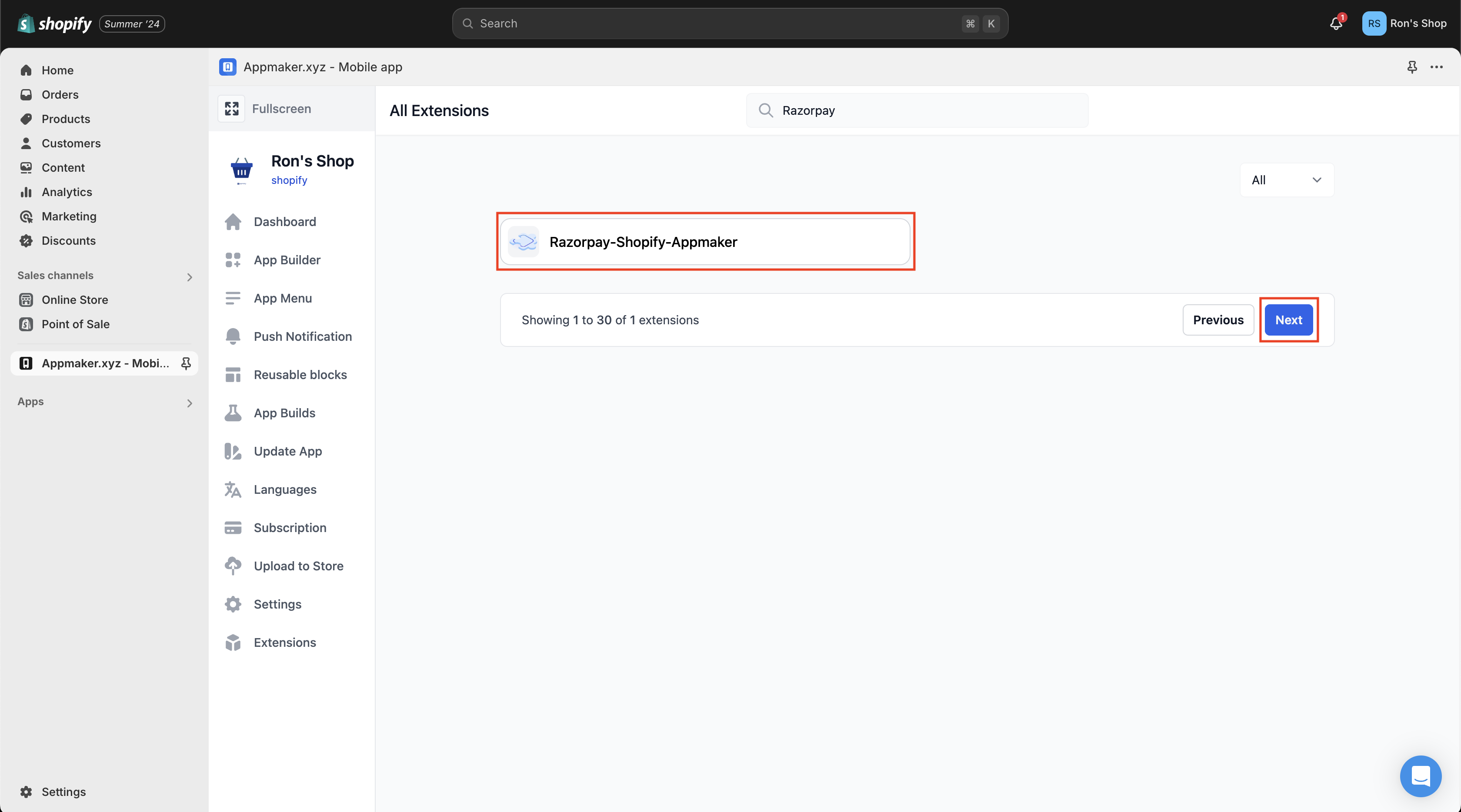
- Search for Razorpay in the search bar on the All Extensions page. Select Razorpay-Shopify-Appmaker and click Next.
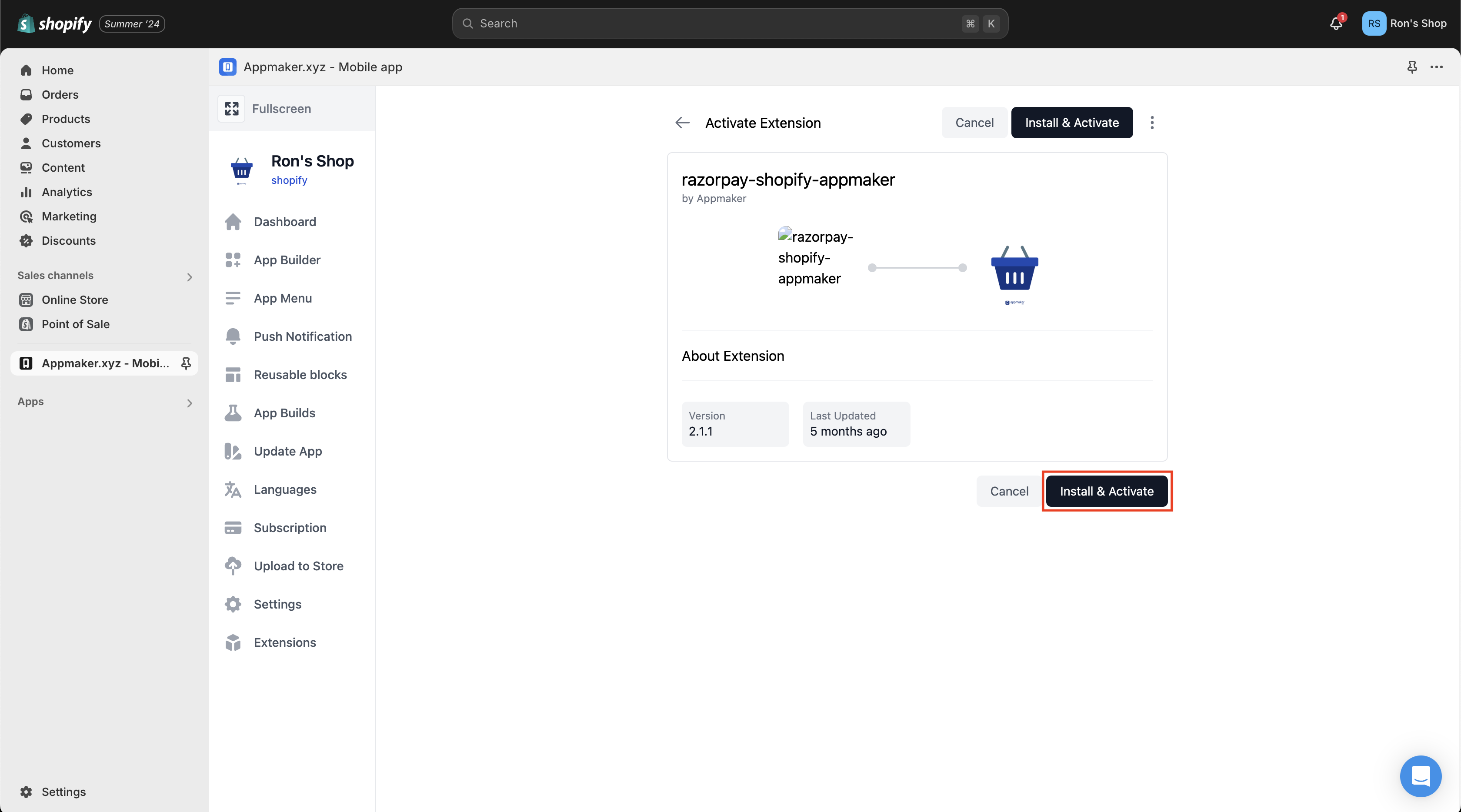
- Click Install & Activate.
Integrate Razorpay Appmaker Extension With Shopify for Magic Checkout
Integrate Razorpay Appmaker Extension With Shopify for Magic Checkout
Follow this step to proceed with the integration:You must do the standard checkout integration before proceeding with the Magic checkout integration. After you install the Razorpay Shopify Appmaker extension, navigate to Settings and enter the Config Key. Click Save Changes.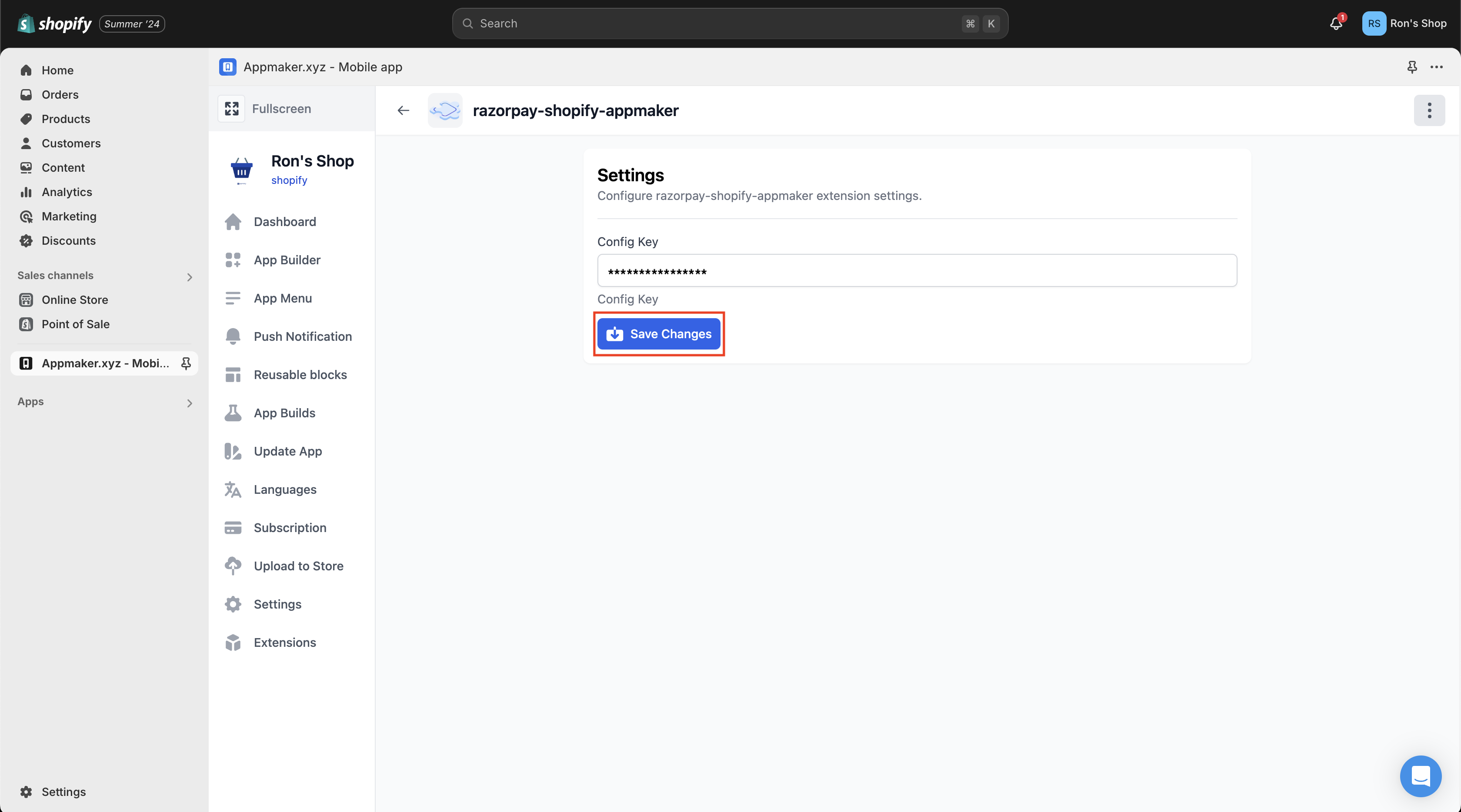 Once you save the changes, the Appmaker extension will be available with Magic Checkout on the Native SDKs.
Once you save the changes, the Appmaker extension will be available with Magic Checkout on the Native SDKs.