

Available in🇮🇳 India
Items are products or services that you can add to Invoices and charge to customers. You can create an item on your Dashboard from Invoice → Items. Once created, it appears on the list of items in the Dashboard.
Create an Item
To create an item via Dashboard:- Log in to the Dashboard.
- Navigate to Invoices → Items.
- Click New Item.
- Enter the following:
- Name
- Rate
- Description
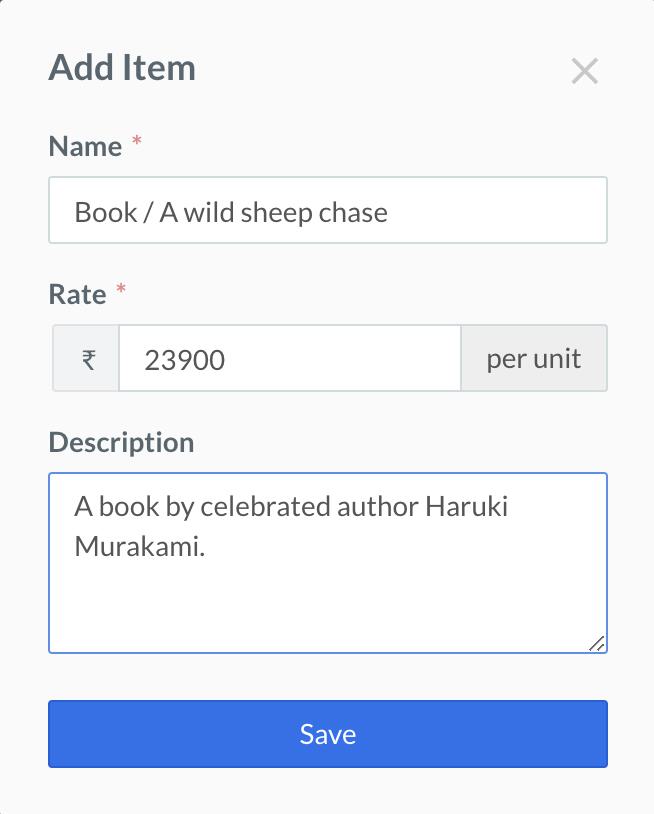 Once an item is created, it will appear on the list of created item and also in the drop-down menu at the time of invoice creation.

Edit an Item
To update the details of an item:- Navigate to Invoices → Items.
- In the item list, click on the desired Item Id.
- In the Edit Item page, enter the following:
- Name
- Rate
- Description
- Click Save.
Delete an Item
To delete an item:- Navigate to Invoices → Items.
- Hover over the desired item and click delete.
