

Available in🇮🇳 India
Turbo UPI Android Standard SDK
Discover new features, updates and deprecations related to Turbo UPI on Android Standard Checkout (since Jan 2024).
Prerequisites
Prerequisites
Before you start integrating Turbo UPI with Razorpay Android Standard SDK, ensure that you follow these guidelines for a smooth integration process:
-
SDK Version Compatibility:
- Integrate with Razorpay Android Standard SDK. Ensure that you integrate with SDK version 1.6.37 or higher.
-
Import the following frameworks:
- In the root settings.gradle file, use:
Kotlin
- In the library module’s build.gradle, use:
Kotlin
-
Gradle Properties:
- Add the following lines to your Android project’s
gradle.propertiesfile:android.enableJetifier=trueandroid.useAndroidX=true
- Add the following lines to your Android project’s
-
Minimum SDK Version:
- Keep in check that the
minSDKversionfor using Turbo UPI is currently 23 and cannot be overwritten.
- Keep in check that the
-
Contact Prefill in Standard Checkout:
- Standard Checkout should load with the contact prefilled. This contact information is crucial for setting up UPI accounts.
- Make sure your Checkout options include prefill contact.
Onboarding Flow
Ensure your customers onboard with Razorpay Turbo UPI to get started.Turbo UI SDK Integration
Follow these steps to integrate with Razorpay Turbo UPI:- Initialise the Checkout object with the
activityparameter to enable Turbo UPI functionality.
- Use the following code to link the newly created UPI account with your app. This function can be called from any application section, offering multiple entry points for customers to link their UPI account with your app. Linking it in advance allows customers to pay directly with the linked
UpiAccountwithout repeating the linking process.
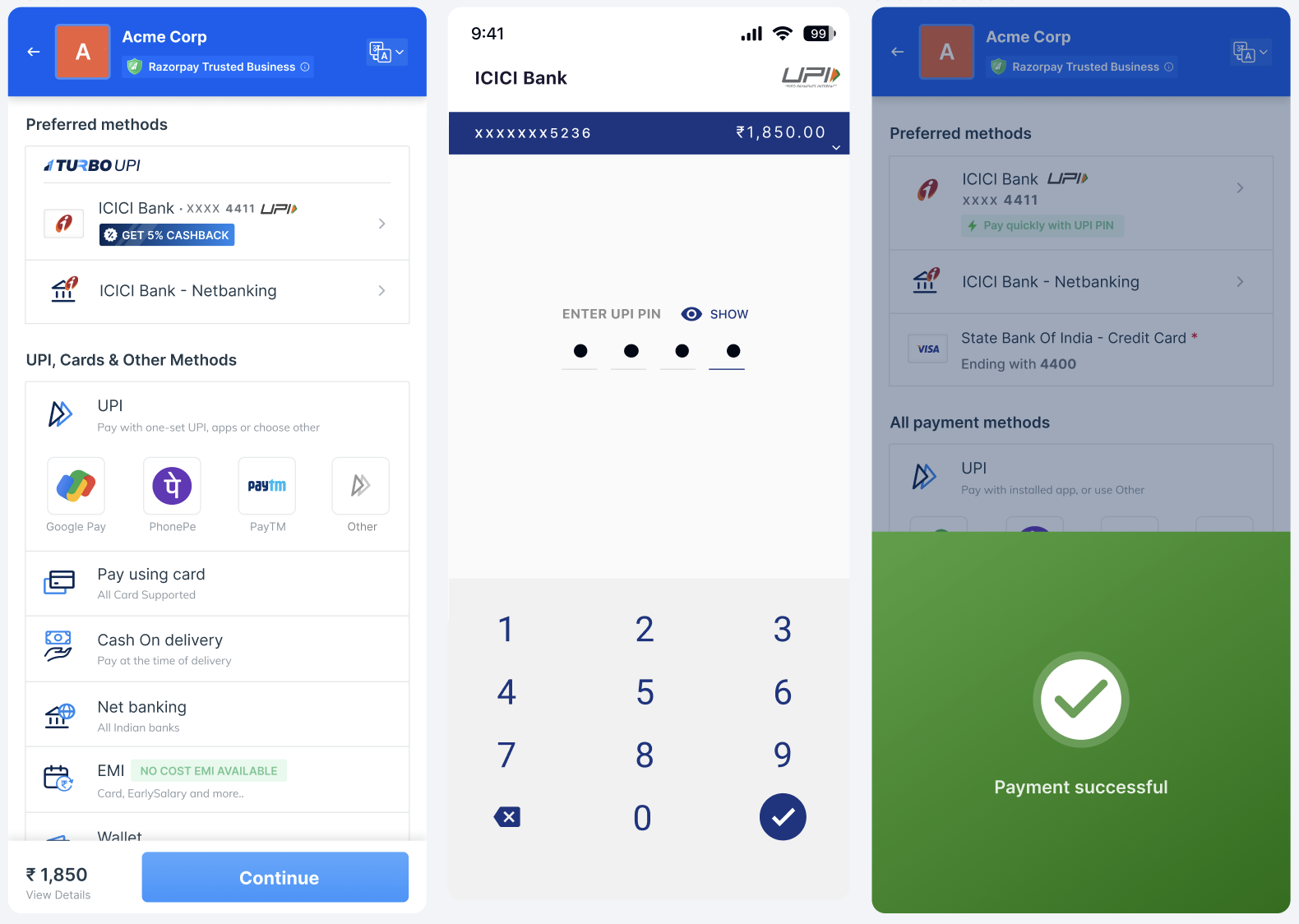
Payment FlowRazorpay SDK will handle all the changes related to
UpiTurbo internally. To integrate with the payment flow, initiate payment and display the checkout form.Non-Transactional Flow
Razorpay provides a single exposed function that allows you to manage linked UPI accounts and access all non-transactional flows seamlessly.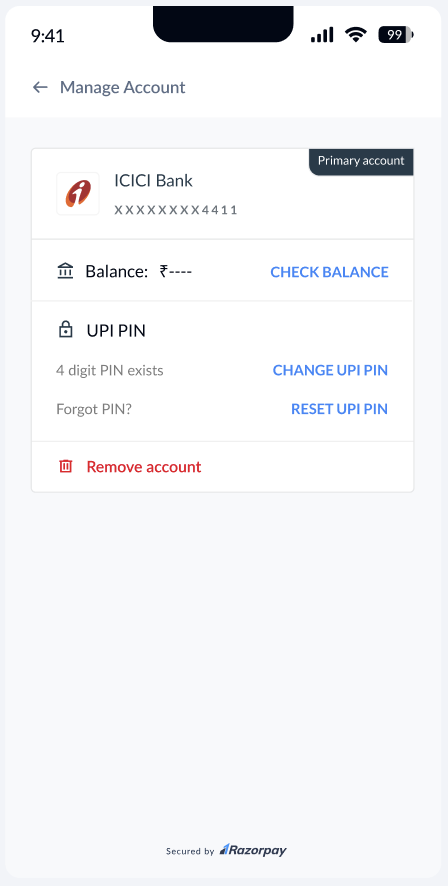
Manage UPI Accounts
Manage UPI Accounts
The SDK manages the linked
UpiAccounts on the application by triggering manageUpiAccounts(), which follows the following internal non-transaction flows for UpiAccounts:- Fetch balance: Check the customer’s account balance.
- Change UPI PIN: Provide the customer the ability to change their UPI PIN.
- Reset UPI PIN: Let your customers reset the PIN for their account.
- Delete the account from the application: Let your customers delink, that is, remove a selected UPI account from your application.