

Available in🇮🇳 India
Turbo UPI Cordova Standard SDK
Discover new features, updates and deprecations related to Turbo UPI on Cordova Standard Checkout (since Jan 2024).
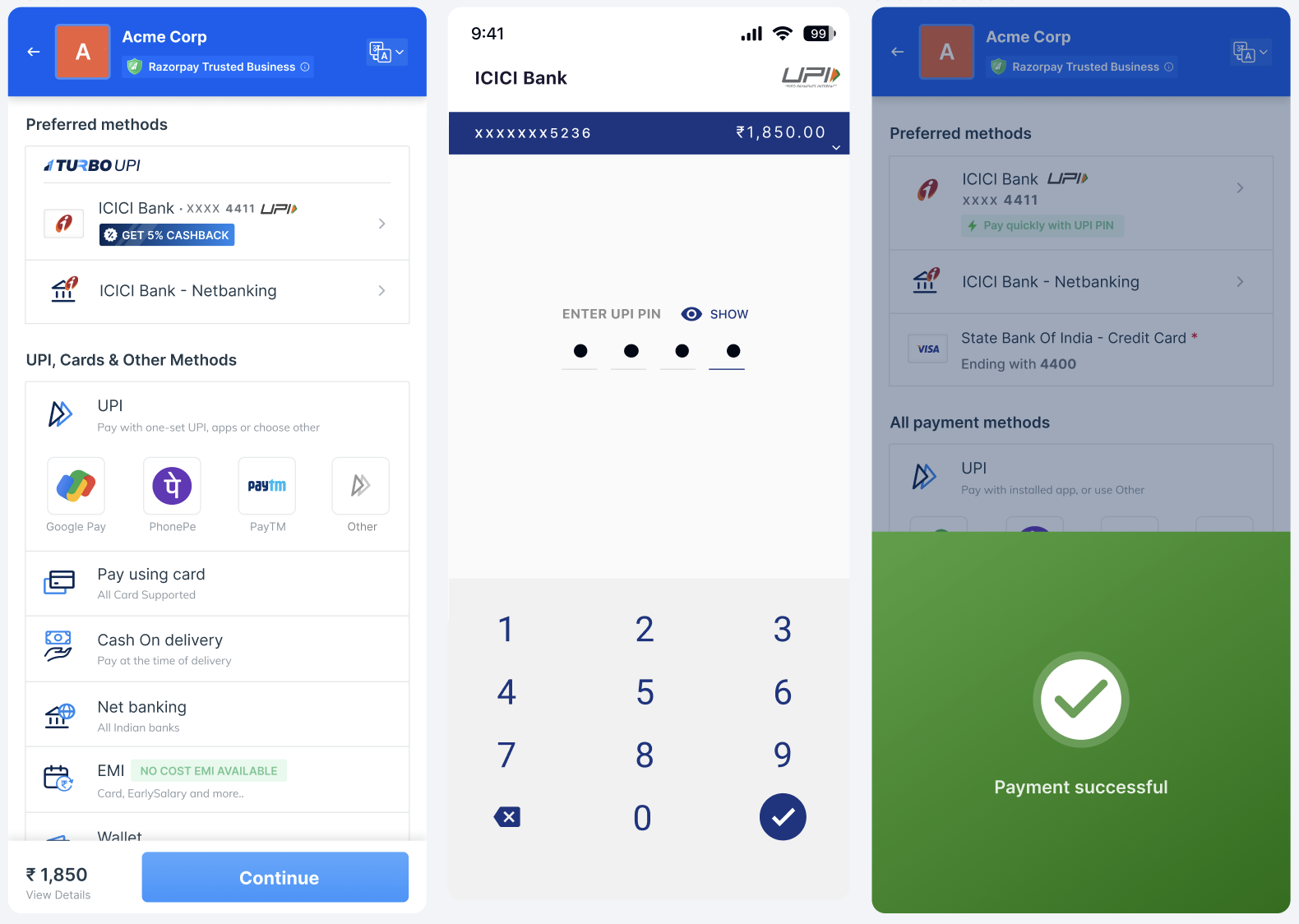
Prerequisites
Prerequisites
- Integrate with Razorpay Cordova Standard SDK.
-
Import the following frameworks:
- Razorpay Cordova Standard SDK
- Razorpay Turbo Wrapper Plugin SDK (maven)
- Razorpay Turbo Core SDK
- Razorpay Turbo UI SDK
- Razorpay SecureComponent SDK
- Bank SDK
-
Enable data binding in your
app.gradle.
Data binding
Onboarding Flow
Ensure your customers onboard with Razorpay Turbo UPI to get started.Turbo UPI SDK Integration
Follow these steps to integrate with Razorpay Turbo UPI:- Use the code given below to initialise the SDK.
Initialise
- Use the following code to link the newly created UPI account with your app. This function can be called from anywhere in the application, providing multiple entry points for customers to link their UPI account with your app.
Link New UPI Account
Request Parameters
Request Parameters
mobileNumber mandatory
: string Mobile number of the customer.color optional
: string Colour in HEX format.Response Parameters
Response Parameters
- Handle payment failure responses, displaying important details such as error codes, error descriptions, and metadata. This function is responsible for handling and logging information in the event of a payment error.
Payment Failure Response Handling
- Handle successful payment responses, displaying key information like order id, payment id, and signature. This code manages and logs details when a payment transaction is successful.
Payment Success Response Handling
- To accept payments, call Standard Checkout’s
submitmethod with the following payload:
Submit Payment Details
Request Parameter
Request Parameter
payload mandatory
: variable Payload for initiating transaction.Response Parameters
Response Parameters
Non-Transactional Flow
Razorpay provides a single exposed function that allows you to manage linked UPI accounts and access all non-transactional flows seamlessly.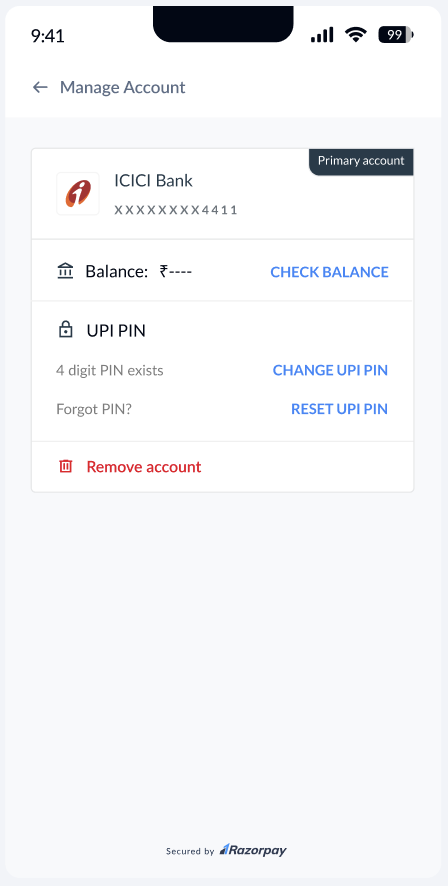
Manage UPI Accounts
Manage UPI Accounts
The SDK manages the linked
UpiAccounts on the application by triggering manageUpiAccounts(). The sequence of steps is as given below:- Fetch balance: Check the customer’s account balance.
- Change UPI PIN: Provide the customer the ability to change their UPI PIN.
- Reset UPI PIN: Let your customers reset the PIN for their account.
- Delete the account from the application: Let your customers delink, that is, remove a selected UPI account from your application.
Java
Request Parameters
Request Parameters
mobileNumber mandatory
: string Mobile number of the customer.color optional
: string Colour in HEX format.Response Parameter
Response Parameter