> ## Documentation Index
> Fetch the complete documentation index at: https://razorpay-881012b3.mintlify.site/llms.txt
> Use this file to discover all available pages before exploring further.
# Edit a Payment Link
> Know how to edit Payment Links.
Available in🇮🇳 India🇸🇬 Singapore🇺🇸 United States
You can edit Payment Links issued to customers. Given below are the different operations that you can perform based on the state of the Payment Link:
| Action | Issued | Partially Paid | Paid | Cancelled | Expired |
| ------------------------------- | ------ | -------------- | ---- | --------- | ------- |
| Enable/disable Partial Payments | ✓ | x | x | x | x |
| Add/edit Reference ID | ✓ | x | x | x | x |
| Add/edit Expiry Date | ✓ | x | x | x | x |
| Add/edit Notes | ✓ | ✓ | ✓ | ✓ | ✓ |
| Disable Reminders | ✓ | x | x | x | x |
## Edit a Payment Link From Dashboard
Watch this video to see how to edit a Payment Link.
To edit a Payment Link:
1. Log in to the Dashboard.
2. Navigate to **Payment Links**.
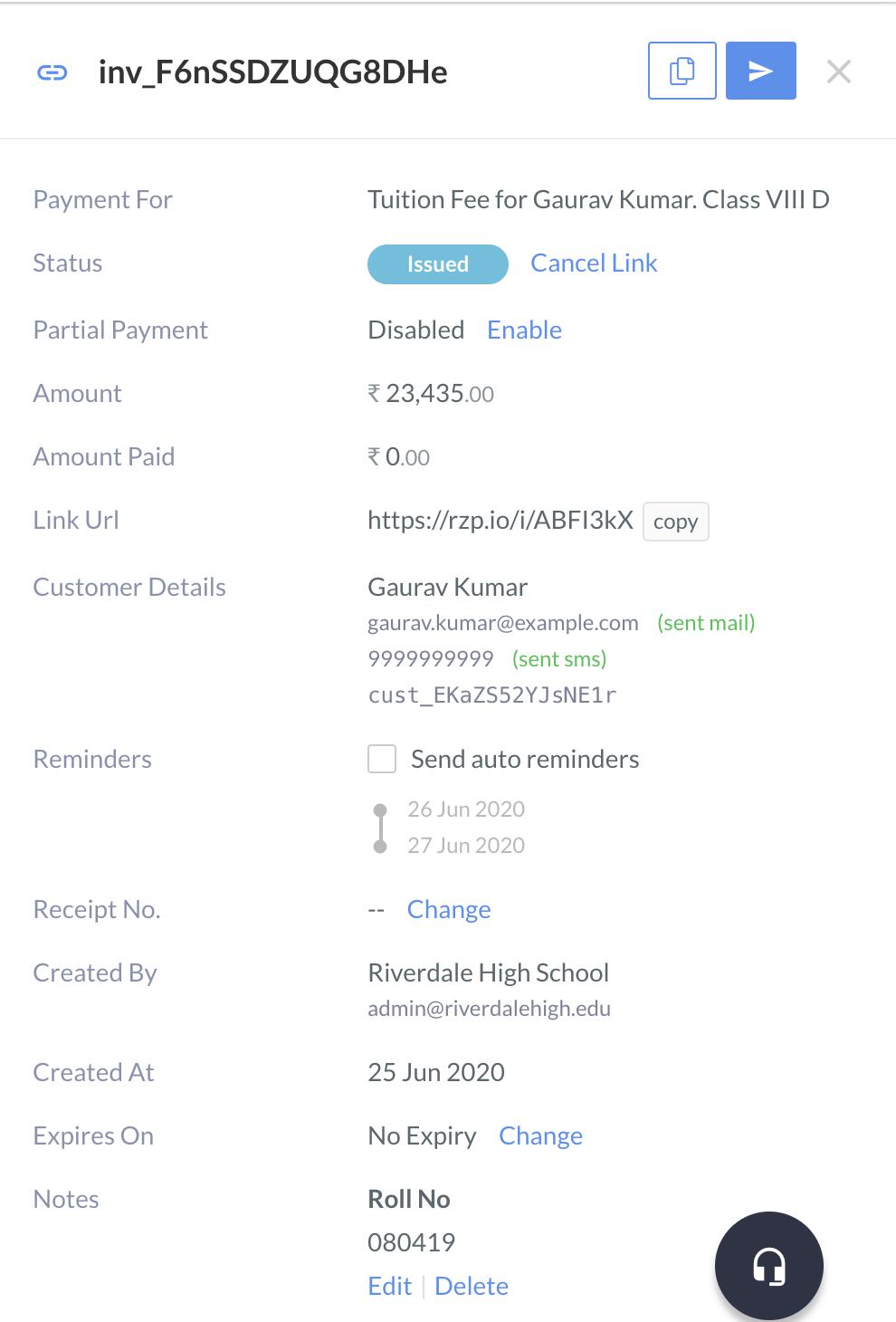
3. Click the **Payment Link** you want to edit. The details of the **Payment Link** appear on the right panel.
4. Add/edit the fields you want.
### Disable Reminders by Editing Payment Link
To disable reminders by editing Payment Link:
1. Log in to Dashboard and navigate to **Payment Links**.
2. Click a **Payment Link ID** to view its details in the side panel appears.
3. Enable or disable **Send auto reminders** for the Payment Link.
## Edit a Payment Link Using API
You can edit a Payment Link using:
* [Update a Standard Payment Link API](/docs/api/payments/payment-links/update-standard)
* [Update a UPI Payment Link API](/docs/api/payments/payment-links/update-upi)
#### Related Information
 ## Edit a Payment Link Using API
You can edit a Payment Link using:
* [Update a Standard Payment Link API](/docs/api/payments/payment-links/update-standard)
* [Update a UPI Payment Link API](/docs/api/payments/payment-links/update-upi)
#### Related Information
## Edit a Payment Link Using API
You can edit a Payment Link using:
* [Update a Standard Payment Link API](/docs/api/payments/payment-links/update-standard)
* [Update a UPI Payment Link API](/docs/api/payments/payment-links/update-upi)
#### Related Information