

For Businesses
I do not have a website or app. Can I still use Payment Links to accept payments from customers?
I do not have a website or app. Can I still use Payment Links to accept payments from customers?
- Log in to the Dashboard and create a Payment Link.
- Send it to the customer via SMS and/or email.
- The customer opens the link and completes the payment.
Can I create a Payment Link using which customers can pay an amount of their choice?
Can I create a Payment Link using which customers can pay an amount of their choice?
Can I accept recurring payments using Payment Links?
Can I accept recurring payments using Payment Links?
Can I show support details such as helpline, support webpage and email address on the Payment Link?
Can I show support details such as helpline, support webpage and email address on the Payment Link?
- Log in to the Dashboard
- Navigate to Account & Settings → Business settings.
- In the Customer support details section, enter these details:
- Phone Number
- Email id
- Website/Contact us link
- Click Submit.
Why is there a Report Payment Link option on a Payment Link created for my business?
Why is there a Report Payment Link option on a Payment Link created for my business?
Why is the customer email address and phone number I specified during Payment Link creation not auto-populating on the hosted payment page?
Why is the customer email address and phone number I specified during Payment Link creation not auto-populating on the hosted payment page?
Why is there a Report Payment Link option on a Payment Link request email sent for my business?
Why is there a Report Payment Link option on a Payment Link request email sent for my business?
Can I set a minimum upfront payment amount when I enable Partial Payments for a Payment Link on the Dashboard?
Can I set a minimum upfront payment amount when I enable Partial Payments for a Payment Link on the Dashboard?
Can I cancel a Payment Link if it is in "partially_paid" state?
Can I cancel a Payment Link if it is in "partially_paid" state?
paid or partially_paid state. You can only cancel a payment link if it is in issued state.Can I automatically send an invoice to customers after they complete payment via a Payment Link using Razorpay Invoices?
Can I automatically send an invoice to customers after they complete payment via a Payment Link using Razorpay Invoices?
Can I accept international payments using Payment Links?
Can I accept international payments using Payment Links?
Can I use a Payment Link to accept payments from multiple customers?
Can I use a Payment Link to accept payments from multiple customers?
Why is the "callback_url" not working for UPI Payment Links on Android?
Why is the "callback_url" not working for UPI Payment Links on Android?
Can the UPI Payment Link be used if the customer is the fee bearer?
Can the UPI Payment Link be used if the customer is the fee bearer?
How do I get webhook notifications for Payment Links?
How do I get webhook notifications for Payment Links?
- Log in to the Dashboard.
- Navigate to Account & Settings → Webhooks.
- Subscribe to events such as
payment_link.paid,payment_link.cancelled,payment_link.expiredandpayment_link.partially_paid.
Can I automate Payment Link generation from Salesforce and send them via WhatsApp?
Can I automate Payment Link generation from Salesforce and send them via WhatsApp?
notify parameters in the API request.For Bank Transfer Payments
What is a Customer Identifier?
What is a Customer Identifier?
How will the payments made by customers be settled to my bank account?
How will the payments made by customers be settled to my bank account?
If I enable Bank Transfers as a payment method for Payment Links, will it appear as a payment option on other products as well?
If I enable Bank Transfers as a payment method for Payment Links, will it appear as a payment option on other products as well?
Will a new Customer Identifier be created for multiple partial payments made on a Payment Link?
Will a new Customer Identifier be created for multiple partial payments made on a Payment Link?
For Customers
I have received a Payment Link that looks suspicious and fraudulent. How can I report it?
I have received a Payment Link that looks suspicious and fraudulent. How can I report it?
- Using the Payment Link hosted page.
- Using the email notification you received.
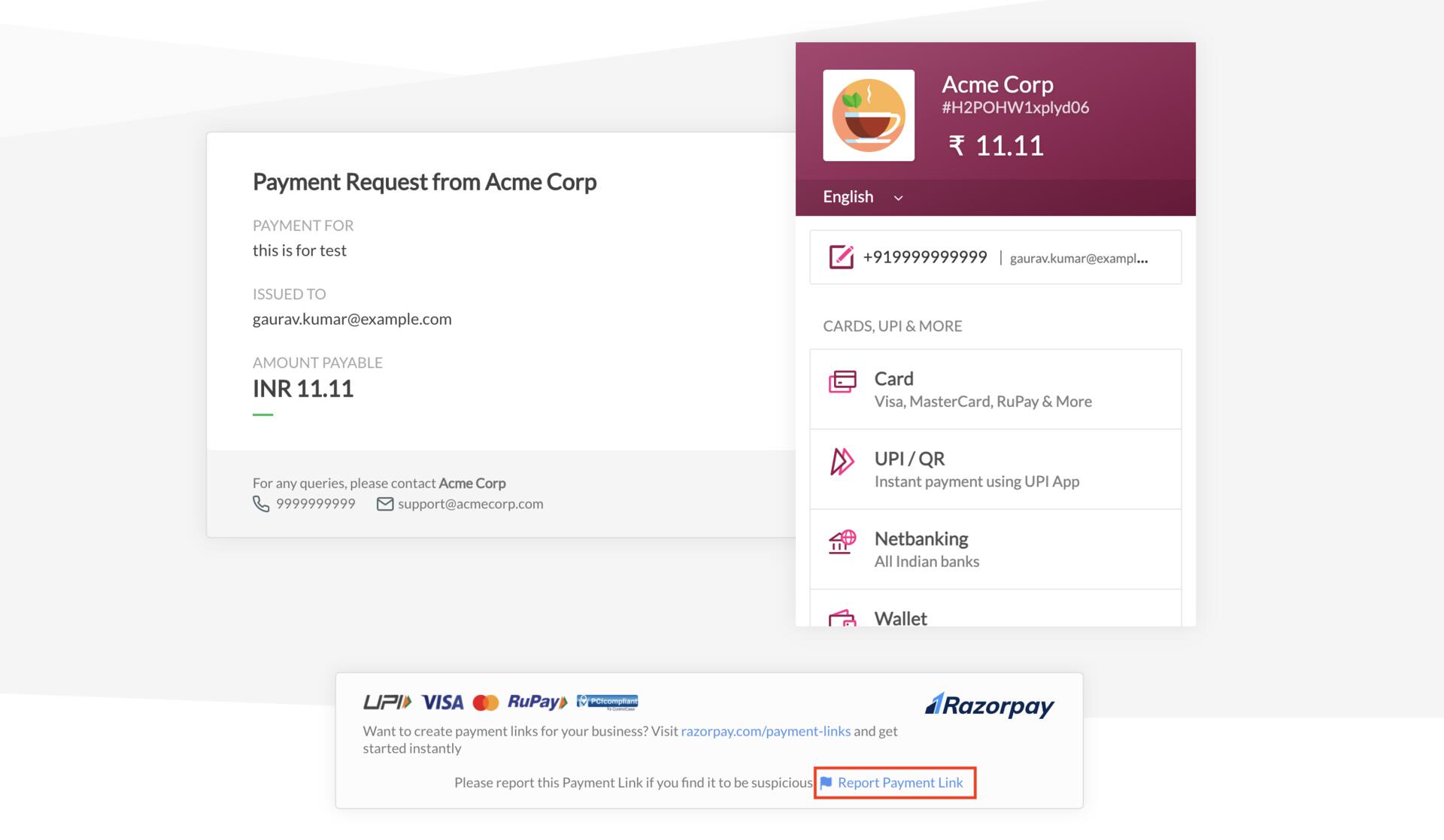
Follow these steps:
- Click the Payment Link and open the hosted page.
- Click Report Payment Link.
 Using an Email Notification You Received
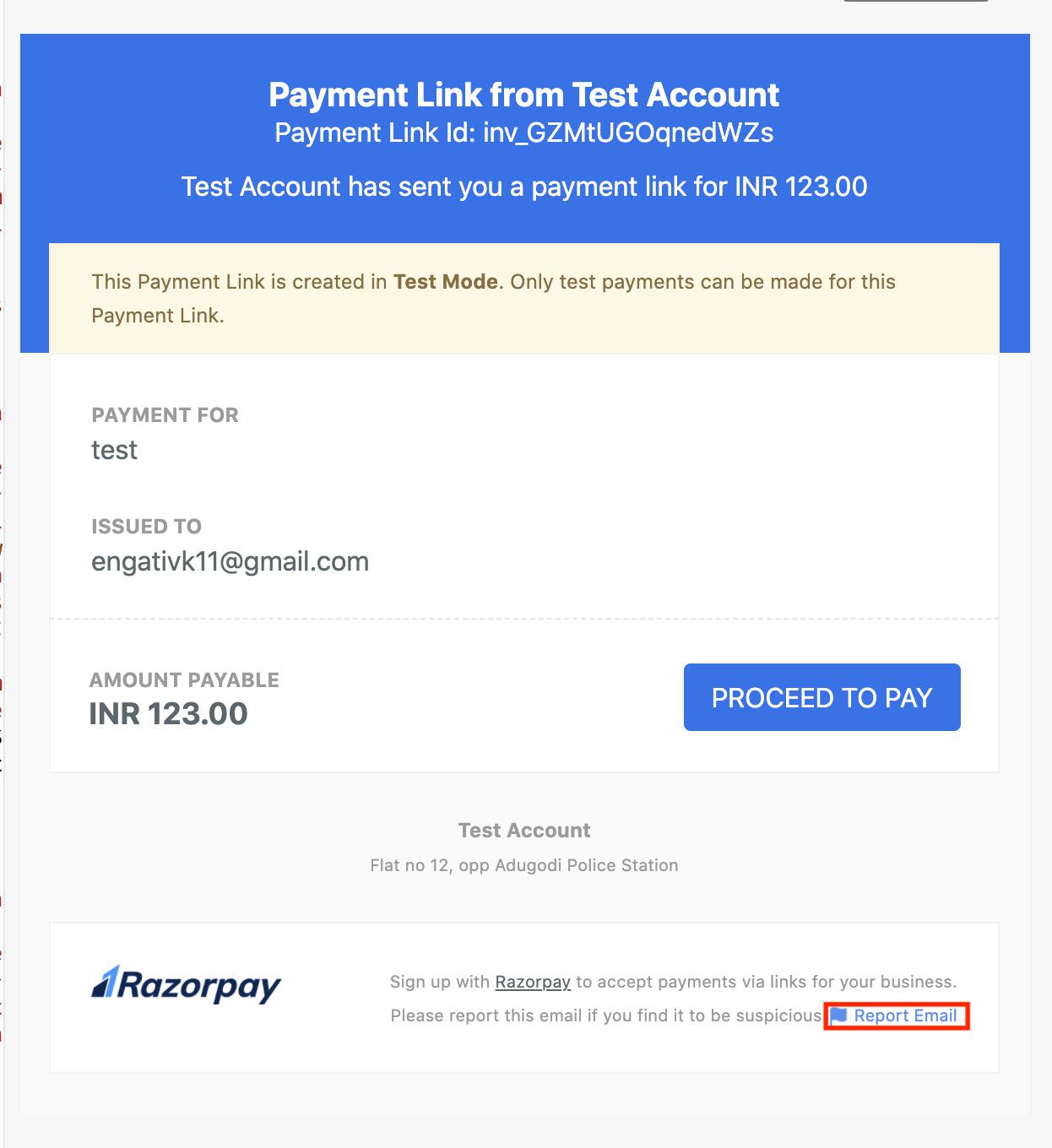
 Follow these steps:
- Open the email received from the business.
- Click Report Email.
 On Clicking Report Option
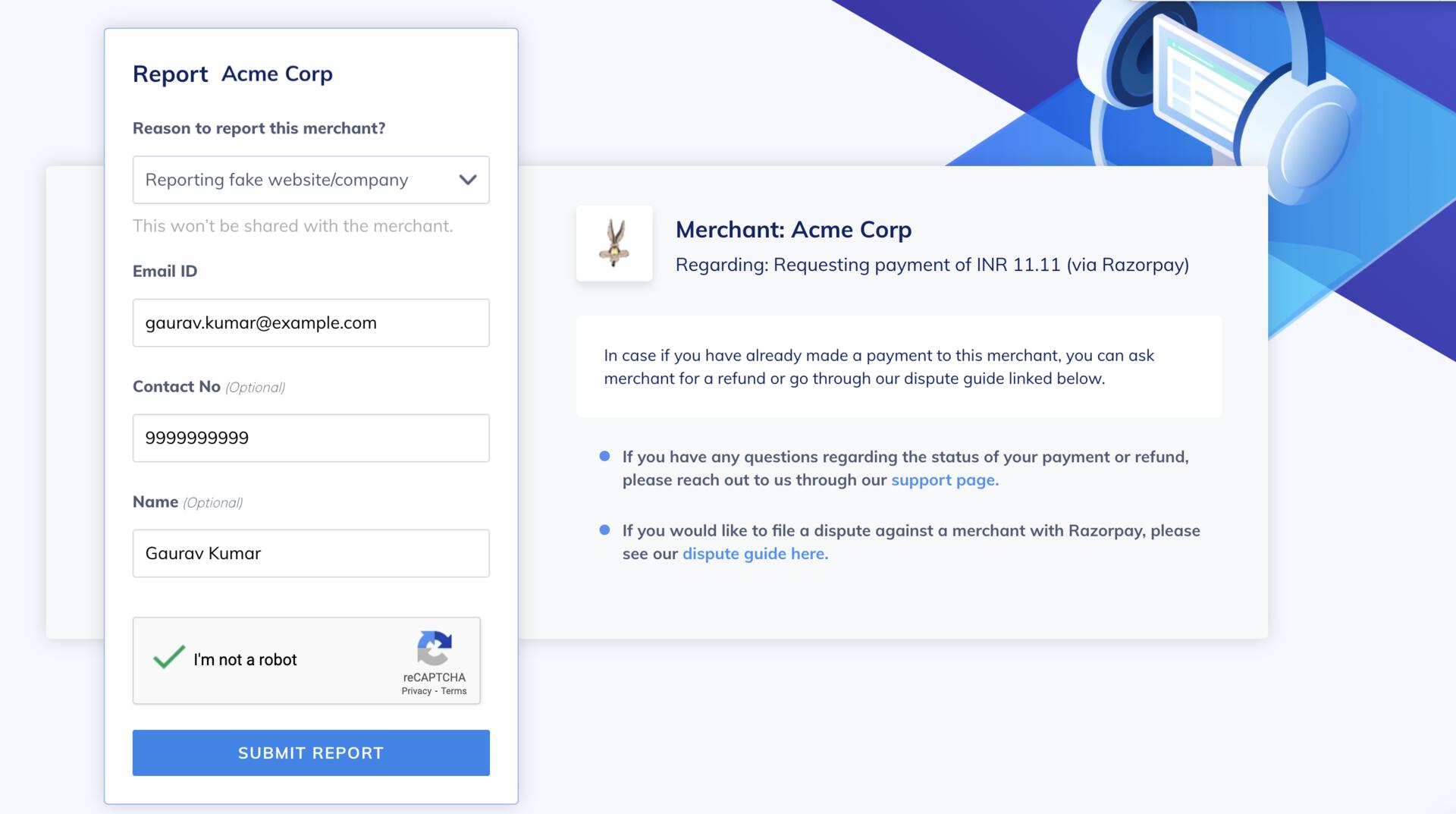
 After you click the report link, a form is displayed. Enter the following details:
- Reason to report this merchant: Click the drop-down list to select the relevant reason. For example, Reporting fake website/company.
- Email ID: Enter your email address at which we can contact you for additional information.
- Contact No (optional): Enter your contact number.
- Name (optional): Enter your name.
-
Complete the captcha step and click SUBMIT REPORT.
If you have already completed the payment, you can choose to:
- Request a refund by contacting the business’ support team. The support details are available on the Payment Link hosted page.
- File a dispute against the business. Know more about Disputes.