

Available in🇮🇳 India
You can generate the QR Codes report from the Dashboard.
To generate reports:
To generate reports:
- Log in to the Dashboard.
- Navigate to Reports.
-
On the Reports page, enter the following details:
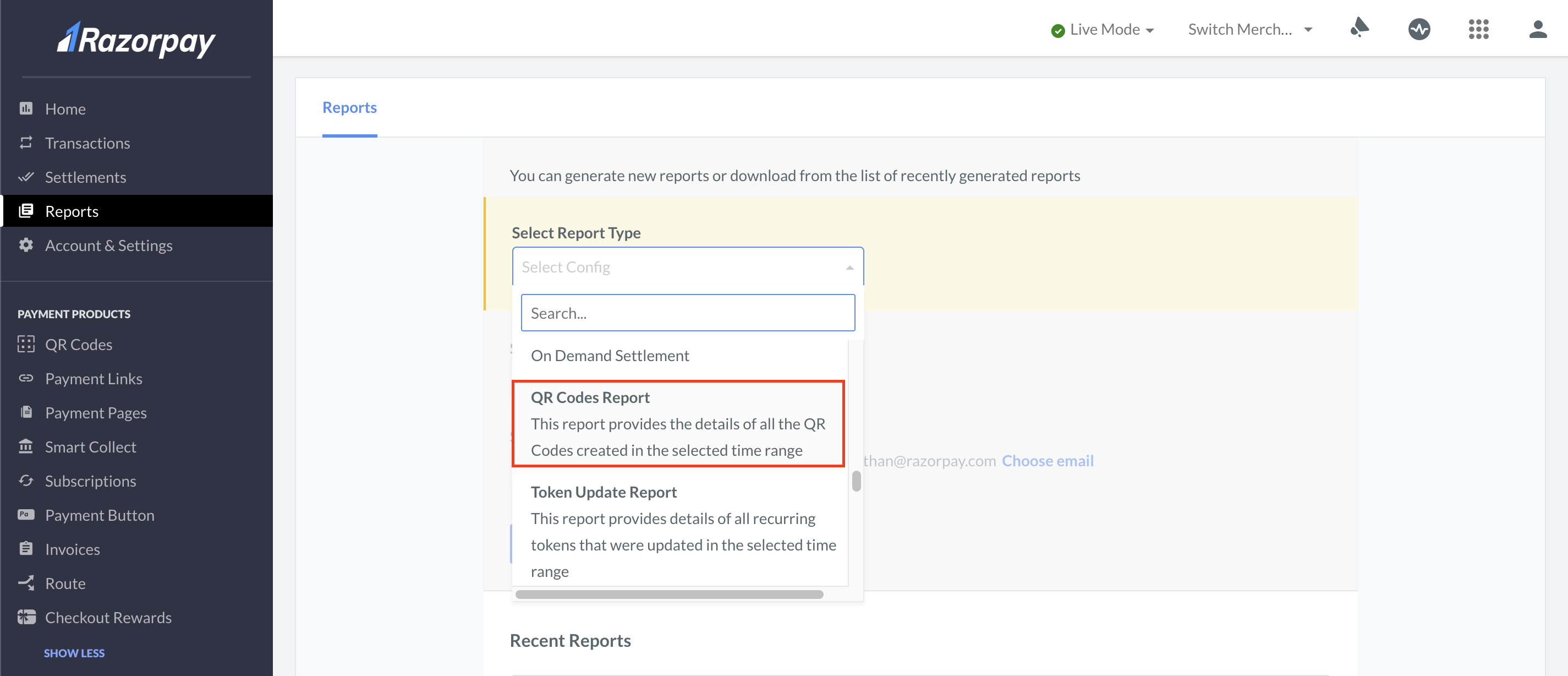
- Select Report Type: Select the QR Codes Report.
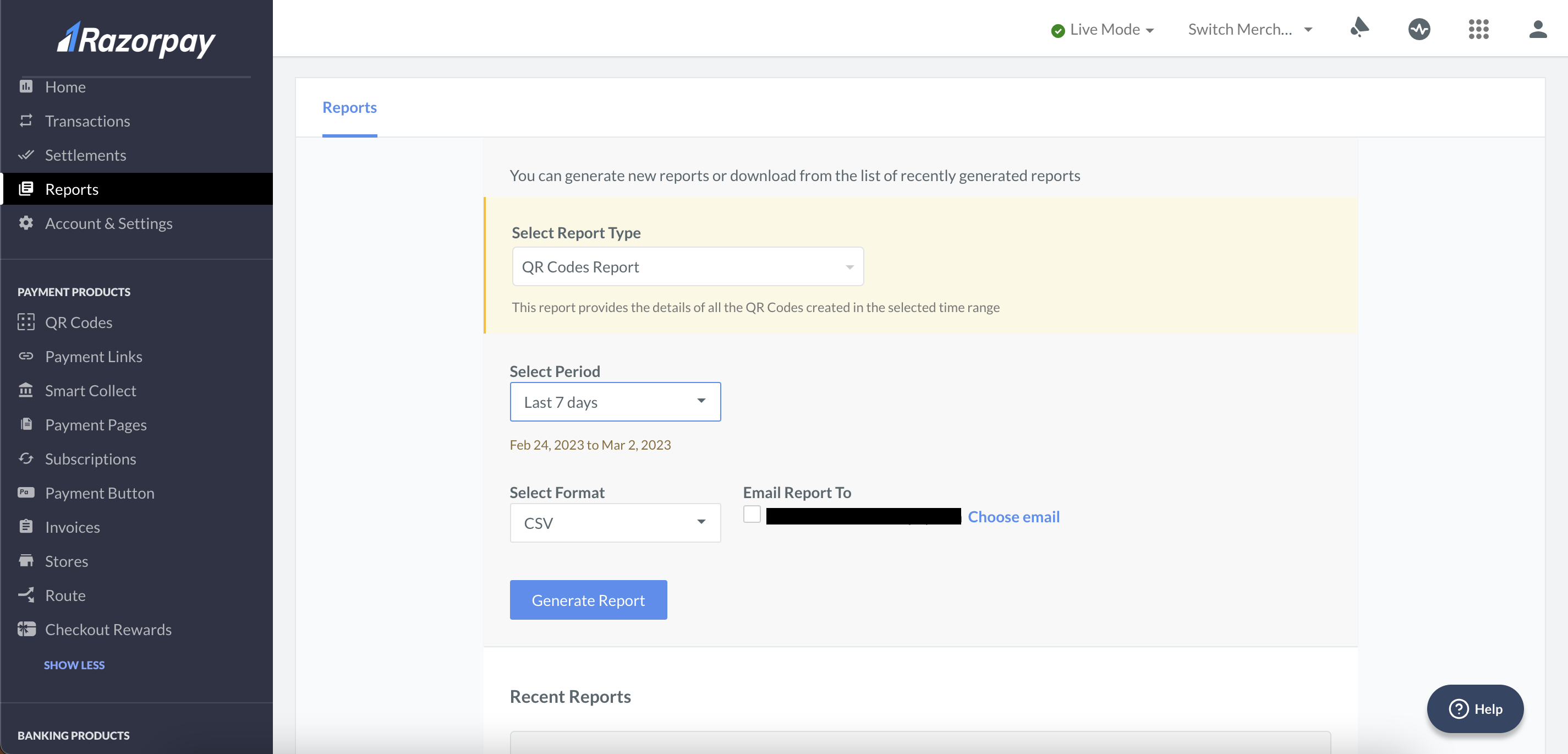
- Select Period: Select the period for which the report should be generated.
- Select Format: Select the file format. You can report in CSV, XLS and XLSX formats.
- Email Report To: You can send the report to the email address registered with Razorpay.
- Select Report Type: Select the QR Codes Report.
-
Click Generate Report.
 Download a sample QR Codes Report.