

Available in🇮🇳 India
If you have subscribed to webhook events and your server was unavailable or returned a non-2xx response, Razorpay retries the trigger for 24 hours before disabling the endpoint. Any events that were not acknowledged in that window are not delivered again automatically. Know more about delivery attempts and retries.
You can replay these missed events yourself from the Razorpay Dashboard, without raising a support ticket. There are two ways to do this:
- Replay all events for a time window - use this when you know roughly when your endpoint was down but not which events you missed.
- Replay specific events - use this when you already know the entity IDs, such as payment or order IDs, for which you need the events again.
Before You Begin
- You can only replay events that are up to 7 days old. To replay events older than 7 days, contact Support.
- Only unacknowledged events are replayed. Events your server already acknowledged with a 2xx response are not sent again, in either flow.
- The Replay events option is on the Developers → Webhooks page. You set up and edit webhook URLs from Account & Settings → Webhooks, as described in Set Up and Edit Payments Webhooks.
- You can trigger a maximum of 5 replays in a 24-hour window. Beyond this, the Dashboard shows a Limit Exhausted. Try again after 24 hours message.
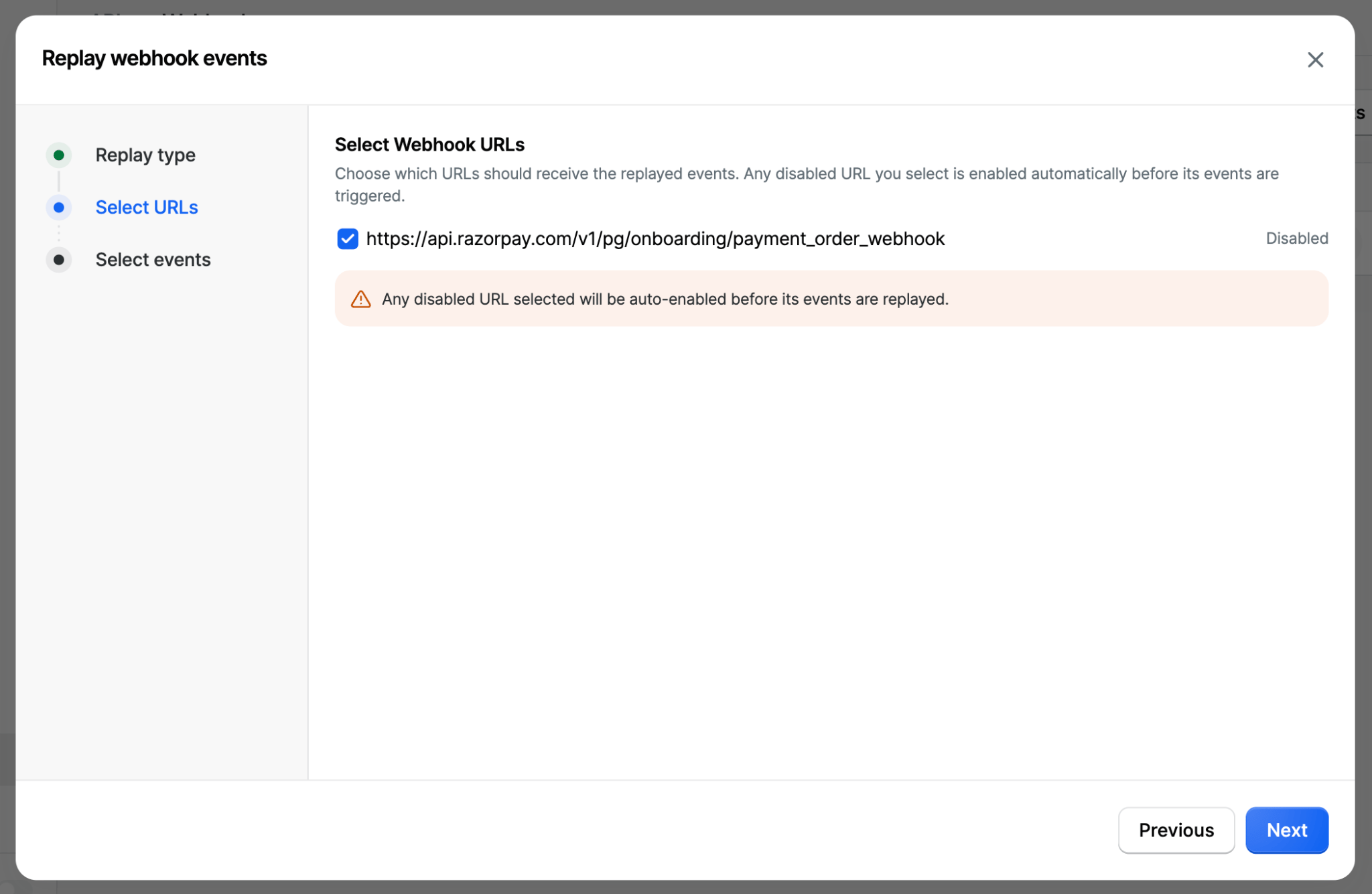
- If any of the webhook URLs you select is disabled, it is enabled automatically when you replay the events.
- Replayed events are sent to your endpoint exactly as they were originally generated and are signed with your current webhook secret. Replay does not create new payments, orders or any other records.
- Replay is an at-least-once delivery. Your endpoint may receive an event it has already processed, so make sure it is idempotent.
Replay All Events for a Time Window
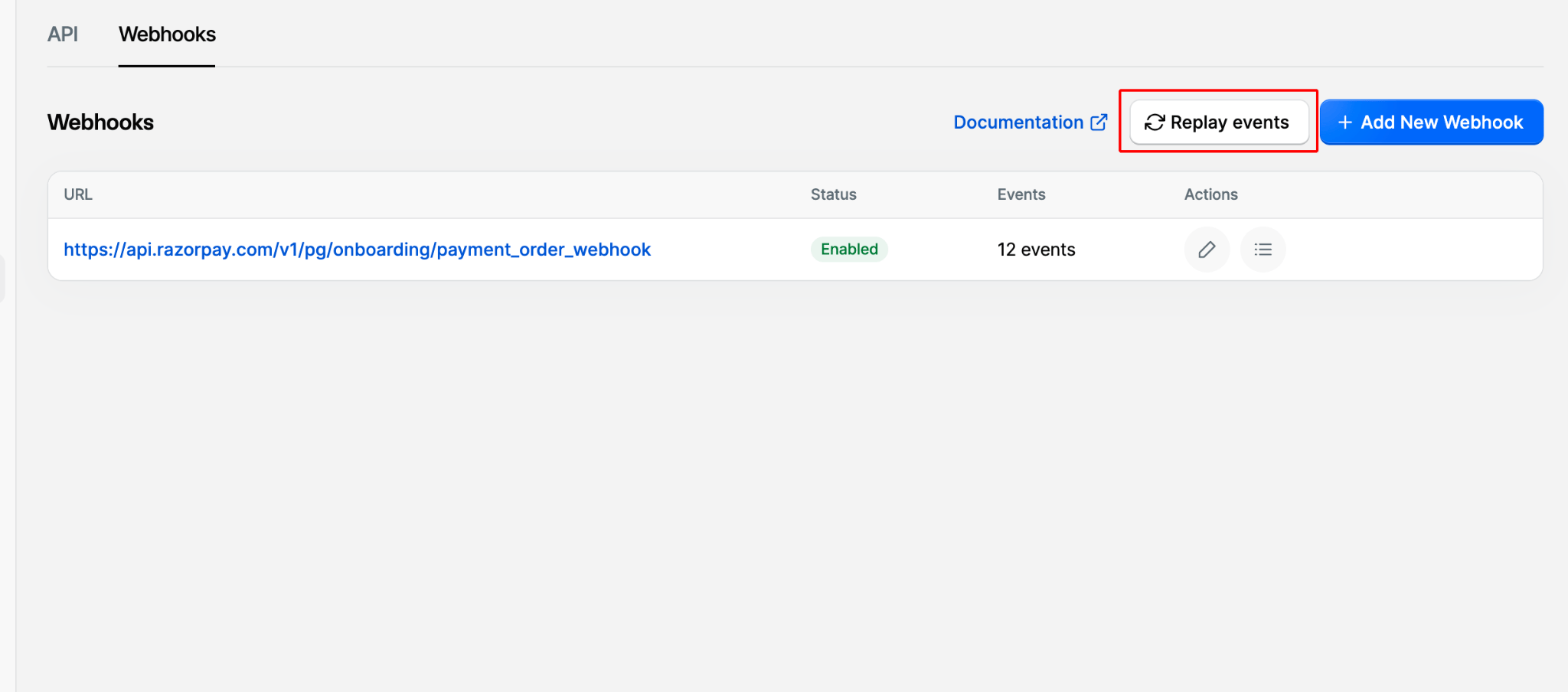
Use this flow to replay every unacknowledged event in a given period, for example, after a server outage.- Log in to the Razorpay Dashboard and navigate to Developers → Webhooks.
-
Click Replay events.
-
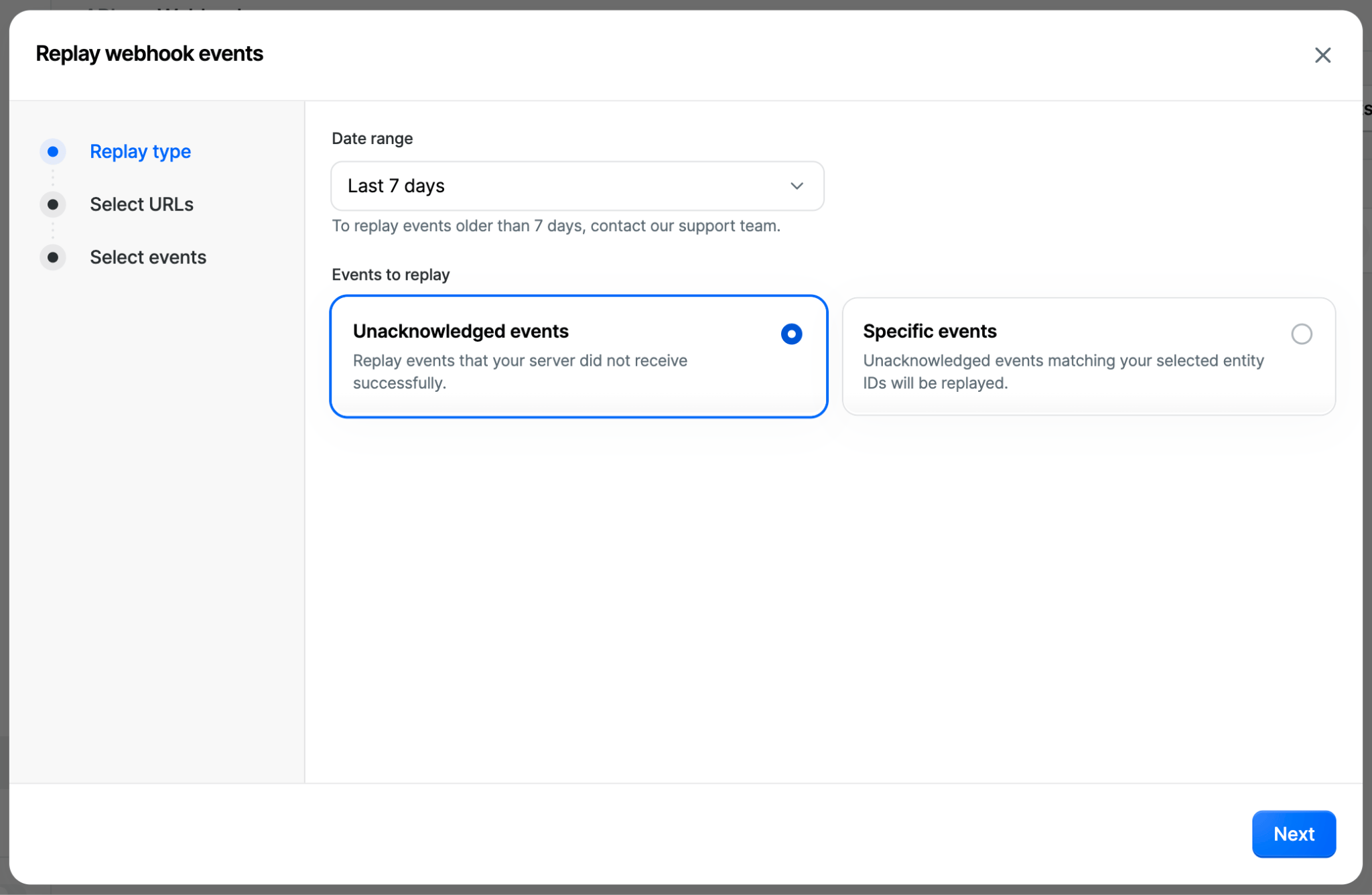
On the Replay type step, select the Date range and choose Unacknowledged events. Click Next.
-
On the Select URLs step, select the webhook URLs that should receive the replayed events. These are the URLs you have already set up on the Dashboard. Click Next.
-
On the Select events step, all events configured for the selected URLs are selected by default. Clear the ones you do not want to trigger, or use Clear all to start from an empty selection.
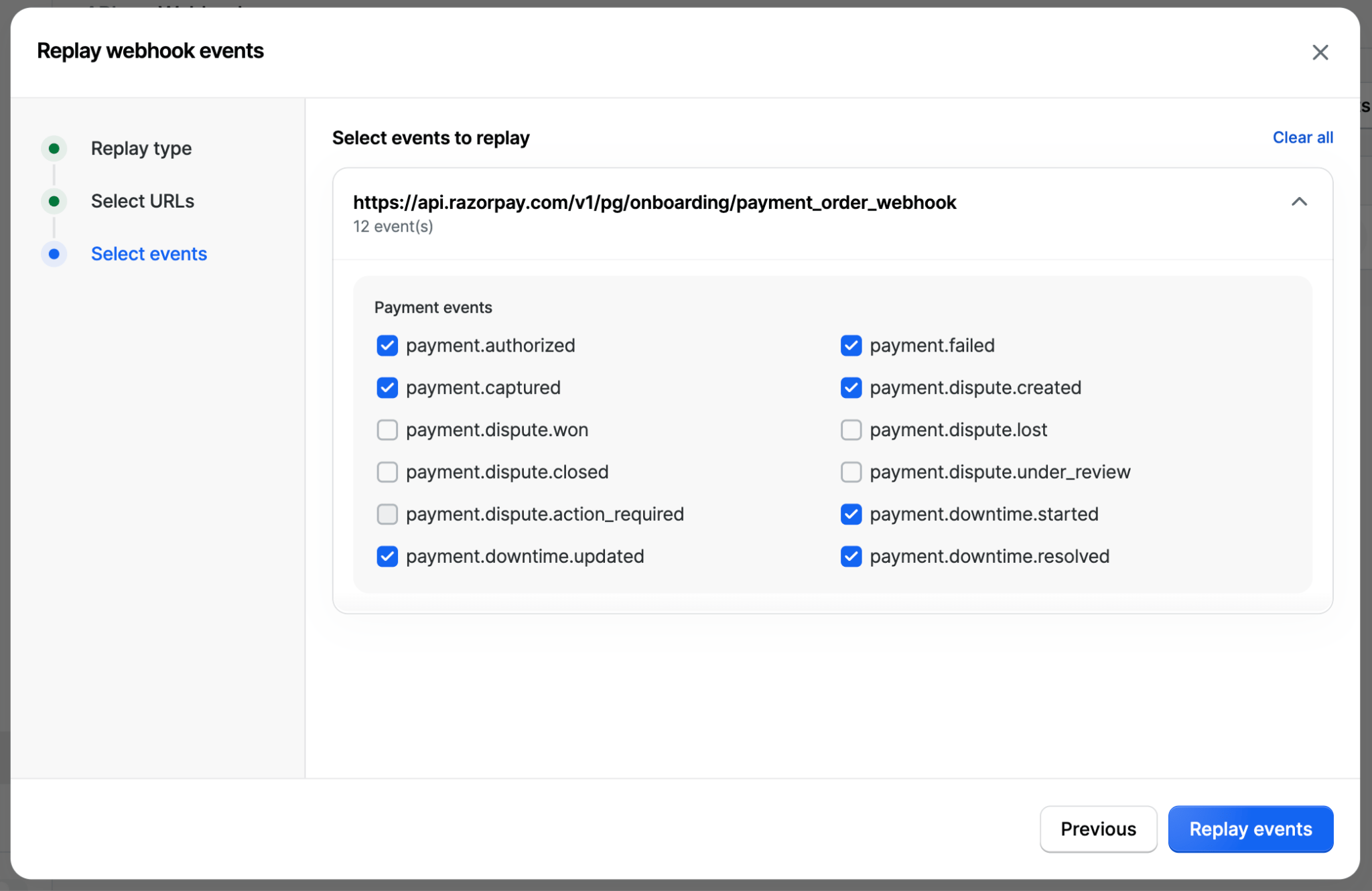
- Click Replay events.
Replay Specific Events
Use this flow when you know exactly which entities you need events for, for example, a list of payment IDs your system never marked as paid. Only unacknowledged events matching the IDs you enter are replayed.- Log in to the Razorpay Dashboard and navigate to Developers → Webhooks.
- Click Replay events.
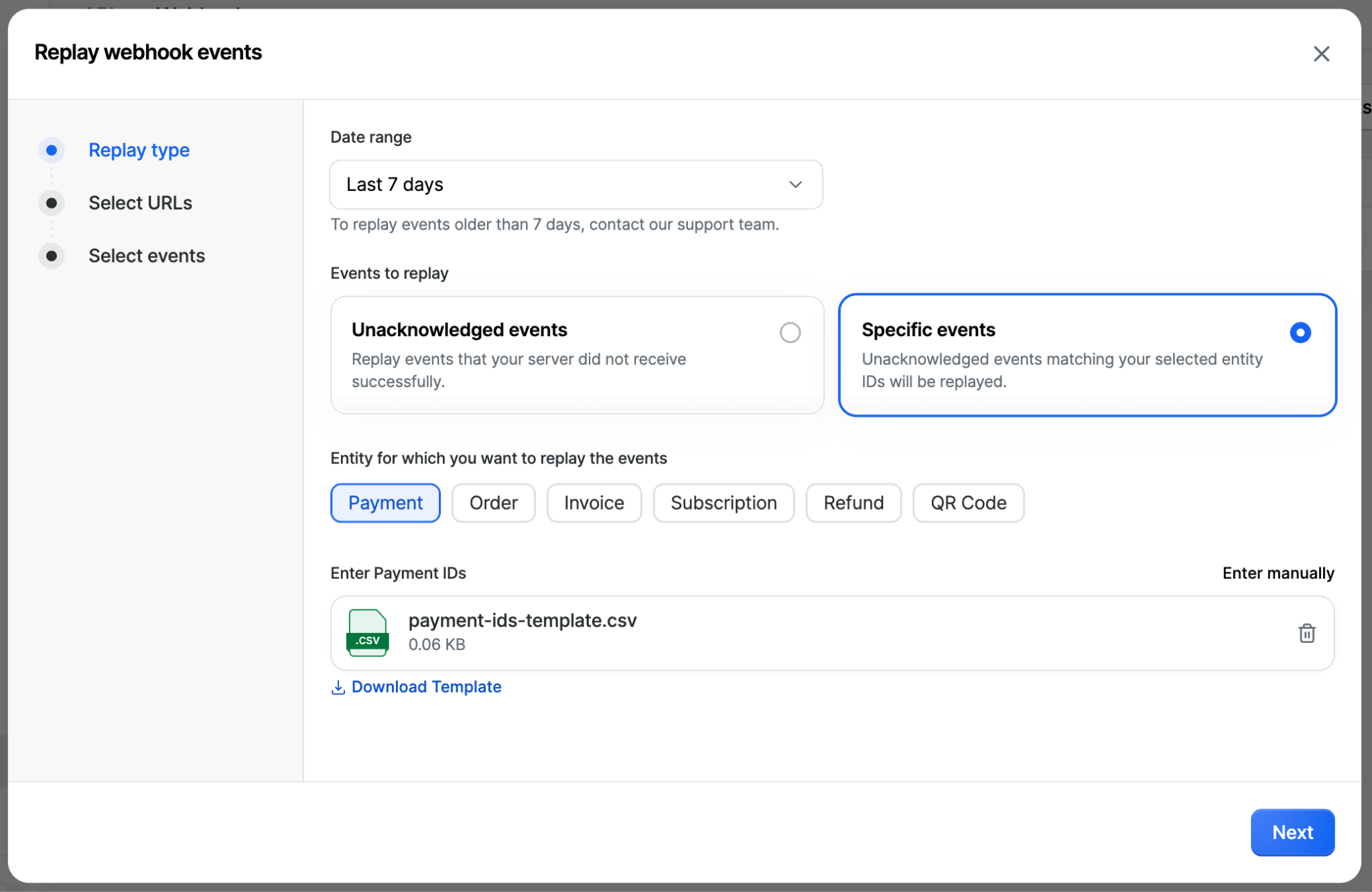
- On the Replay type step, select the Date range and choose Specific events.
- Under Entity for which you want to replay the events, select the entity: Payment, Order, Invoice, Subscription, Refund or QR Code.
-
Enter the entity IDs, up to 500 per request. Upload a CSV file, or click Enter manually to type the IDs directly. Click Download Template to get a CSV in the expected format. Click Next.
-
On the Select URLs step, select the webhook URLs that should receive the replayed events. These are the URLs you have already set up on the Dashboard. Click Next.
-
On the Select events step, clear any events you do not want to trigger.
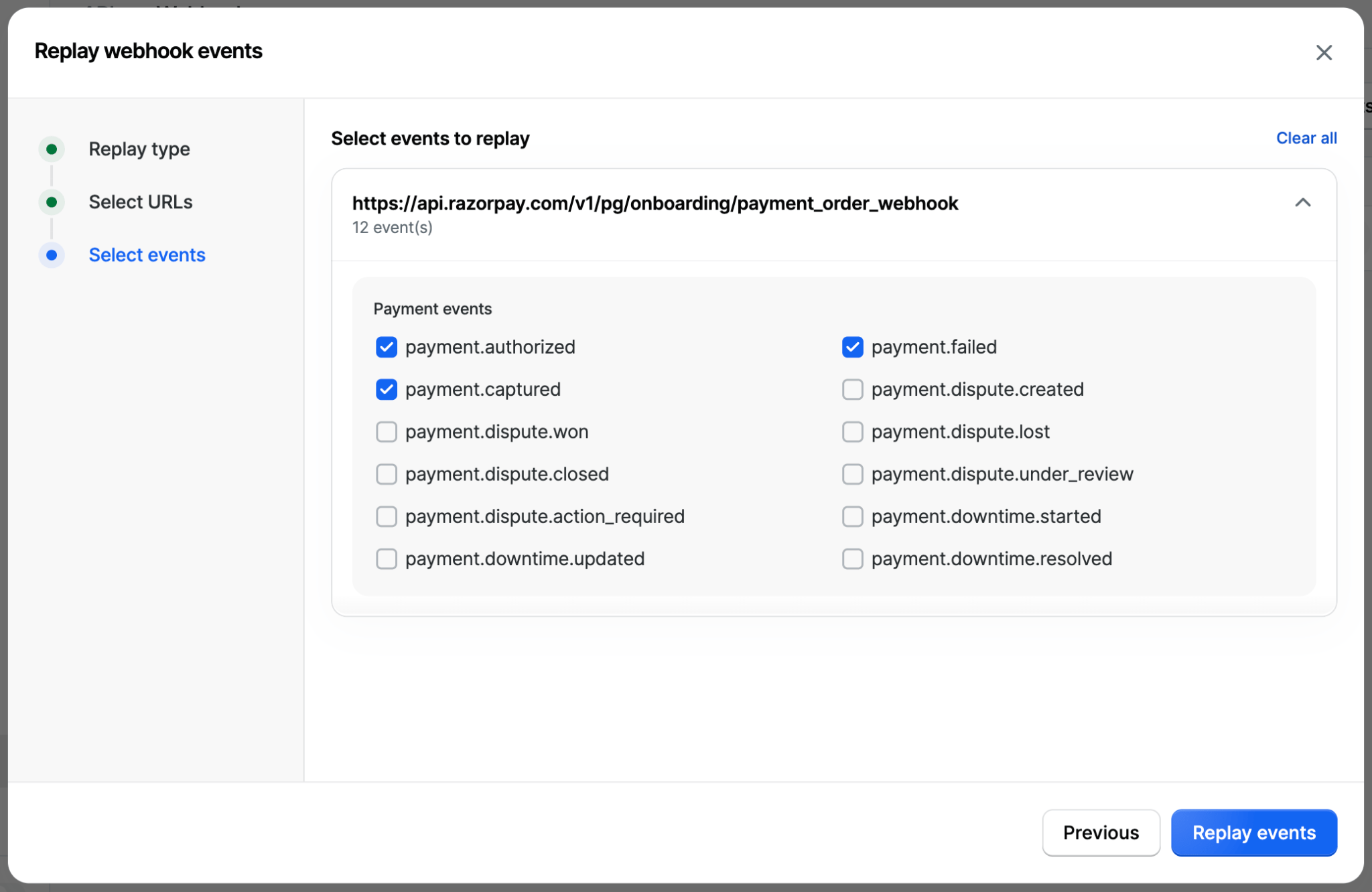
- Click Replay events to start.
After You Replay
After you click Replay events, the Dashboard confirms that the webhook events are being replayed. Depending on the volume, this can take some time. Click Close to return to the Webhooks page, where you can track the replayed events under the respective webhook URLs.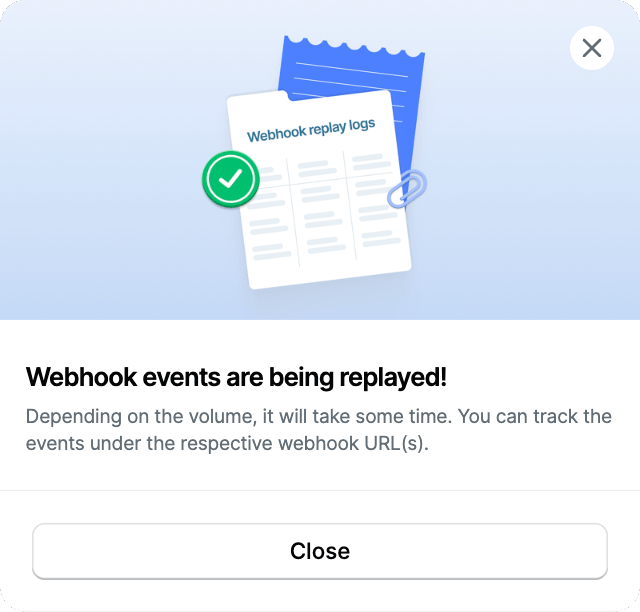
Handle Duplicate Events
A replayed event is a re-delivery of the original event, not a new one. If your endpoint did receive and process the original event, a replay results in a duplicate. Use thex-razorpay-event-id header to identify duplicates. The value of this header is unique per event and stays the same across the original delivery and every replay of it. Store the header values you have already processed and skip an event if you see the same value again. Know more about handling duplicate events.