Available in🇮🇳 India🇸🇬 Singapore🇺🇸 United States
International Payments Changelog
Discover new features, updates and deprecations related to Razorpay International Payments (since Jan 2024).
List of Purpose Codes
Download the list of transaction purpose codes.
Supported Products
List of products available for international payments.
Supported Currencies
List of supported currencies for international payments.
Get Started
Check these steps to accept international payments from Indian Businesses and International Businesses.Indian Businesses
Indian businesses can easily activate international payment methods to expand their global reach.New Razorpay User
New Razorpay User
If you are a new user, you will need to complete the following steps displayed on the onboarding screens to activate international payment methods.
- Sign up for an account.
- On the onboarding screen, select Outside India (International) and click Start Onboarding.
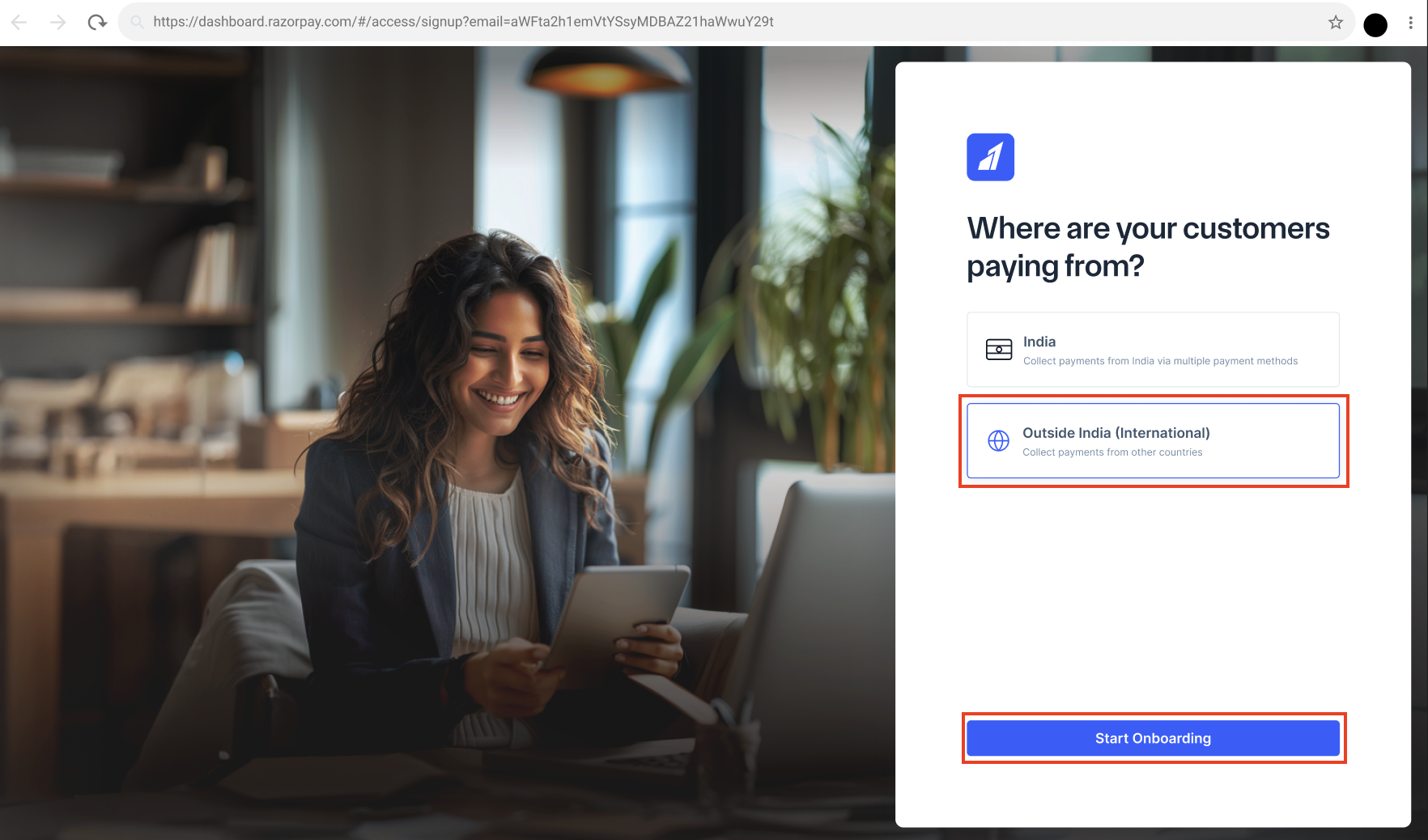
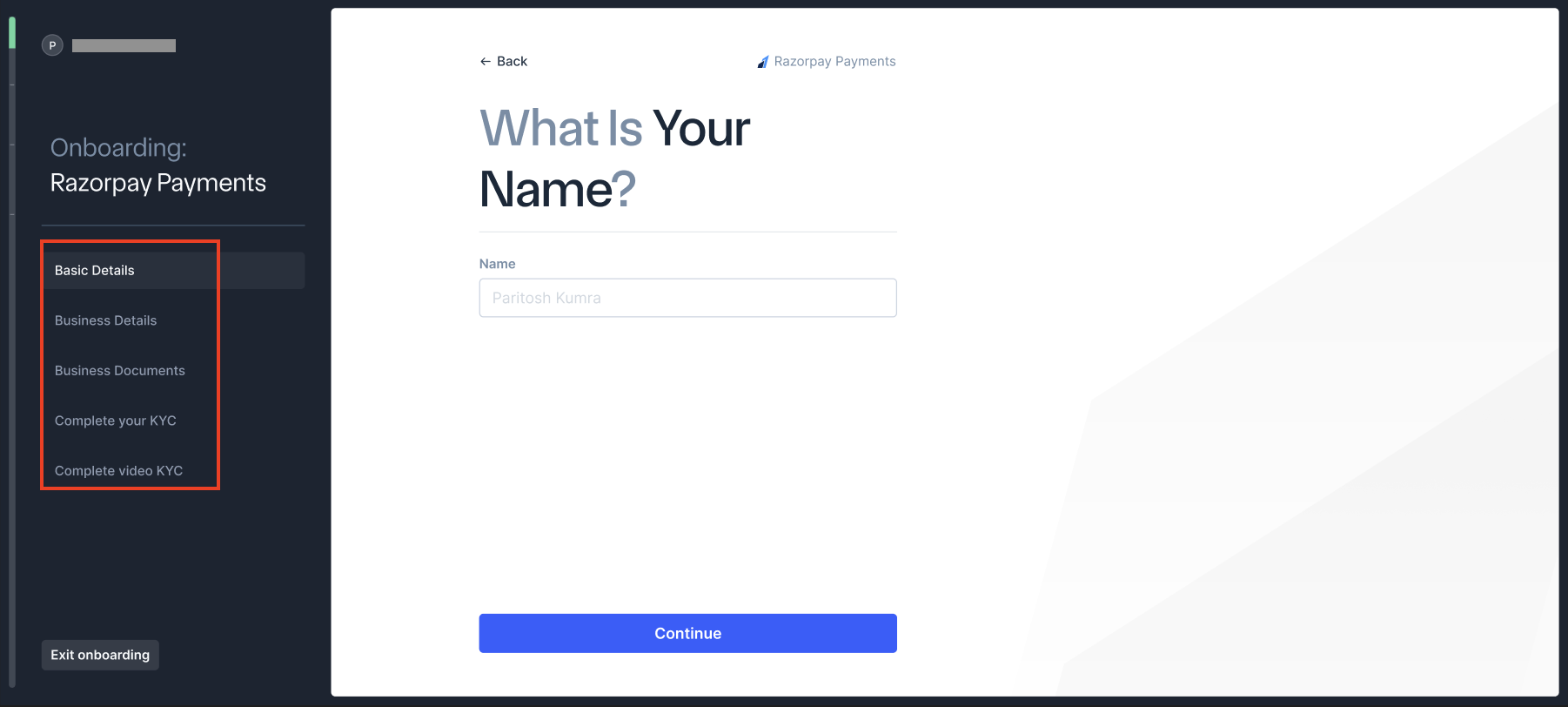
- Fill up the following details to complete the onboarding:
- Basic Details:
- Name (Business or Individual).
- Phone number.
- Email address.
- Payment channels you want to enable.
- Business Details:
- Type of business: Individual, Sole Proprietorship, Partnership, Private Limited, Public Limited, LLP, NGO and so on.
- Personal PAN (for individuals) or Business PAN.
- Business Documents:
- GSTIN certificate (if GST registered).
- Udyam registration certificate (for MSMEs).
- Complete your KYC:
- Business address with proof.
- Authorised signatory details.
- Complete video KYC:
- Requires Aadhaar and PAN card.
- Live video verification with Razorpay agent.
- Takes approximately 3-4 minutes.
- Basic Details:
- Follow the on-screen instructions to provide any additional details or documentation required for activation.
Existing Razorpay User
Existing Razorpay User
If you are an existing Razorpay user, to activate international payment methods, follow the steps given below.
- Log in to the Dashboard.
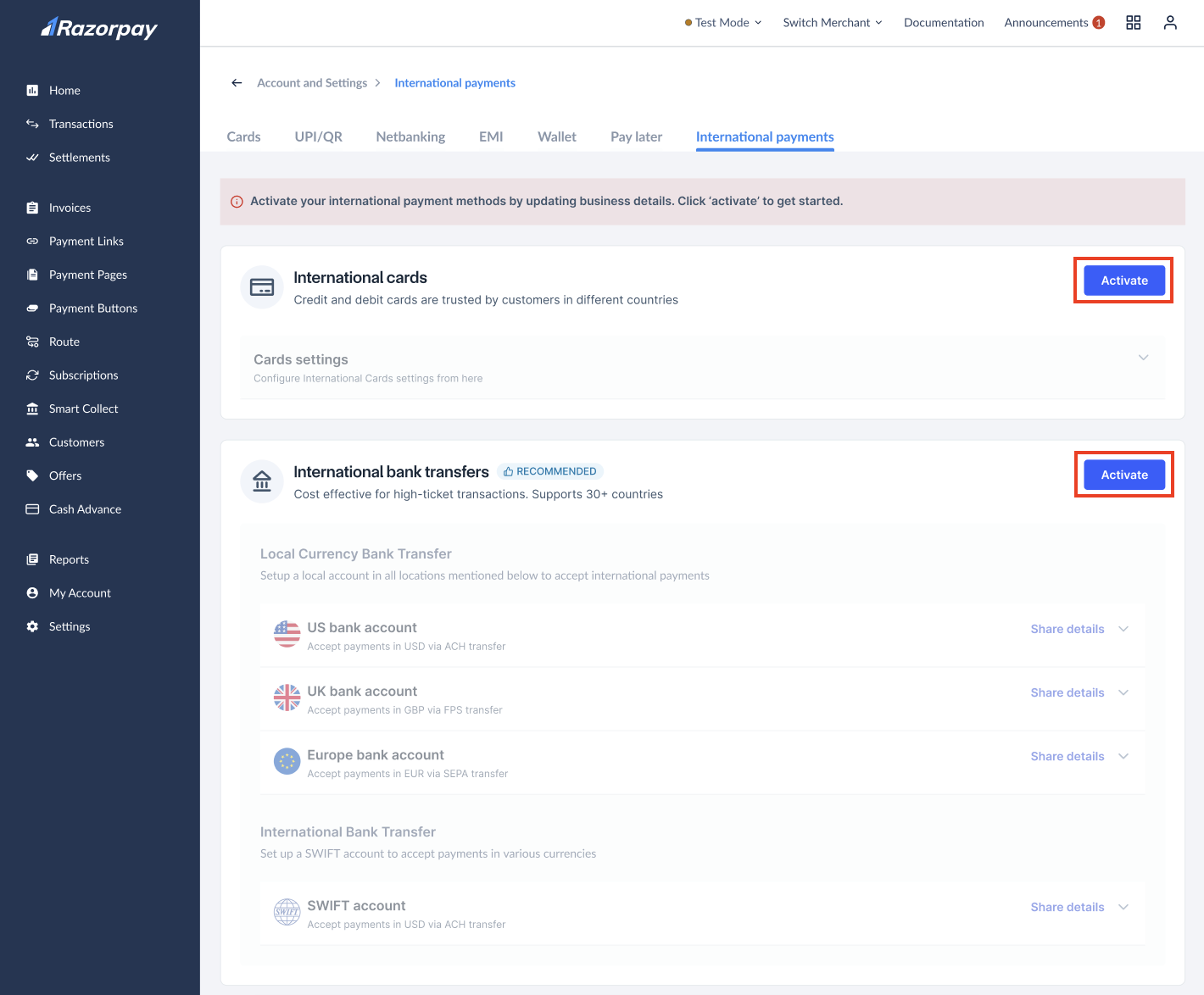
- Navigate to Account & Settings → International payments (under Payment methods).
- Select the payment method you wish to activate, such as International Cards or International Bank Transfers and click Activate button corresponding to the payment method.
- Follow the on-screen instructions to provide any additional details or documentation required for activation.
- International Bank Transfer
- Local Payment Methods
International Bank Transfer (MoneySaver Export Account) enables the Local Currency Bank Transfer method and Swift Transfer method to accept payments from buyers outside India without additional paperwork. The final settlement is done in the bank accounts of Indian businesses in INR.Local Currency Bank Transfer: Accept payments from buyers outside India without additional paperwork. The final settlement is done in the bank accounts of Indian businesses in INR. This significantly improves the customer experience by allowing international buyers to make local bank account transfer to Indian businesses.Swift Transfers: Accept payments from buyers outside India without additional paperwork. The final settlement is done in the bank accounts of Indian businesses in INR. This significantly improves the customer experience by allowing international buyers globally to make SWIFT Transfer to Indian businesses.
International Businesses
Non-Indian businesses looking to accept payments from Indian customers via Razorpay and get their settlement in a foreign bank account. Check the list of supported purpose codes and currencies. Razorpay allows foreign (non-Indian) businesses to accept payments from Indian customers without any additional paperwork or registration. Your Indian customers can make payments via local payment methods such as credit cards, debit cards, UPI and netbanking. The funds are settled in your overseas bank account.Feature RequestThis is an on-demand feature. Please fill out the form to get this feature activated on your account.
Payment Methods for International Payments Based on Business Type
Select the payment method based on your business type:- Registered Businesses
- Individuals
If you are an eligible registered business with a valid website, you can accept international payments made using:
List of Purpose Codes
List of Purpose Codes
Download the complete list of transaction purpose codes that can be selected in the onboarding process.
Supported Products
Supported Products
The following products support international payments:
Supported Currencies
Supported Currencies
Following is the list of supported currencies:
- For any other additional currencies, which are not a part of the above list and that you might want us to support, kindly raise a request on our Support Portal.
- Two Decimal Currencies
- Three Decimal Currencies
- Zero Decimal Currencies
- When selling a product for ₹ 1000 in the domestic market, you pass
INRin thecurrencyparameter and100000in theamountparameter (since the amount should be in paise). - When selling in the international market, you might want to charge $20 for the same product. In this case, you must pass
USDin thecurrencyparameter and2000in theamountparameter (since the amount should be in cents).
For example: AED, AMD, INR and so on.
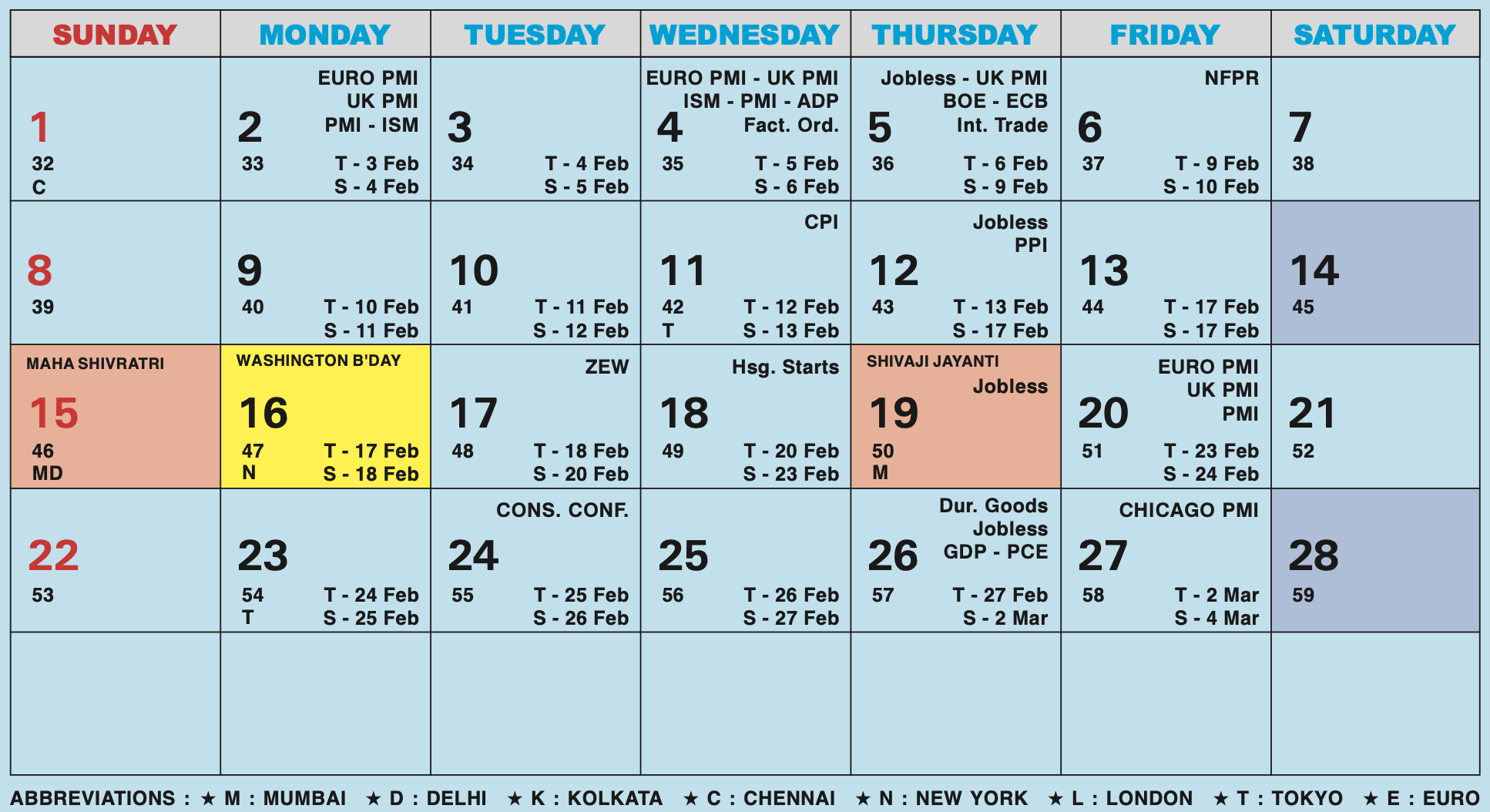
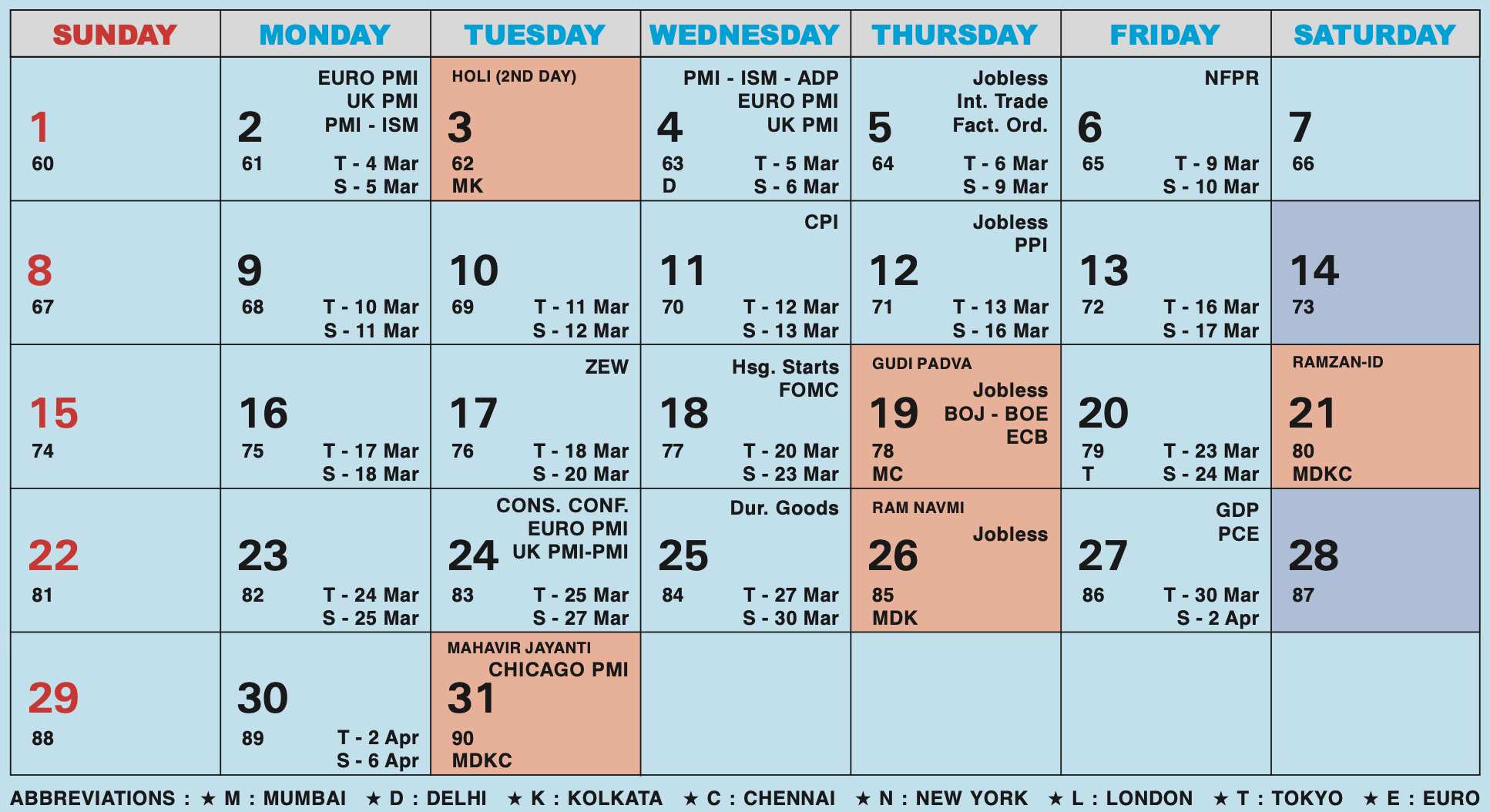
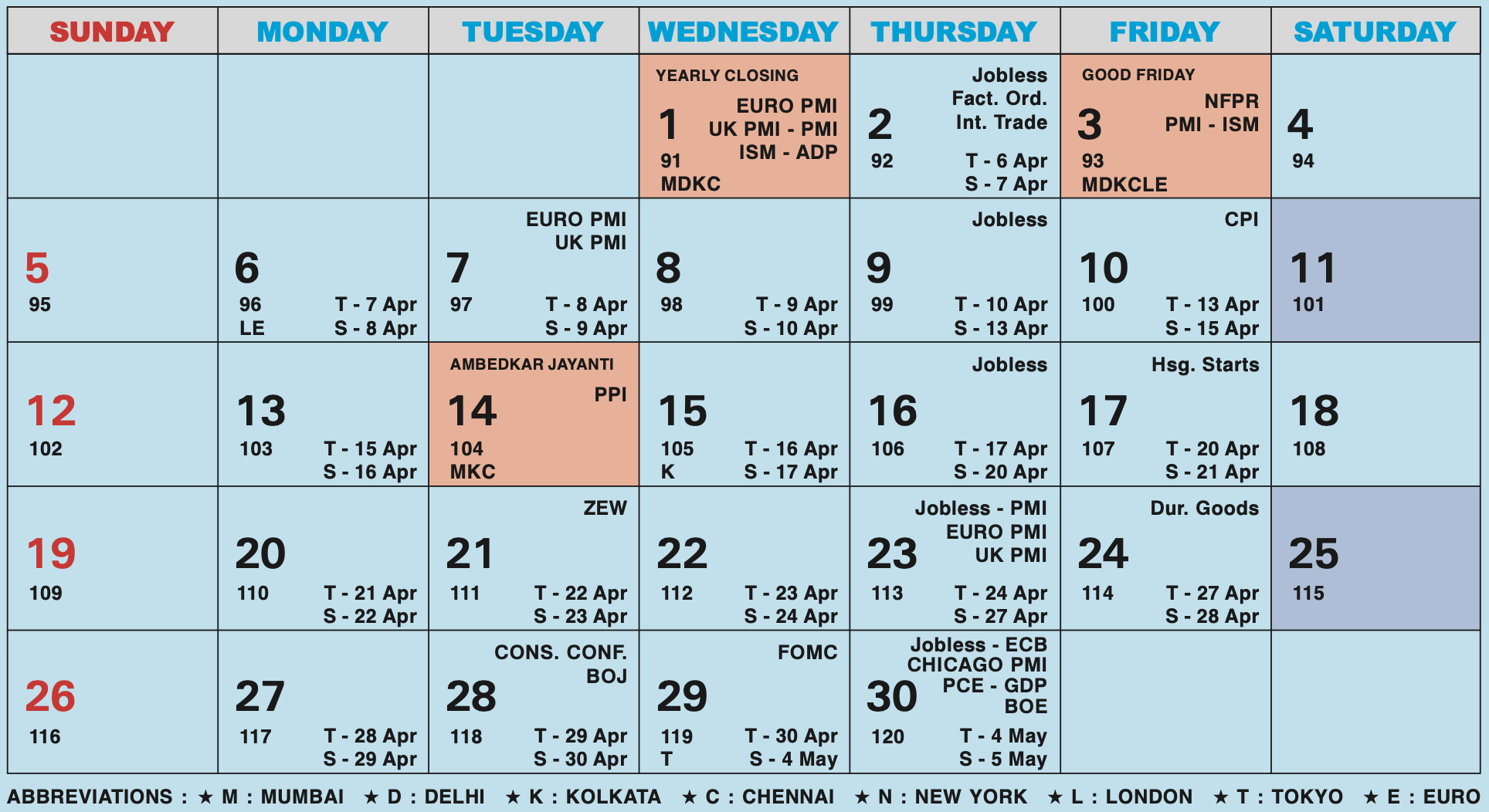
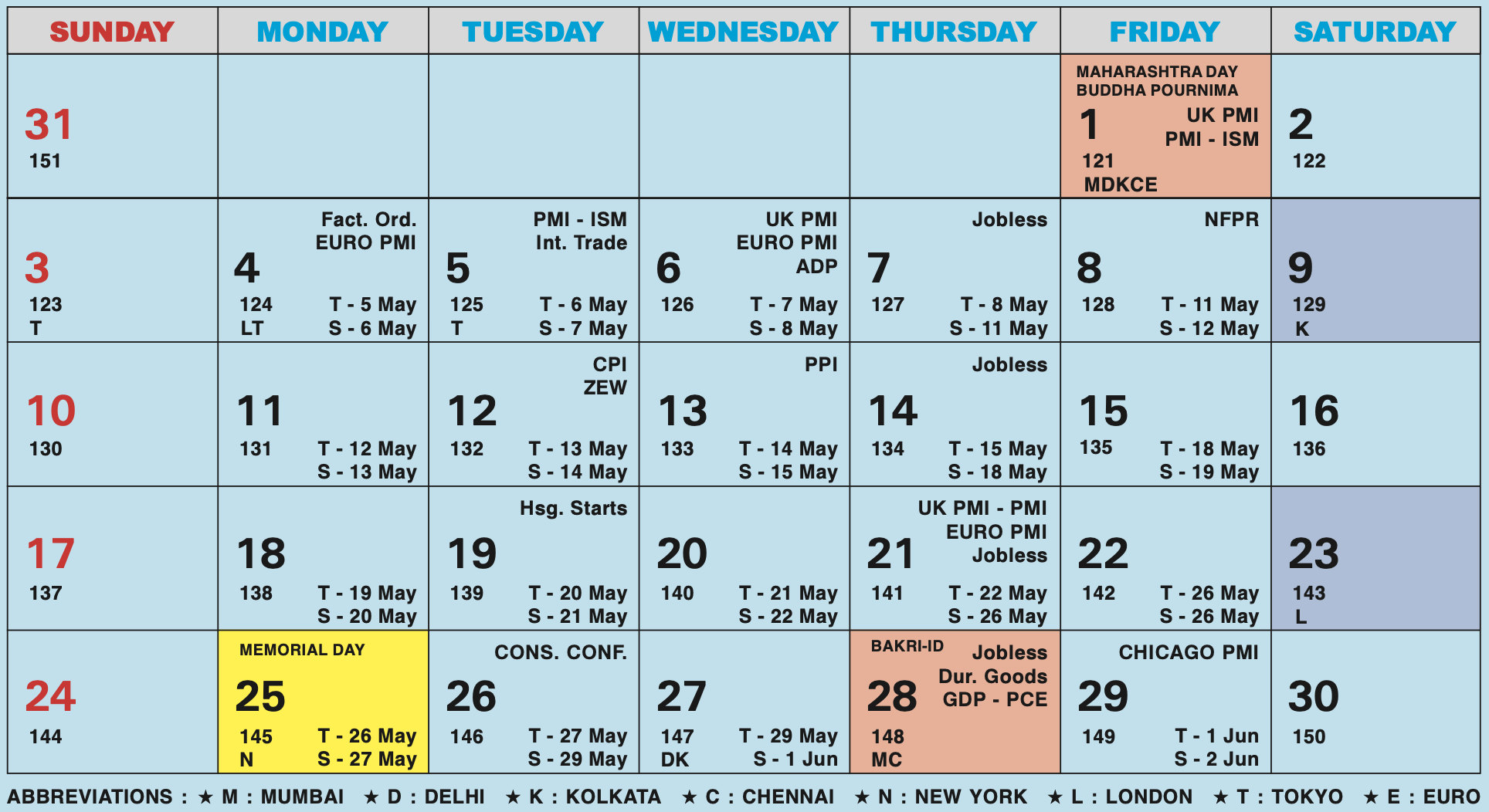
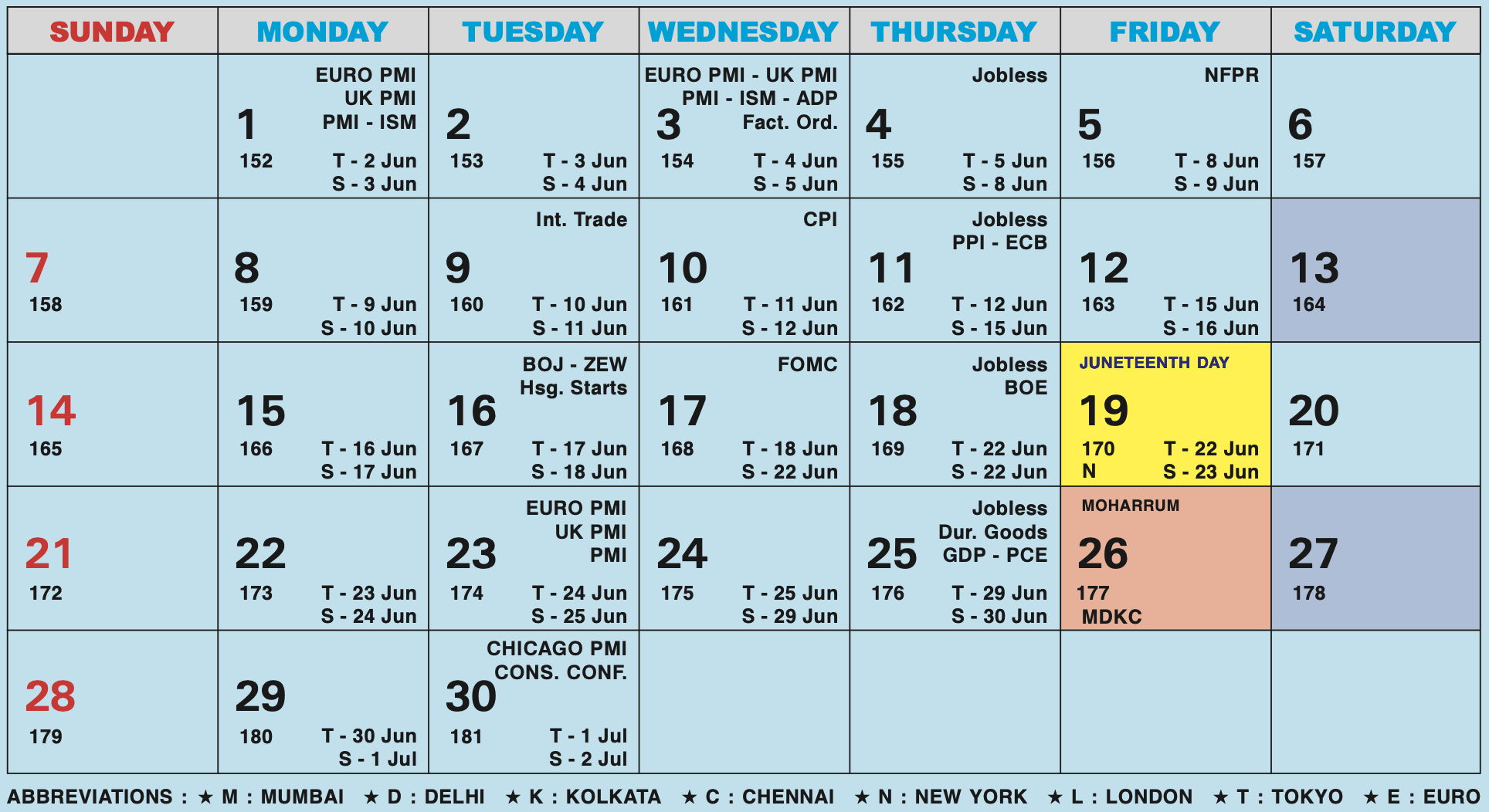
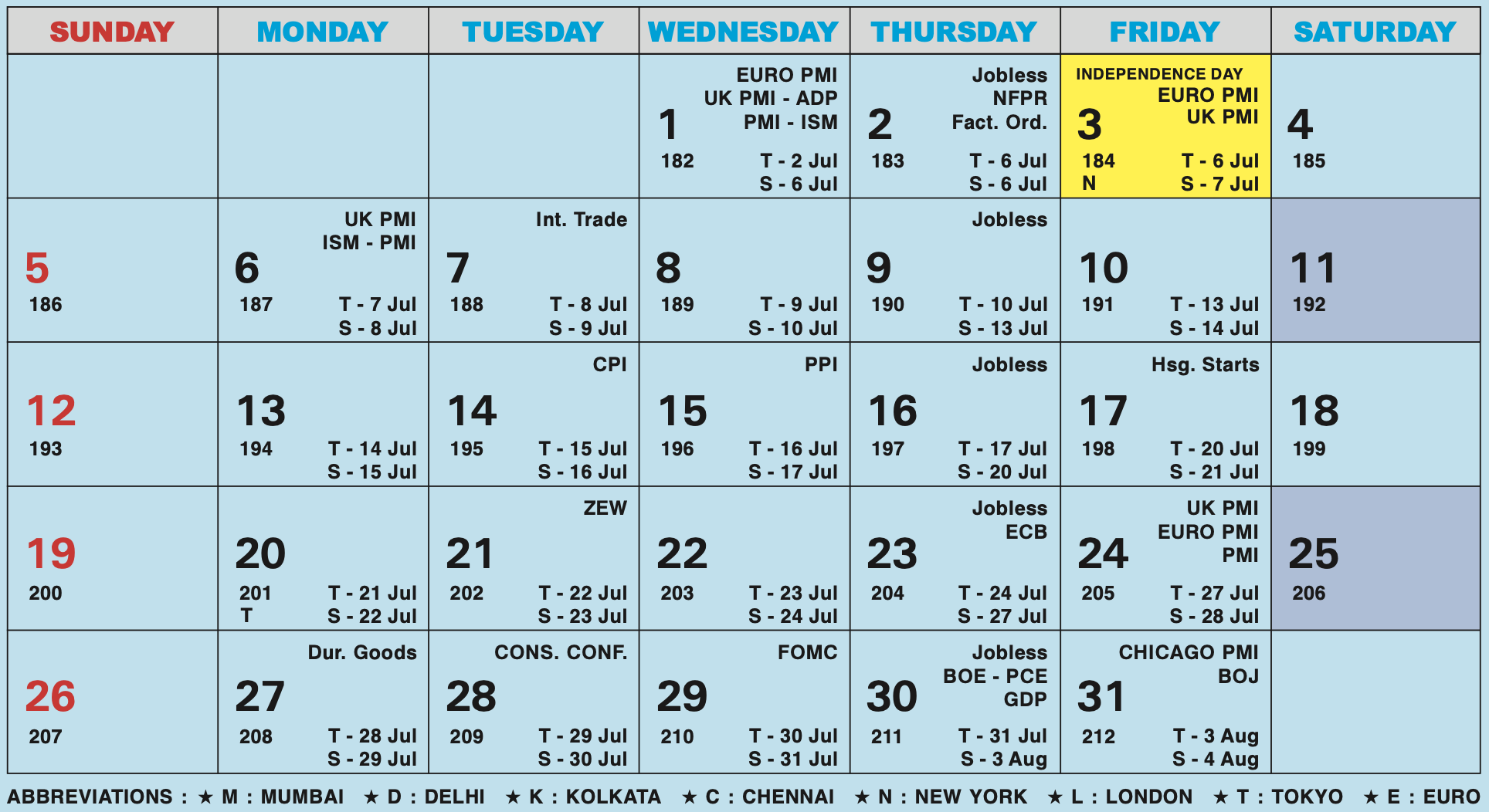
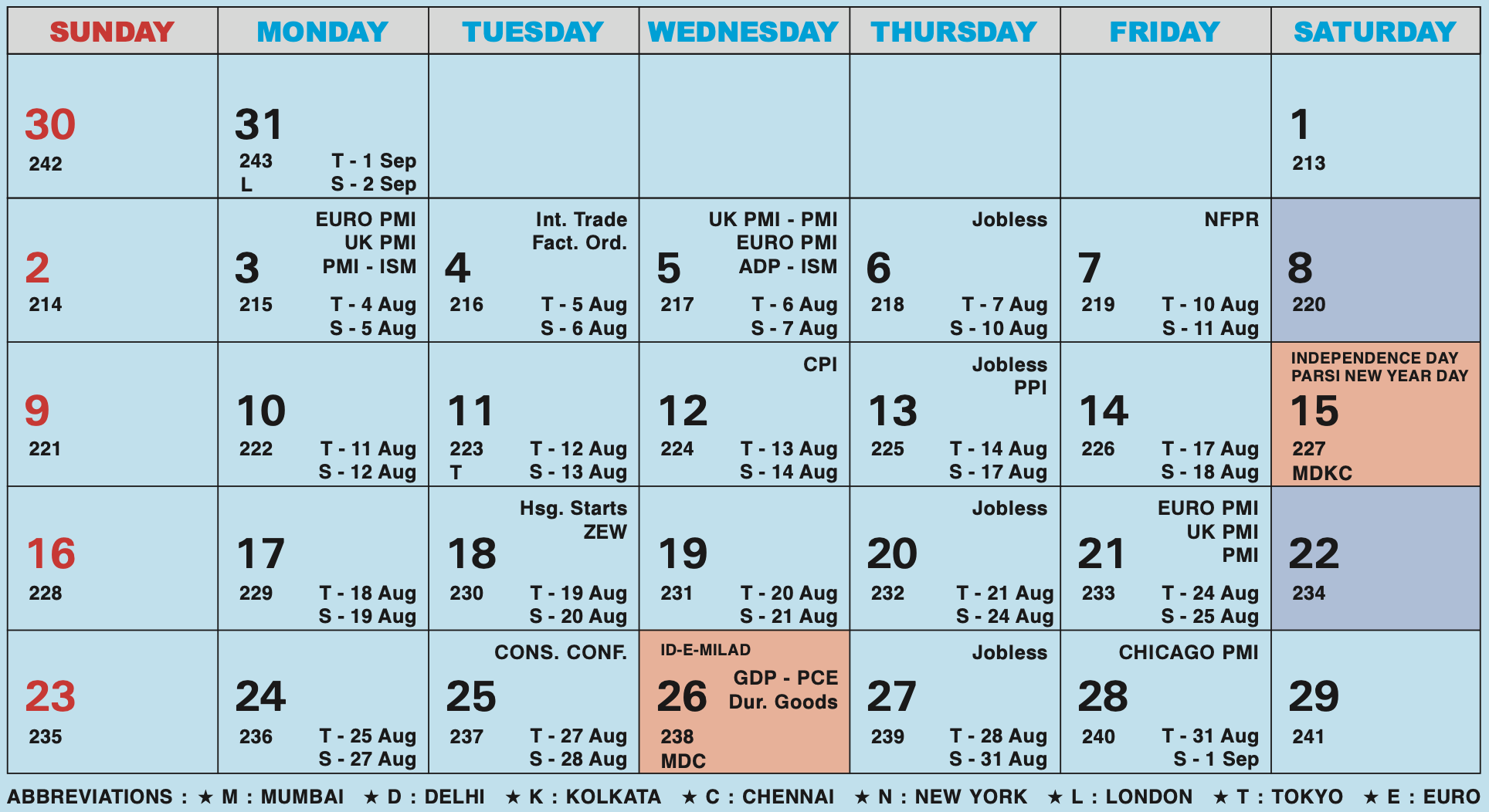
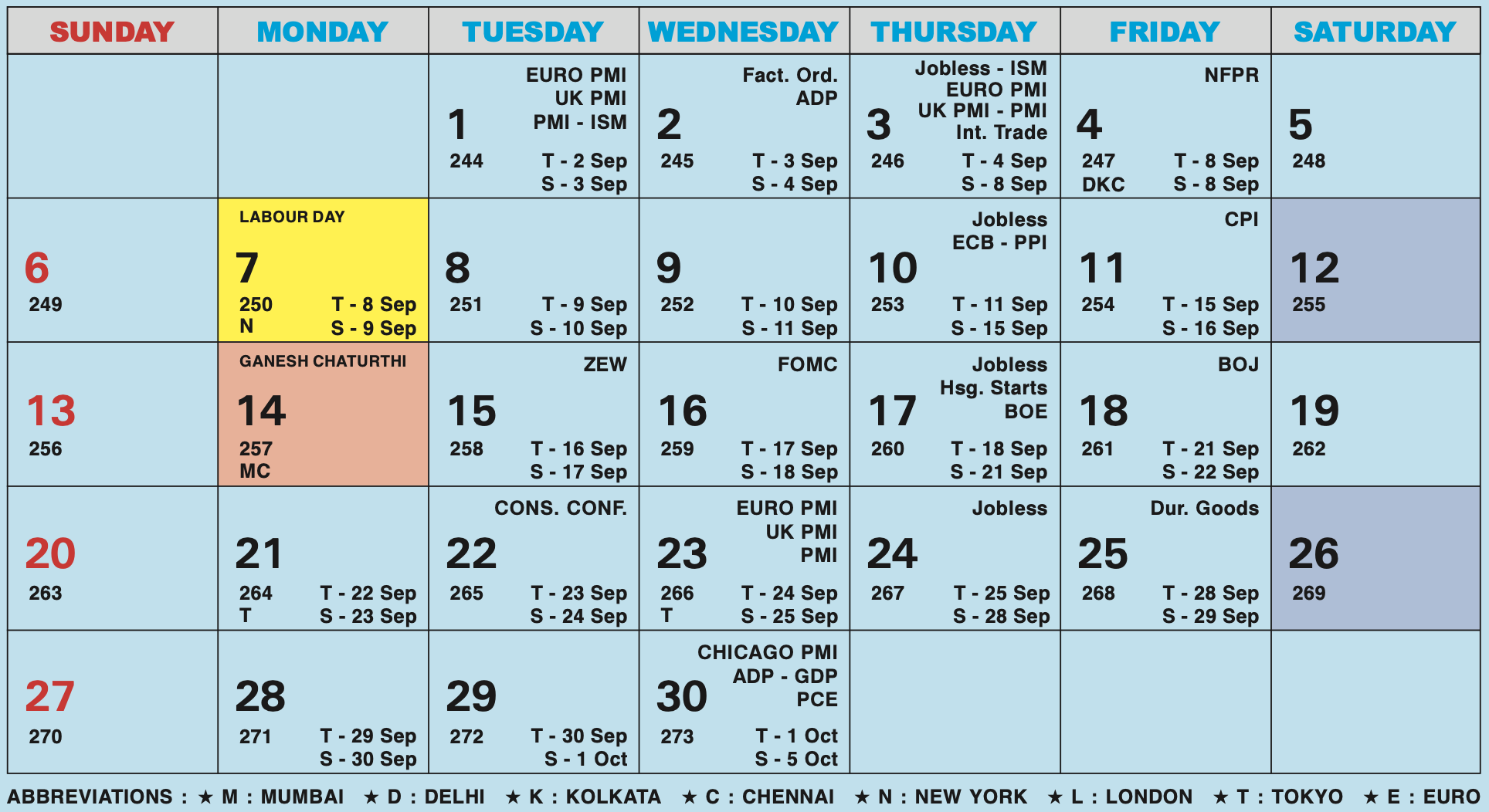
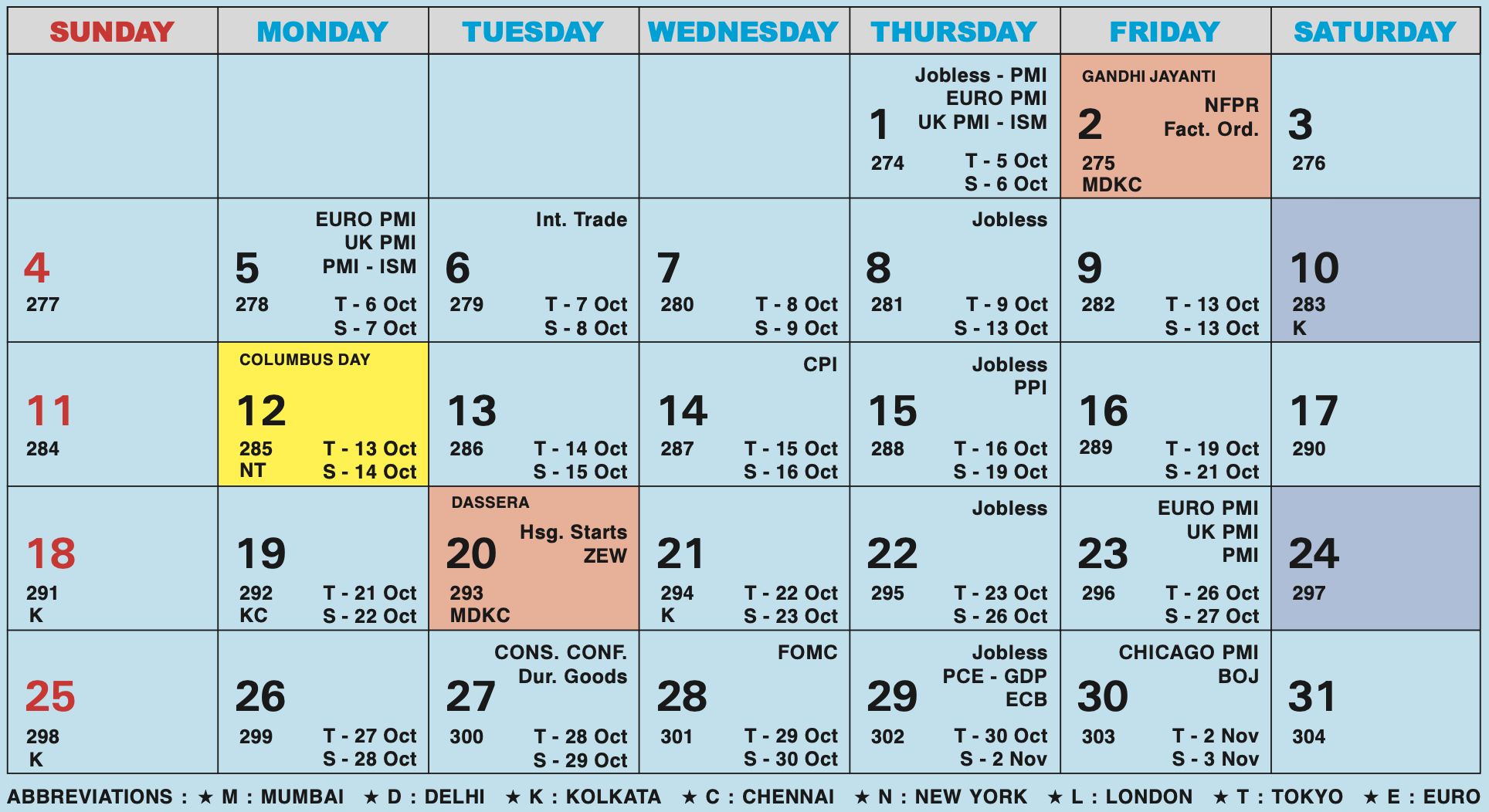
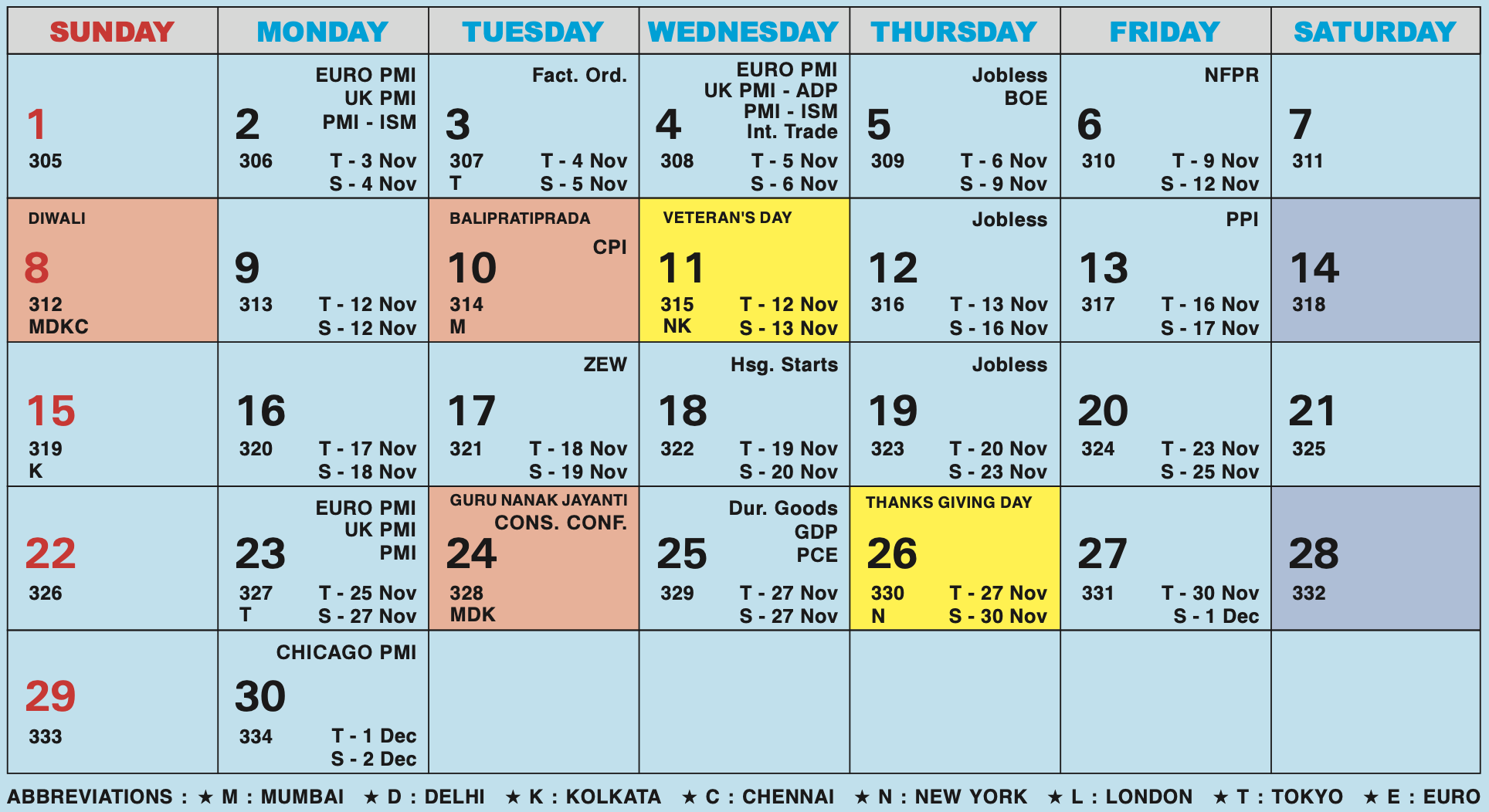
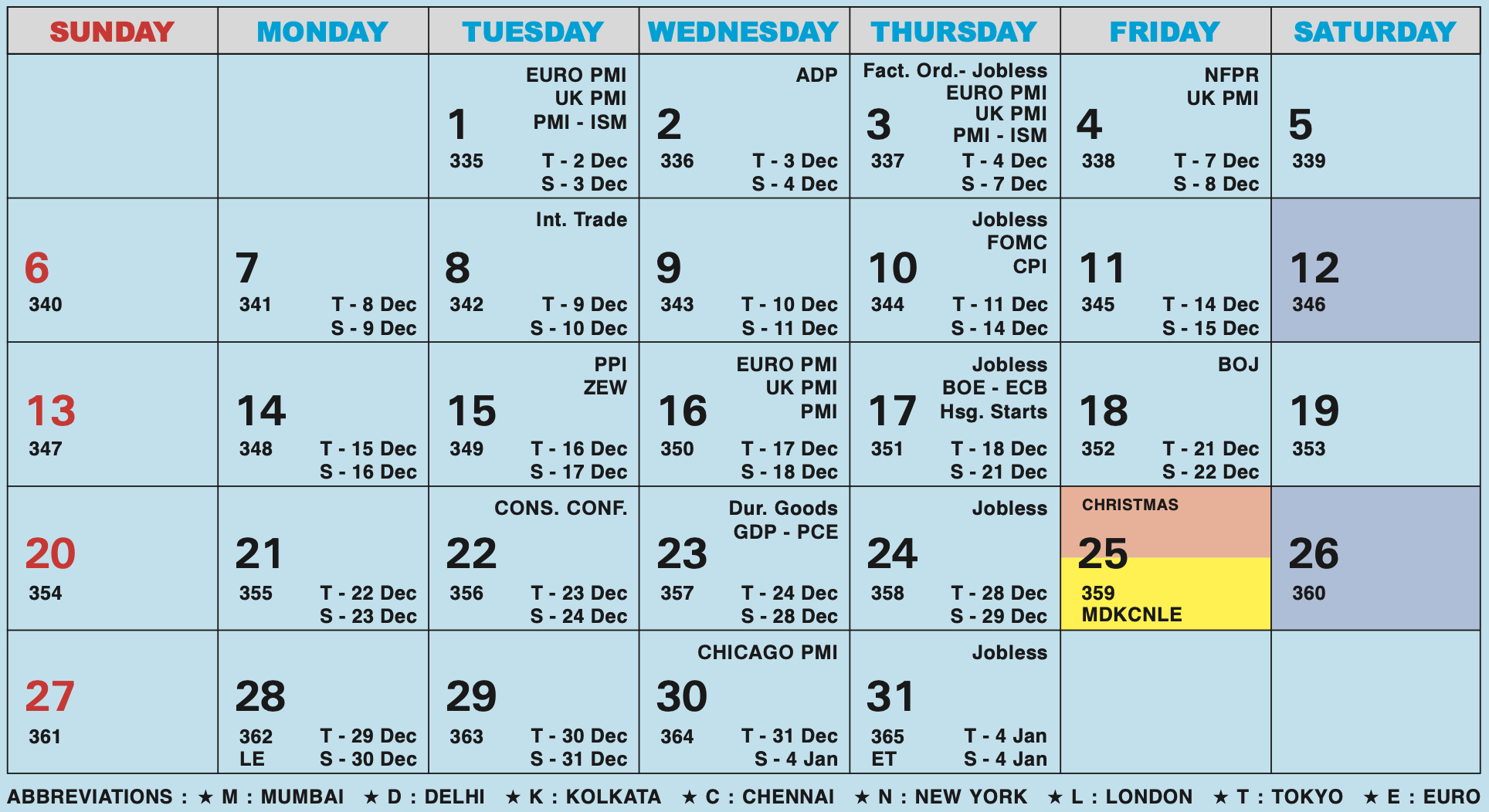
Forex Holiday Calendar 2026
Forex Holiday Calendar 2026
Forex Holiday Calendar 2026 highlights days when forex trading is impacted due to holidays in India and the United States.Download Forex Holiday Calendar 2026
Handy Tips
- INR Holidays (Orange-Shaded Days): USD/INR conversions will not be possible as the Indian forex market remains closed. These are Mumbai holidays when forex trading is unavailable.
- USD Holidays (Yellow-Shaded Days): Currency trading is available in India for Tom/Spot/Forwards, but USD nostro transfers will not be processed due to US bank closures. However, cash deals may be done on a selective basis.
- Jan
- Feb
- Mar
- Apr
- May
- Jun
- Jul
- Aug
- Sep
- Oct
- Nov
- Dec