Available in🇮🇳 India
FIRS Certificate is a document that acts as evidence that you have received funds from a foreign country. The document is recognised as proof in scenarios such as getting GST refunds, claiming drawbacks from the government, or being required by beneficiary banks for compliance purposes. You can now generate FIRS from the Dashboard.
Why do you need FIRS Certificate
Why do you need FIRS Certificate
FIRS certificate contains important information about inward remittance, such as:
- Sender details
- Converted amount details
- Amount of foreign currency
- UTR and account number
- Date of certificate issuance
Purpose Code Update
Follow the steps to update your purpose code:- Log in to the Dashboard and navigate to Accounts & Settings.
-
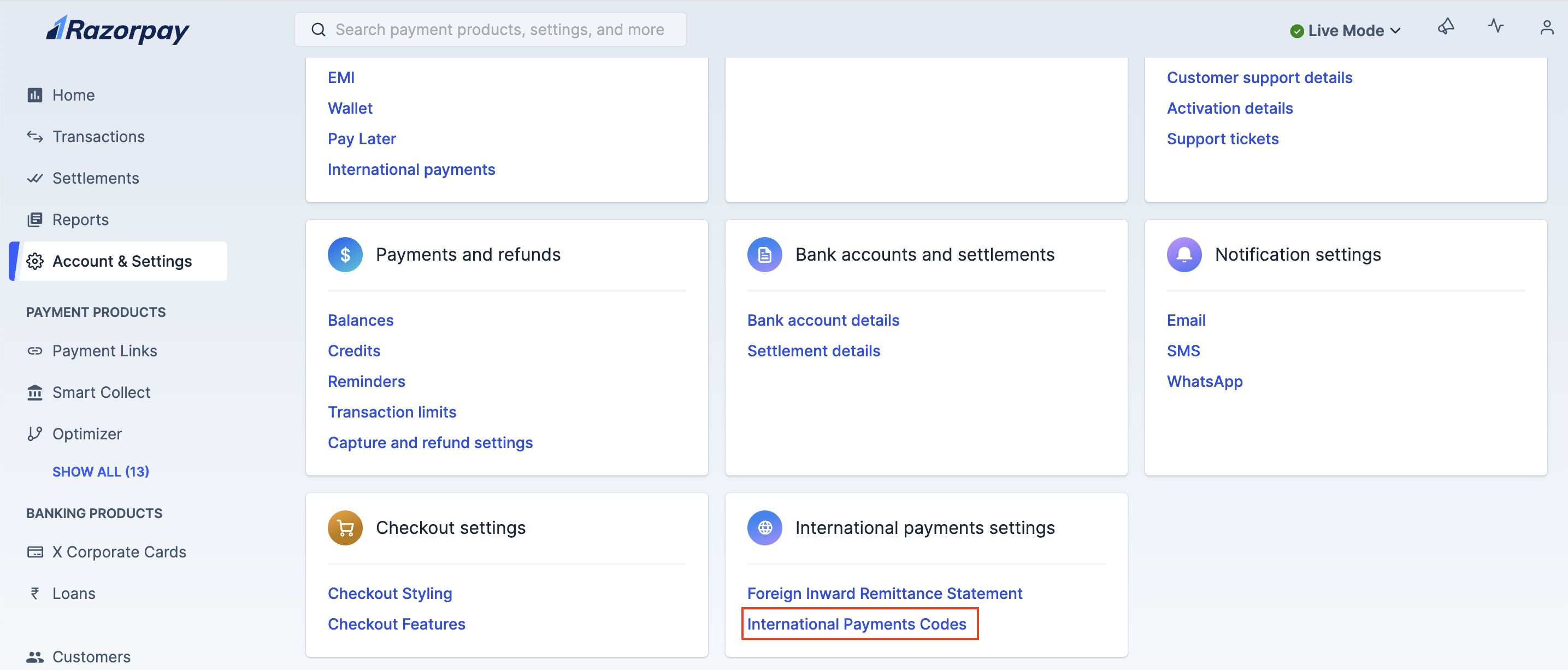
Click International Payment Codes under International payment settings.
-
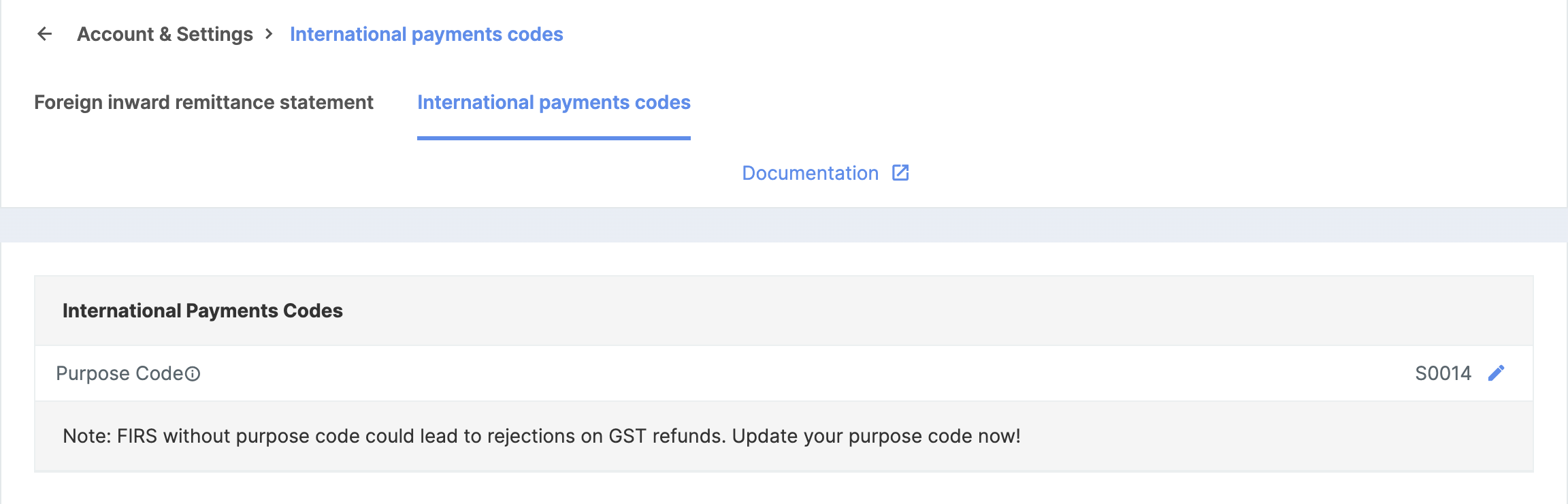
Update your purpose code under the International Payment Codes section.
Handy TipsIf you do not find your Transaction Purpose Code in the Transaction Code list, contact the Razorpay Support team from your Dashboard.
- The Razorpay Activation/Operations team checks whether the selected Purpose Code is correct.
Generate FIRS Certificate
All new and existing users accepting international payments can easily obtain the FIRS certificate on the Dashboard in a downloadable format. To generate FIRS certificate:- Log in to the Dashboard and navigate to Account & Settings.
- Under International payment settings click Foreign inward remittance statement (FIRS).
- You can view a list of FIRS certificates based on your monthly transactions in a downloadable format.
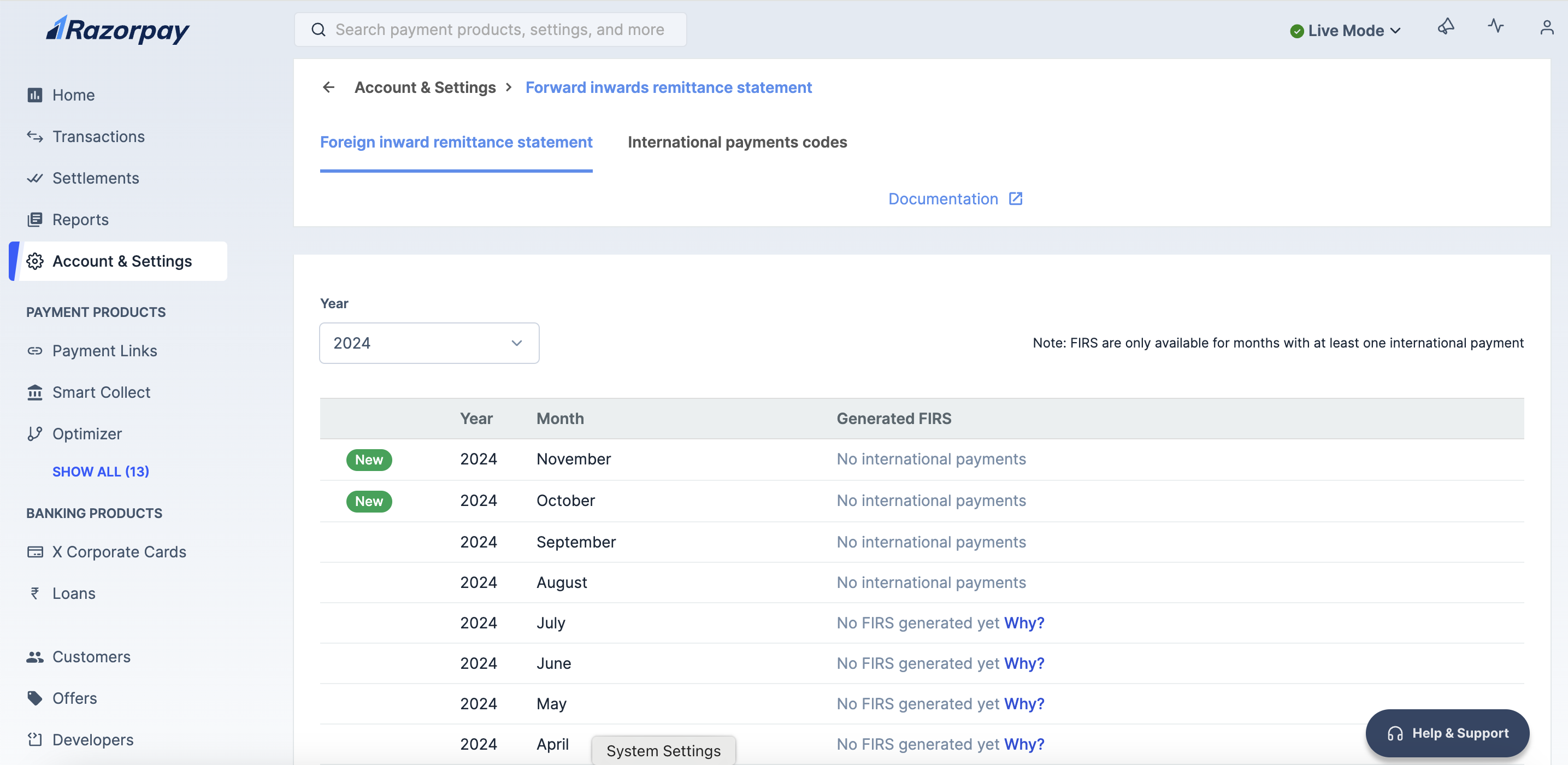
- There are two sections.
- The FIRS certificates provided by the bank.
- Razorpay-generated statements.
Handy TipsRazorpay-generated statements act as an alternative to FIRS certificates provided by banks.
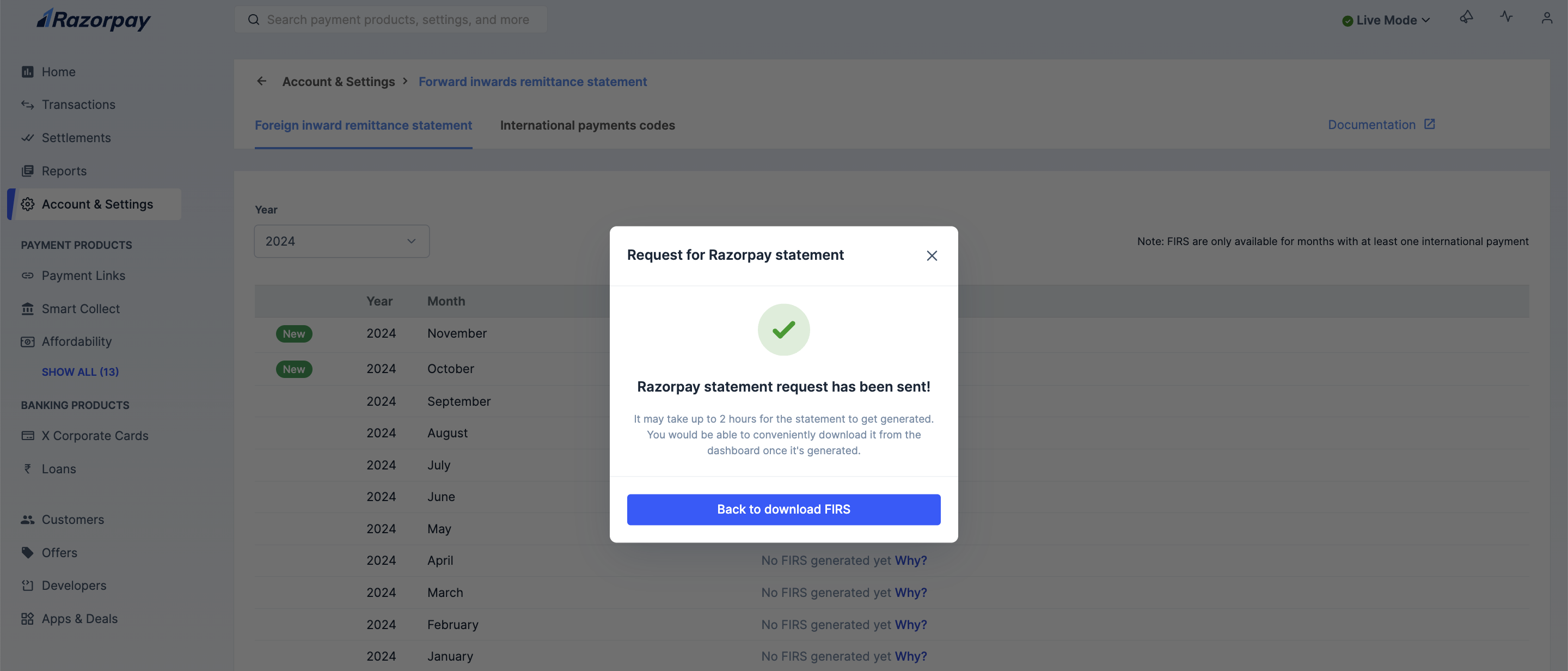
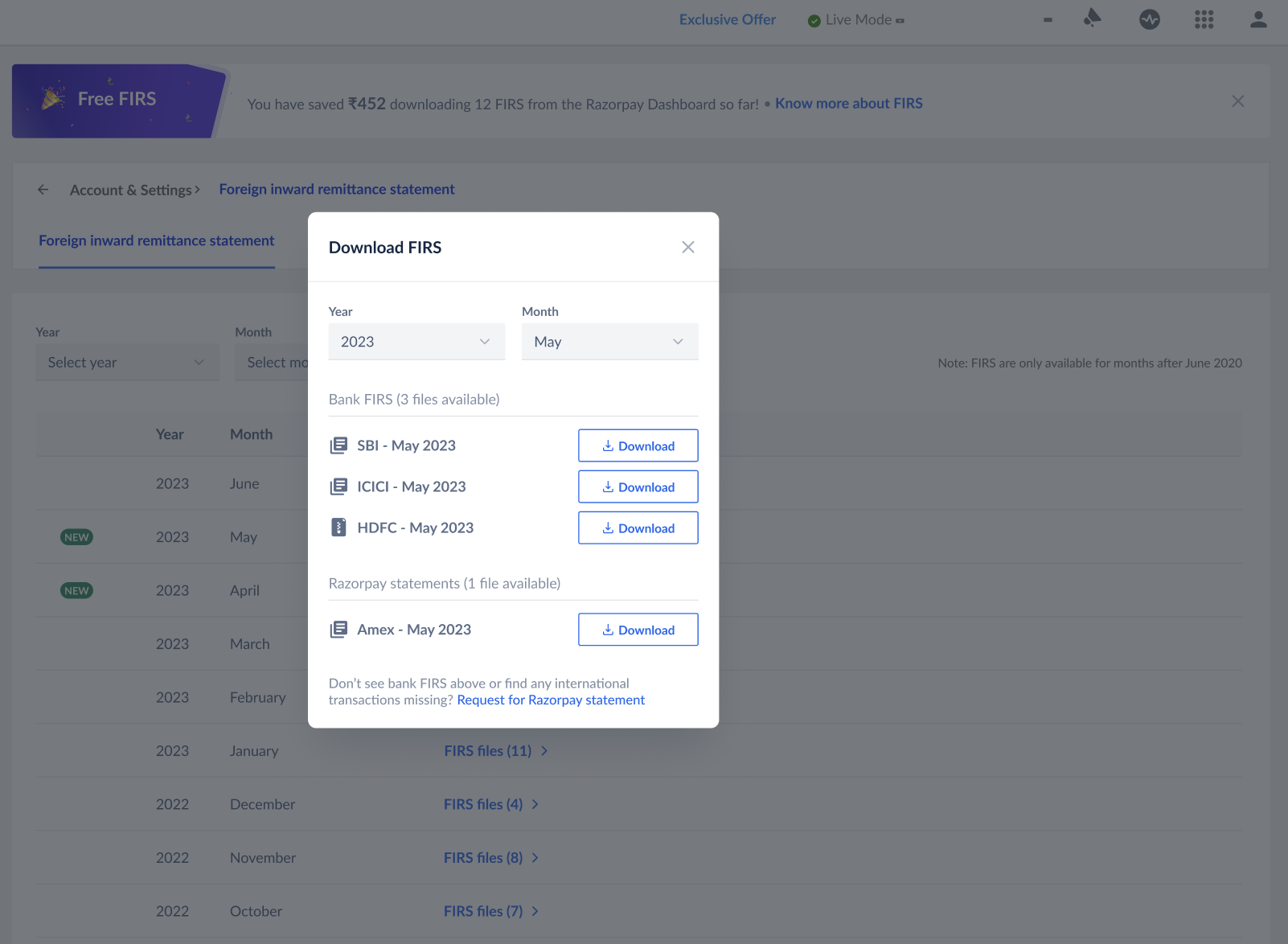 If the FIRS is not generated from the bank or you need a consolidated list of FIRS, click on Request for Razorpay Statement. You can view or download the FIRS certificate from your Dashboard.
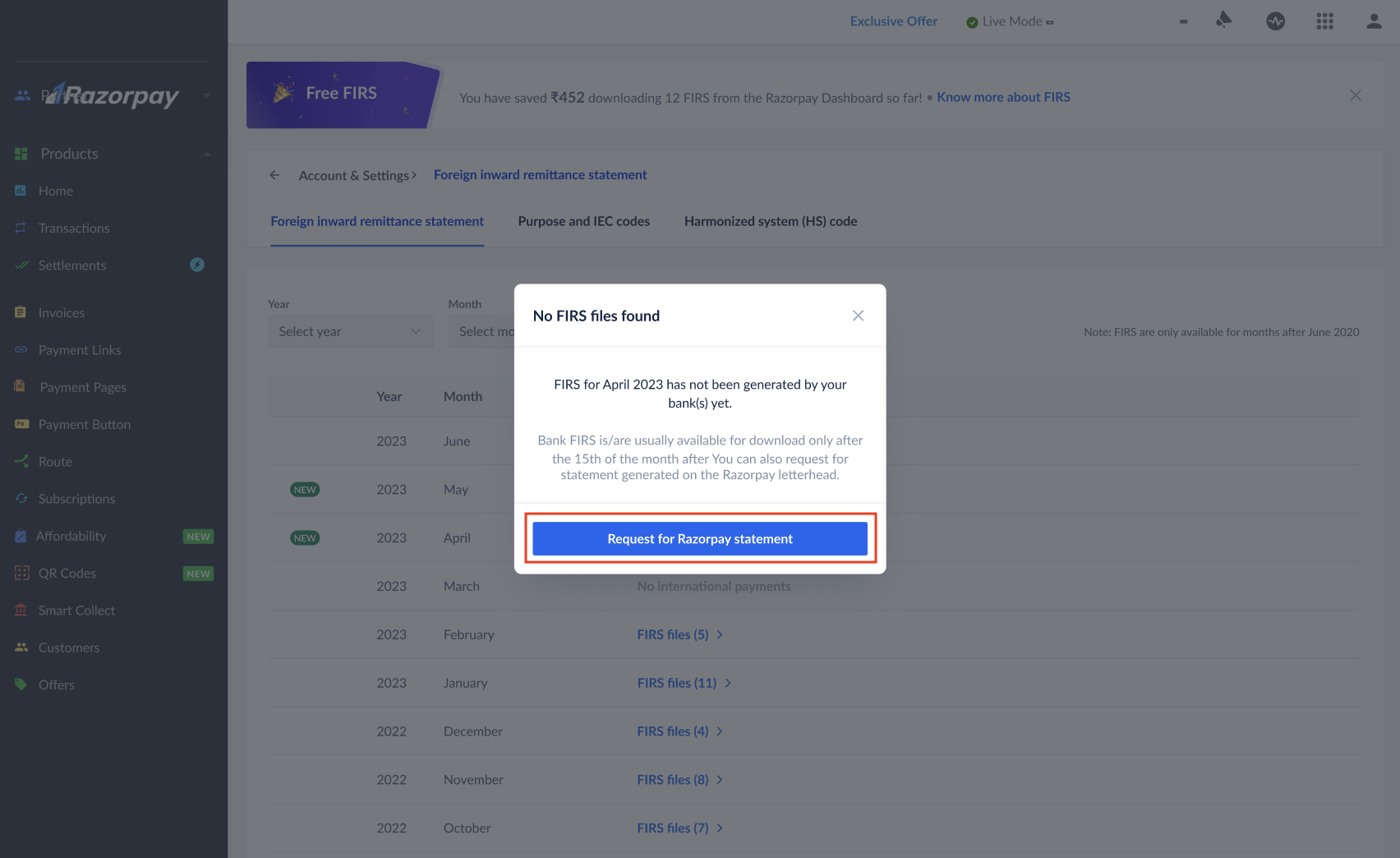
Handy TipsGenerating reports can take up to 1 hour.