

Available in🇮🇳 India
Integrate the Affordability Widget with your Android app to influence your customers’ purchase decisions before they reach checkout by displaying various affordable payment options and offers.
Prerequisites
- Create a Razorpay account.
- Generate the API keys from the Dashboard by navigating to Account & Settings → Website and app settings → API keys.
- You can use the Test Mode keys to test the integration and preview the Widget. Later, switch to Live Mode of the Dashboard, generate the Live API keys and replace it with the test keys.
Integration Steps
Follow the integration steps given below to embed the widget on your website.Step 1: Add Dependency in Build Gradle File
Add the Affordability Widget dependency to your app’sbuild.gradle file in the dependencies section.
Step 2: Integrate the Widget
You can integrate the widget statically (via XML) or dynamically (via class and objects) as per your project requirement.Static Integration
Use the code given below to define the com.razorpay.affordability.Widget layout in XML:
Handy TipsYou must add a frame layout if you want to use the widget without the parent layout in XML:
Dynamic Integration
Use the code given below to define thecom.razorpay.affordability.Widget layout in the class file:
Handy TipsYou must add a frame layout if you want to use the widget without the parent layout to create
Widget:Step 3: Render the Widget
Call therender() method to render the widget. Add the context, test key id generated from the Dashboard and amount (in paise).
Proguard Rules
If you are using Proguard for your builds, you must add the following lines to yourproguard-rules.pro file:
Switch to Live Mode
After you preview the widget, switch to live mode and replace the test API keys in the sample code with the live ones to take the integration live. Know more about live API keys.Successful Activation
Here is a glimpse of the default widget with enabled offers and payment method options.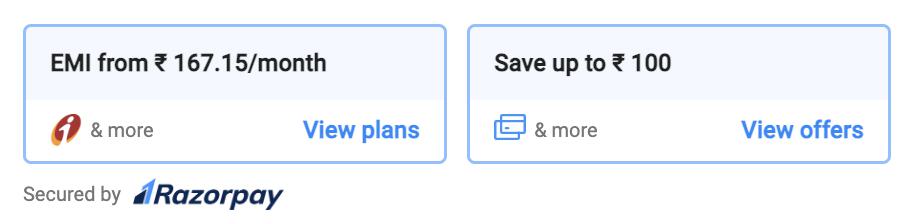
Next Steps
After you successfully integrate the widget on your Android app, you can choose to customise the widget based on your requirement.Handy Tips
- Fill in the integration support form in case you are facing any issues with the integration.
- In case you have any queries, raise a ticket on the Razorpay Support Portal.