

Available in🇮🇳 India
Use our Affordability Widget to spread awareness about the EMI²-based payment options (such as EMI, Cardless EMI, and Pay Later) and offers available to your customers before they checkout.
You can embed these payment options and offers on product listing pages, checkout pages, and other relevant screens to educate the customers and reduce cart abandonment.
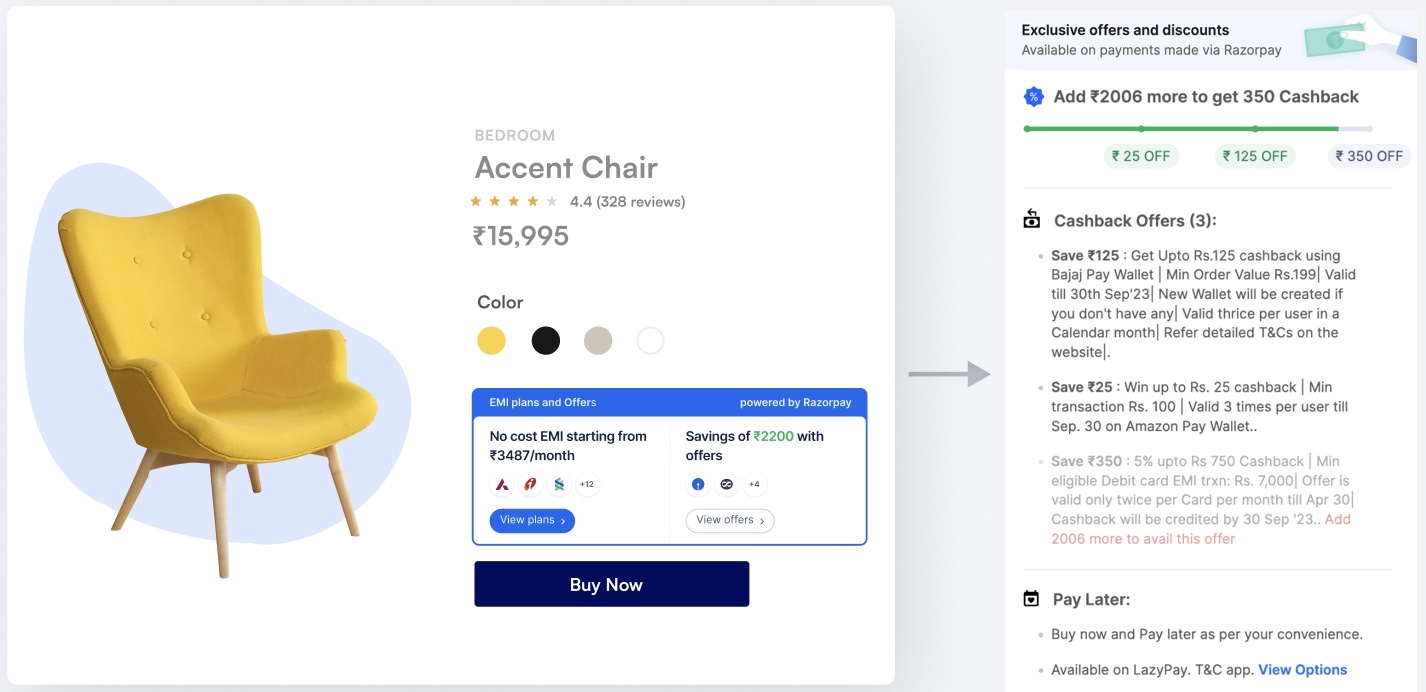
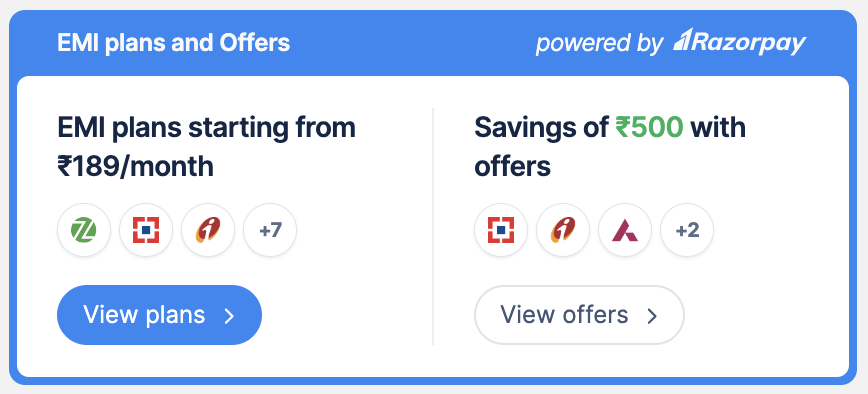 A quick glimpse of Affordability Widget:
On Web
On Web
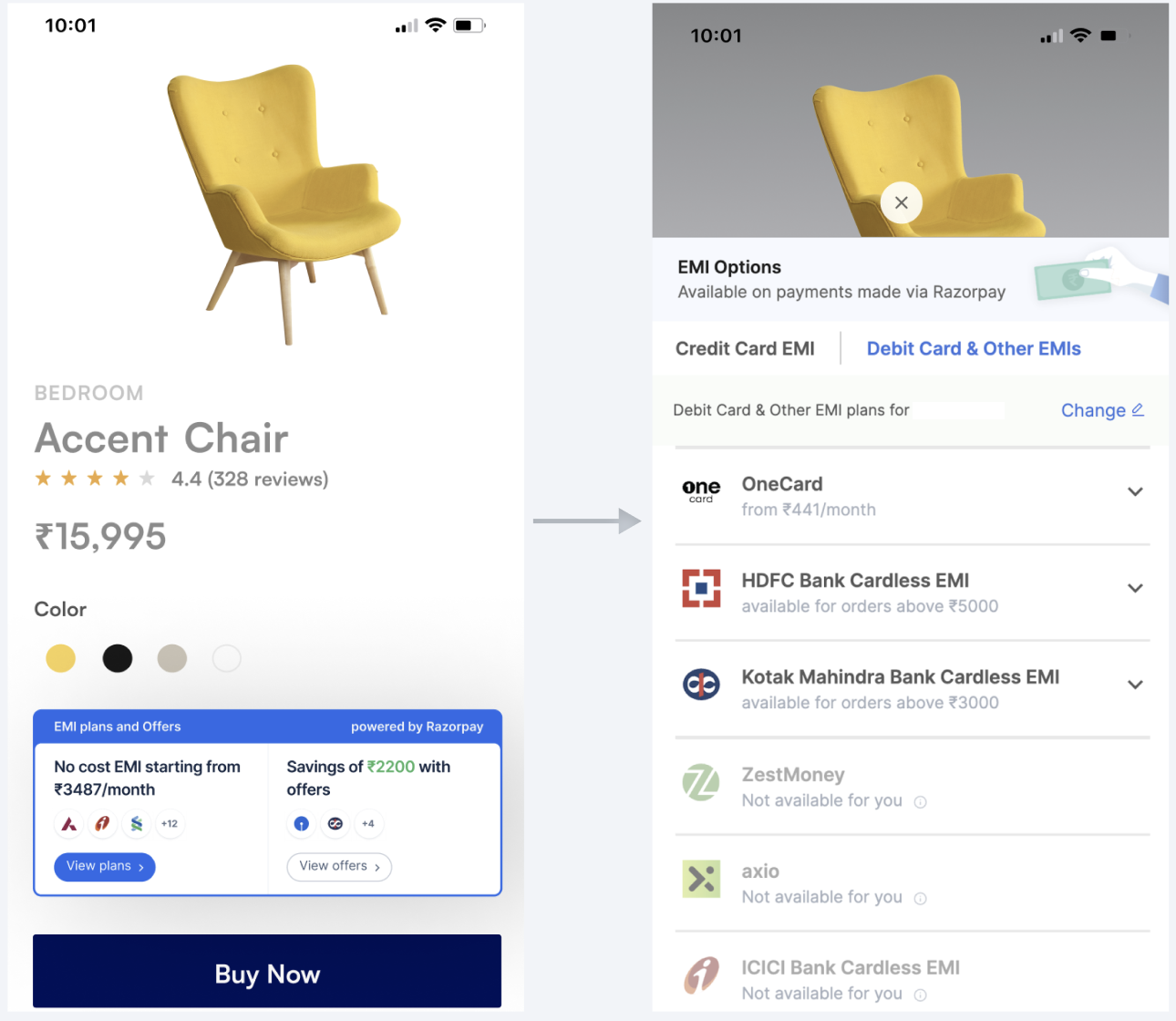
On Mobile
On Mobile
Handy Tips
- For Native users, you can integrate the widget with checkout.
- For Shopify and WooCommerce user, this is a view-only widget.
- Only offers and payment methods configured via the Dashboard will appear on the widget.
- The widget does not support Internet Explorer browser and iOS SDKs.
Advantages
Advantages
-
Initiate checkout from widget
Customers can complete their purchase directly from the widget itself. The auto-selection functionality helps apply the chosen payment option/offer from the widget to the payment checkout page. -
Enable discovery of affordable payment options early on
Customers can discover affordable payment options and payment offers early on in the buying journey and `make an informed buying decision. -
Improve conversion rates
The availability of affordable payment options such as EMI and Pay Later help boost conversion rates. -
Increase Average Order Value
Businesses typically see a 30% higher average order value with affordable payment options. -
Stand out from your competitors
Cultivate customer loyalty and establish a distinctive brand identity that distinguishes you from the competition. -
Built for every business
Whether you operate in e-commerce, education, healthcare, food and beverage, travel, hospitality, IT, or any other vertical, you can influence customers’ purchasing decisions using the Affordability Widget.
How Affordability Widget Works
The following diagram depicts the workflow: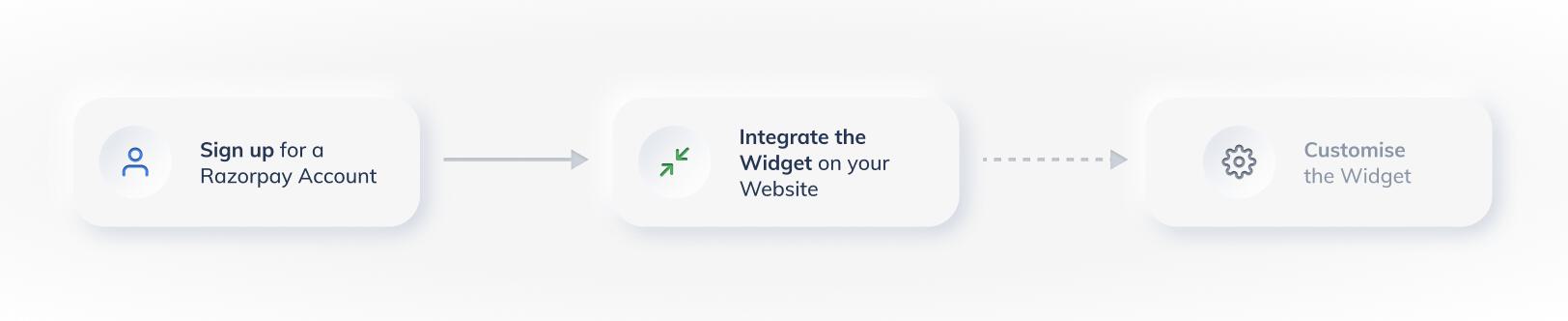 The workflow involves the following:
- Set up your Razorpay account.
- Integrate the widget with your custom built-website, WooCommerce website or Shopify store.
- Once you successfully integrate the widget on your website, you can choose to customise the offers, payment methods and the themes and colours based on your requirement.
Customer Experience
On the product page, the customer:- Views the products on your website or app.
- Clicks View offers to check the offers available on the widget.
-
Clicks View plans to choose EMI or Pay Later as the payment option on the widget.
- Enters the phone number and clicks Check to check their eligibility for payment options.
-
Enters the OTP sent to their phone number and clicks Verify. Our eligibility check is safeguarded by a secure OTP flow to eliminate the risk of unauthorised access.
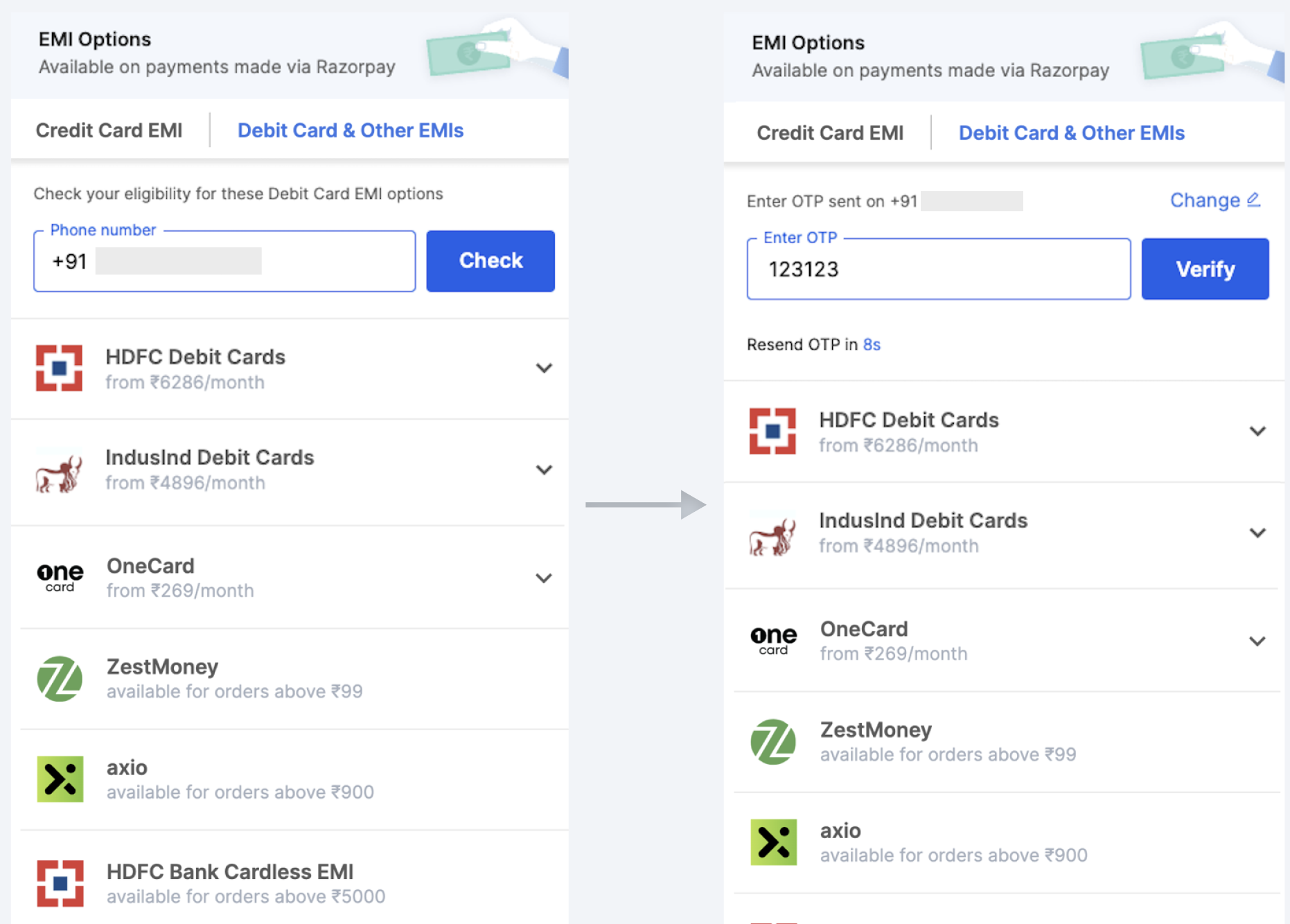
- They can clearly differentiate between the eligible and ineligible payment options.
- Eligible: The customer selects an eligible payment instrument and proceeds to checkout.
-
Ineligible: The customer can view the reason for ineligibility as highlighted below.
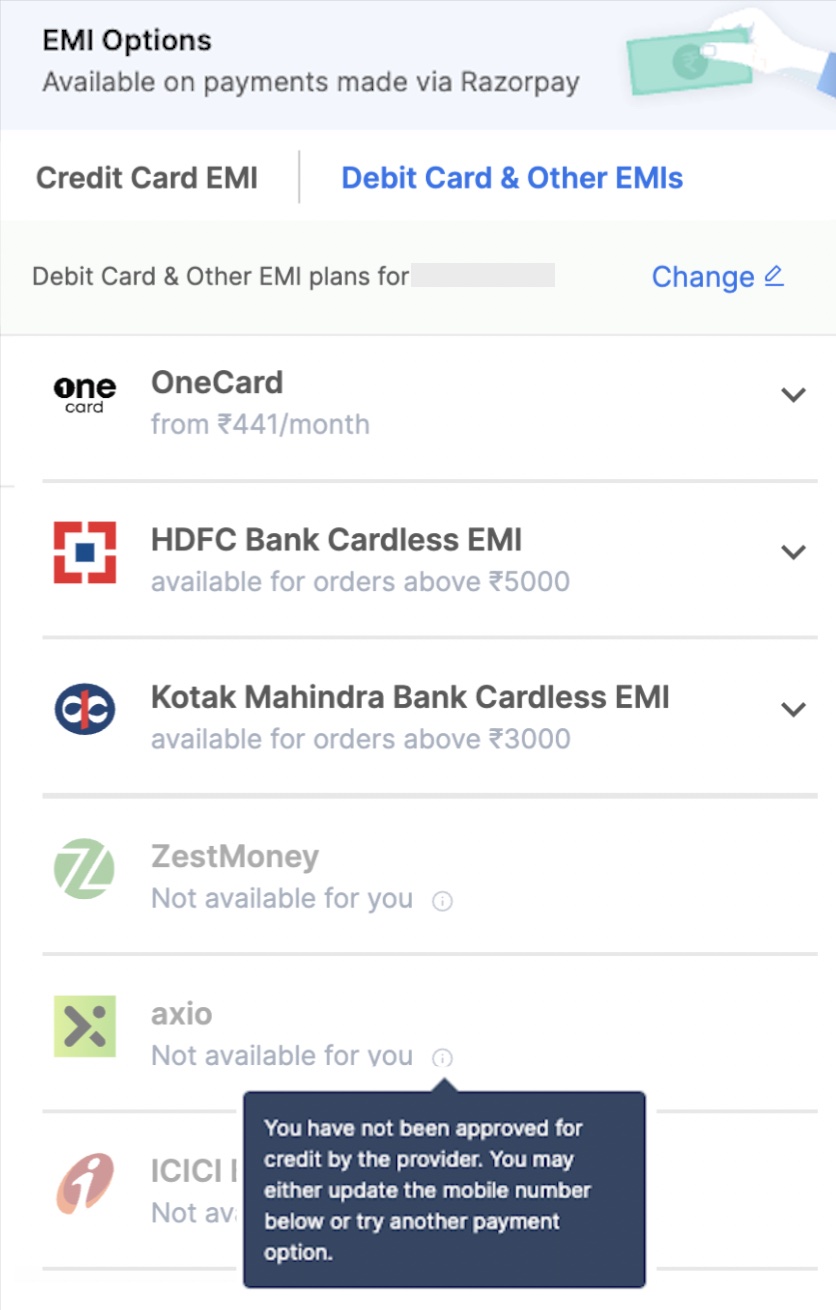 To proceed with the payment in case of ineligibility, the customer can choose to:
- Change the phone number for the chosen payment instrument and try again.
- Opt for an eligible payment instrument.
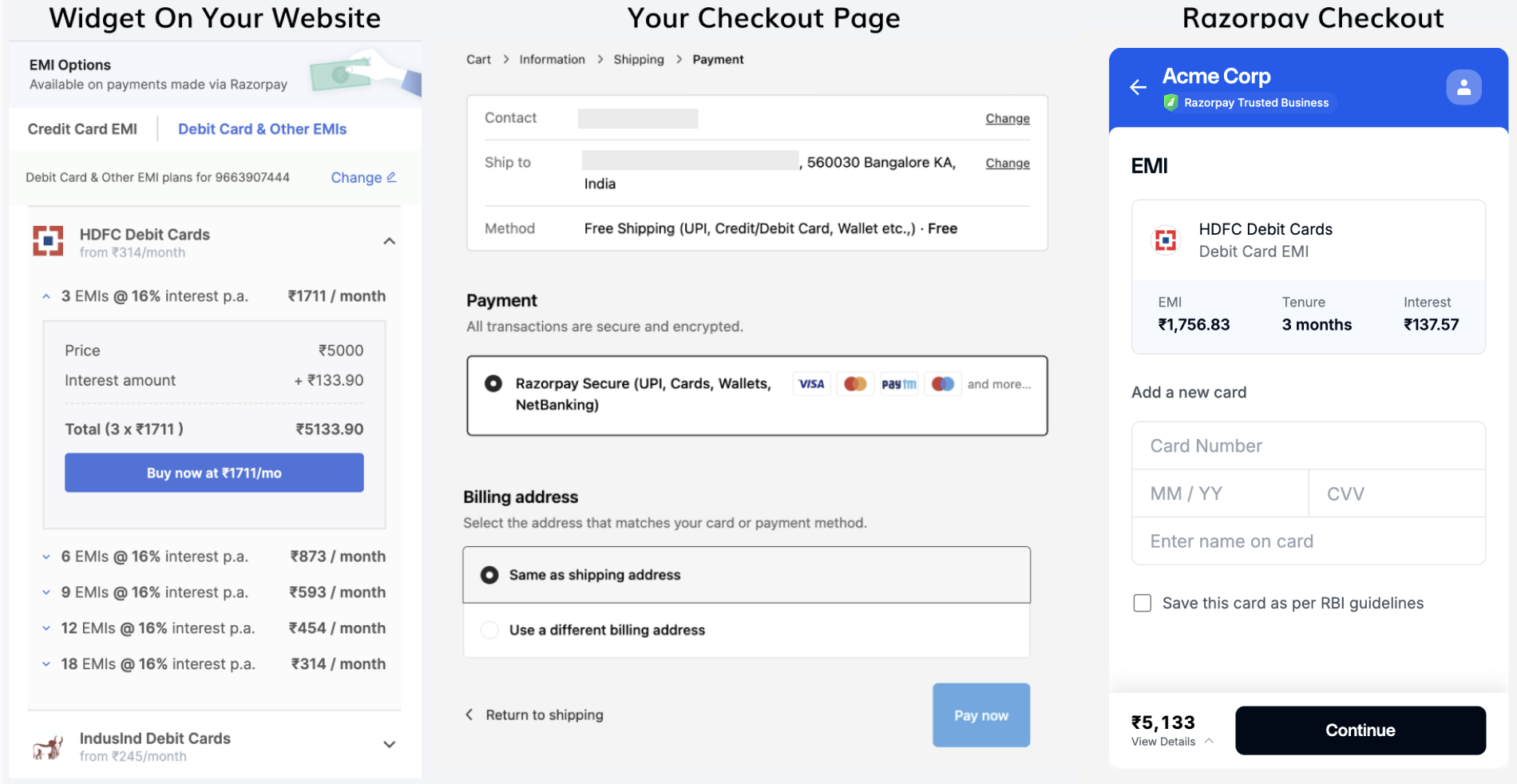
- Chooses an eligible payment instrument or a relevant offer and clicks Buy Now.
- They are redirected to your checkout page, where they enter their contact and address details and proceed to checkout.
- The customer is redirected to the Razorpay checkout if you have integrated the widget with our Standard Checkout. If not, they are redirected to your custom-built checkout. Once redirected to our Standard Checkout, the payment option or offer the customer selects on the widget appears pre-selected on checkout.
- They enter the relevant details and complete the payment.
Supported Platforms
Razorpay Affordability Widget is supported on the following platforms:- Standard Checkout
- Custom Checkout
Next Steps
You can choose to:- Integrate Affordability Widget on Web
- Integrate Affordability Widget on Woocommerce website
- Integrate Affordability Widget on your Shopify store
- Integrate Affordability Widget on Android App