Available in🇮🇳 India
Reverse transfers from the WordPress Admin Dashboard. You can also view payments, transfers and reversal details.
Create Reversals From WordPress Admin Dashboard
To create a reversal:- Log in to the WordPress Admin Dashboard and navigate to Razorpay Route woocommerce → Transfers.
- Click the required Transfer Id to create a reversal.
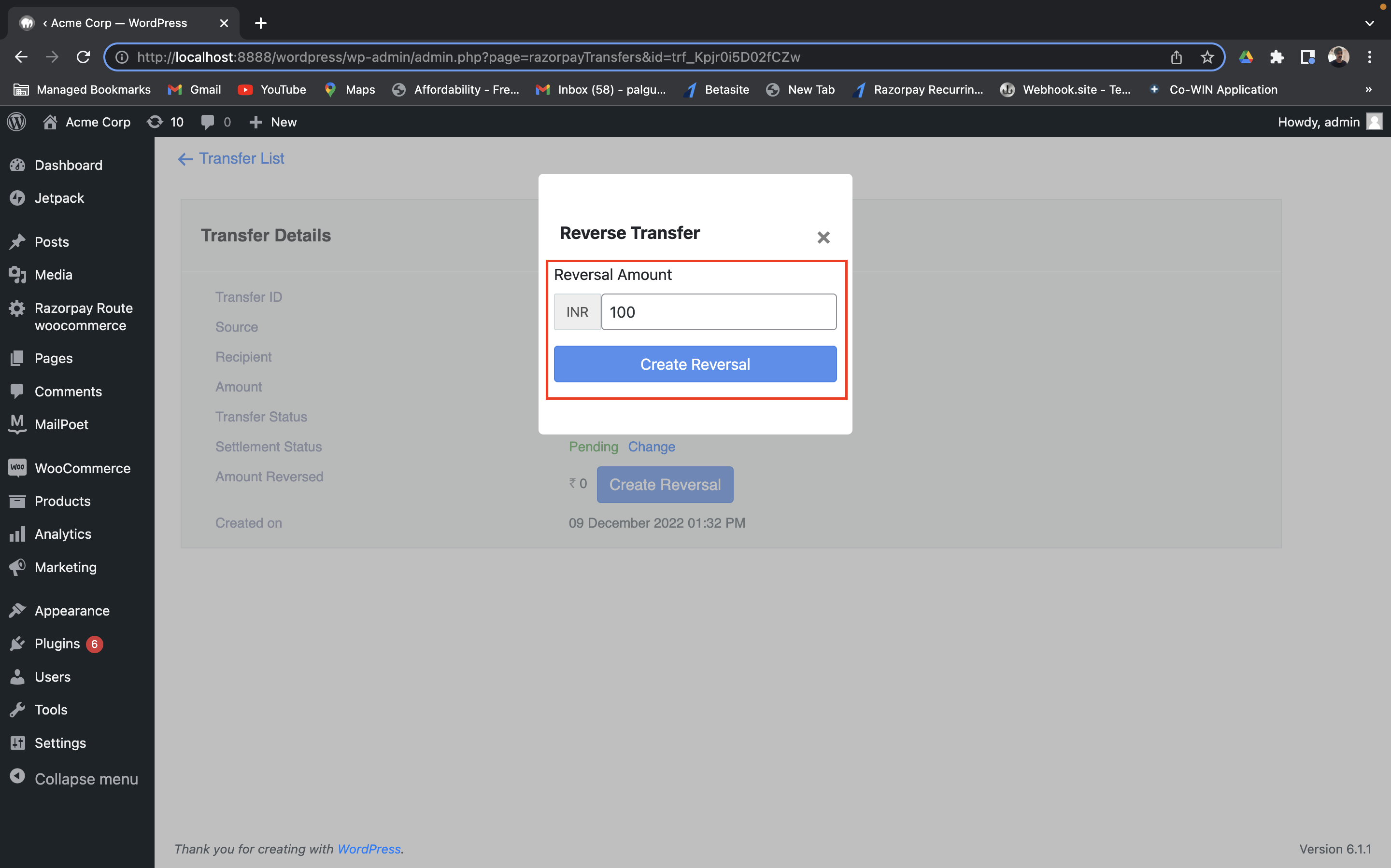
- Click Create Reversal.
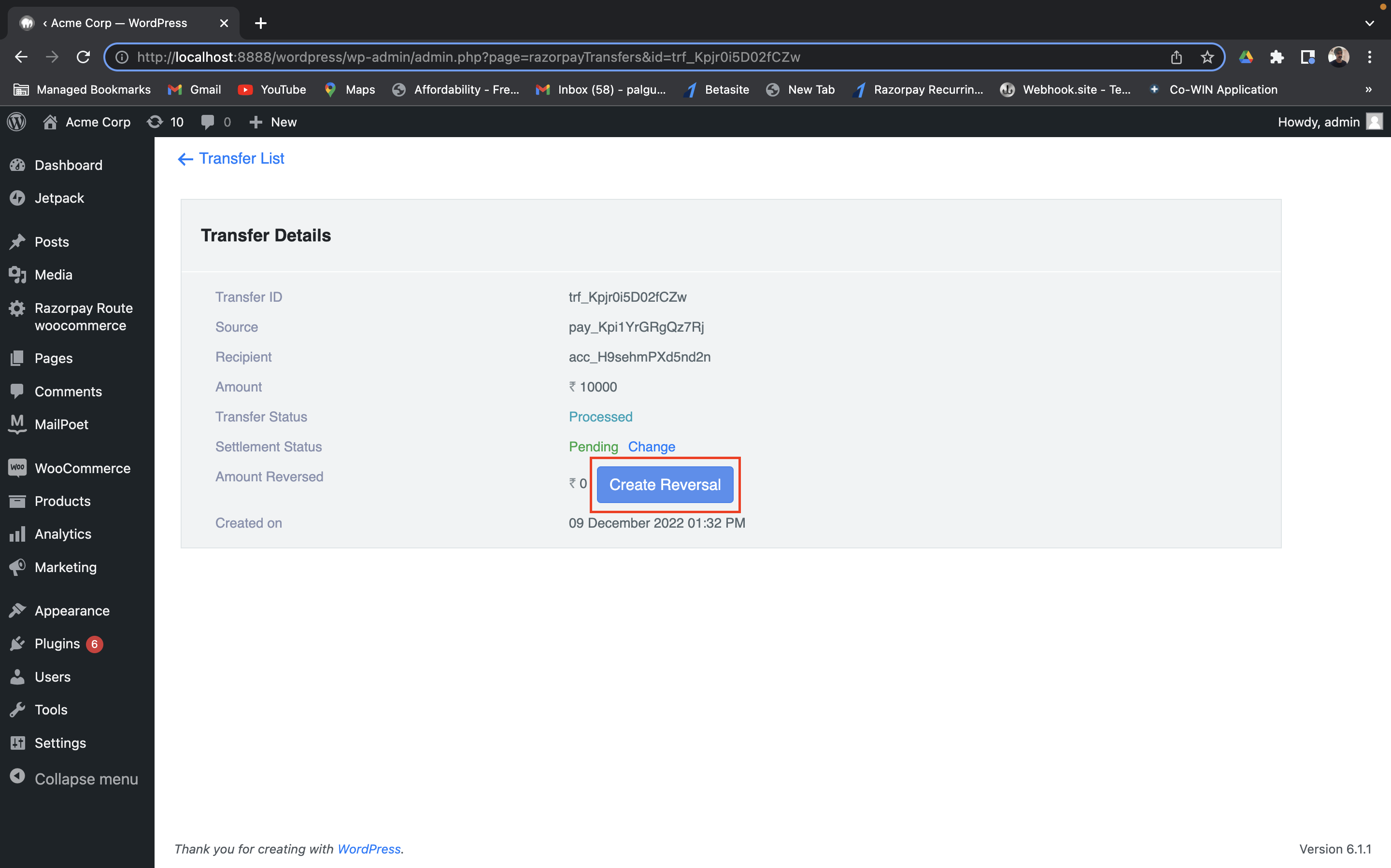
- Enter the Reversal Amount and click Create Reversal.