

Available in🇮🇳 India
Customer Identifiers can be closed in two ways, automatically and manually.
Close Customer Identifiers Automatically
To close Customer Identifiers automatically, specify a Close By date and time during Customer Identifier creation.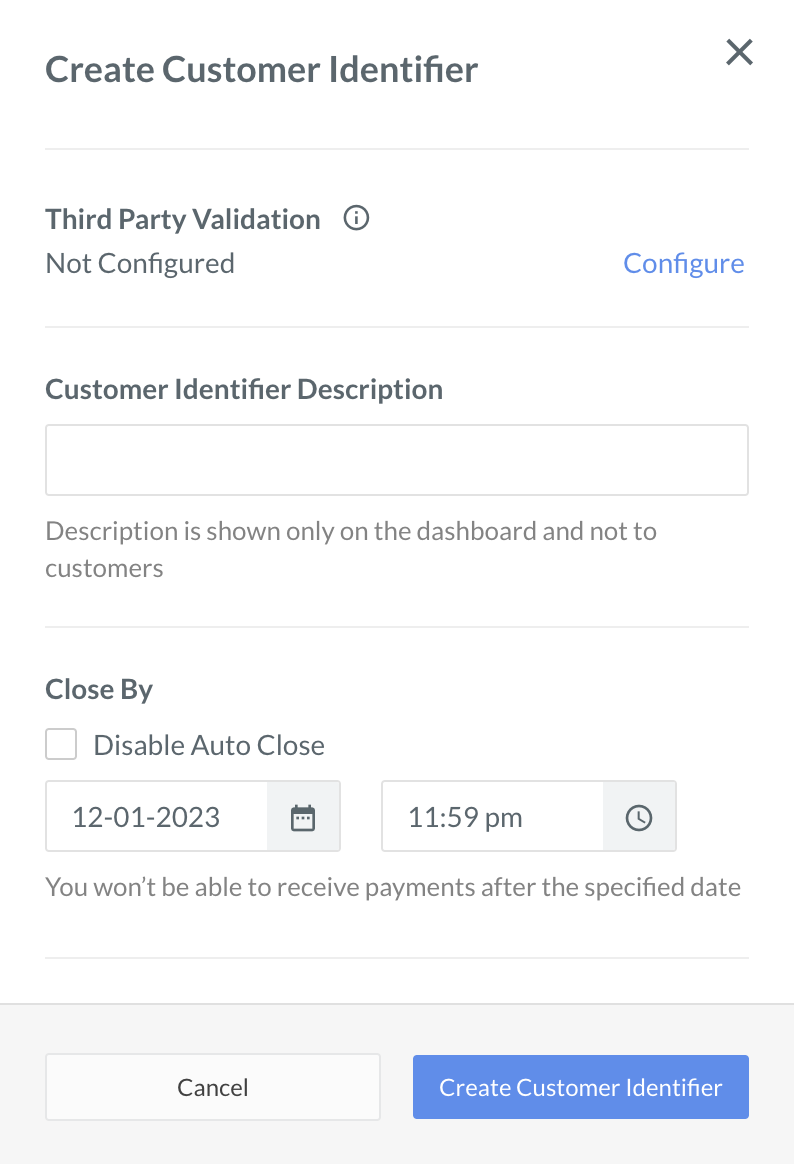
Close Customer Identifiers Manually
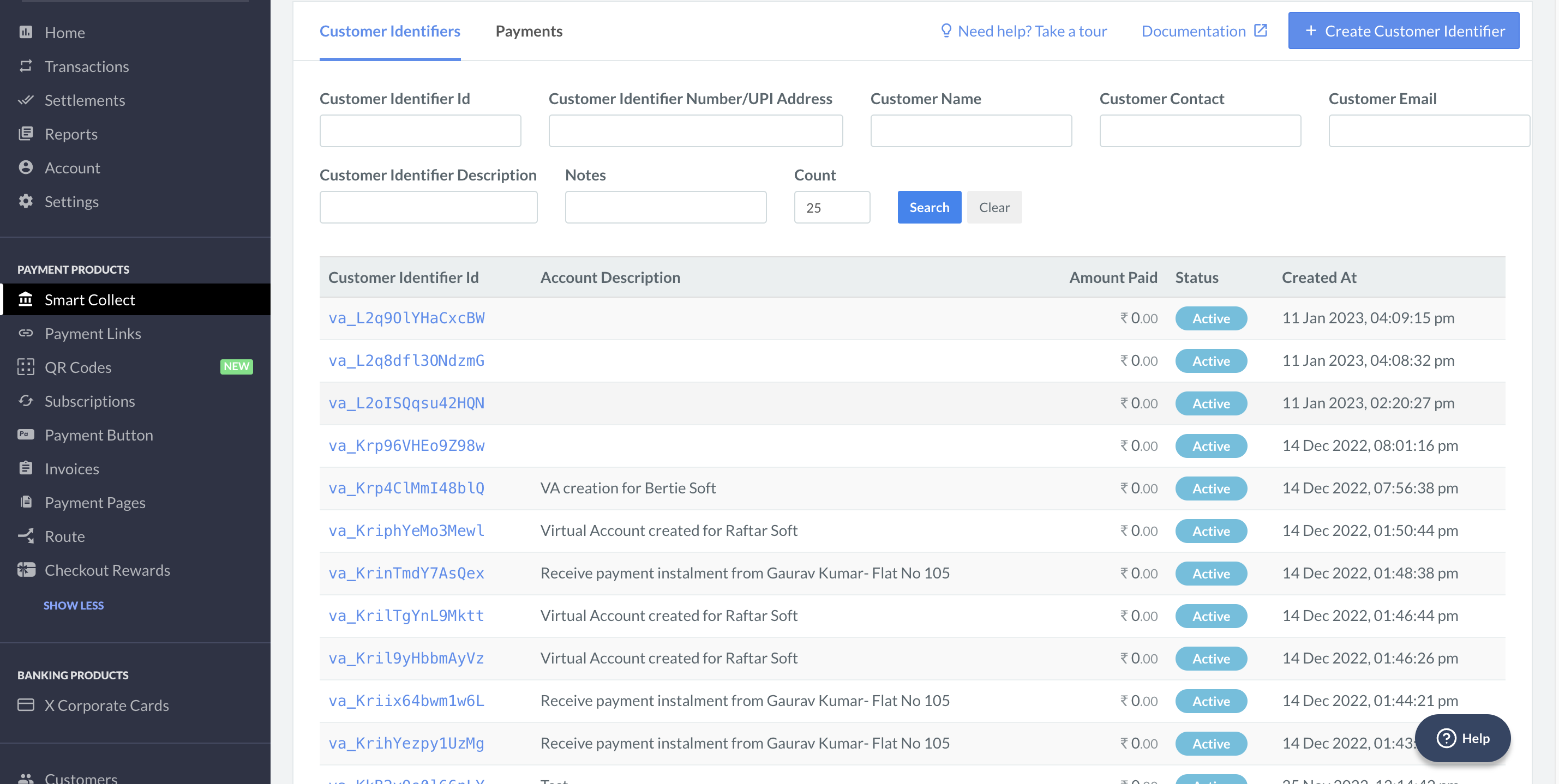
To close Customer Identifiers manually:- Log in to the Dashboard and click Smart Collect.
- Select the Customer Identifier id you wish to close from the Customer Identifier list.
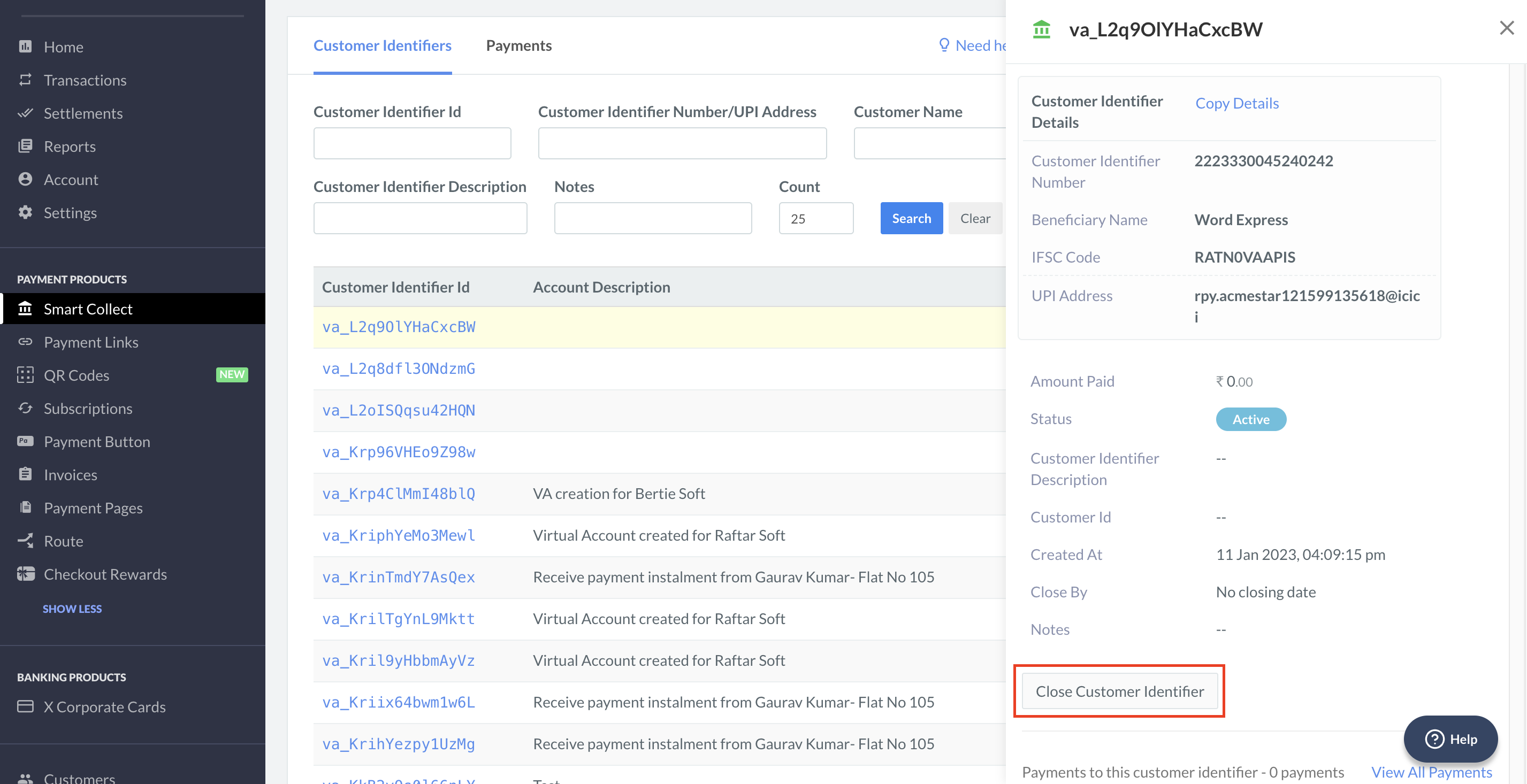
- In the right pane that appears, click Close Customer Identifier.
- A dialog box appears to confirm the closing. Click Yes.