

Available in🇮🇳 India
The Salary Component Library in Payroll is a structured repository that standardises salary components. It categorises additions and deductions so you can easily define and manage salary components. It also ensures compliance with tax and statutory regulations.
Flexible Benefit Plan (FBP) components are managed separately. To set up tax-friendly benefits such as Meal Allowance, Car Lease Reimbursement or Employer NPS Contribution, see the Flexi Component Library.
Features
Features
Component Library Overview
Navigate to Settings → Salary Component Library to access the central repository of all salary components. The library displays comprehensive information about each component including:- Component Name - Internal identifier for the component.
- Display Name - Name that appears on payslips and salary registers.
- Pay Type - Classification as Ad hoc or Regular.
- Taxability - Tax treatment of the component.
- Status - Active or Disabled state.
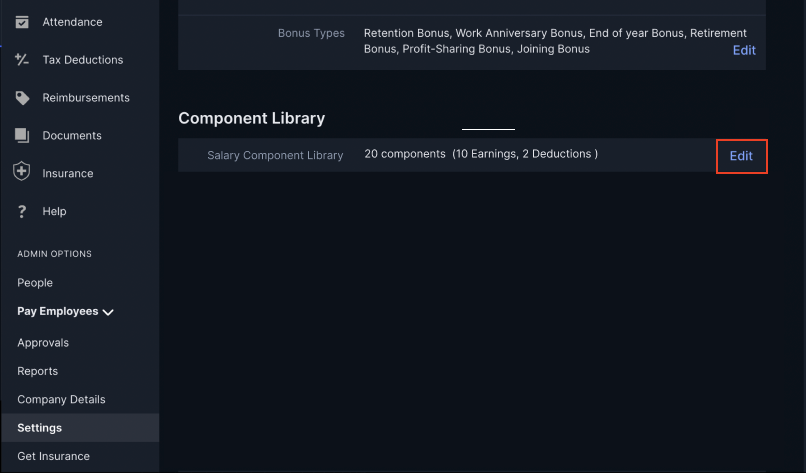
Component Categories
The library organises components into four main categories:- Earnings - Components that add to employee salary (32 available).
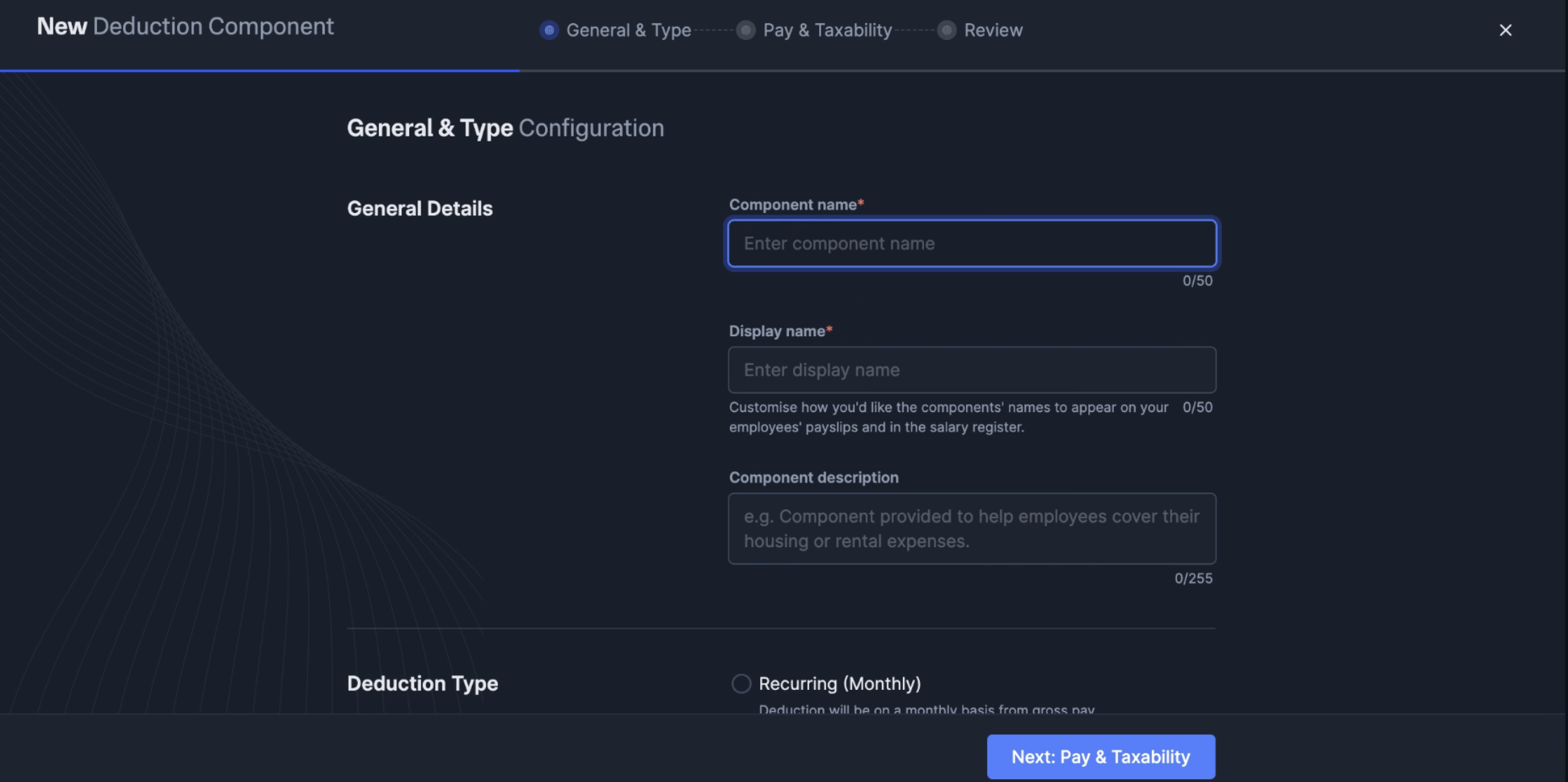
- Deduction - Components that reduce employee salary (18 available).
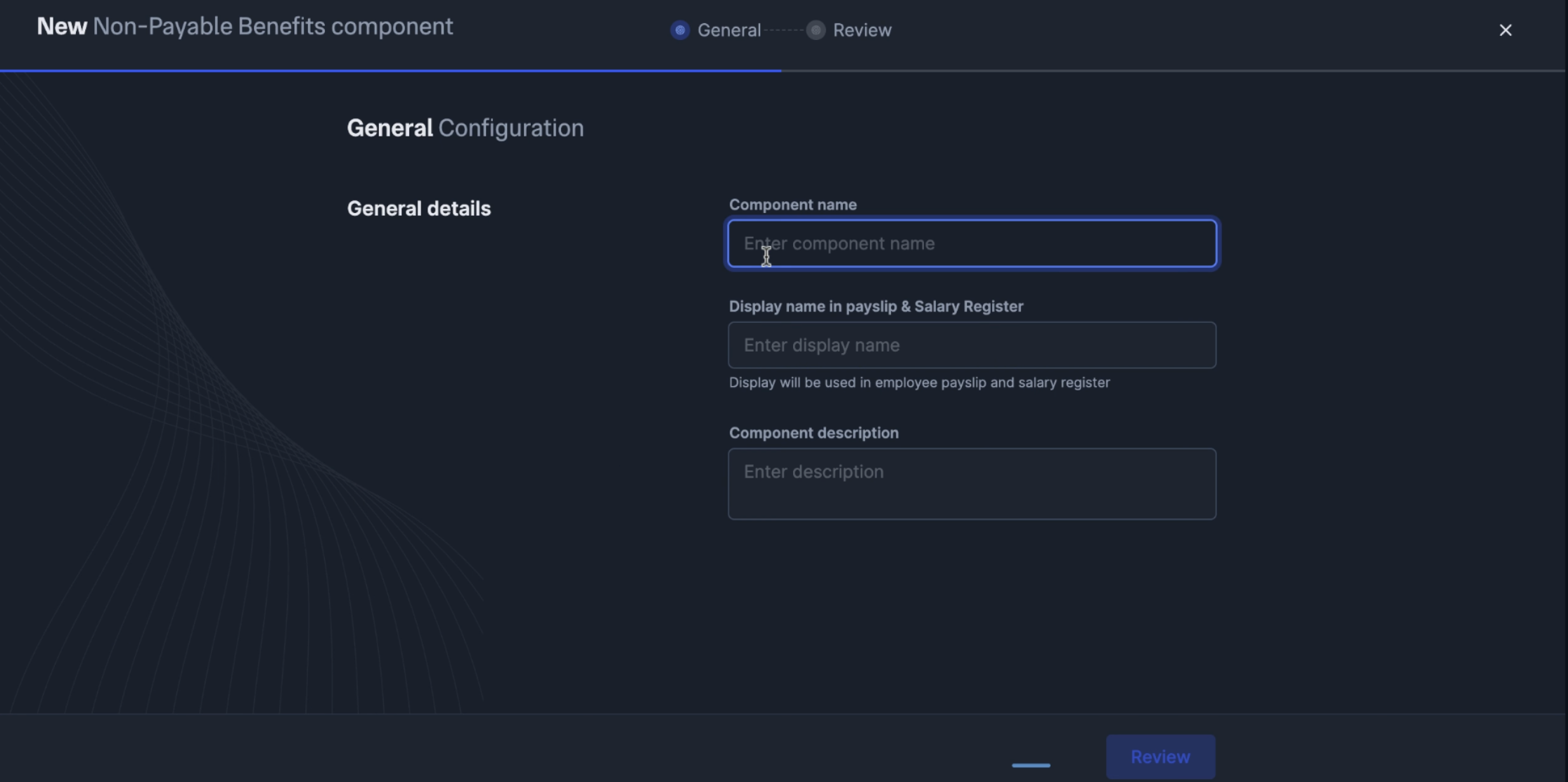
- Non-Payable Benefits - Benefits included in CTC but not paid directly.
- Perquisites - Additional benefits subject to special tax treatment.
Filtering Options
Use filters to manage your component library effectively:- All Components - View complete list of components.
- Active - Show only currently usable components.
- Disabled - Display archived components no longer in use.
- Earnings Component
- Deduction Component
- Non-Payable Benefits
- Perquisites
An Earnings Component is any salary element that increases an employee’s total compensation.By defining earnings components, you can ensure employees receive the right benefits while maintaining compliance with tax rules. You also get to standardise salary components so that similar components are treated the same way for all employees.To add a new earnings component: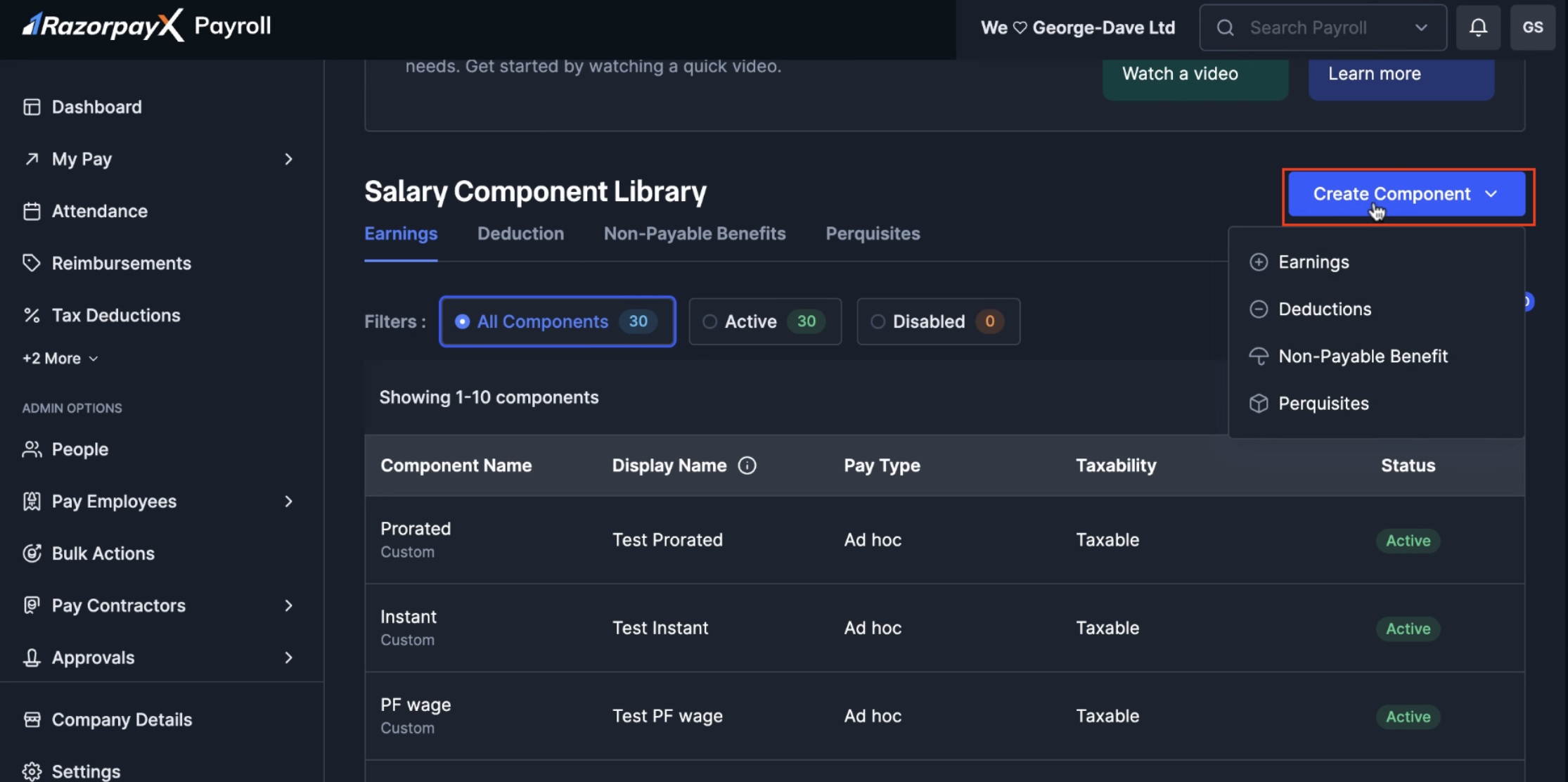
- Navigate to Settings → Salary Component Library.
- Click Create Component dropdown and select Earnings.
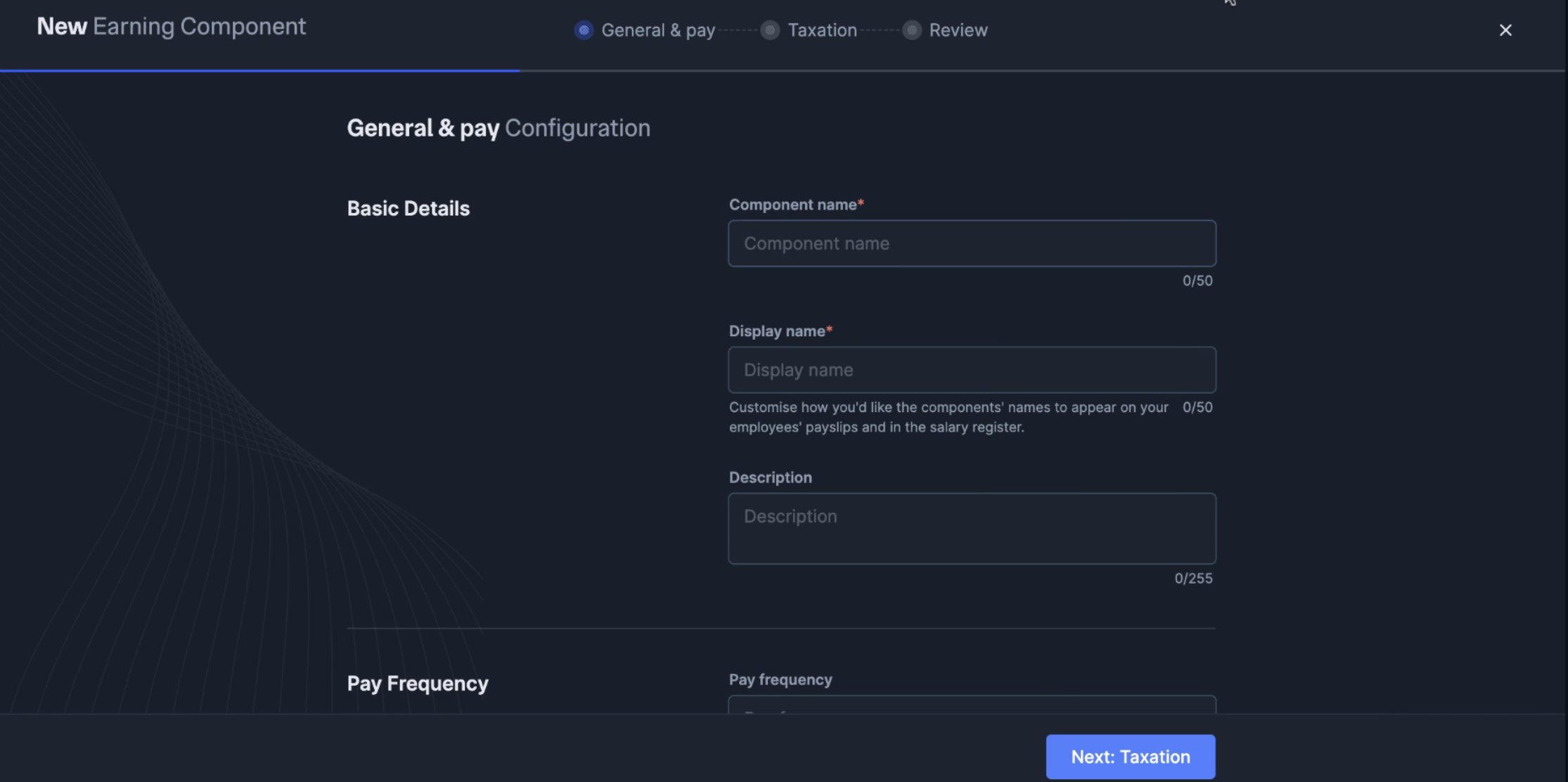
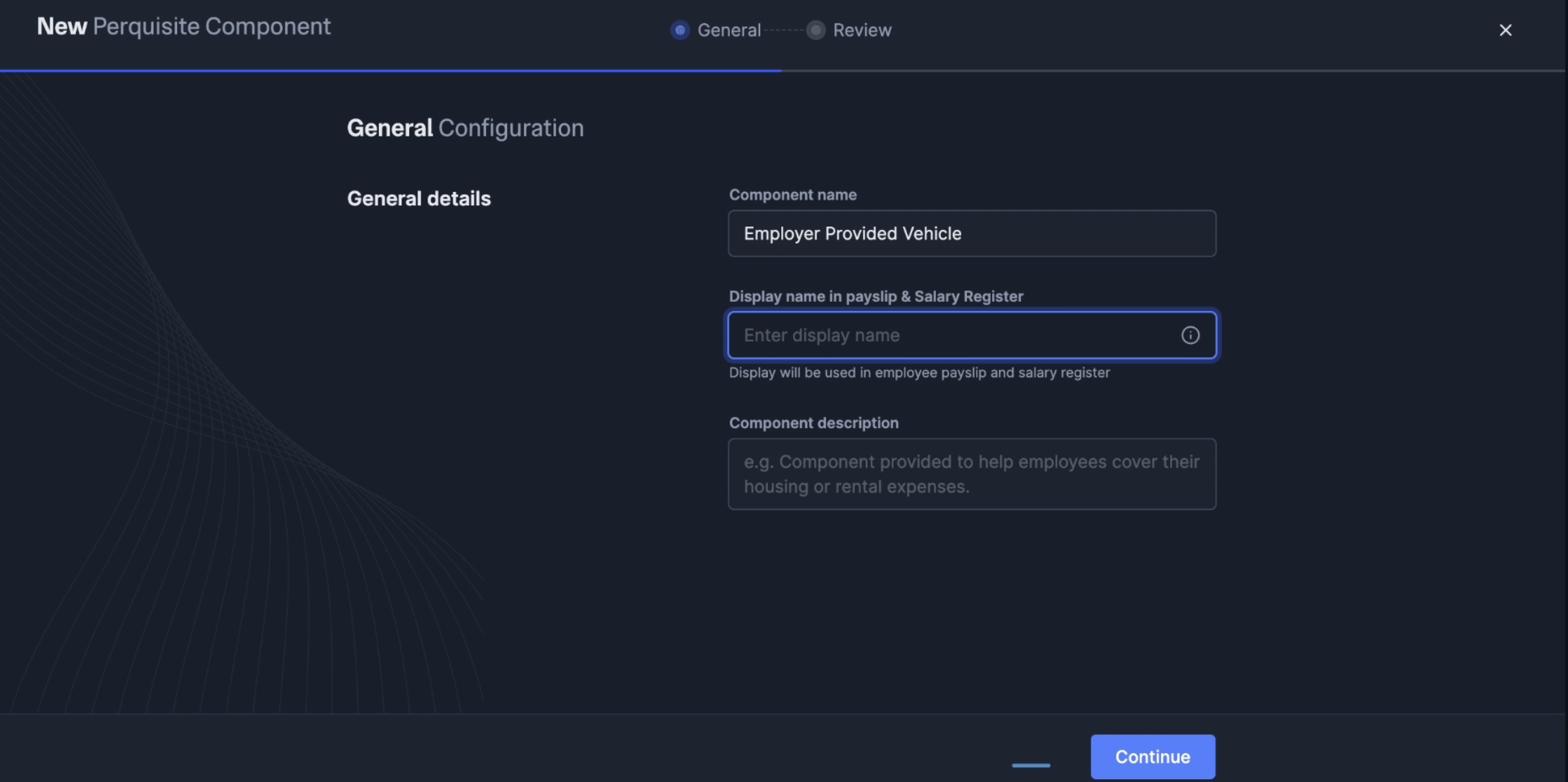
- Fill in the General & Pay Configuration details:
- Enter a Component name (must be unique across all components).
- Add a Display name for payslips and salary registers.
- Write a Description explaining the component’s purpose.
- Select Pay Frequency (Monthly, Quarterly, Annually or Ad hoc).
- Click Next: Taxation to configure tax settings.
-
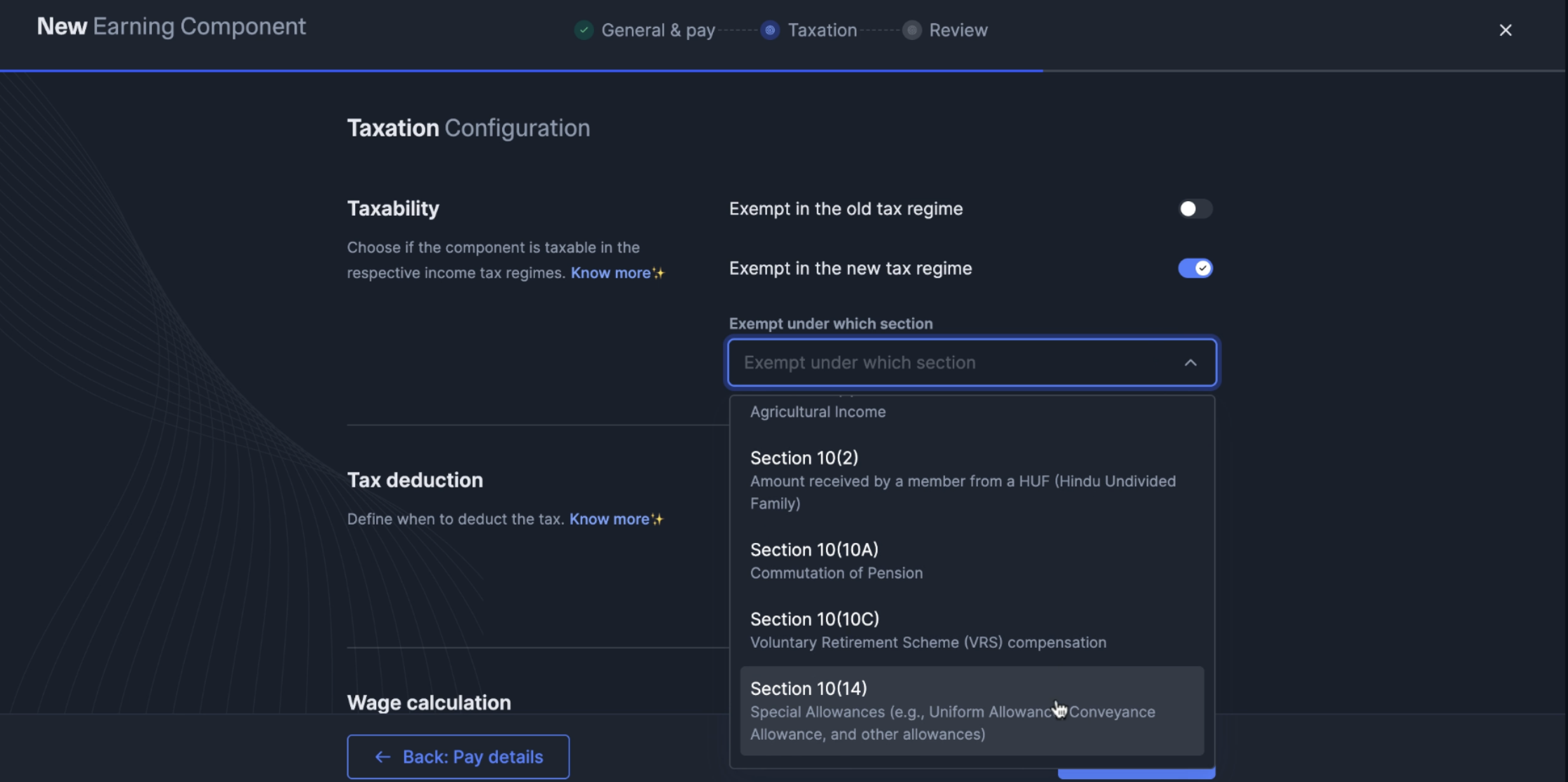
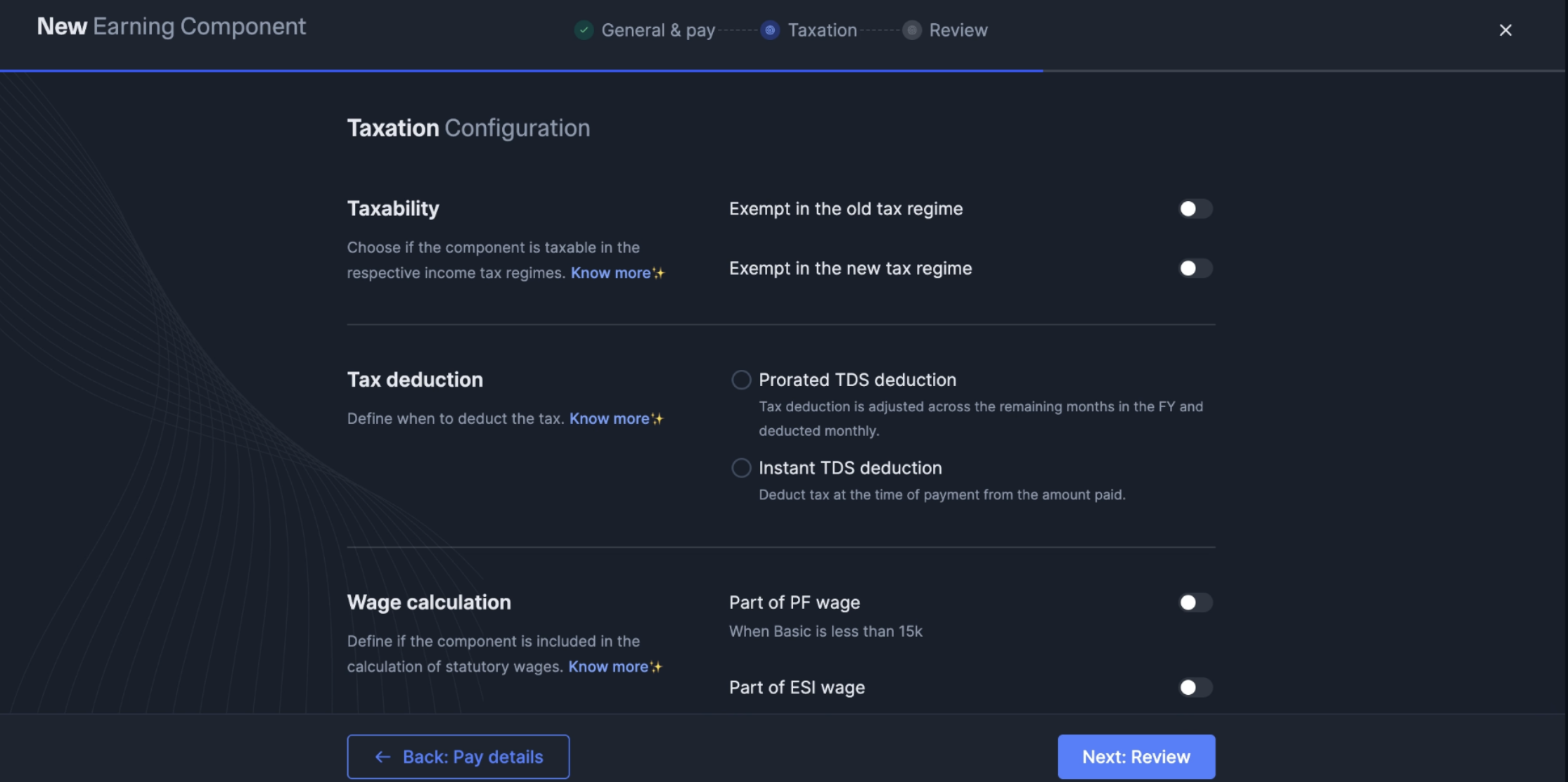
Configure Taxation Configuration:
- Set Taxability - Choose exemption status for old and new tax regimes.
- If exempt in new regime, select the Exemption section from dropdown.
- Configure Tax deduction type:
- Prorated TDS deduction - Tax adjusted across remaining months in FY.
- Instant TDS deduction - Tax deducted at payment time.
- Set Wage calculation parameters:
- Part of PF wage - Include in Provident Fund calculations (when Basic < 15k).
- Part of ESI wage - Include in ESI calculations.
- Part of PT wage - Include in Professional Tax calculations.
- Part of LWF wage - Include in Labour Welfare Fund calculations.
- Click Next: Review to verify all configurations.
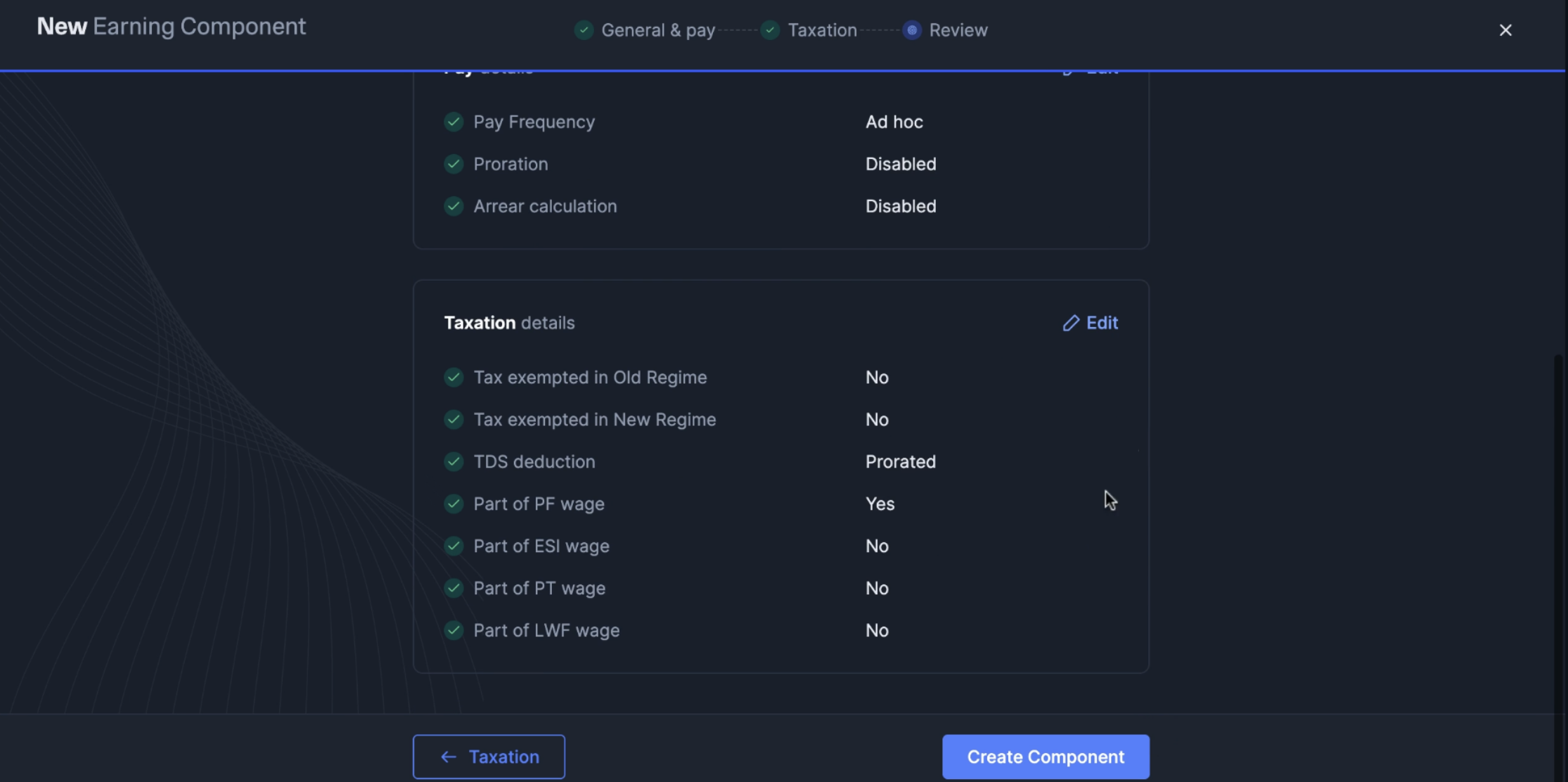
- Review all settings and click Create Component to save.
- Navigate to Salary Component Library.
- Locate the component and click View Details.
- Click Modify component button.
- Make necessary changes to configuration.
- Click Save Component to apply changes.
- Follow steps 1-2 from modification process.
- Click Disable button.
- Confirm the action in the popup dialog.
Viewing Component Details
Viewing Component Details
To view detailed information about any component:
- Navigate to Salary Component Library.
- Locate the component in the list.
- Click View Details arrow on the right.
- General details - Component name, display name, description.
- Pay details - Frequency, proration, arrear settings.
- Taxation details - Tax exemptions, TDS configuration.
- Wage calculation - PF, ESI, PT, LWF inclusion.
Modifying Components
Modifying Components
Components can be modified even after creation: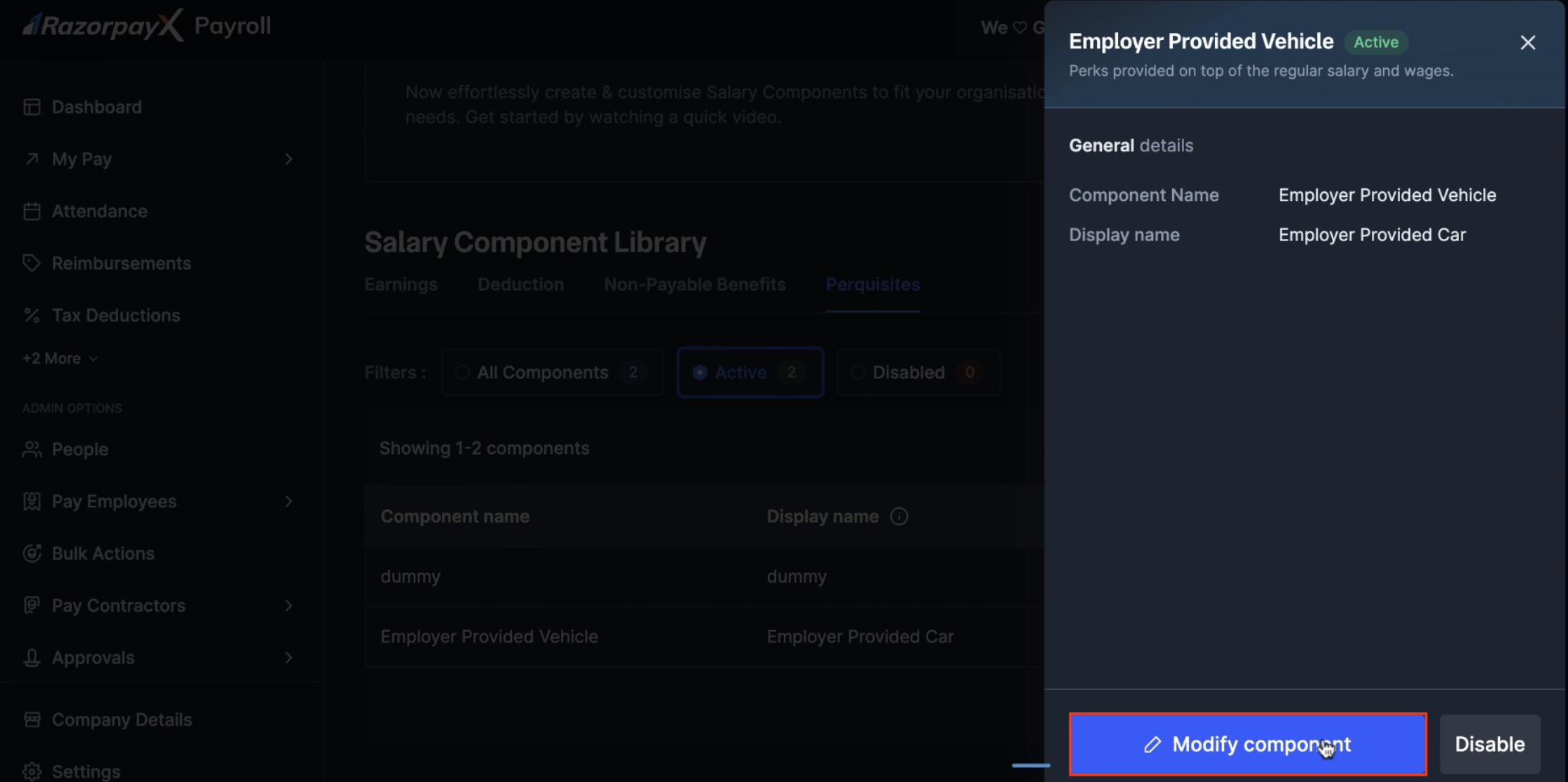
- Open component details.
- Click Modify component button.
- Edit required fields.
- Save changes.
Disabling Components
Disabling Components
To disable a component no longer needed: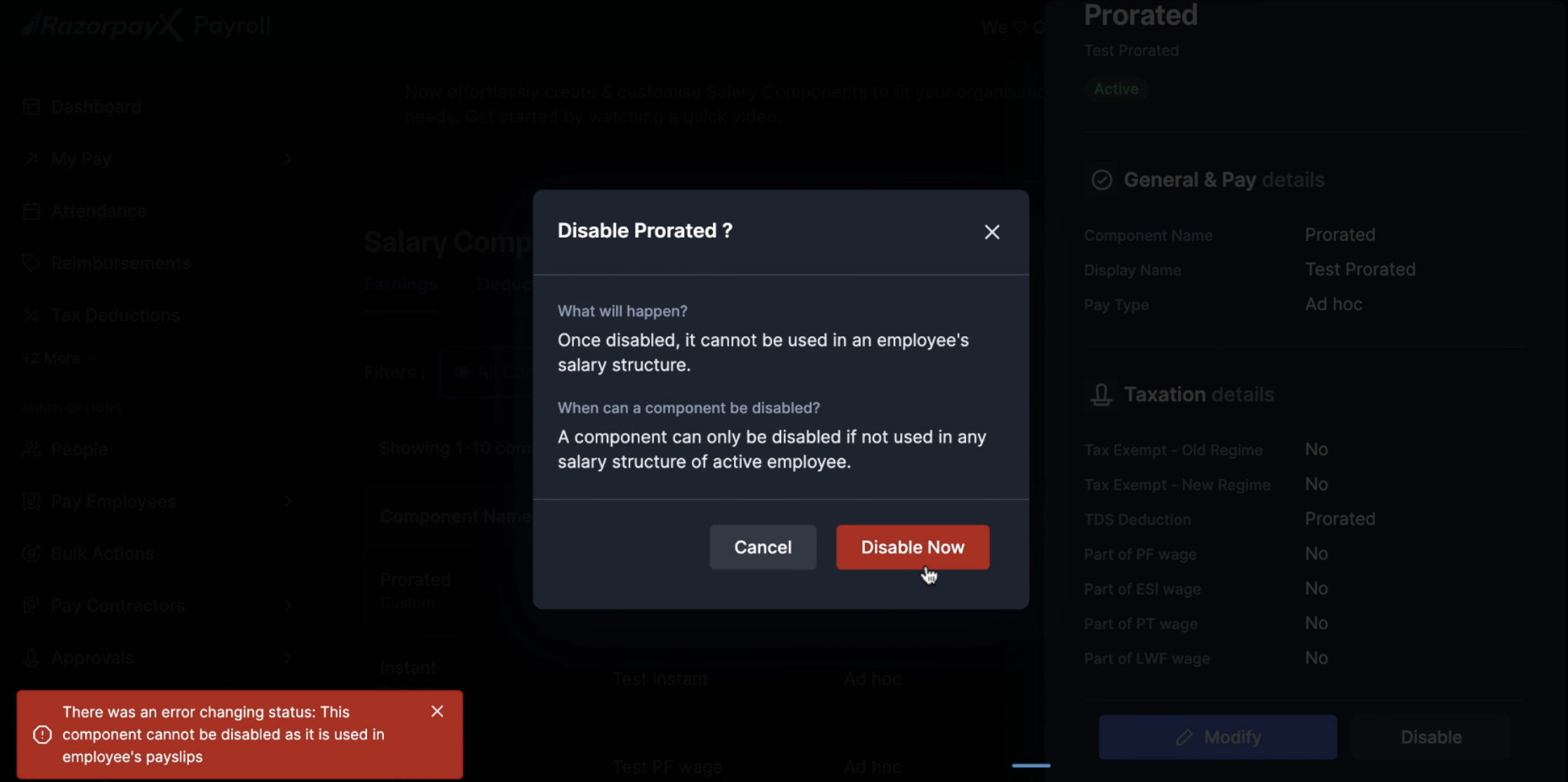 If the component is currently in use, the system shows an error: “There was an error changing status: This component cannot be disabled as it is used in employee’s payslips.”
- Open component details.
- Click Disable button.
- Review the warning message:
- “Once disabled, it cannot be used in an employee’s salary structure.”
- “A component can only be disabled if not used in any salary structure of active employee.”
- Click Disable Now to confirm.
If the component is currently in use, the system shows an error: “There was an error changing status: This component cannot be disabled as it is used in employee’s payslips.”Applying Components to a Salary During Payroll
Applying Components to a Salary During Payroll
Components defined in the library are applied to an employee’s salary during payroll execution from the Addition or Deduction sections of the Edit Salary screen. For step-by-step guidance, see Additions and Deductions in Run Payroll.Note: Only the amount can be edited during payroll execution. Name and taxability remain fixed as defined in the library.
Tax Exemption Sections
Tax Exemption Sections
When configuring tax-exempt components, select from available sections:
- Agricultural Income - Income from agricultural operations.
- Section 10(2) - Amount received from HUF.
- Section 10(10A) - Commutation of Pension.
- Section 10(10C) - Voluntary Retirement Scheme compensation.
- Section 10(14) - Special Allowances (Uniform, Conveyance and so on).
TDS Deduction Methods
TDS Deduction Methods
Choose appropriate TDS deduction method:
-
Prorated TDS deduction:
- Tax deduction adjusted across remaining months in FY.
- Deducted monthly in equal instalments.
- Recommended for regular components.
-
Instant TDS deduction:
- Deduct tax at the time of payment.
- Full tax deducted in the payment month.
- Suitable for one-time payments or bonuses.
Wage Calculation Inclusions
Wage Calculation Inclusions
Configure which statutory calculations include the component:
- PF wage - Include when Basic is less than ₹15,000.
- ESI wage - Include for ESI contribution calculations.
- PT wage - Include for Professional Tax calculations.
- LWF wage - Include for Labour Welfare Fund calculations.
Integration with Tax Settings
Integration with Tax Settings
The Salary Component Library integrates with other payroll settings:
- Allow Updates to Tax Deductions - Yes/No.
- XPayroll Verification of Tax Deductions - Yes/No.
- Disable 80C declarations - No.
- Declaration Window - Always Open.
- Proof Upload Window - 16th of December to 22nd of January.