

Available in🇮🇳 India
With Payroll, you can make one-time payments to your employees outside the monthly payroll process.
Use Cases
One-time payments are beneficial when your employee is:- Remunerated for an ad hoc project.
- Receives a performance incentive or other bonuses like a retention/joining bonus.
Make One-time Payments
To make one-time payments:- Log in to the Payroll Dashboard.
- Select the employee from the drop-down menu under Who do you want to make the payment to?
-
Select Component:
- Half Yearly Bonus: Prorated Tax deduction
- Incentive: Instant tax deduction
- Yearly: Instant tax deduction
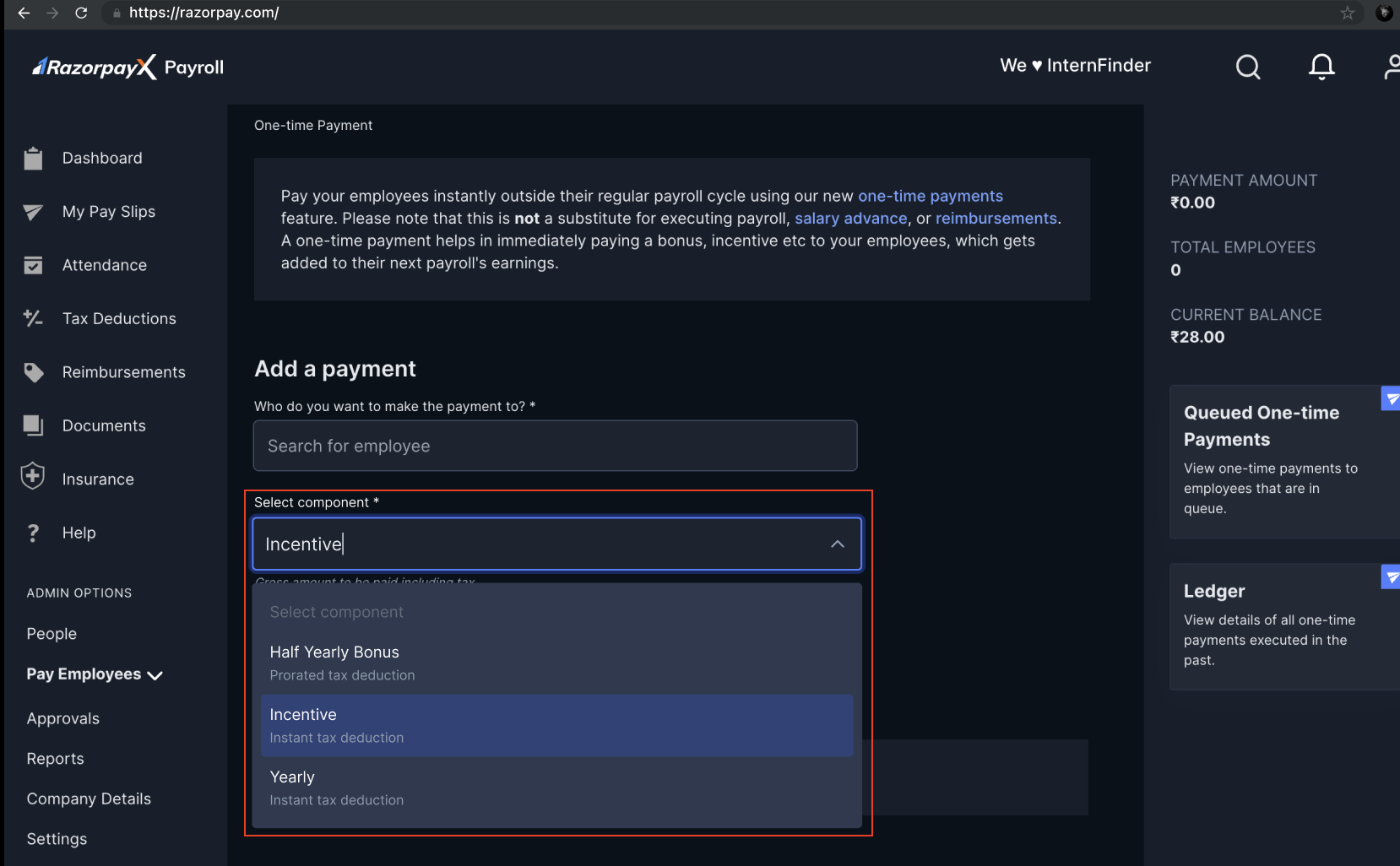
- Add the amount payable in the Total Amount field.
- You can view the status of the one-time payment on the queue bar displayed on the screen or in the bottom right under the Queued One-time payments section.
- To check the history of all one-time payments, click on the Ledger section on the page.
- The one-time payment will reflect in the upcoming month’s payslip for the employee. Tax is deducted as applicable if you have selected to deduct tax in the future payroll.