

Available in🇮🇳 India
Once you complete Payroll account setup, you can execute payroll for your organisation. Payroll automates transactions and manages payroll as per settings enabled. Use the following checklist to execute payroll without any misses.
1. Update Employee List
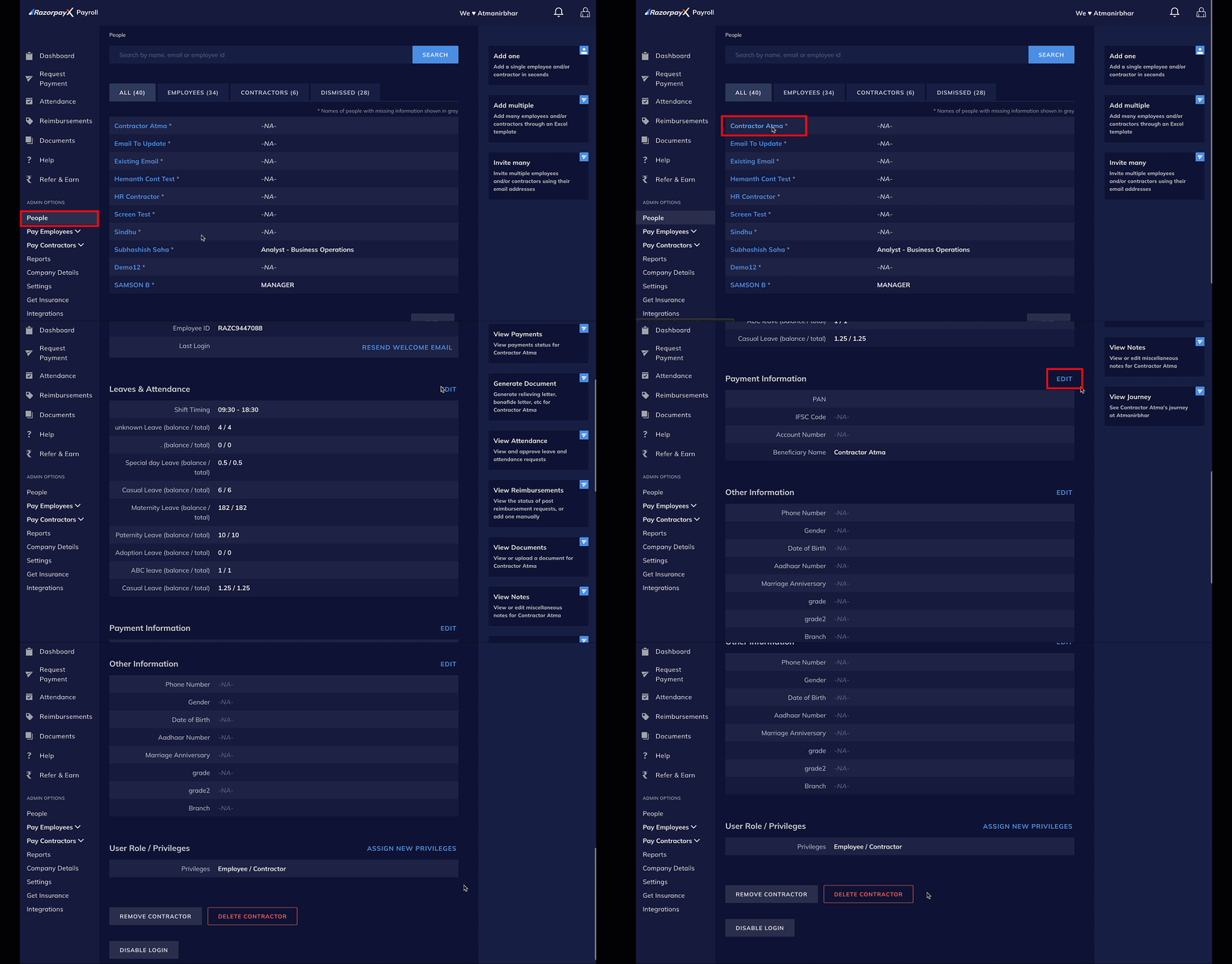
Before disbursing salaries, ensure that your employee list is up-to-date. Add, modify or dismiss employees according to their employment status and compensation changes. To do so:- Log in to your Payroll Dashboard.
- In the left menu, navigate to Admin Options → People.
- Select the relevant employee as per from ALL or other tabs.
- Click EDIT against the applicable sections, as shown.
2. Check Missing Information
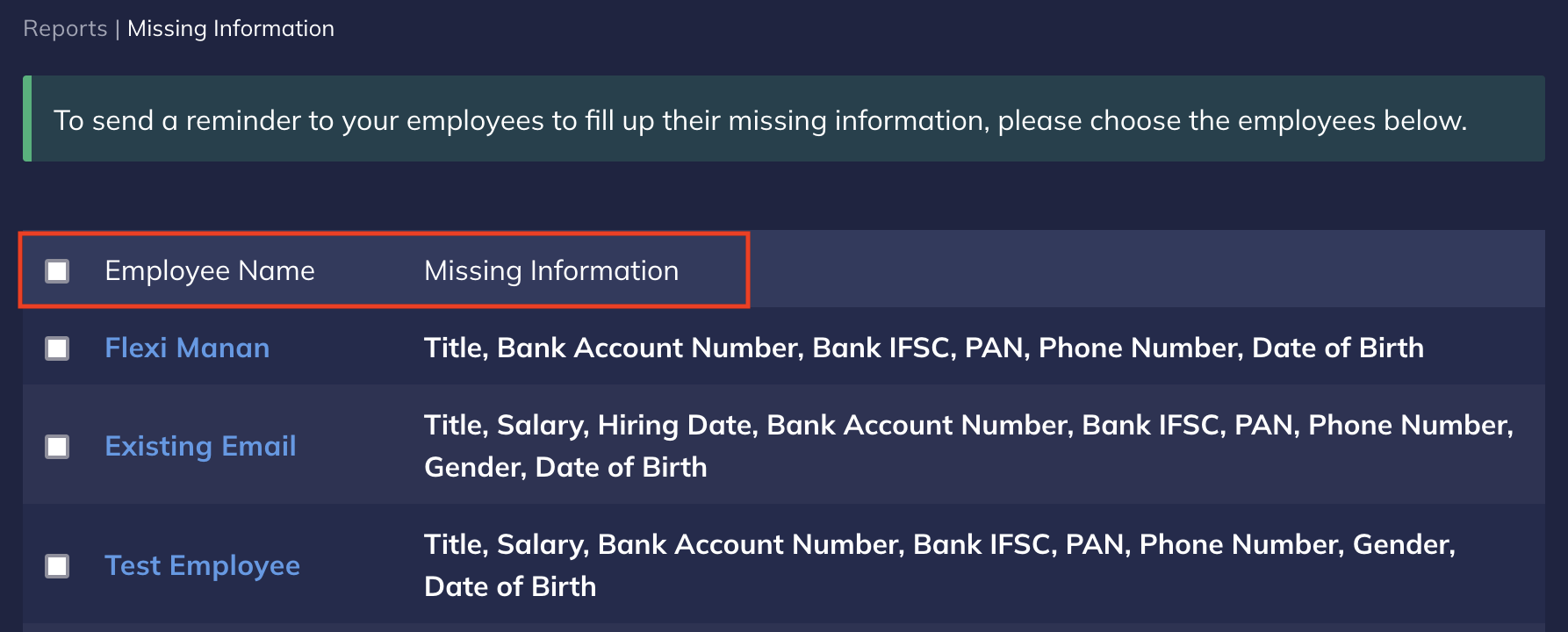
Check if any employee’s critical information, like their bank account number, UAN, PAN or so on is missing. To do so:- Log in to your Payroll Dashboard.
- Go to Admin Options → Reports
- Click Missing Information. It provides a list of employees in the left column the information missing about them against their name.
3. Adjust Variables
Variables can either be an addition to the salary, a deduction based on a loss of pay, a recovery or a reimbursement.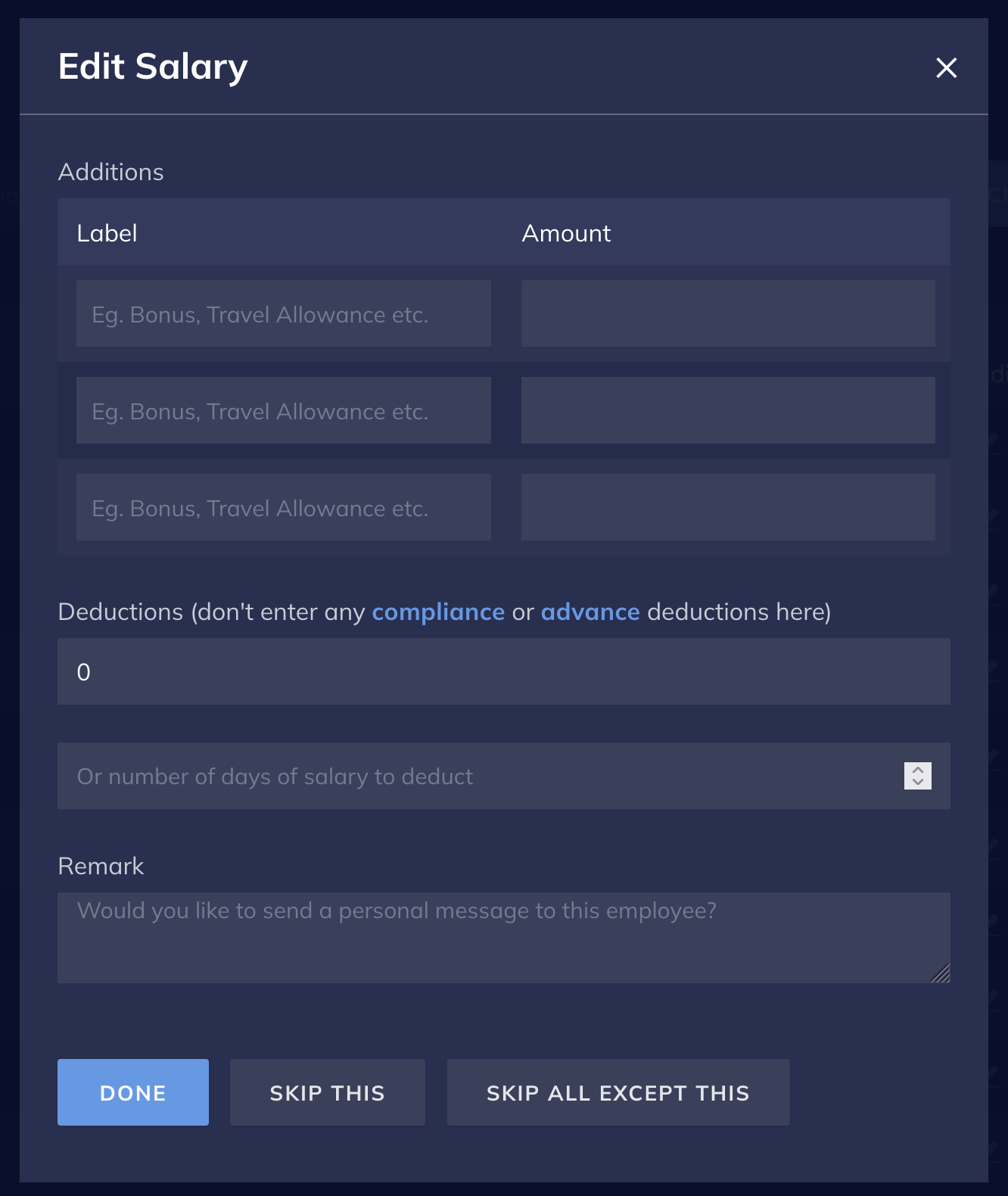
Additions
To update your employees’ Additions:- Log in to the Payroll Dashboard.
- Navigate to the payroll month, and click EDIT against the employee’s name.
- Add any bonus or incentives under Additions.
- Click Done once updated.
Deductions
To update your employees’ Deductions:-
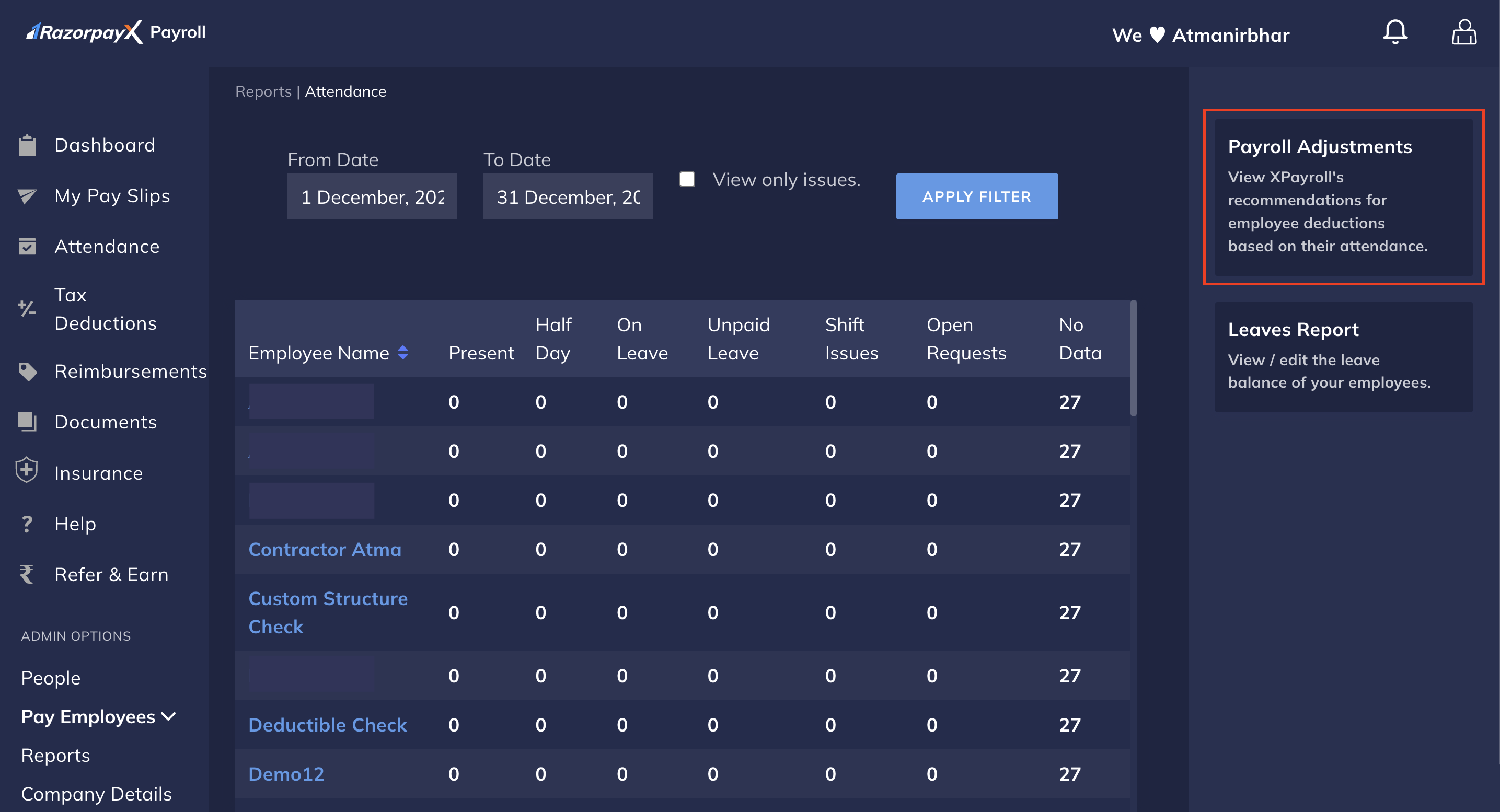
If your organisation uses the Payroll attendance module to track leaves, navigate to Reports → Attendance → Payroll Adjustments and approve any loss of pay recommendations that Payroll suggests.
- If you are tracking the loss of pay (LOP) days outside of Payroll or using the Jibble integration, follow the given steps:
- Using Jibble Integration
- Manual Deductions
Know how to sync loss of pay data from Jibble.