

Available in🇮🇳 India
The Media Bank lets you upload, store and manage images, banners, videos and logos in one central place. These media files can be used across Billme Dashboard for creating or designing user journeys, surveys, digital bills, campaigns and so on.
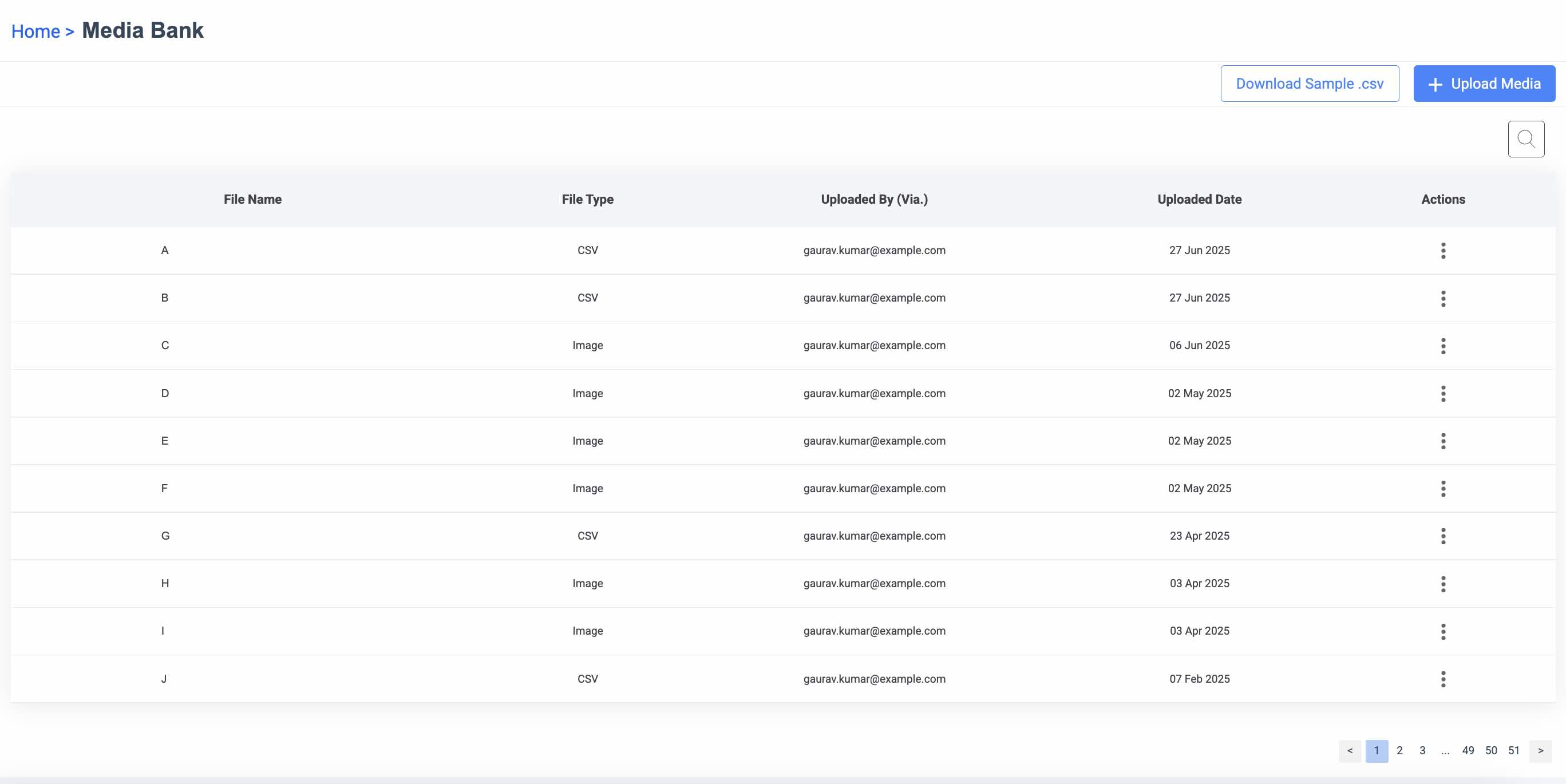
Key Features
- Upload and tag creative assets for easy reuse
- Use media across campaigns, banners and popups
- Preview formats and sizes before inserting
- Share media access with specific roles or teams
Upload and Manage New Media
To upload a new media file:- Under Manage section, click Media Bank. The Media Bank page appears.
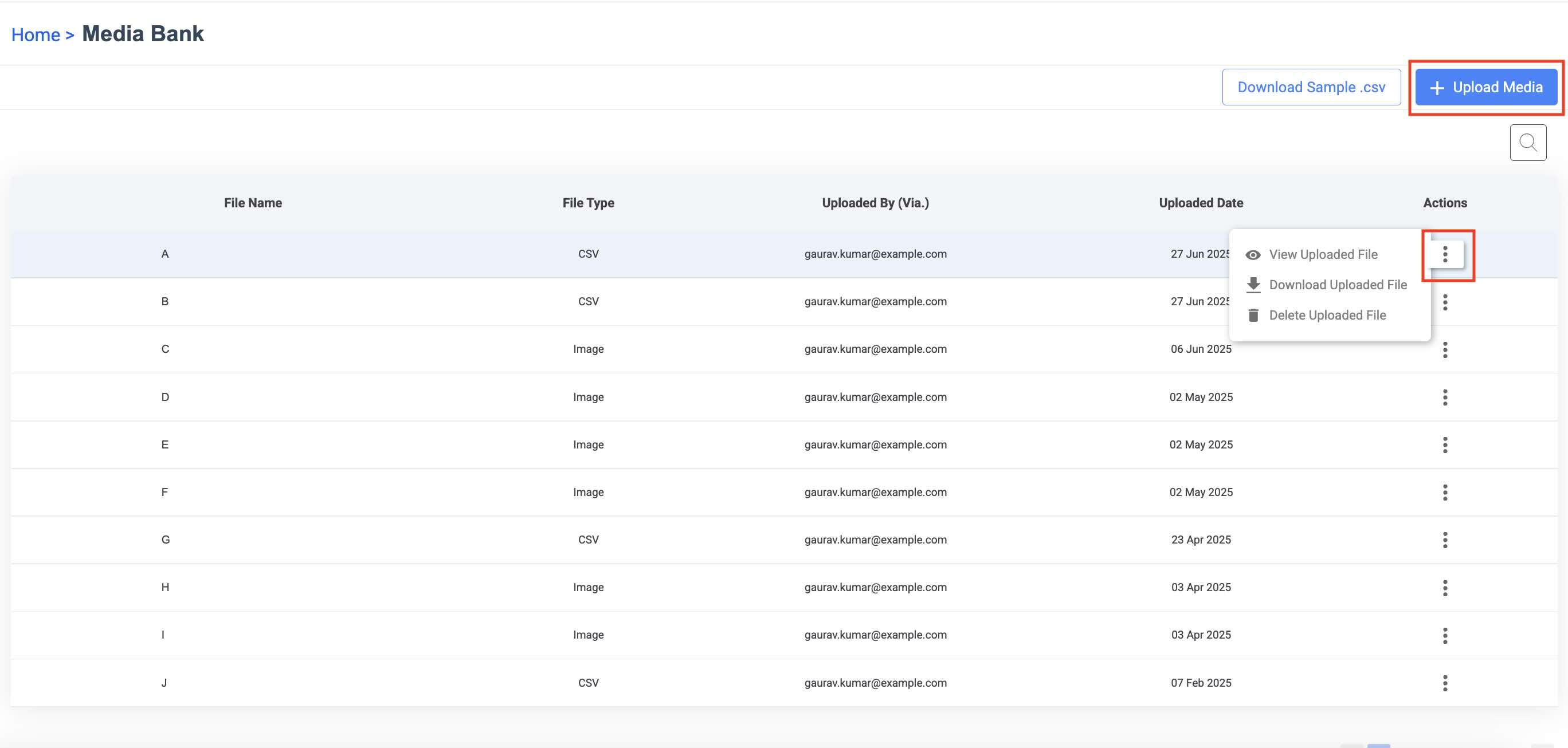
- Click + Upload Media. The Upload New Data page appears.
- Upload your file and enter a file name and description.
- Click Import Data. The new media file is uploaded and stored in the Media Bank.
- Hover over to Actions against the file you want to manage.
- You can view and download the files.
- You can delete the files.