

Available in🇮🇳 India
You can use the Dashboard to perform the following actions:
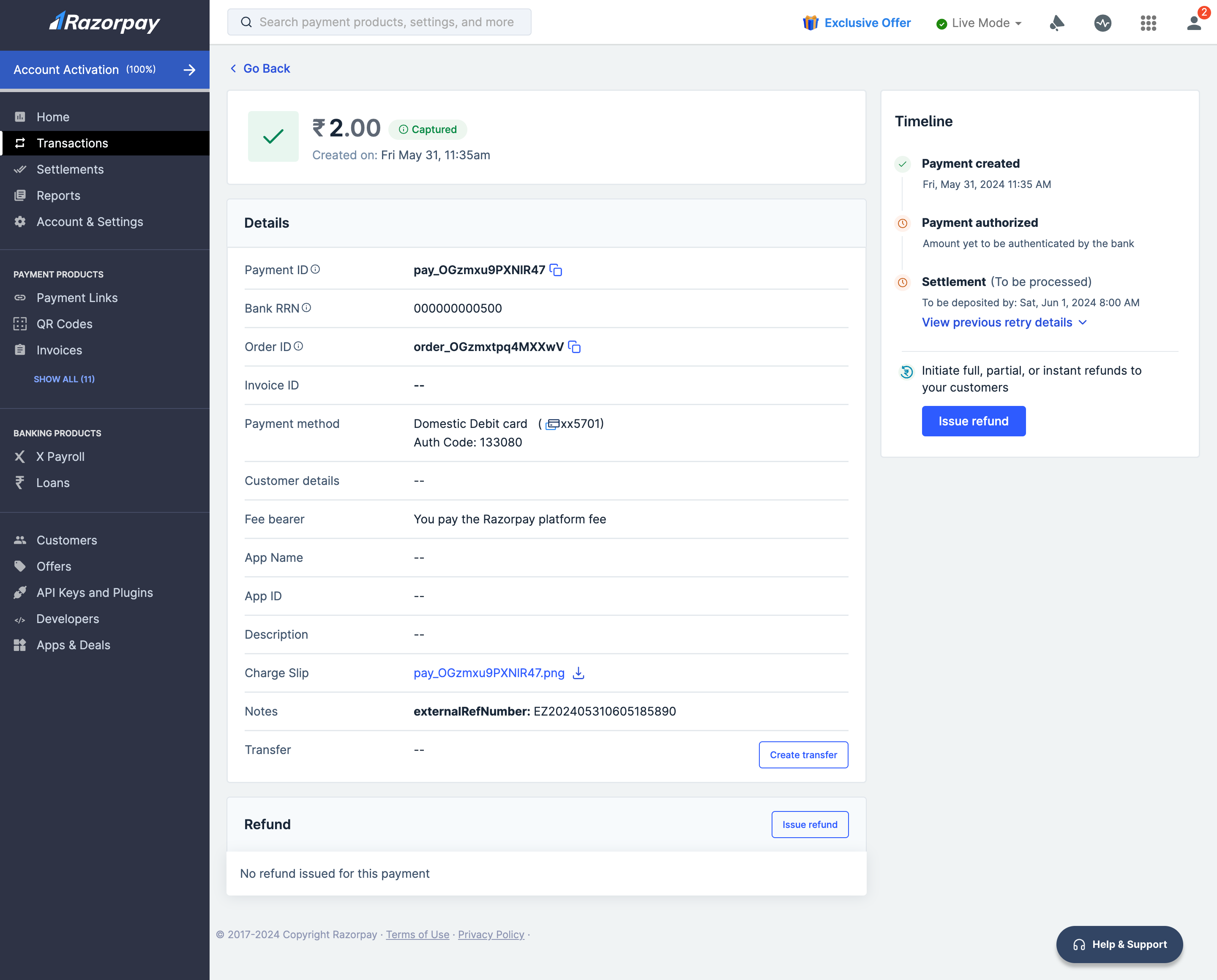
View Payment Details
To view the details of a payment made to your account:- Log in to your Dashboard.
- Click Transactions → Payments.
- Click Details for the selected Payment ID.
Handy TipsClick on the Charge Slip file name to view it. Click the download icon next to the Charge Slip file name to save it on your system.
View Settlement Details of a Payment
To view a detailed break-down of a settlement made to your account:- Log in to your Dashboard.
- Navigate to Transactions → Payments.
- Click on the specific Payment Id for which you want to view the settlement details.
- In the Payment Details view, you can view the settlement details.
- Click on the settlement_id to view the detailed breakdown.