

Available in🇮🇳 India
Custom Reports lets you build personalised reports that precisely match your business needs. This feature offers deeper insights, streamlining your reconciliation and overall business analysis.
Create a Custom Report
- Log in to the Dashboard.
- Go to Reports.
- Click Create Custom Report.
- Select a report type from the Select Base Report Type field.
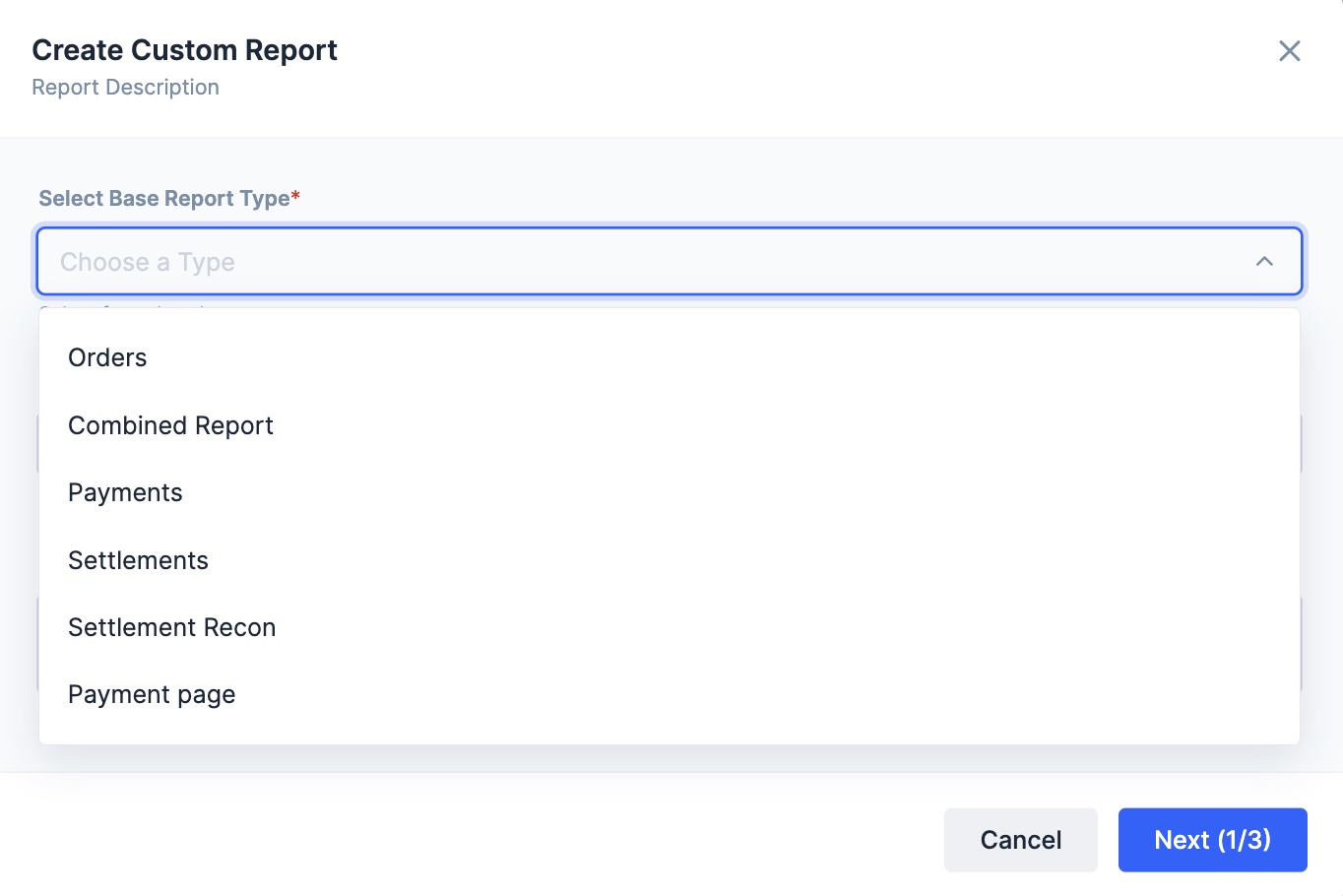
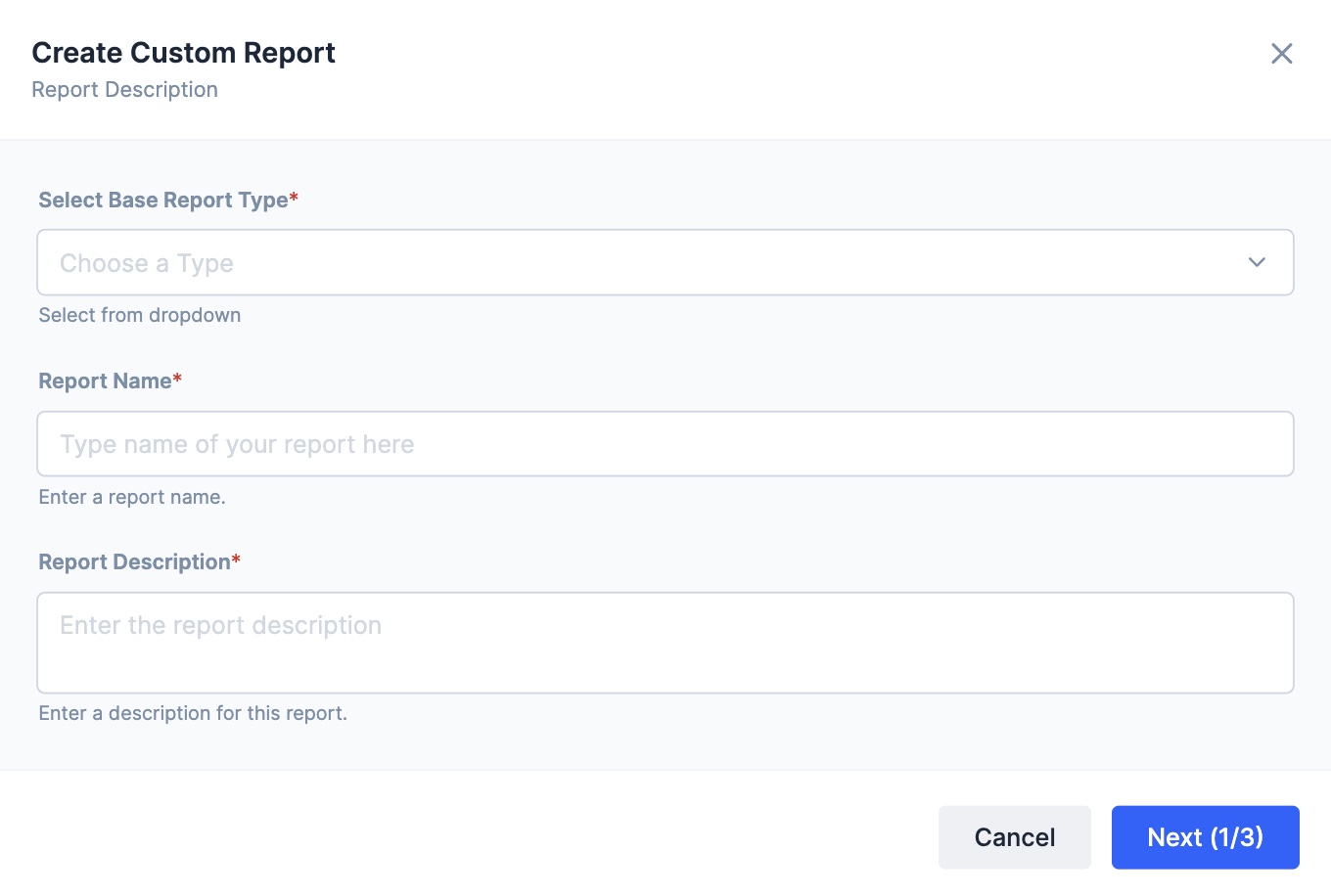
- Enter a report name for your custom report in the Report Name field.
- Add a description for your custom report in the Report Description for this report. Click Next.
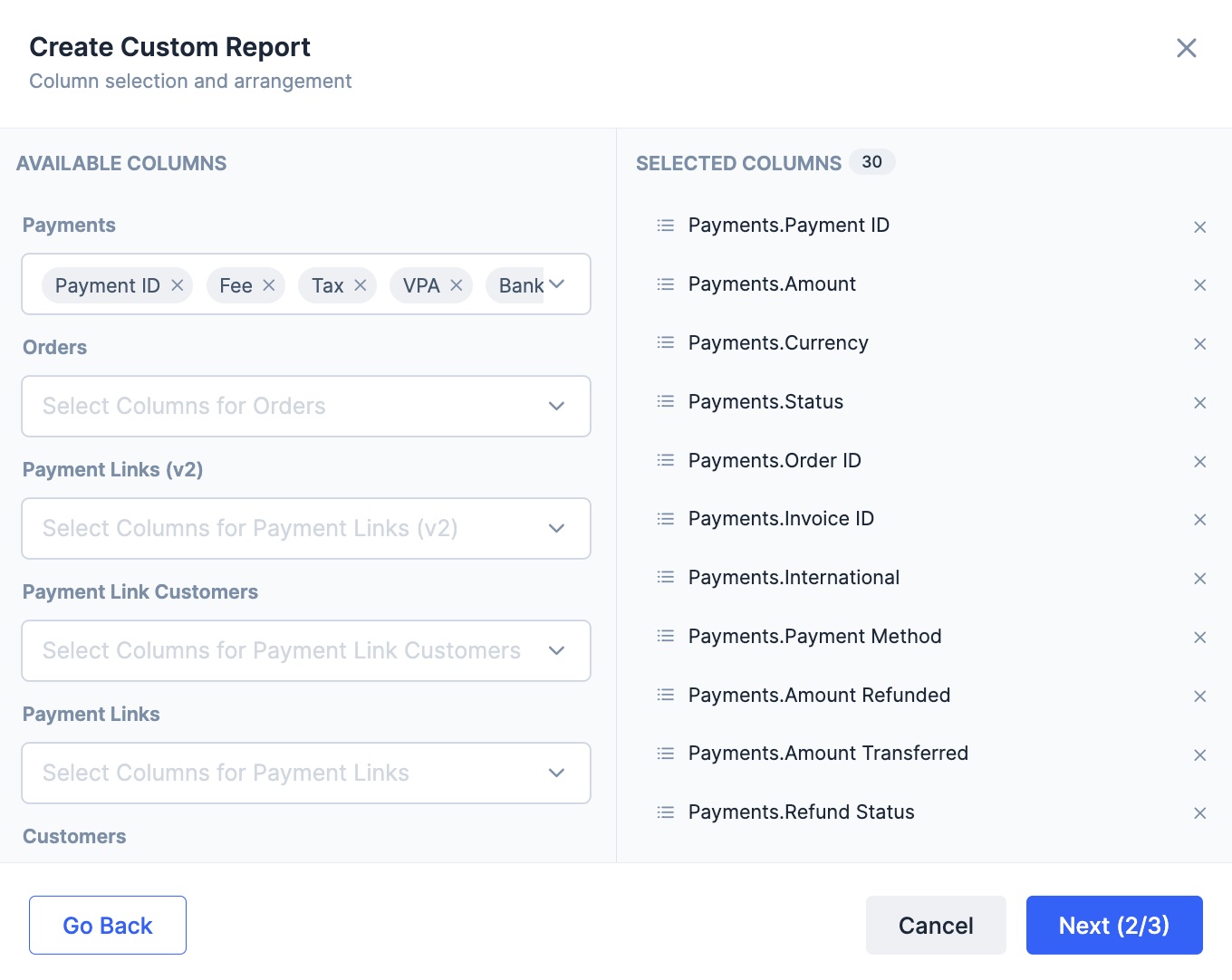
- In the Column selection and arrangement view, drag and drop the columns to rearrange them in the order you want them to appear in your report. Click Next.
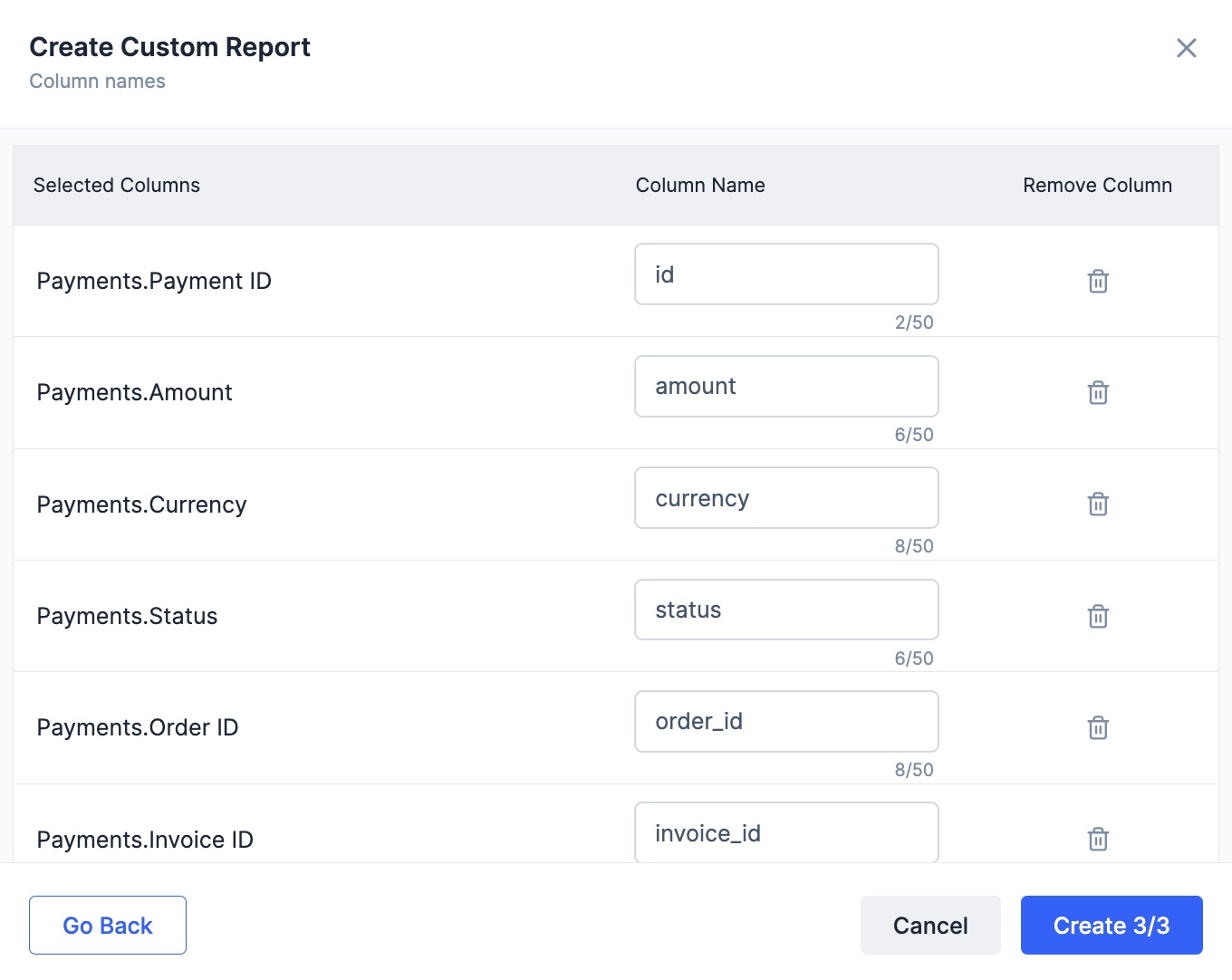
- Rename column names for each selected column. Remove a column if required. Click Create.
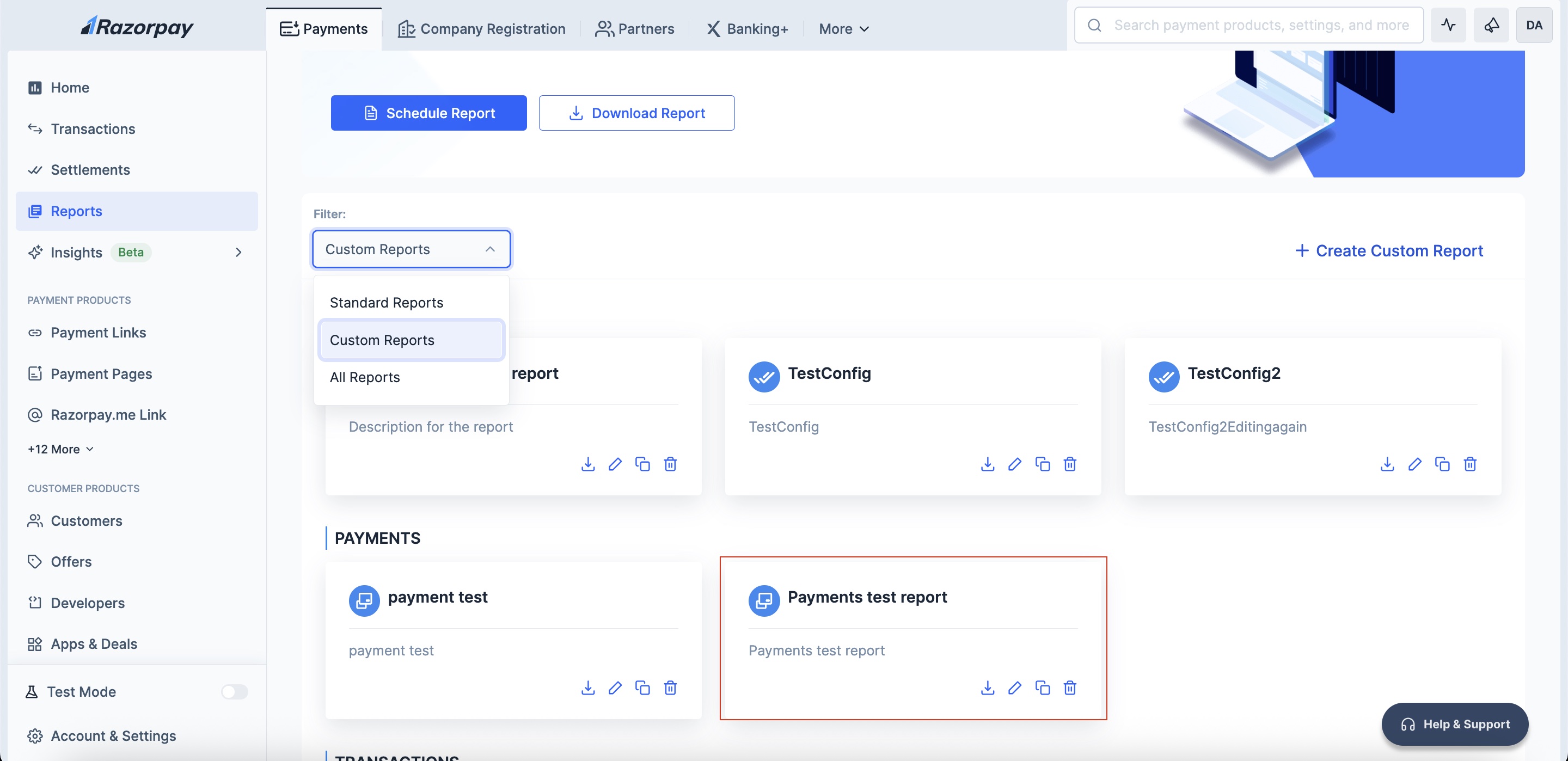
- Once your custom report is created, select Custom Reports in the Filter dropdown.
Download a Custom Report
- Click the download icon on your custom report’s card.
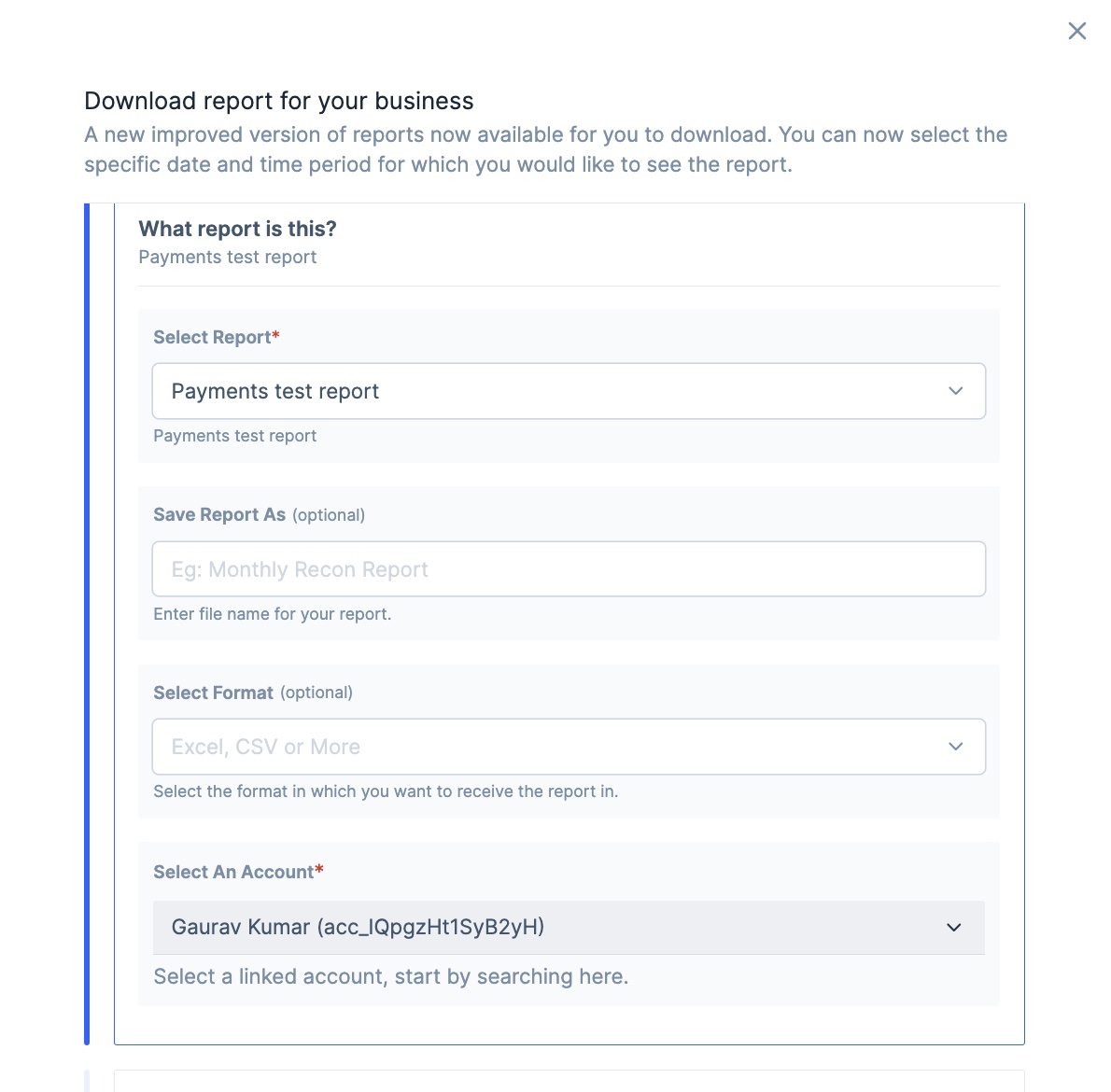
- Use the Select report option to choose which report you wish to download.
- Enter a preferred file name in the Save Report As field (optional).
- Select your preferred file format: CSV, Excel or Txt (optional).
- Select a linked account in the Select an Account field.
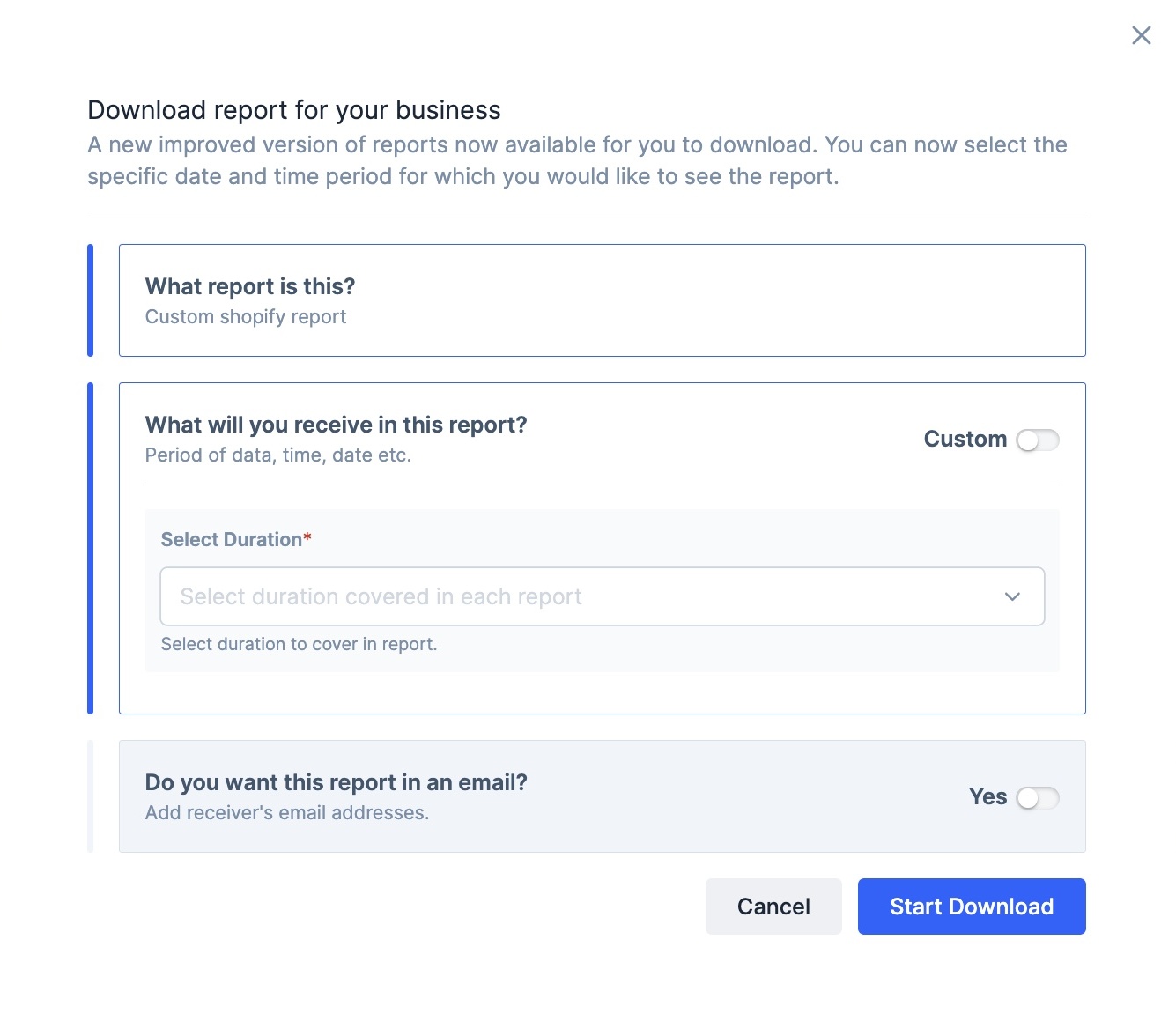
- Select duration for the data coverage of the report from these options:
- Today
- Yesterday
- Past Week
- Past 15 days
- Past Month
- Past Quarter
 7. To receive your custom report via email, toggle Yes for the Do you want this report in an email? section.
 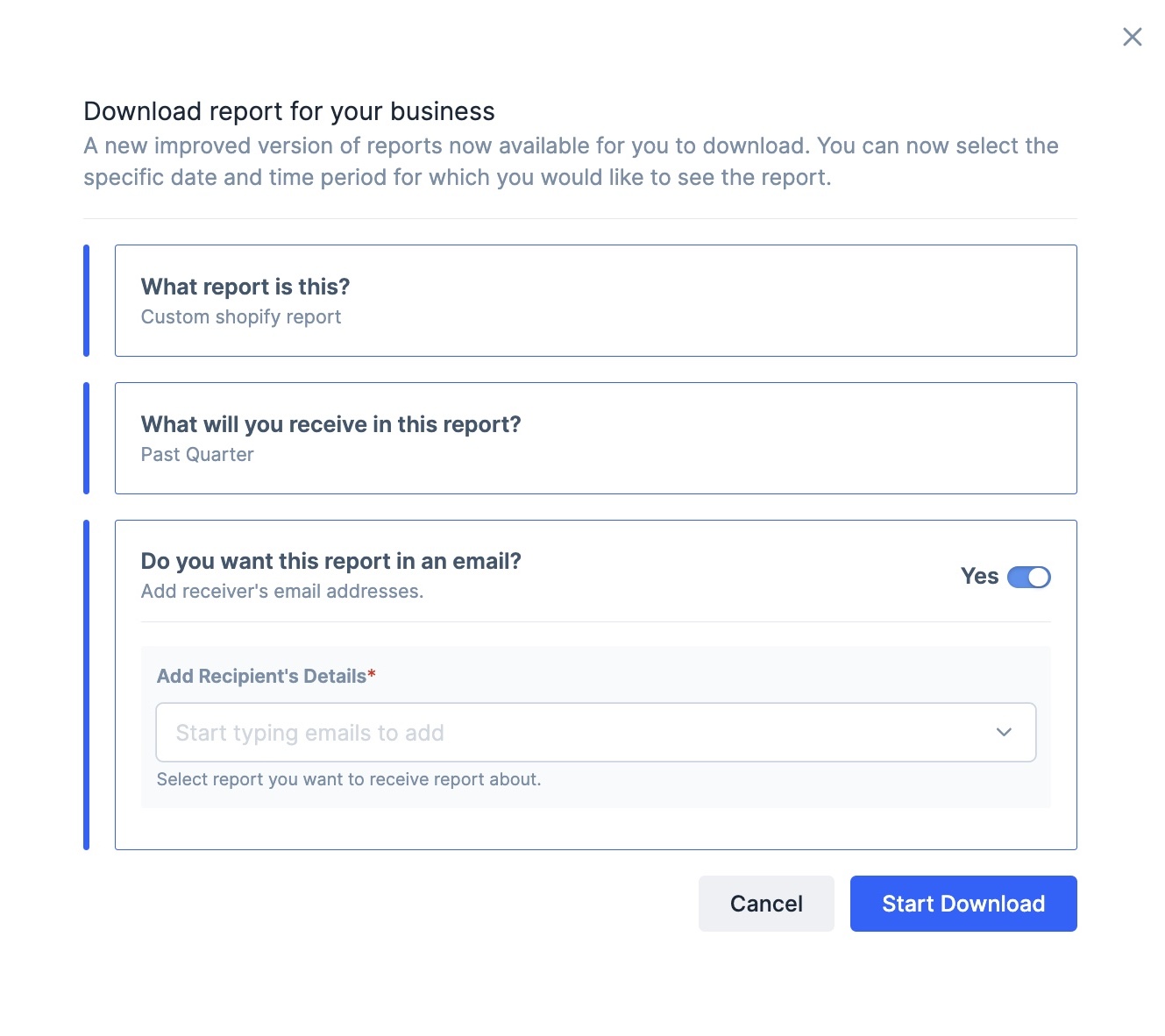 8. Click Start Download.
9. Navigate to the Downloads tab and click Download.
8. Click Start Download.
9. Navigate to the Downloads tab and click Download. 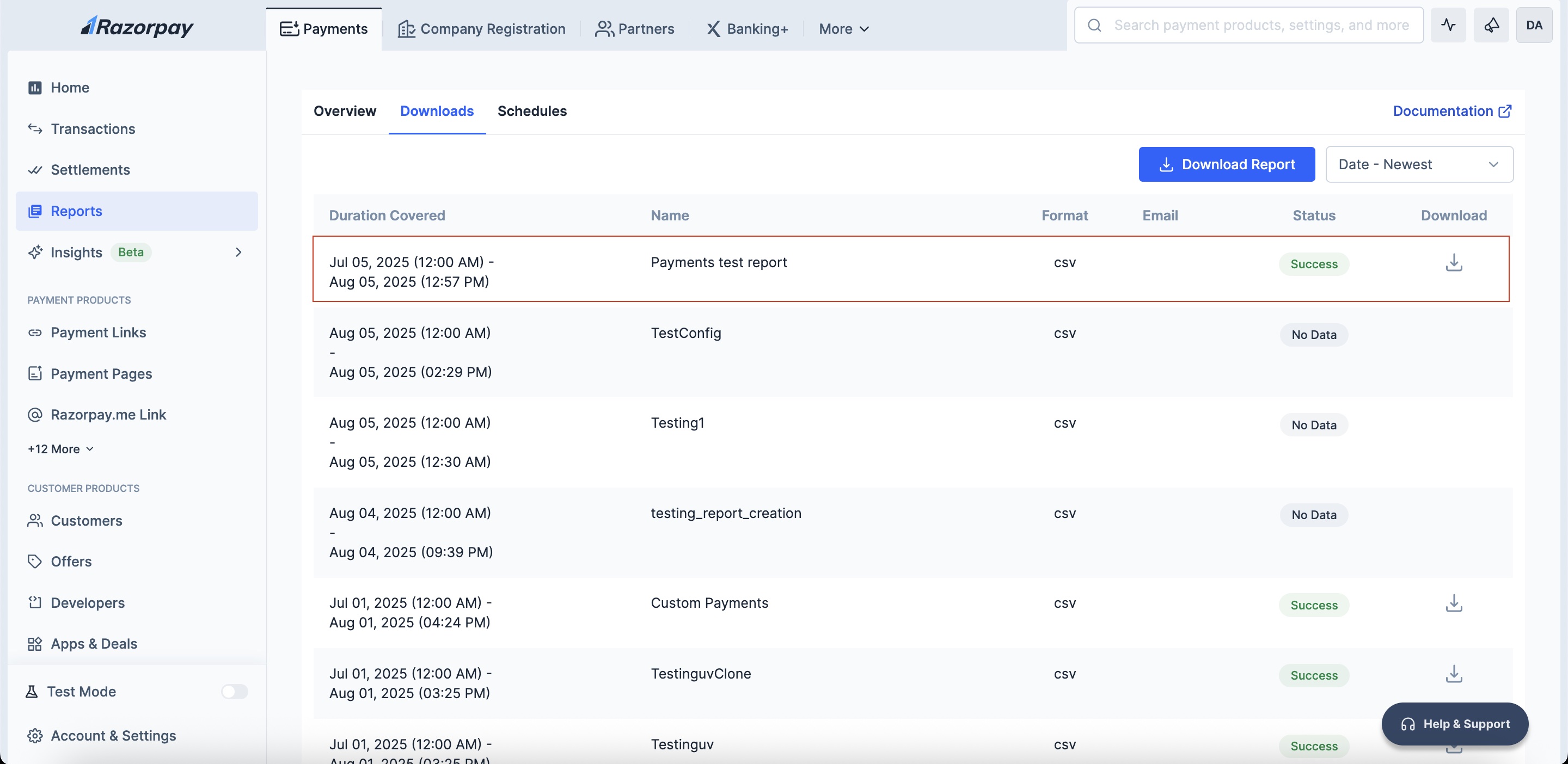 You have successfully downloaded your custom report.
Sample Use Case
Here is a sample use case to demonstrate how you can use custom reports:Business Analysis Report
Business Analysis Report
- Company: Acme Gadgets - An online electronics retailer
- Challenge: The finance team spends 15+ hours monthly compiling data from multiple Standard Reports for board presentations
- Goal: Create a unified custom report for comprehensive monthly business analysis
Report Configuration
- Report Name: Monthly Business Performance Dashboard
- Base Report Type: Payments
- Reporting Period: Past Month