

Edit Login Information
How do I change the login/registered email ID of my account?
How do I change the login/registered email ID of my account?
How do I change the password of my account?
How do I change the password of my account?
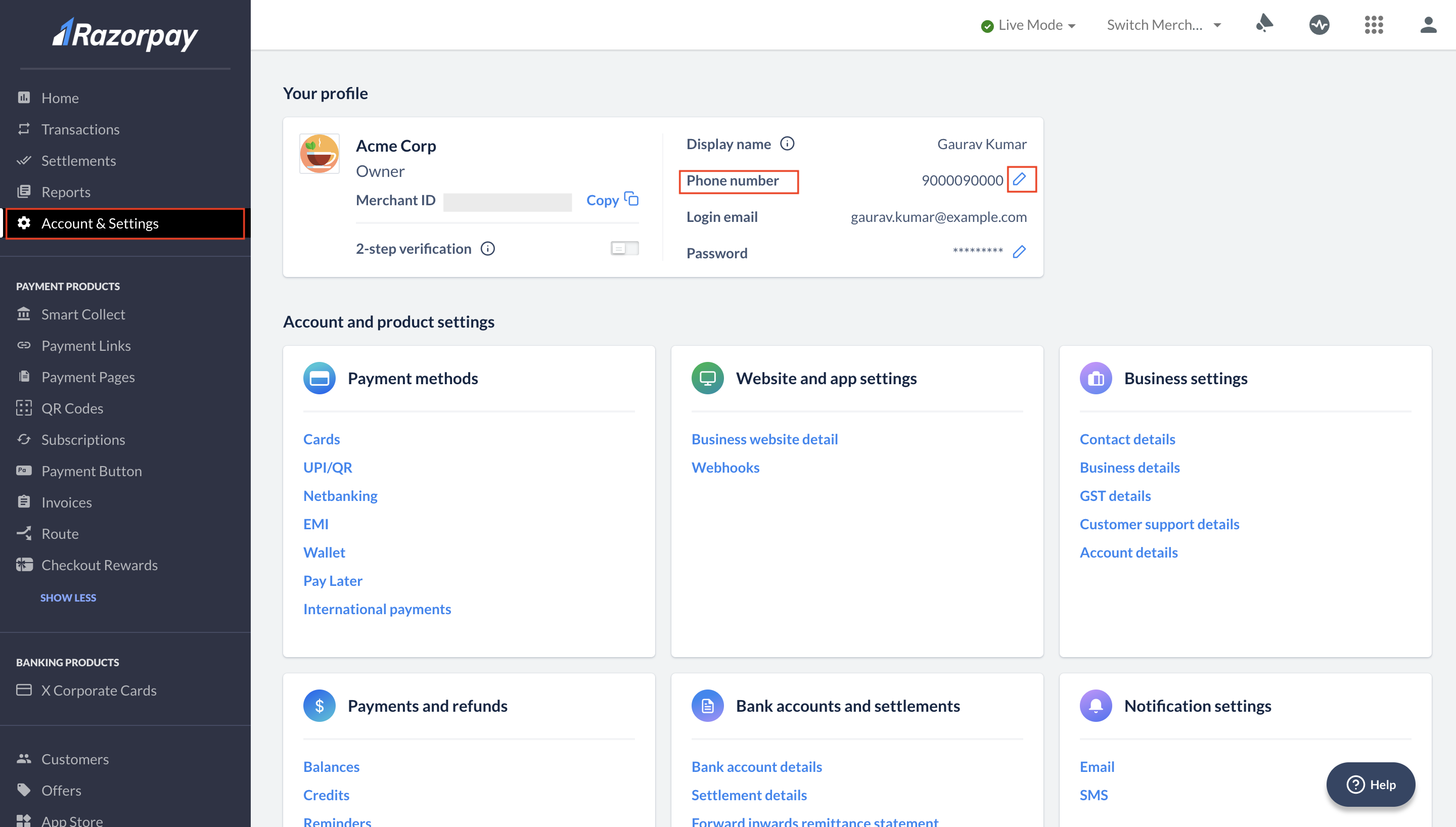
How do I change the phone number registered with my account?
How do I change the phone number registered with my account?
- Log in to the Dashboard.
- Navigate to Account & Settings.
- Click the edit icon next to the Phone number field.
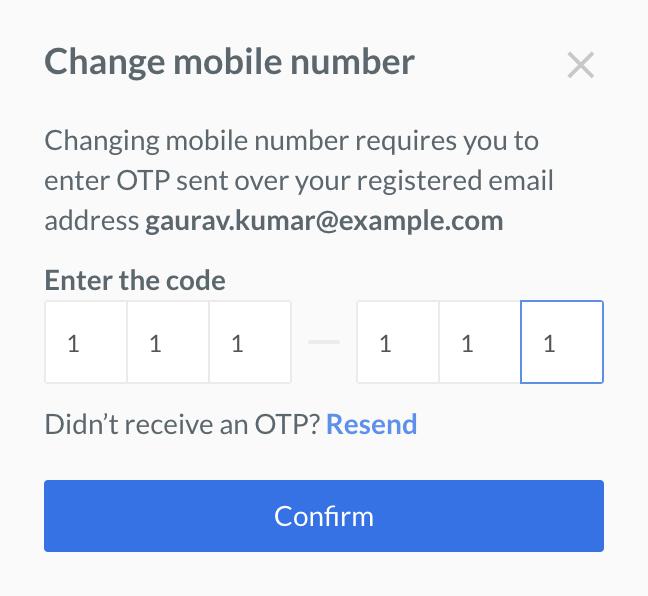
- Enter the OTP sent to your registered email address and click Confirm.
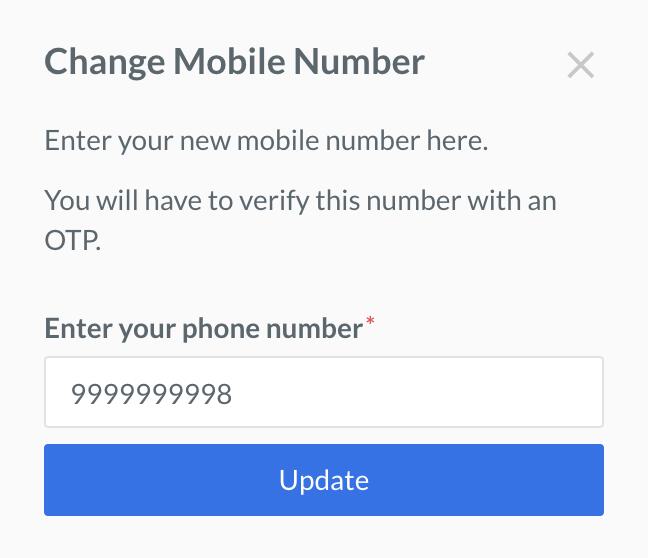
- Enter the new phone number and click Update.
- Log in to the Dashboard.
- Navigate to Account & Settings.
- Click Email under the Notification settings section.

- Add the email ID in the Email Notifications.
- Click Save Changes.
Edit Business Information
How do I change the account details displayed on the Dashboard?
How do I change the account details displayed on the Dashboard?
How do I change my business Website URL?
How do I change my business Website URL?
Can I change my business type on the Razorpay?
Can I change my business type on the Razorpay?
Individual to Sole Proprietorship is permitted since the PAN does not change in such cases. Similarly, changes like Private Limited to Public Limited may also be supported.Currently, this is a manual, offline process. To request a business type change, you must contact support team with the relevant details and documents.
What documents are required to change my business type on Razorpay?
What documents are required to change my business type on Razorpay?
- Proof of your new business entity. See list of KYC documents.
- PAN card: To confirm that the PAN remains the same across the entity change.
- Reason for the change. For example, updating GST details or aligning your account with current business filings and compliance requirements. Since each request is handled manually, additional documents may be requested during the review process. Contact support team to initiate your request. For more information, see Change Business Information.
How can I update my bank account information?
How can I update my bank account information?
- Log in to the Dashboard.
- Navigate to Account & Settings.
- Click Bank account details details under the Bank accounts and settlements section.
- Click Change bank account.
- Enter the OTP sent to your registered mobile device on the 2-Step Verification pop-up page.
- On the Change Bank Account Details pop-up page, add bank details such as branch IFSC, bank account number, and beneficiary name and upload your business’ bank statement or a cancelled cheque.
- Click Save.
How can I update my business name on the payment confirmation mail sent to customers by Razorpay?
How can I update my business name on the payment confirmation mail sent to customers by Razorpay?
- If you are a registered business or individual business, you can use the brand name and logo feature on the Dashboard to update the business name.
How can I change my GSTIN?
How can I change my GSTIN?
How do I change the KYC details provided during account activation?
How do I change the KYC details provided during account activation?
How long does it take to get a new or updated website/domain approved?
How long does it take to get a new or updated website/domain approved?
- Bank Verification System (BVS) Checks: These initial automated checks typically take 3–5 minutes.
- Agent Resolution/Final Approval: Once the BVS checks are complete and the workflow is created, it takes an agent approximately 24–48 hours for final review and resolution.
My website verification request has been pending for a long time. What should I do?
My website verification request has been pending for a long time. What should I do?
- Your Razorpay account id/Merchant id.
- Website URL submitted for verification.
- Date of submission.
Integration Related
What is Razorpay Dashboard?
What is Razorpay Dashboard?
Is a GST certificate mandatory for using Razorpay Payment Gateway?
Is a GST certificate mandatory for using Razorpay Payment Gateway?
I have added my Razorpay account to my website domain. Can I also add it to a sub-domain?
I have added my Razorpay account to my website domain. Can I also add it to a sub-domain?
How do I integrate Razorpay?
How do I integrate Razorpay?
What is a webhook? How do I use it?
What is a webhook? How do I use it?
How to provide a clarification requested by Razorpay?
How to provide a clarification requested by Razorpay?
How do I close my Razorpay account?
How do I close my Razorpay account?
I already have one website integrated. How do I add a second (additional) website for payments?
I already have one website integrated. How do I add a second (additional) website for payments?
- Log in to the Dashboard.
- Navigate to Account & Settings → Business website detail.
- Click Add additional website/app details.
Reports
How can I generate reports?
How can I generate reports?
Can I generate an annual report?
Can I generate an annual report?
Checkout Settings
I am unable to save my new brand name. Why?
I am unable to save my new brand name. Why?
I am unable to upload the wordmark. Why?
I am unable to upload the wordmark. Why?
How does Bank Identification Number (BIN) based customisation help?
How does Bank Identification Number (BIN) based customisation help?
How does displaying UPI QR Code at checkout help?
How does displaying UPI QR Code at checkout help?
How does displaying the UPI ID/Number field at checkout help?
How does displaying the UPI ID/Number field at checkout help?
Miscellaneous
How can I apply for my TDS reimbursement?
How can I apply for my TDS reimbursement?
My account is activated. How do I switch to live mode?
My account is activated. How do I switch to live mode?
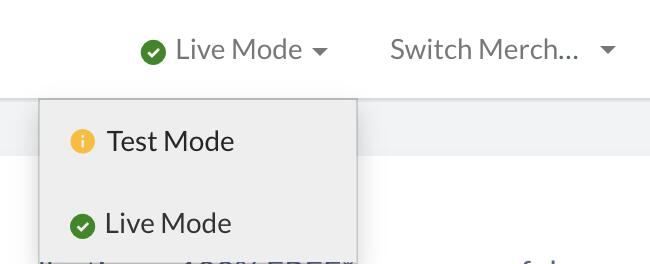
I cannot generate Live mode API keys even though my account is activated. How do I generate the API keys?
I cannot generate Live mode API keys even though my account is activated. How do I generate the API keys?
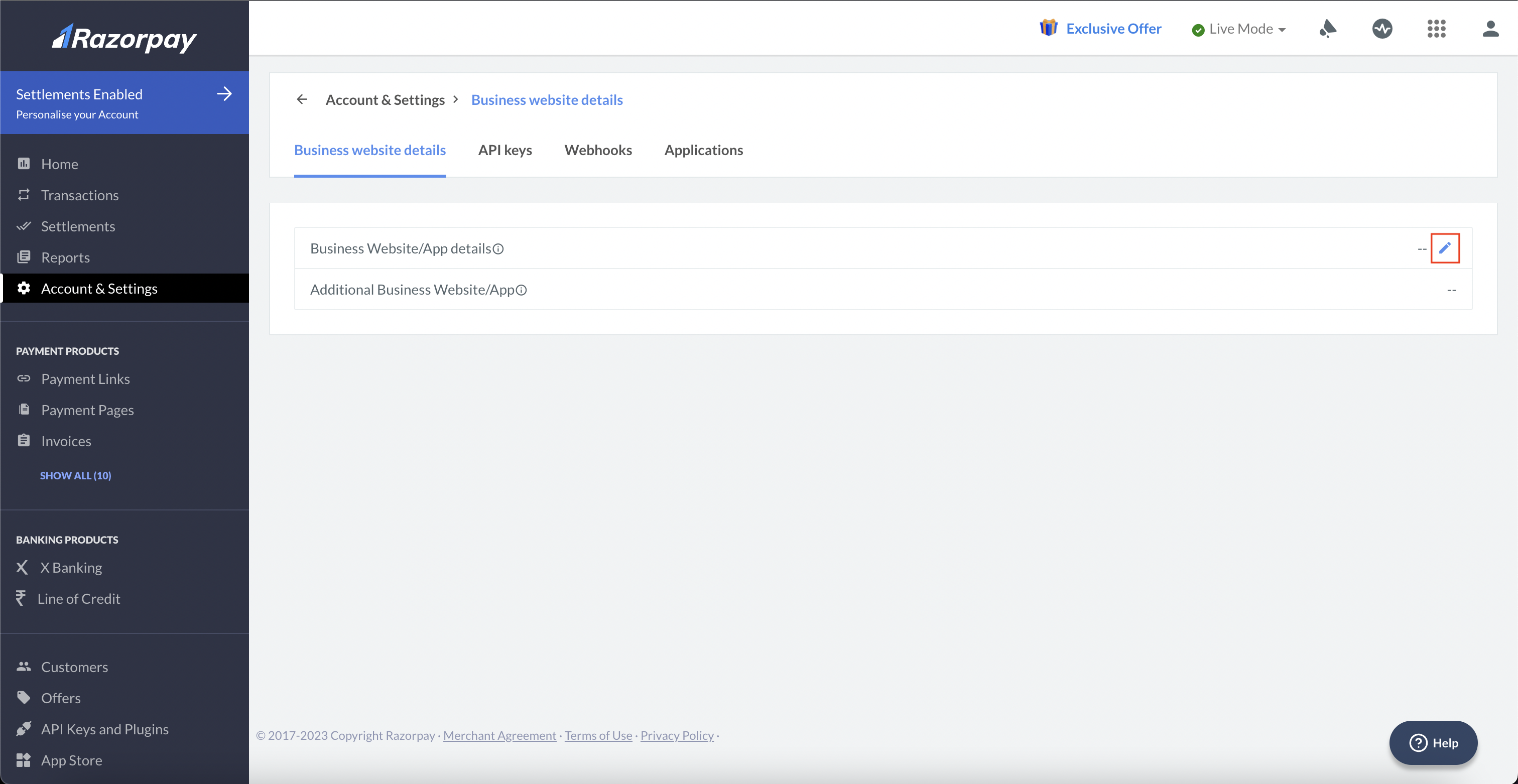
- Log in to the Dashboard.
- Navigate to Account & Settings.
- Click Business website details under the Website and app settings section.

- Click the edit icon.
- Enter your website URL and click Add Details.
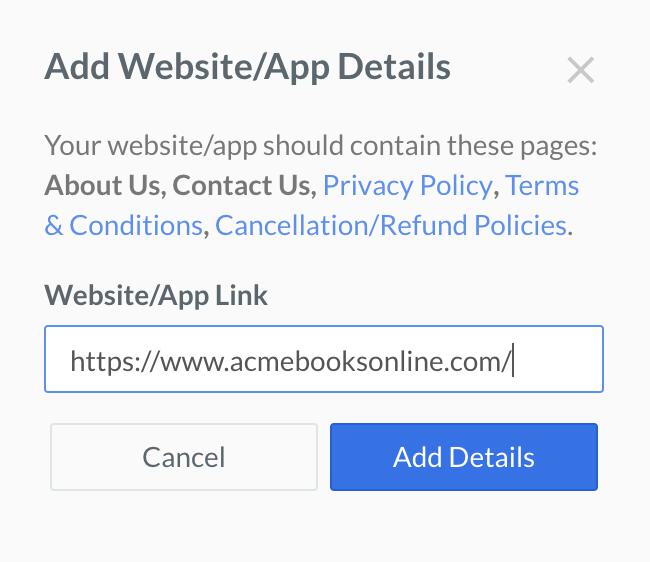
- Our team will review your website/app URL details. Post review, your website details are updated, and you should be able to generate API keys in the Live Mode.
What is a Chargeback?
What is a Chargeback?
How do I report a fraud/cybercrime?
How do I report a fraud/cybercrime?
Where can I find my Account ID/Merchant ID on the Dashboard?
Where can I find my Account ID/Merchant ID on the Dashboard?

Why is my payment not visible on the dashboard?
Why is my payment not visible on the dashboard?
- Ensure you are on the right mode (test/live) and check the Payments section again.
- Use the right filtering options to view payments.
- You can also search using the payment ID.
Why are my payments failing?
Why are my payments failing?
When will the payments be deposited in my bank account?
When will the payments be deposited in my bank account?
How can email and SMS notifications be enabled?
How can email and SMS notifications be enabled?