

Available in🇮🇳 India
You can generate Magic Checkout reports from the Dashboard to analyse order performance and customer behaviour on your store. Magic Checkout offers two types of reports:
- Order Reports: Track completed orders placed through Magic Checkout. Use these reports to calculate conversion rates, identify top-performing products and promotions and analyse payment method preferences.
- Checkout Reports: Analyse both completed orders and abandoned checkouts to understand the complete customer journey. Use these reports for abandoned cart recovery, checkout funnel analysis and identifying customer drop-off points.
Generate Reports
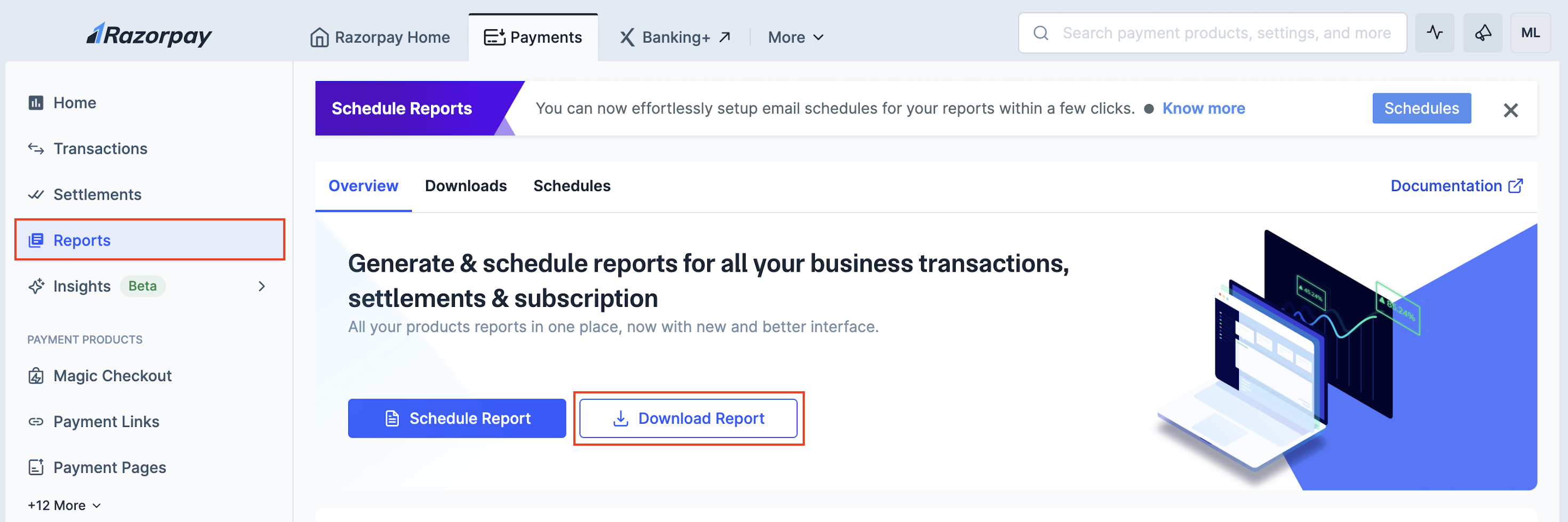
To generate reports:- Log in to the Dashboard and navigate to Reports.
- In the Overview section, click Download Report.
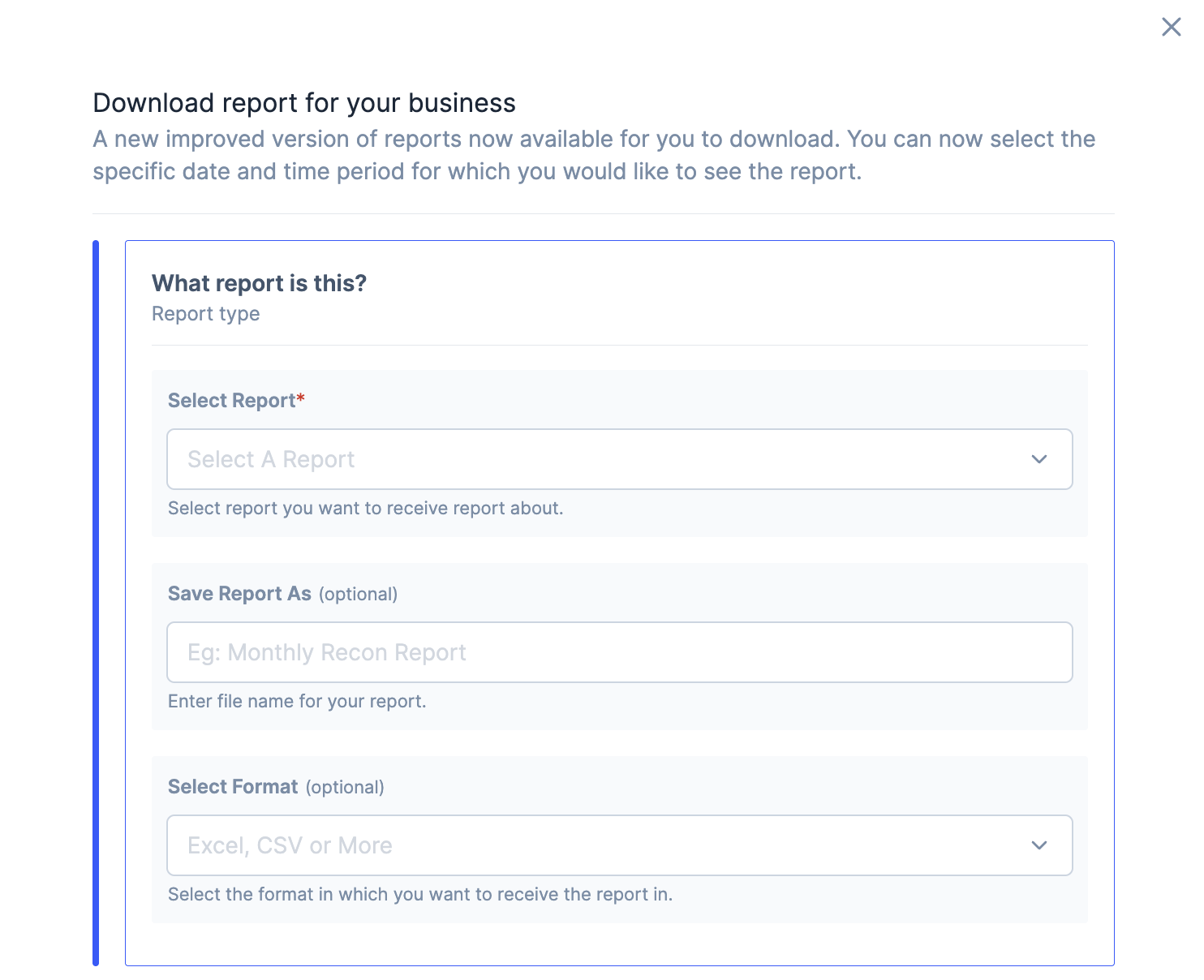
- Configure report settings:
- Select the report from the drop-down list.
- Magic Checkout Orders Report for completed orders only.
- Magic Checkout Checkout Report for completed orders and abandoned checkouts.
- Enter a file name (optional).
-
- Select the file format. Only
CSVformat is supported for Magic Checkout reports.
- Select the file format. Only
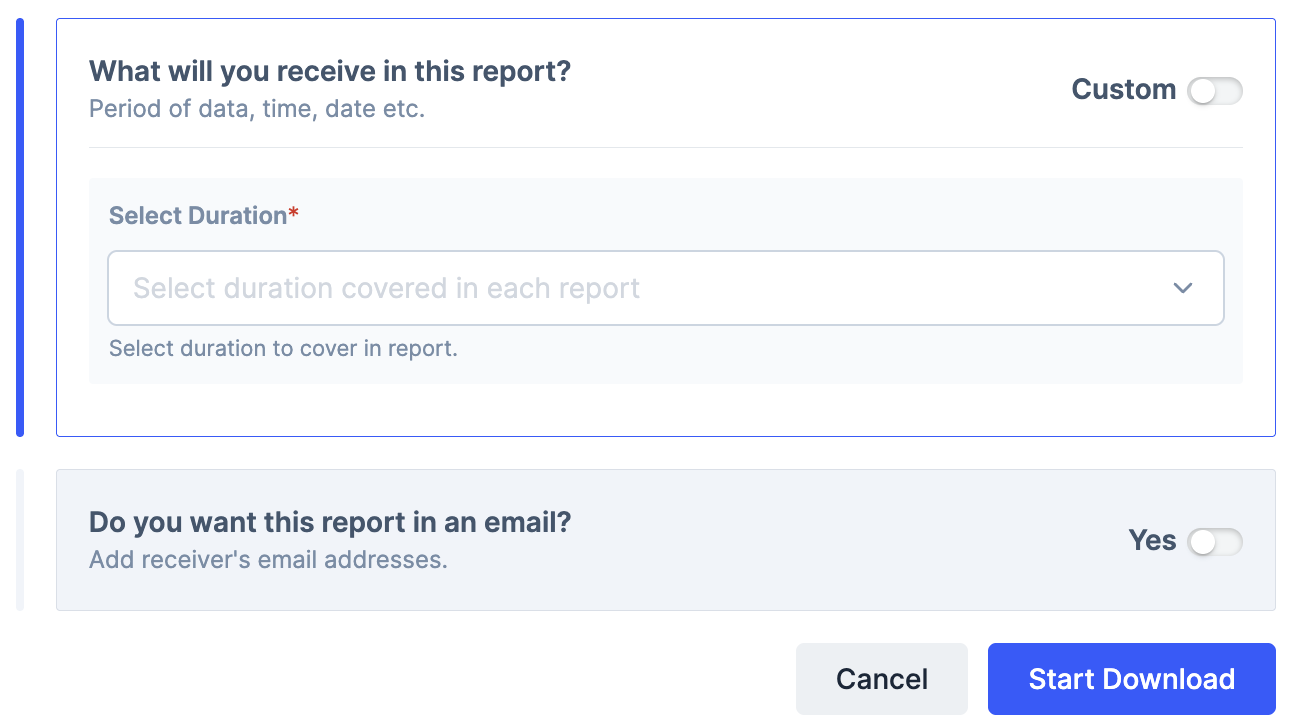
- Choose the duration from the drop-down or toggle Custom to set a specific date range.
- To receive the report via email, toggle Yes in the Do you want this report in an email? section and enter email addresses for all recipients.
- Select the report from the drop-down list.
- Click Start Download.
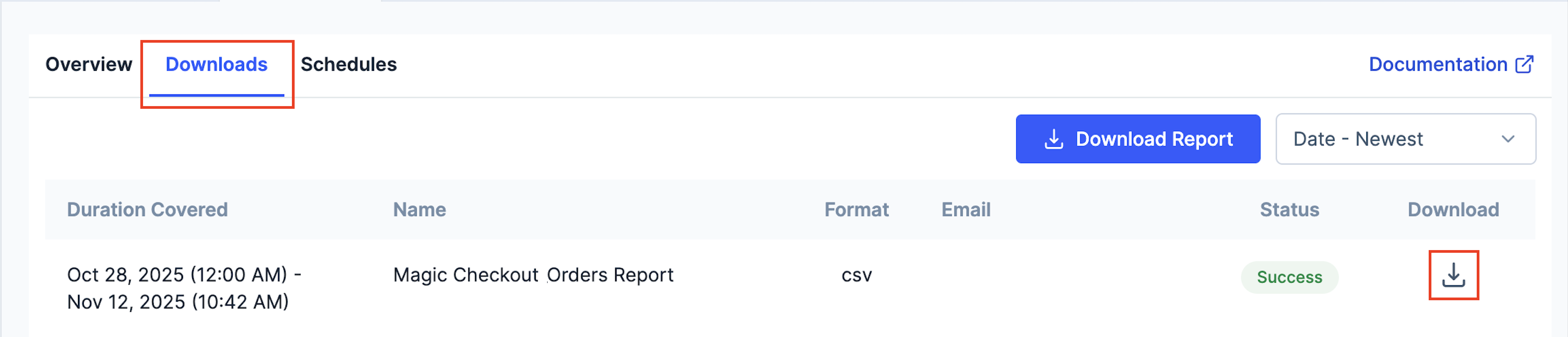
- Navigate to the Downloads section to track the download status and click the download icon to download the report.
Schedule ReportsYou can also schedule reports to receive them automatically at regular intervals. This ensures you get timely data for consistent decision-making without manual downloads. Know more about how to schedule reports.
Data Fields
The reports contain the following data fields:Order Reports
Order Reports
Order reports contain the following data fields:
Checkout Reports
Checkout Reports
Checkout reports contain all the fields from Order reports plus one additional field:
Handy Tips
- Checkout reports include both completed orders and abandoned checkouts, while order reports only show completed orders.
- The
abandoned_checkout_urlfield is only populated for customers who initiated checkout but did not complete the purchase. - For completed orders, the
abandoned_checkout_urlfield will remain empty.